Answer

Parameters on report not working for RefNbr and DocType

  • May 7, 2025
  • 11 replies
  • 187 views

Forum|alt.badge.img

Hi Acumatica,

I am trying to add parameters to a report for Inventory Transfers. I need to add DocType and RefNbr. I have run into this issue before, but the DocType allows me to select from the dropdown of Document Types; however, I cannot get the RefNbr to do a lookup of the Reference Numbers.
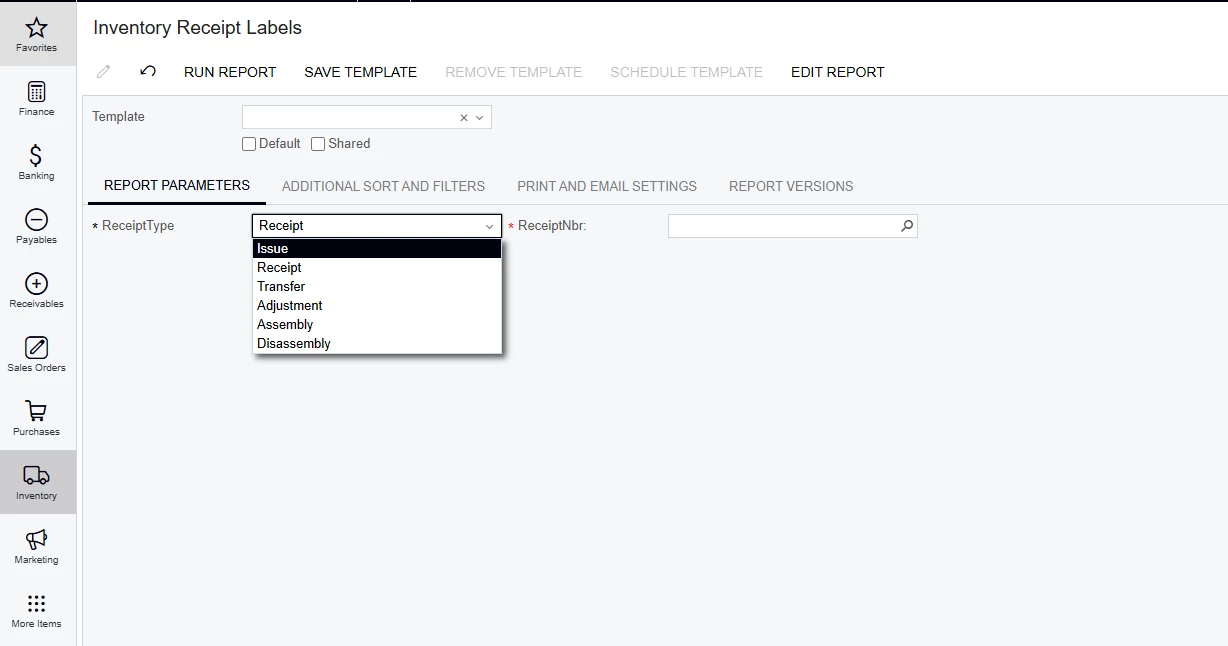
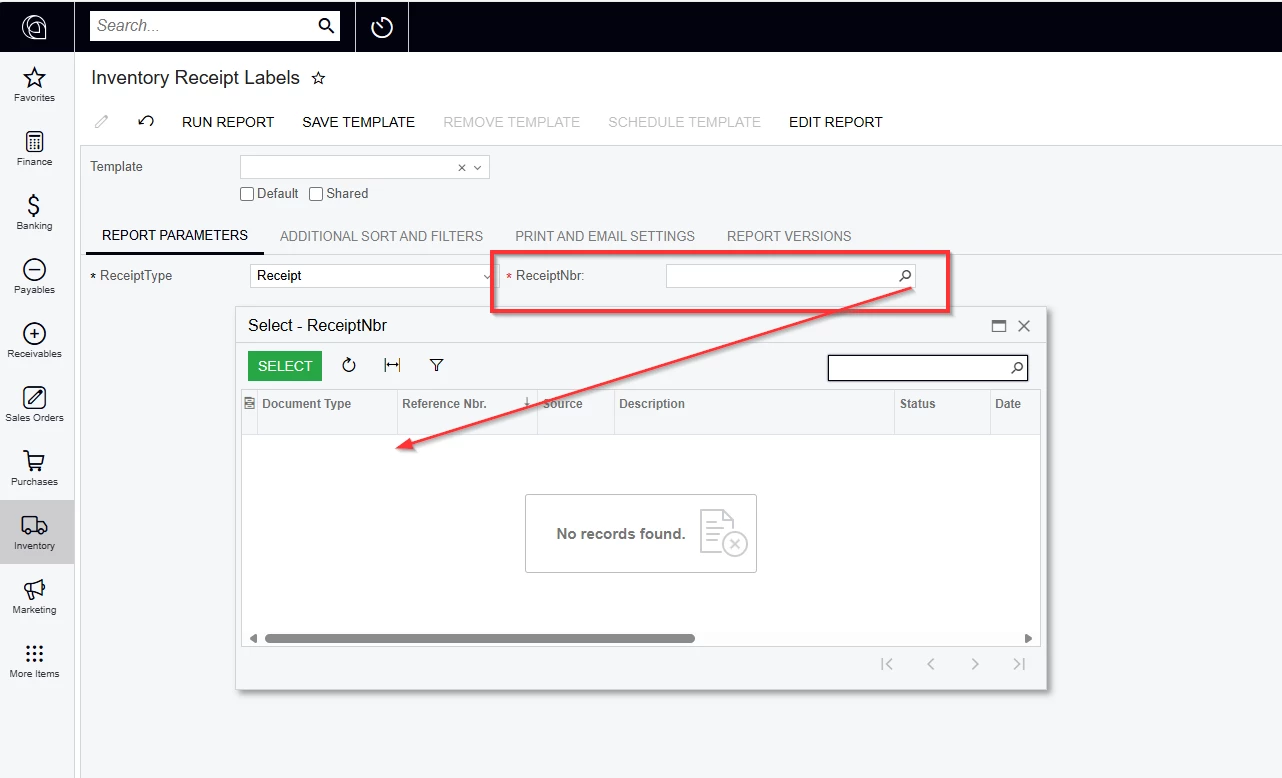


Any suggestions?

Thank you!

-RJ
Best answer by rkenna

Hi ​@darylbowman,

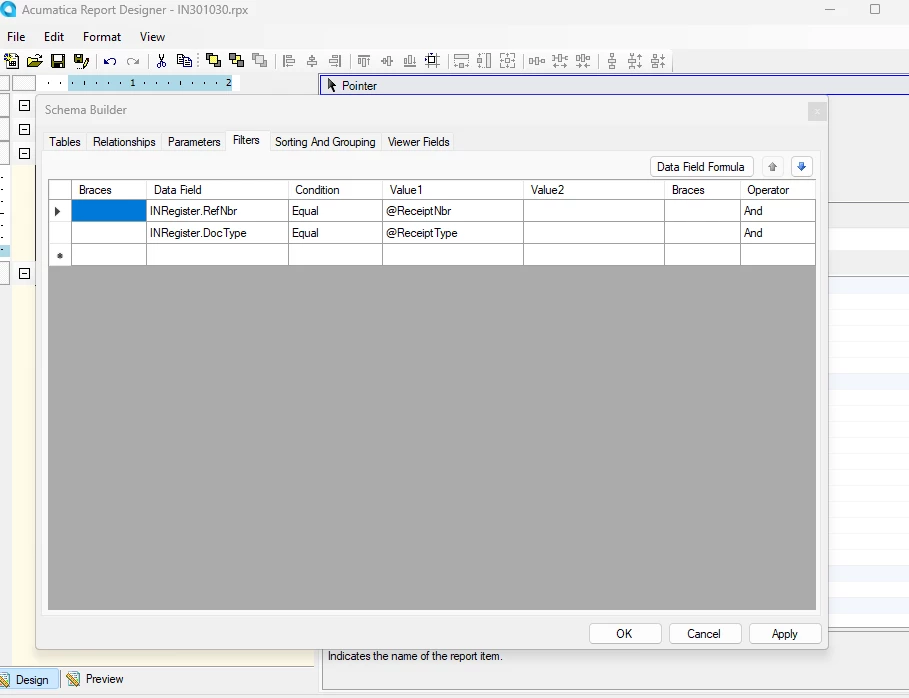
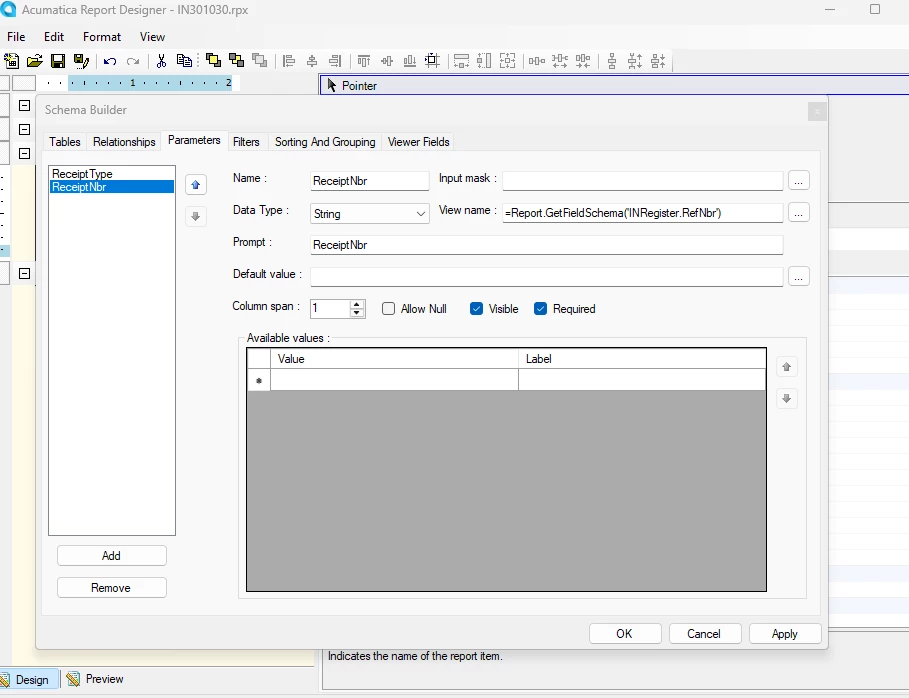
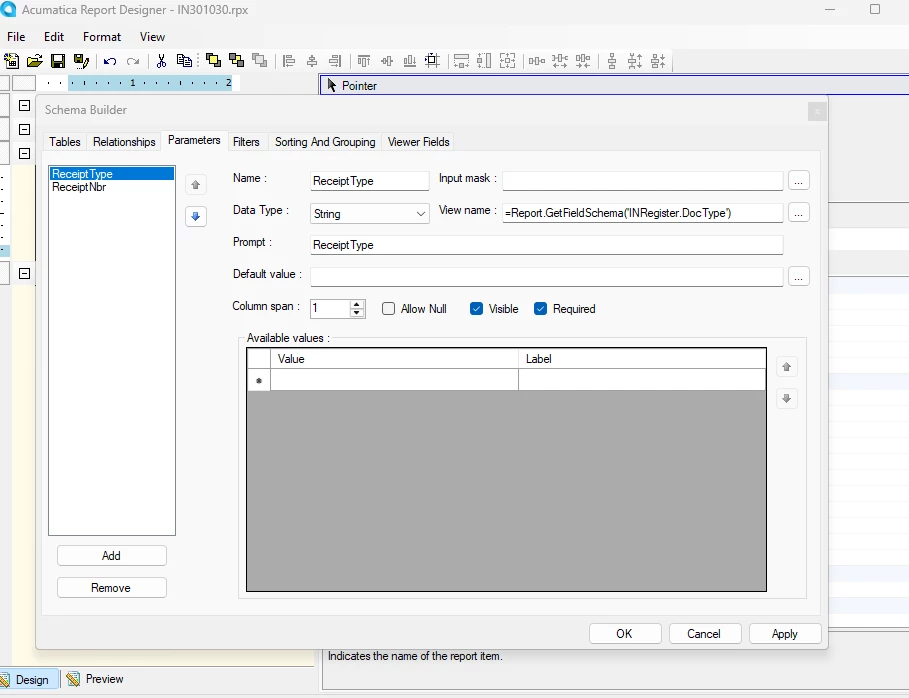
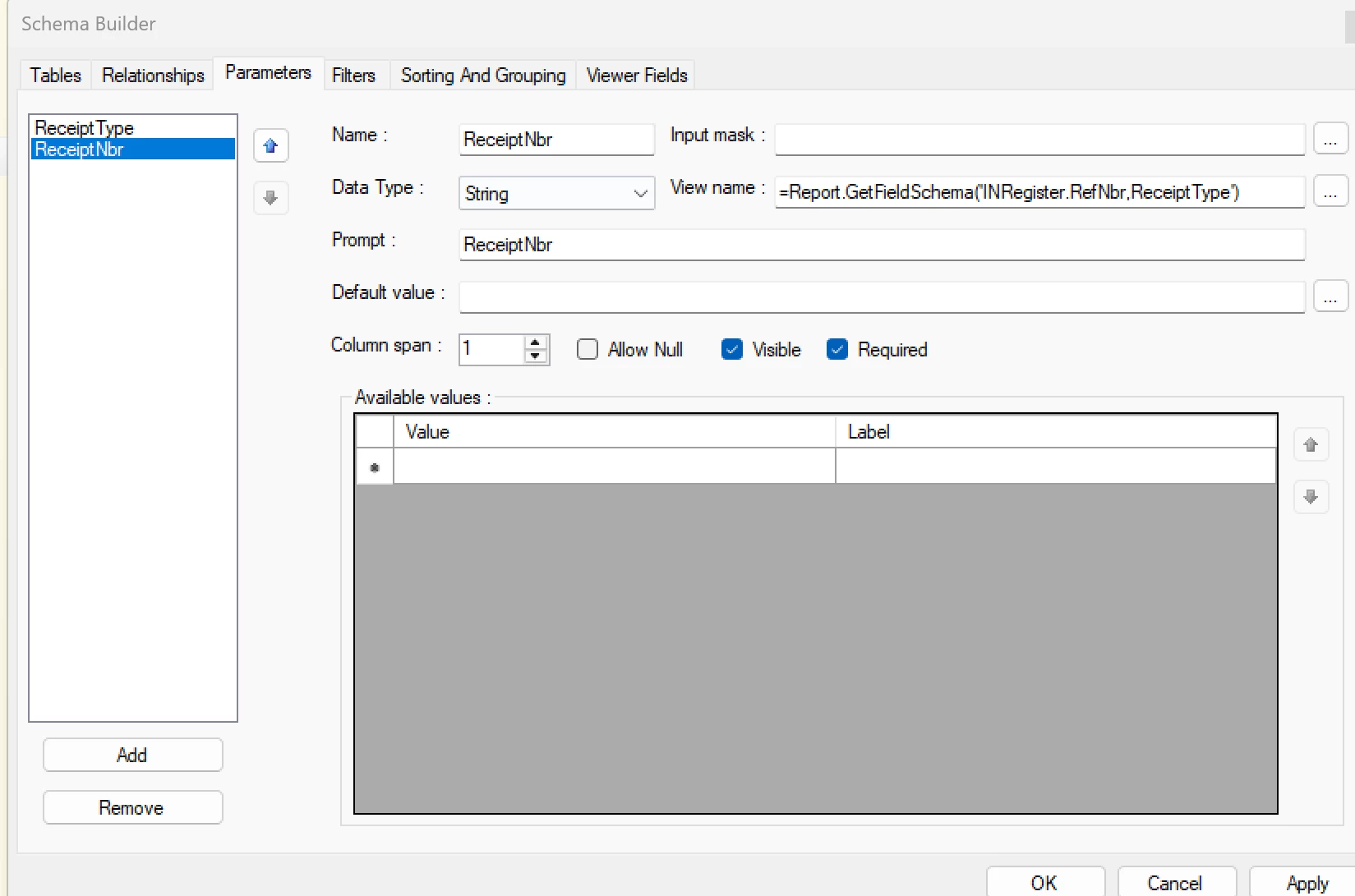
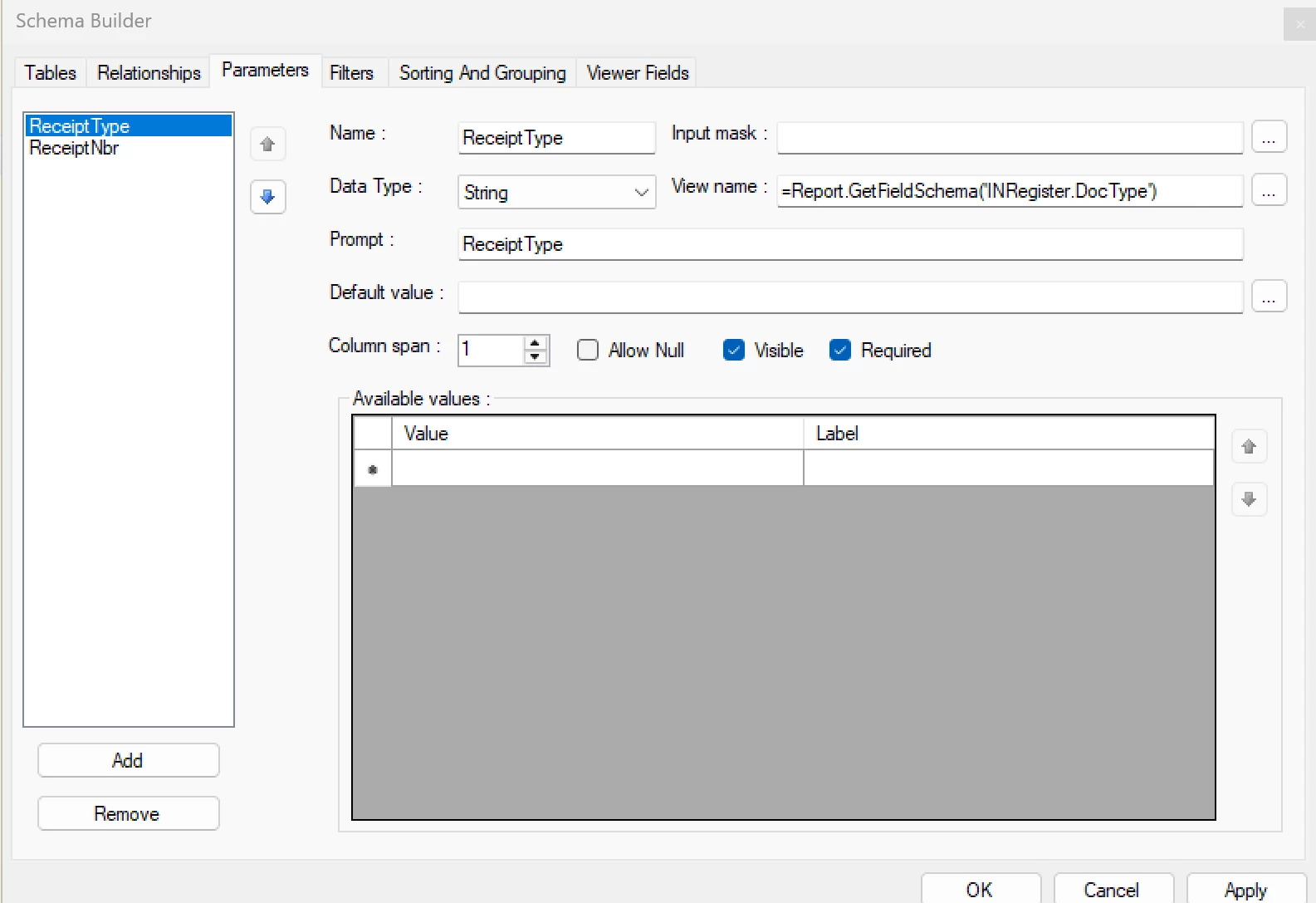
This is what worked… not sure why the DocType and ReceiptType are this way, but it worked to pull in the parameter. Thanks for the help.


11 replies

darylbowman
Captain II
Forum|alt.badge.img+15

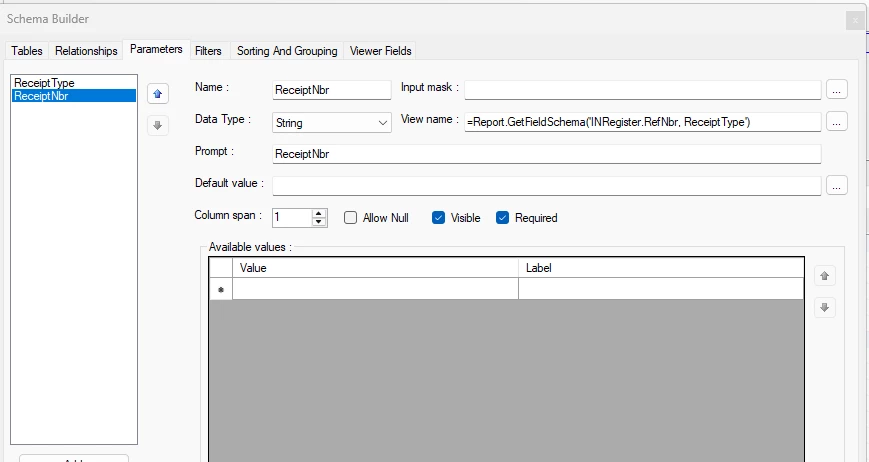
Try this for your ReceiptNbr ‘View name’: =Report.GetFieldSchema('INRegister.RefNbr, ReceiptType')


Forum|alt.badge.img
  • Author
  • Captain I
  • May 7, 2025

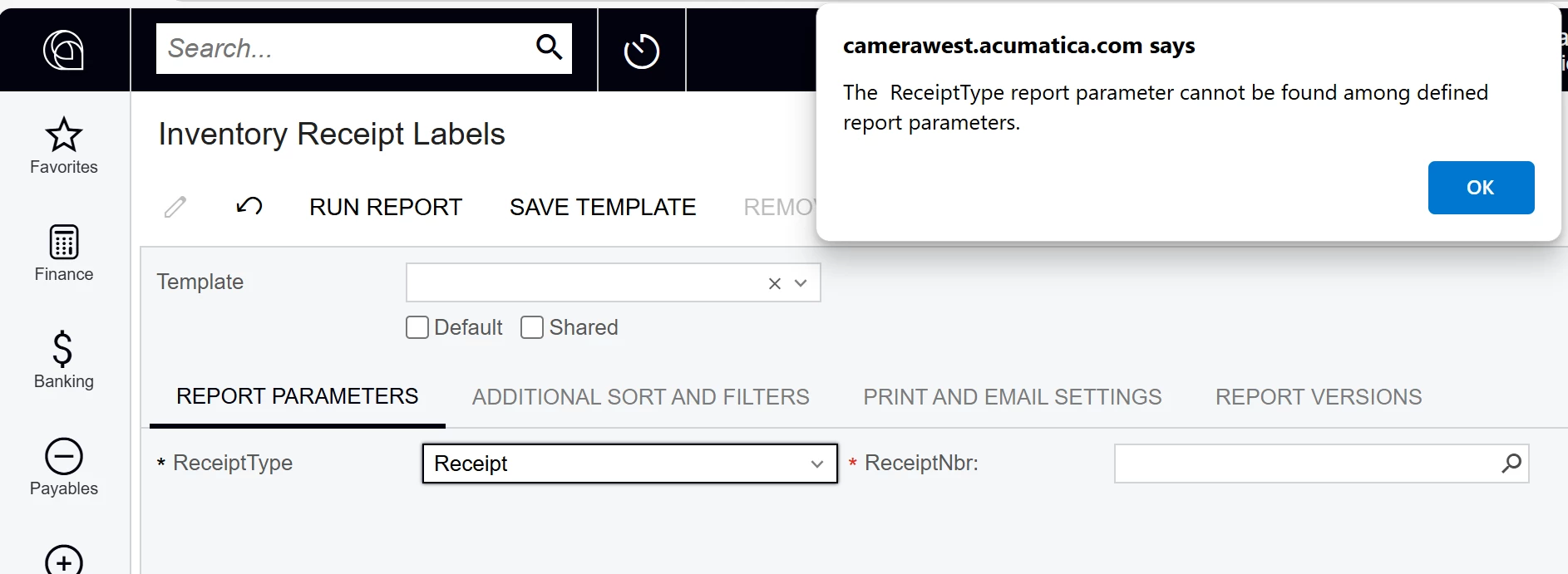
@darylbowman , thanks for your response. I did add that in, and I got this error.


darylbowman
Captain II
Forum|alt.badge.img+15

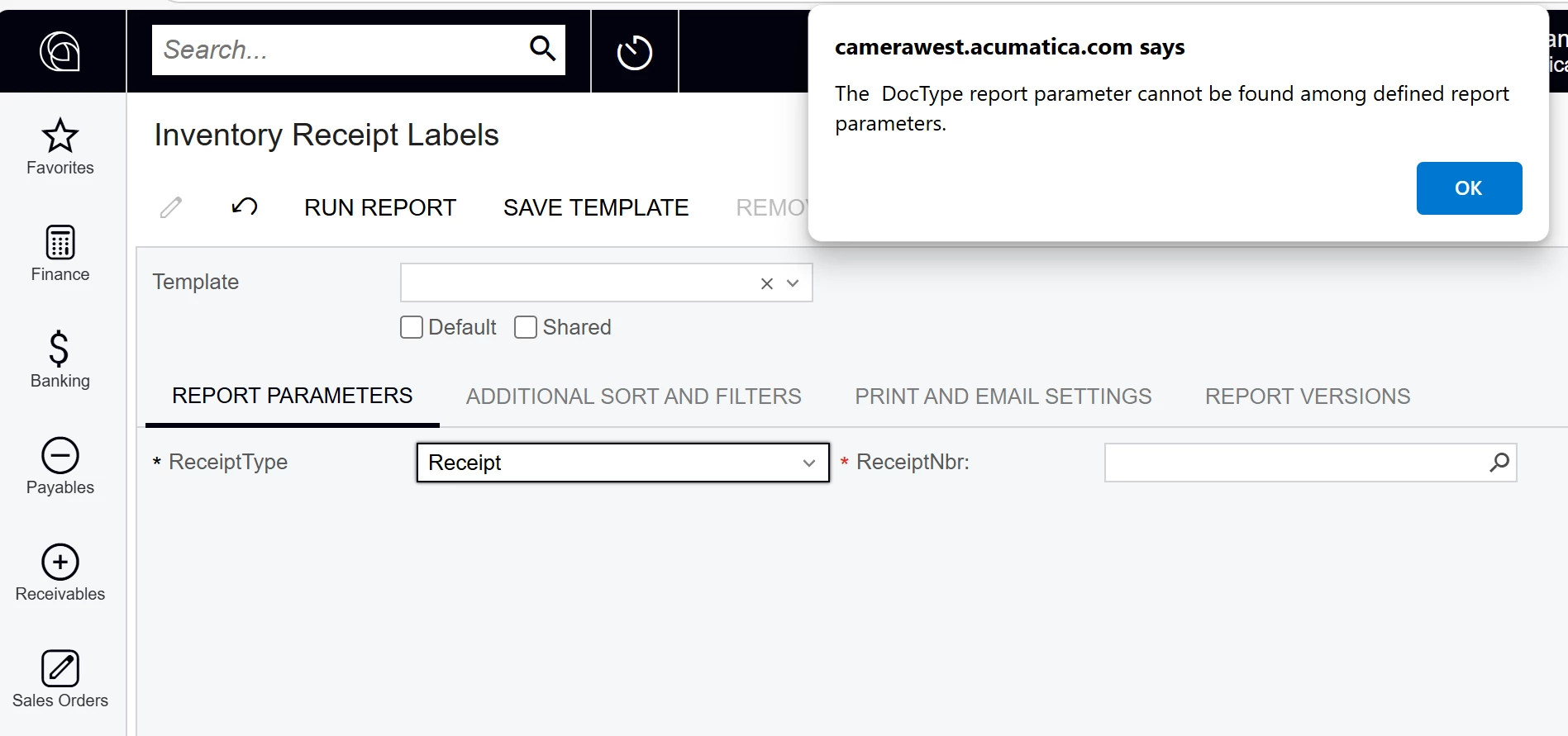
Try =Report.GetFieldSchema('INRegister.RefNbr, DocType')


Forum|alt.badge.img
  • Author
  • Captain I
  • May 7, 2025

@darylbowman 


darylbowman
Captain II
Forum|alt.badge.img+15

Sorry to give you a bunch of stuff to try. I’m swamped and don’t have time to test first.

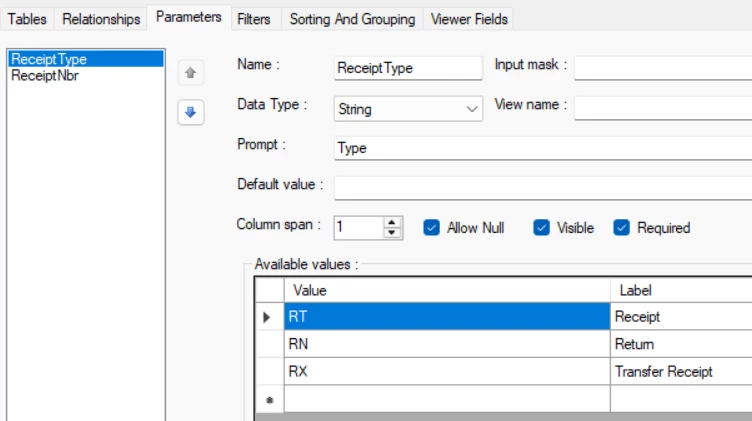
Last suggestion from me - all the reports I’ve seen that use this mechanism have the DocType with defined values instead of using the field schema. I can’t tell you why; just that it seems like if they go to that work, there may be something behind it.

You could try redefining the ReceiptType parameter and give it actual values instead of inferring the schema.

This is for Purchase Receipts:


INRegister DocType values are:

I - Issue
R - Receipt
T - Transfer
A - Adjustment
P - Assembly
D - Disassembly


Then use this =Report.GetFieldSchema('INRegister.RefNbr, ReceiptType')


Forum|alt.badge.img
  • Author
  • Captain I
  • May 8, 2025

Hi ​@darylbowman,


I tried that, but still no luck. Do you have any other suggestions?


Thanks,
RJ


darylbowman
Captain II
Forum|alt.badge.img+15

I don’t ☹️


Forum|alt.badge.img
  • Author
  • Captain I
  • May 8, 2025

@darylbowman 

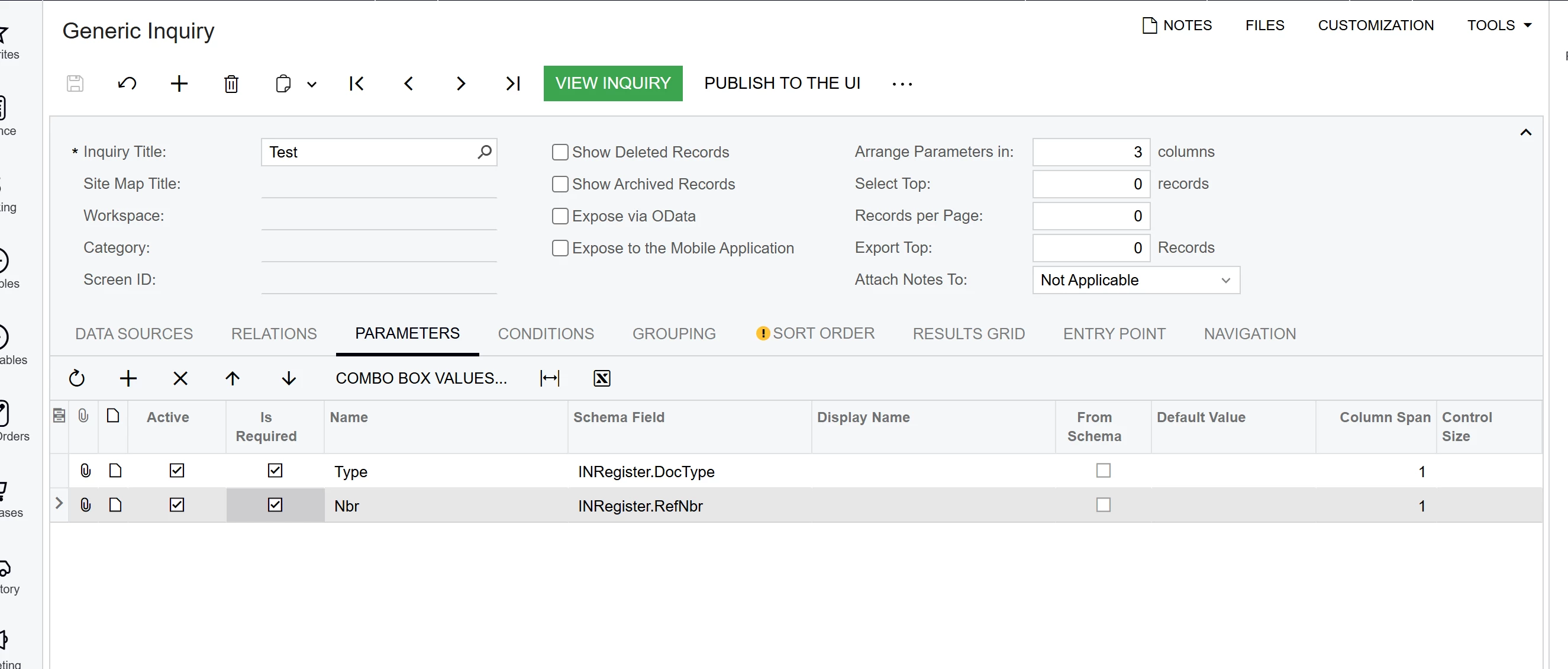
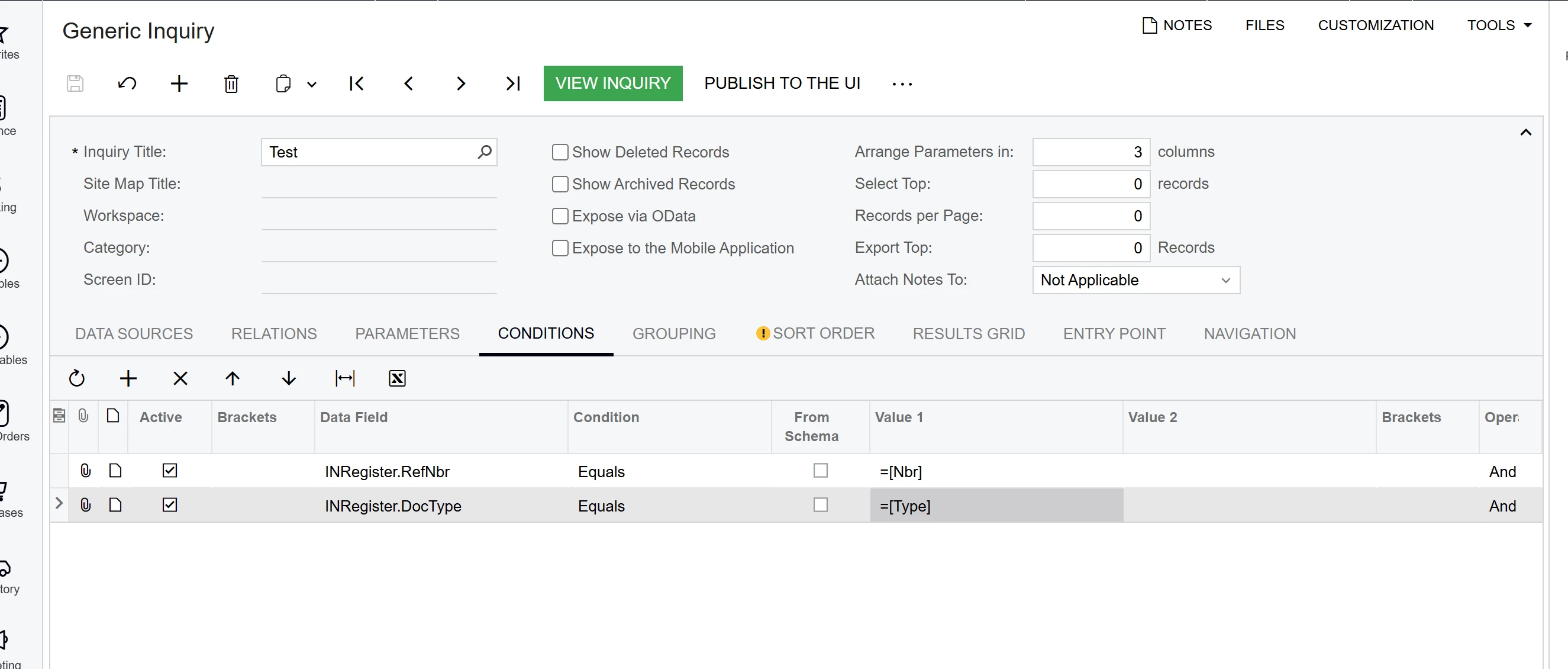
Do you know why a GI and report Designer would give me different parameter results? I created a simple GI with the same tables and joins with these parameters,

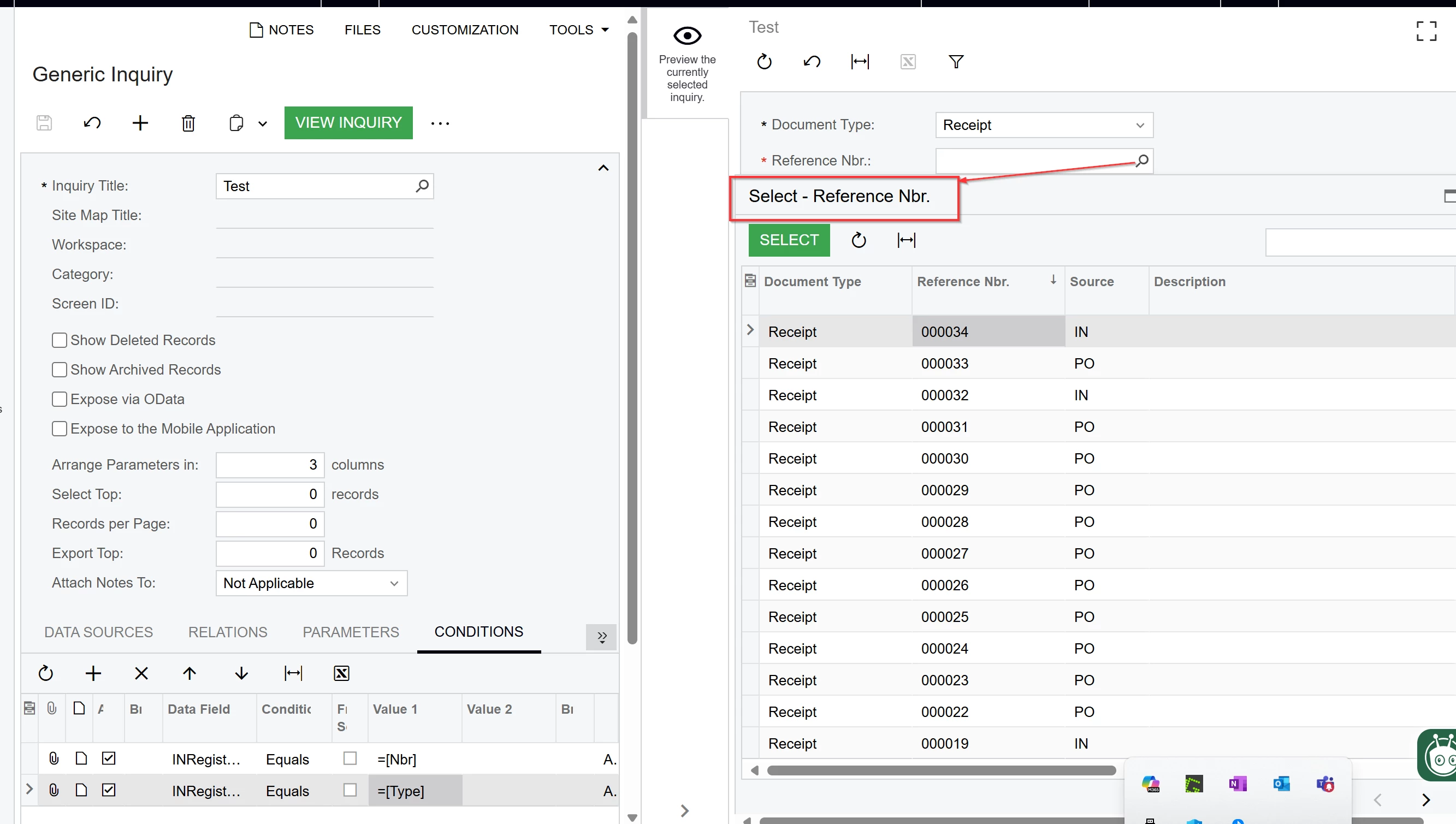
And I can do a lookup on the Receipt Type and Number with no issues.


When I export it to a report and save it back to the server, I am not able to select anything.


darylbowman
Captain II
Forum|alt.badge.img+15

My guess would be that the mechanism the Report Designer is using is not functioning in the way it does some other places. In GIs and on screens, selectors are configured to function in the context of the screen.

I don’t understand the ‘GetFieldSchema’ mechanism well enough to know what it’s expecting aside from copying other reports.


Forum|alt.badge.img
  • Author
  • Captain I
  • Answer
  • May 15, 2025

Hi ​@darylbowman,

This is what worked… not sure why the DocType and ReceiptType are this way, but it worked to pull in the parameter. Thanks for the help.


darylbowman
Captain II
Forum|alt.badge.img+15

Try this for your ReceiptNbr ‘View name’: =Report.GetFieldSchema('INRegister.RefNbr, ReceiptType')

I'm confused. Is that different than this? We tried this a long time ago.