


If a Modern Customer Portal user (a contact of a company) is granted access to the portal, with the Customer Portal Contact Manager and Customer Portal Company Manager roles, within the portal they can view Company Profile and click Add New Contact, but after doing this, the new contact appears in the Contacts tab of the customer account in the main ERP instance, but within the portal, the user is unable to see any records listed in the Contacts section of the Company Profile:
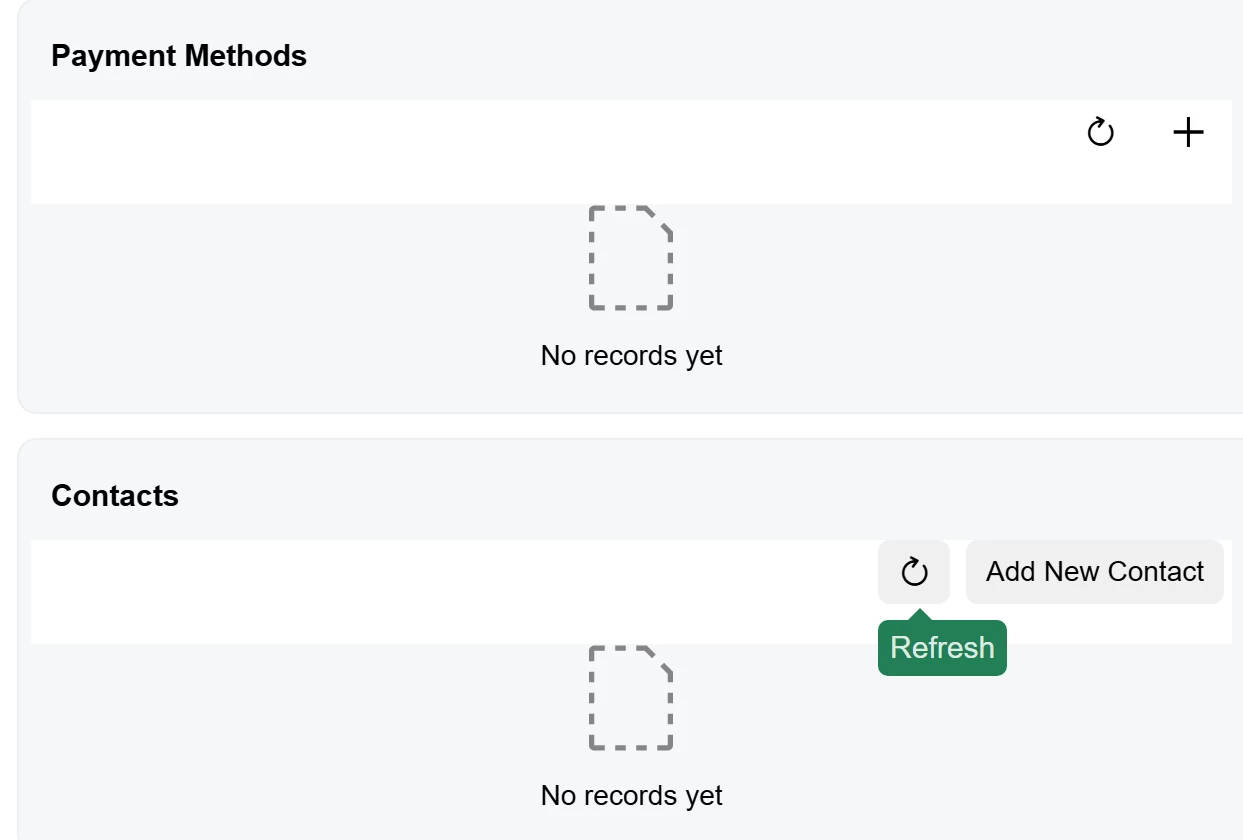
We would like to use this role to allow a nominated company contact to manage the portal users within their company, with the ability to add new contacts, revoke access to contacts who have left their organisation, change passwords etc.
The Customer Portal Contact Manager role looks like it could do this but doesn’t seem to work properly. Could this be an issue with the default access rights for the Portal Contact Manager role?