Question

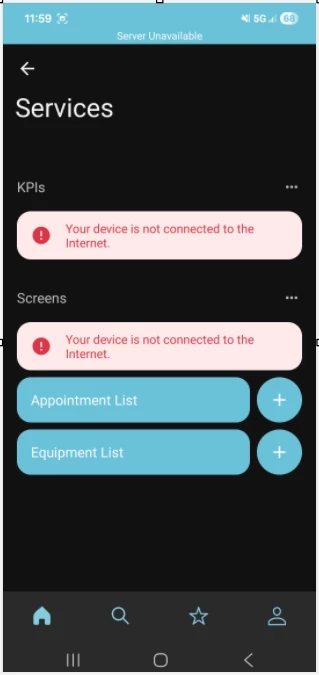
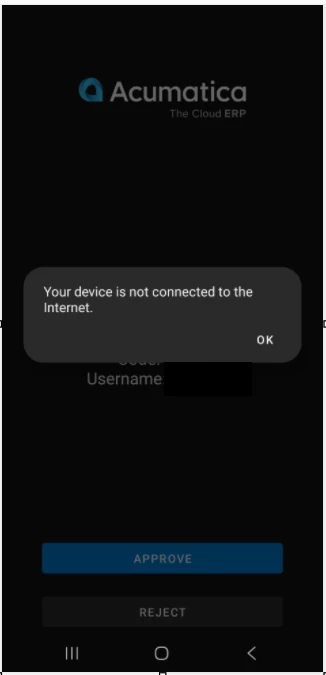
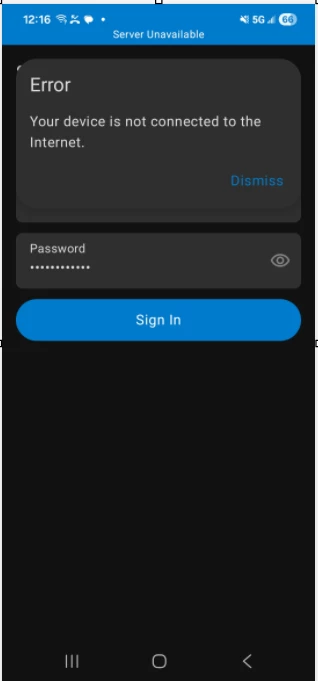
Mobile app connectivity error: "Server Unavailable" and "Your device is not connect to the internet"

  • February 19, 2026
  • 6 replies
  • 49 views

lauraj46
Captain II
Forum|alt.badge.img+9

Has anyone else had connectivity issues recently when trying to connect or work in the mobile app when they know that they do in fact have WiFi/cellular connectivity?  When the error occurs the user is able to open a website in Chrome to confirm that they do have connectivity. 

This seems to be a new issue in the last couple of days, and all of the reports so far have been on Android devices.  It is affecting more than one of our customers on different Acumatica instances.  


6 replies

DipakNilkanth
Pro III
Forum|alt.badge.img+14

Hi ​@lauraj46,

I’m not sure about the “Your device is not connected to the internet” error. However, for the past few days, I have been facing a “Server Unavailable” issue while trying to connect my local instance to the mobile app.

I am using the URL format:
https://<MyServerIPAddress>/<InstanceName>

I have already ensured that both my device and the system are connected to the same Wi-Fi/cellular network.

I suspect this might be a configuration-related issue, but I am still trying to determine the exact cause.

If anyone has experienced a similar issue or has suggestions on how to troubleshoot or resolve this, I would really appreciate your guidance.

@lauraj46  Thanks for raising this topic as well.


Forum|alt.badge.img+9
  • Captain II
  • February 20, 2026

@lauraj46 


Funnily enough, we have been experiencing a similar issue we’ve had some users be able to connect once dropping off Wi-Fi and onto cellular and also only on Android phones.


Forum|alt.badge.img+9
  • Captain II
  • February 20, 2026

Hi ​@lauraj46,

I’m not sure about the “Your device is not connected to the internet” error. However, for the past few days, I have been facing a “Server Unavailable” issue while trying to connect my local instance to the mobile app.

I am using the URL format:
https://<MyServerIPAddress>/<InstanceName>

I have already ensured that both my device and the system are connected to the same Wi-Fi/cellular network.

I suspect this might be a configuration-related issue, but I am still trying to determine the exact cause.

If anyone has experienced a similar issue or has suggestions on how to troubleshoot or resolve this, I would really appreciate your guidance.

@lauraj46  Thanks for raising this topic as well.

@DipakNilkanth 


You can use an emulator like Bluestacks to run the mobile app from your laptop for your local instance.


peterj23
Freshman II
Forum|alt.badge.img
  • Freshman II
  • February 23, 2026

Yes, our team is experiencing this exact same issue. It’s been happening for about two weeks now.

I encounter this error most often when approving a two-factor login. My phone always receives the push notification (which confirms the phone is online and communicating with Acumatica), but when I tap Approve, I get the error message: “Your device is not connected to the internet.”


Forum|alt.badge.img+1
  • Acumatica Employee
  • February 26, 2026

Hello Everyone,

Thank you for bringing this to our attention. If the issue still happening in your instance, please submit a case for Acumatica Support for investigation.

This would help us find the root cause for the issue.

Thank you


  • Freshman II
  • February 26, 2026

I have been dealing with the error message “Your device is not connected to the internet.’ when using the Acumatica mobile app for 2 factor authentication.  Oddly, if I sign into the app with my password, then sign into Acumatica via a browser, the process works. I was thinking it was a setting on my phone that maybe put the Acumatica mobile app into a deep sleep or was blocking it, so that’s why I tried signing into the app first.  If I don’t do that, I get the Your device is not connected to the internet and then have to use email to get a code.  Interested in hearing the fix or workaround.  I’m using an Android phone, others who use Apple devices aren’t having any issues. Had a software update on 2/9/26 and that’s when issues started.