Solved

Is there a way to invoice specific non-stock items on a sales order?

  • March 28, 2026
  • 15 replies
  • 57 views

Forum|alt.badge.img

We have sales orders that come thru with retail (stock) items but also non-stock items such as donations to other organizations. We also take sales orders up to 6 months in advance before we can fulfill them (we deal with live plants and seeds). 

When donations come in I would like to invoice the sales orders for those lines. Is there a way to do that? 

Best answer by hananeoufdir34

Hi ​@SBaldwin  

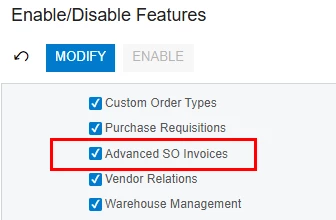
Can you please check if you have Advanced SO Invoiced feature enabled? 
 

15 replies

Manikanta Dhulipudi
Captain II
Forum|alt.badge.img+16

@SBaldwin You mean to invoice the non stock items which is nothing but Donations.

Can you create a non stock items and enable the Requirement shipment and receipt option?


Forum|alt.badge.img
  • Author
  • Varsity II
  • March 29, 2026

@SBaldwin You mean to invoice the non stock items which is nothing but Donations.

Can you create a non stock items and enable the Requirement shipment and receipt option?


The items are already non-stock items and the “require shipment” and “require receipt” check boxes are disabled (which I thought having those disabled would mean that I would not need a shipment in order to invoice these items on a sales order), but that function apparently does not work that way. 

I don’t think it would be possible to make a fake shipment because it is possible that the donation could be apart of a sales order that has stock items on it that COULD be shipped at that time as well and I don’t want to interrupt the sales order flows of the other branches. 


nickheuer3
Freshman II
Forum|alt.badge.img+1
  • Freshman II
  • March 31, 2026

It seems like the workflow does not allow you to invoice a nonstock item on a sales order if that sales order has other stock items on it. If you have backorder allowed I feel that it should let you invoice any nonstock items, maybe this is a good candidate for an enhancement request. 


Forum|alt.badge.img
  • Author
  • Varsity II
  • March 31, 2026

It seems like the workflow does not allow you to invoice a nonstock item on a sales order if that sales order has other stock items on it. If you have backorder allowed I feel that it should let you invoice any nonstock items, maybe this is a good candidate for an enhancement request. 

Hi ​@nickheuer3  - I changed the shipping rule to Backorder Allowed  and the Prepare Invoice option is still not clickable =/


nickheuer3
Freshman II
Forum|alt.badge.img+1
  • Freshman II
  • March 31, 2026

That's correct, it doesn't change the behavior, I was just stating that if it allows backorders that it should allow the non stock items to be invoiced. This really should be an option as I can see it being used in many use cases.


Forum|alt.badge.img
  • Author
  • Varsity II
  • March 31, 2026

That's correct, it doesn't change the behavior, I was just stating that if it allows backorders that it should allow the non stock items to be invoiced. This really should be an option as I can see it being used in many use cases.

Gotcha!


Forum|alt.badge.img+1
  • Acumatica Employee
  • March 31, 2026

Hi ​@SBaldwin 


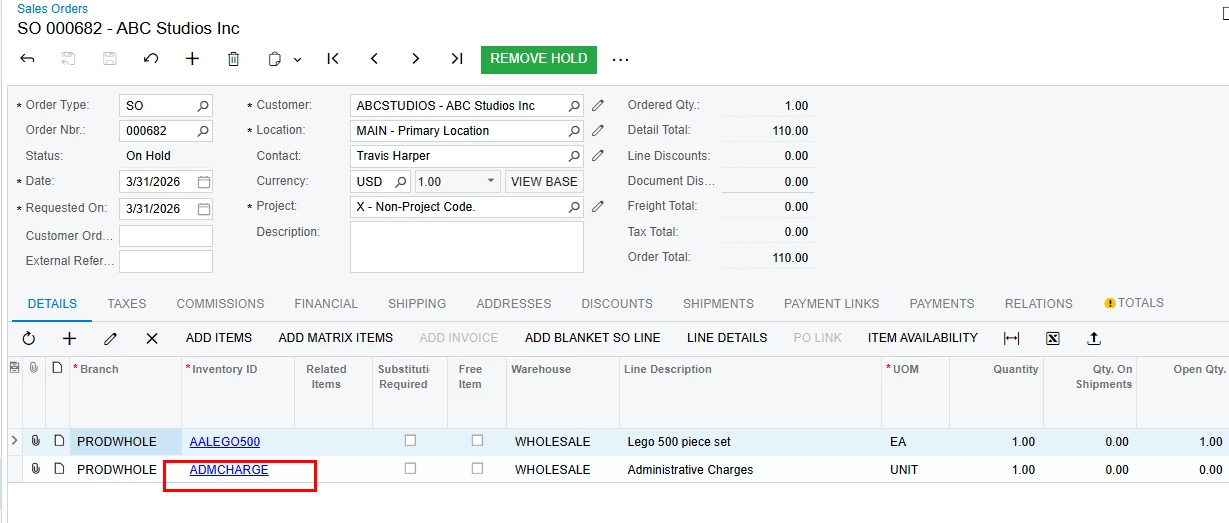
I have followed the steps below, and was able to create an Invoice for the Non stock item.

1.Created  a sales order for stock and non stock items.

The Non stock item does not require Shipment


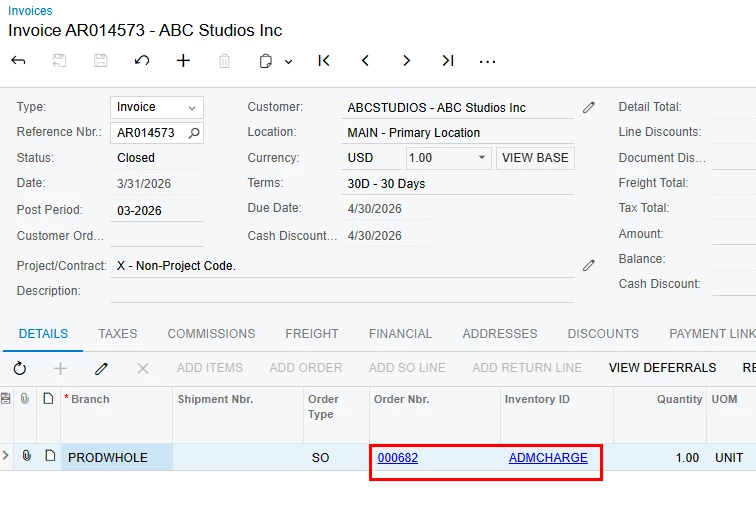
  1. Created a new Invoice on the Invoices screen, and used ADD SO LINE to add the Non stock item and released it 

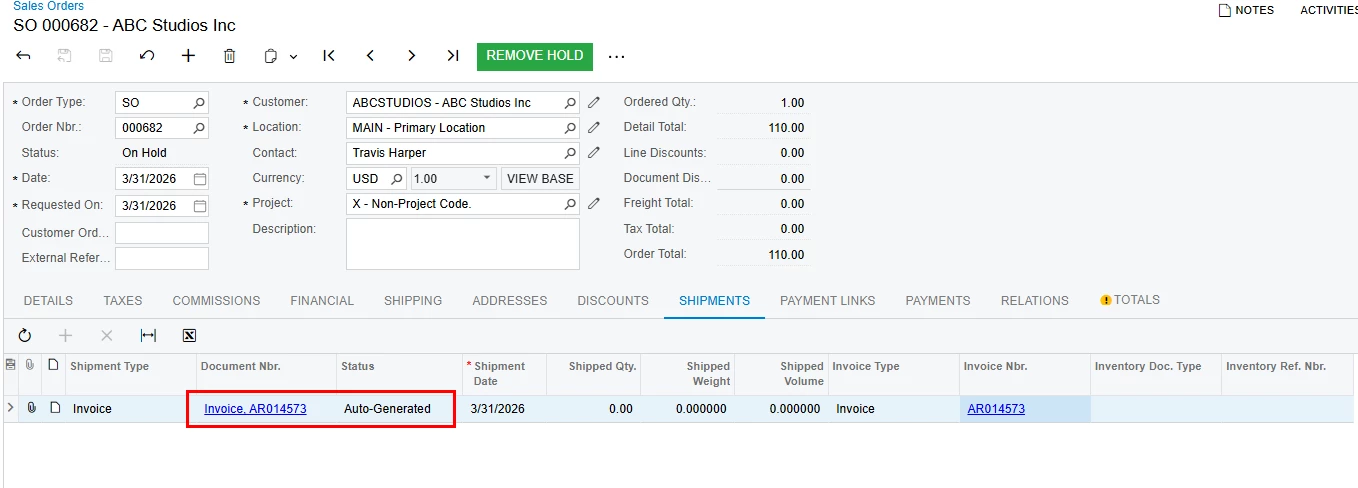
    3.Noticed the Invoice is linked to the SO 

 Hope it  helps!


Forum|alt.badge.img
  • Author
  • Varsity II
  • March 31, 2026

Hi ​@SBaldwin 


I have followed the steps below, and was able to create an Invoice for the Non stock item.

1.Created  a sales order for stock and non stock items.

The Non stock item does not require Shipment


  1. Created a new Invoice on the Invoices screen, and used ADD SO LINE to add the Non stock item and released it 

    3.Noticed the Invoice is linked to the SO 

 Hope it  helps!


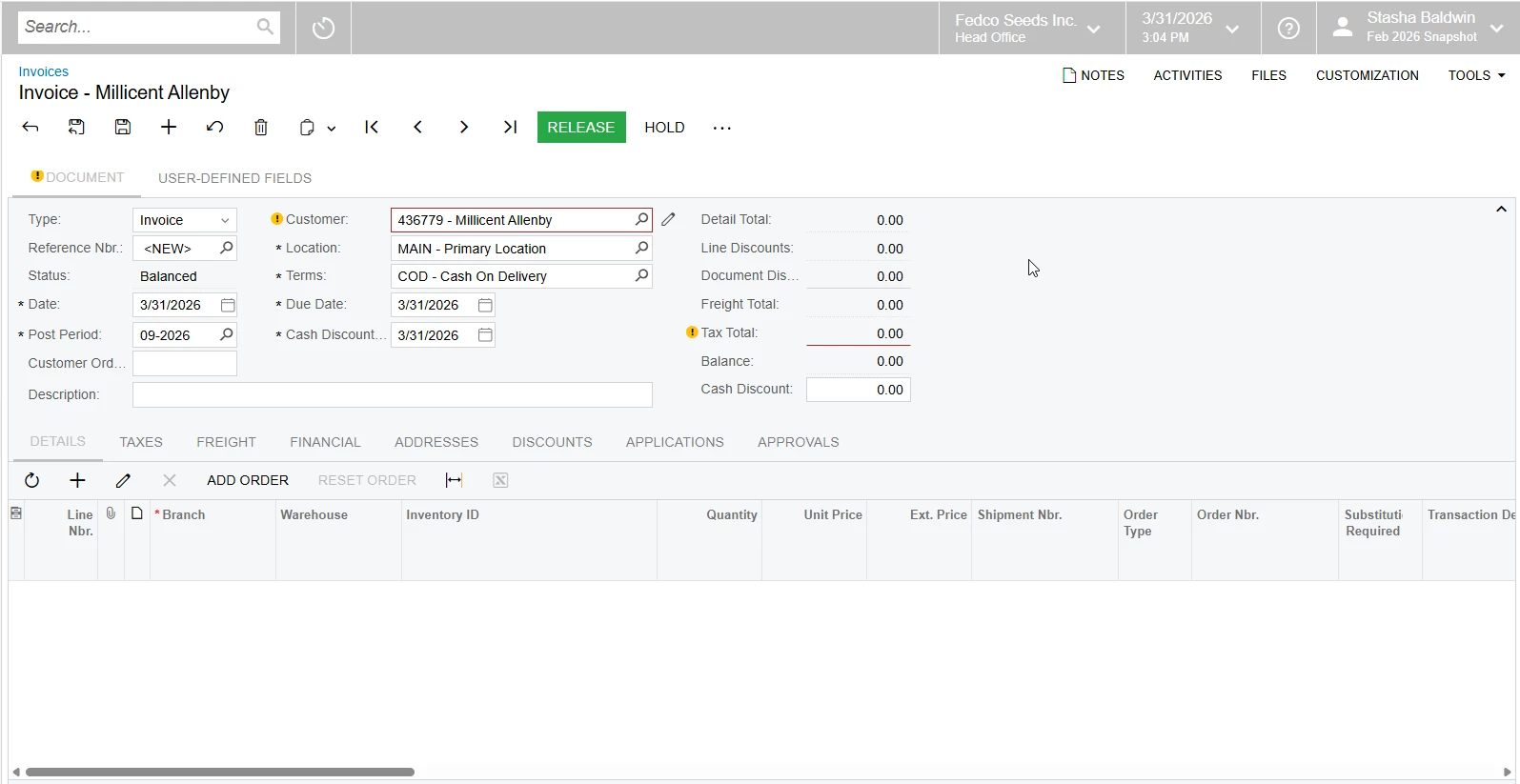
Hi Hannah! I notice that I do not have “Add SO Line” as an option on my invoice page:


I’m on screen ID SO303000 is that the correct spot?


Forum|alt.badge.img+1
  • Acumatica Employee
  • Answer
  • March 31, 2026

Hi ​@SBaldwin  

Can you please check if you have Advanced SO Invoiced feature enabled? 



Forum|alt.badge.img
  • Author
  • Varsity II
  • March 31, 2026

That was it!! Thank you so much ​@hananeoufdir34 


Forum|alt.badge.img+1
  • Acumatica Employee
  • March 31, 2026

@SBaldwin you’re very welcome!


Forum|alt.badge.img
  • Author
  • Varsity II
  • March 31, 2026

@SBaldwin you’re very welcome!


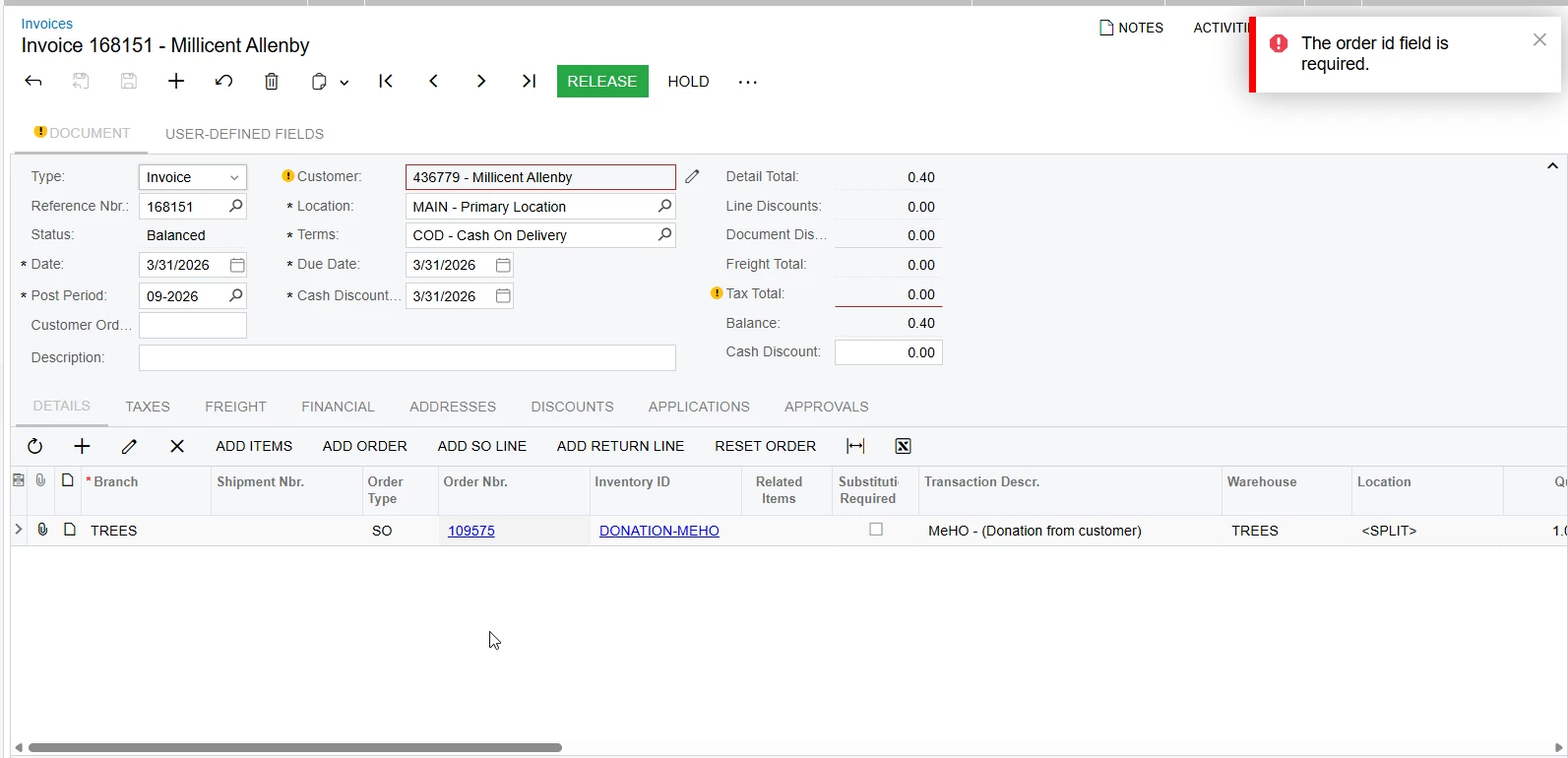
I celebrated just a little too soon I got an error upon trying to release that says “Order ID Field Cannot Be Empty” 


But I think it may be a tax API issue since the invoice doesn’t have any tax information.


Forum|alt.badge.img+1
  • Acumatica Employee
  • March 31, 2026

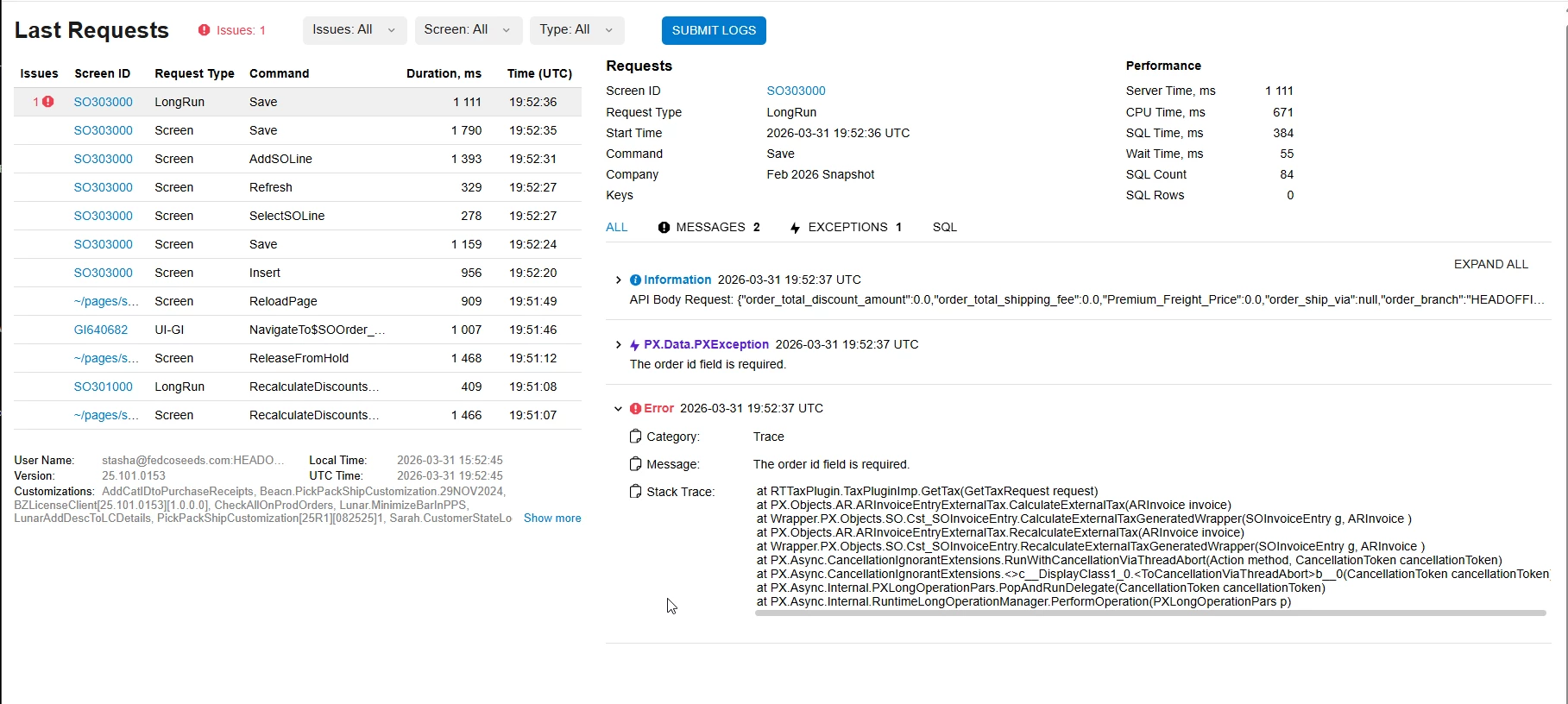
@SBaldwin  Can you please share the Trace log of the error?

Can you also try with different Non stock items to test,..?


Forum|alt.badge.img
  • Author
  • Varsity II
  • March 31, 2026

Trace:


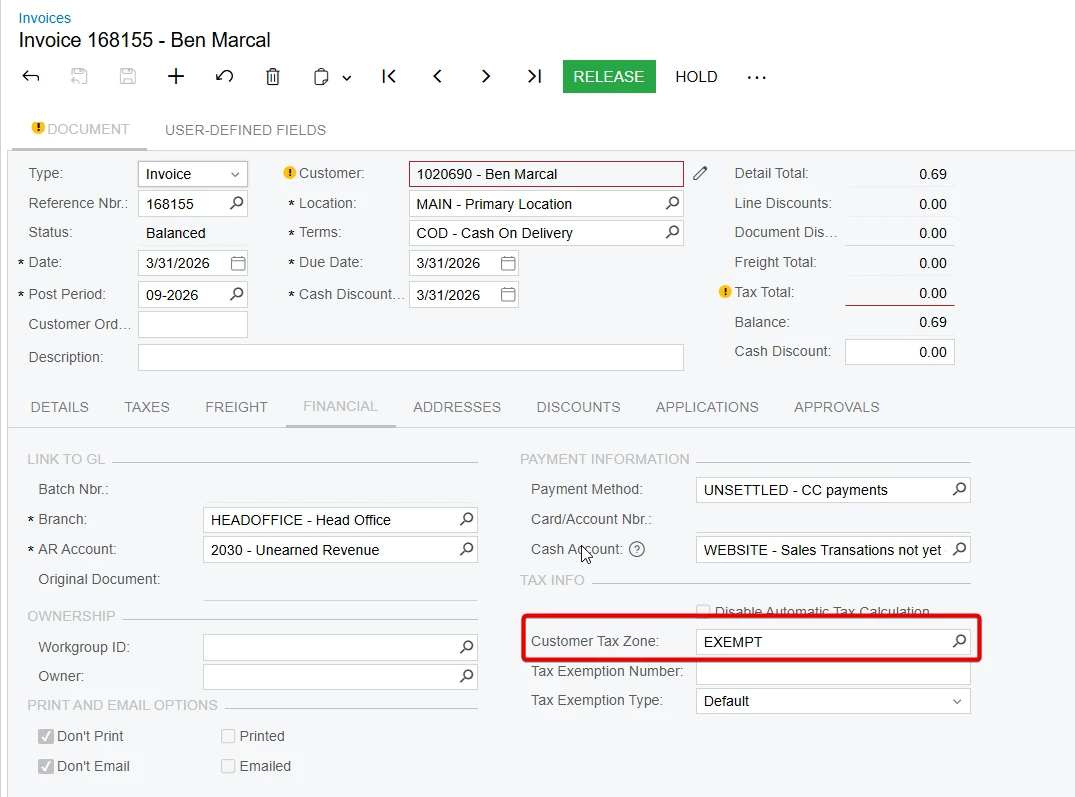
The error goes away when I remove the customer tax zone in the financial tab of the invoice. 

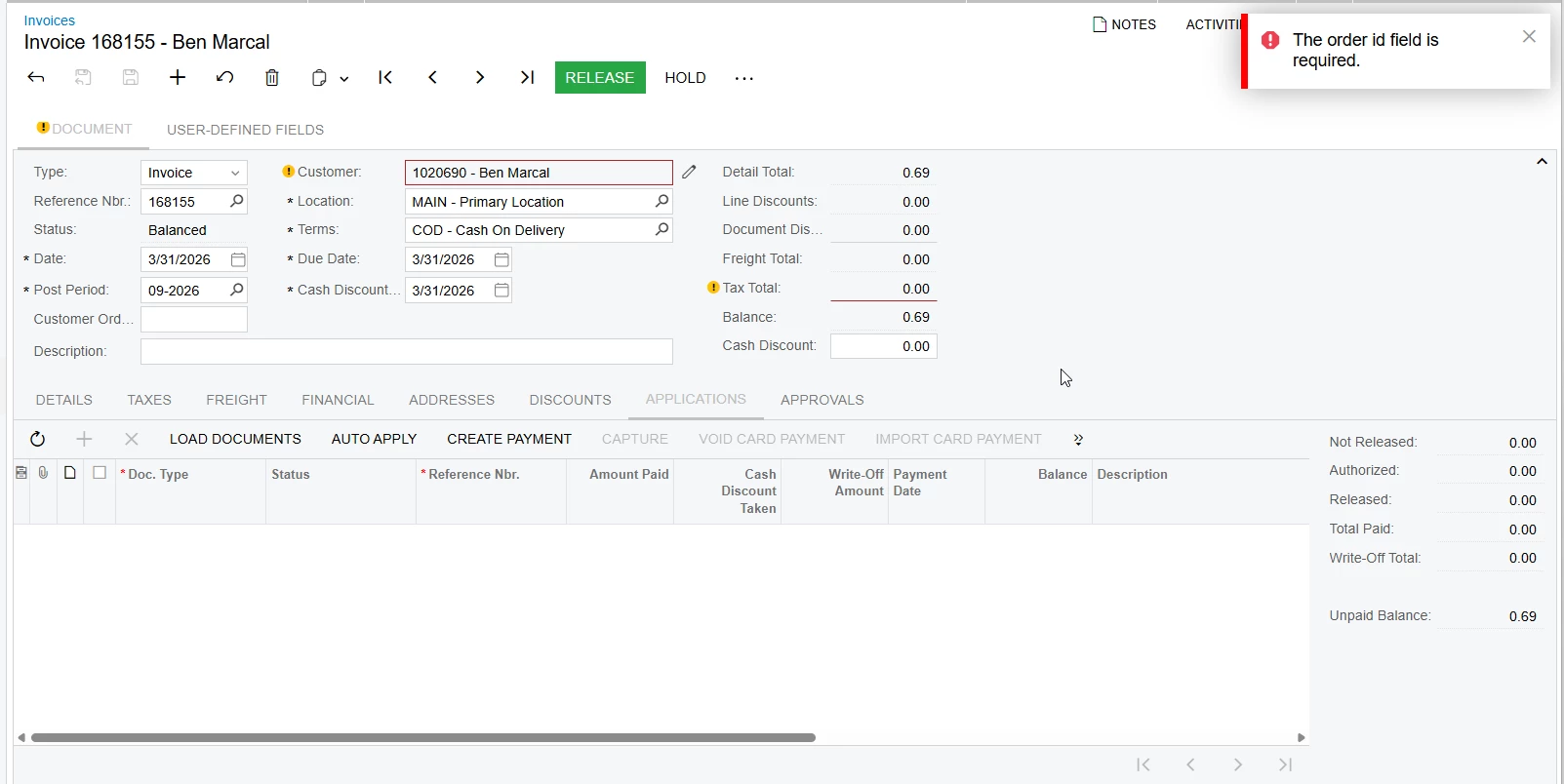
I also notice that the prepayment isn’t automatically applied to the invoice like invoices that are created from shipments. 

When I click load documents nothing happens and the “+” is unavailable to click (even if I were to release the invoice)

I could just press the pay button but now it’s already morphing into beyond a simple GI/Import scenario to make this all happen.


Forum|alt.badge.img+1
  • Acumatica Employee
  • March 31, 2026

@SBaldwin 

Not sure about the prepayment, if you still have the issue to apply it I suggest to create Support Case.