

Answer

Inventory Planning - Forecast and Replacement Items

  • January 9, 2025
  • 3 replies
  • 58 views

Forum|alt.badge.img

If a vendor discontinues an item and we plan on purchasing a different item to replace that stock item, is there a way for me to “link” the 2 items together so that my forecast will be able to tell me how much of the new item I need to order based on the old item history?

Best answer by Kandy Beatty

Hi ​@SBaldwin 

Have you used the related item in Acumatica?
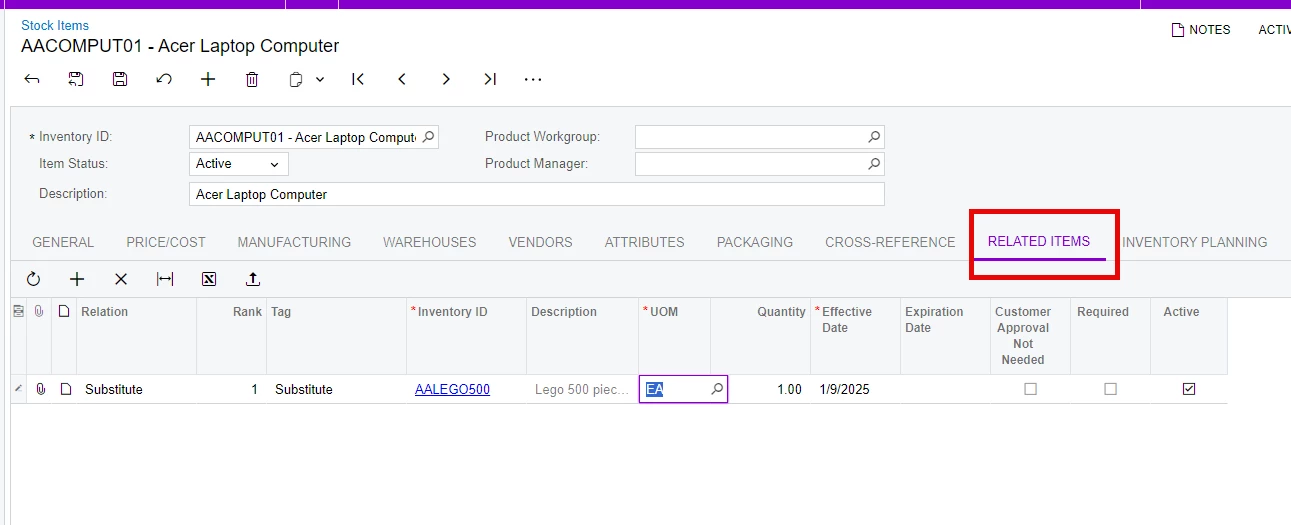
There is also a Related Items History Inquiry that you can start with for forecasting


 

3 replies

Kandy Beatty
Captain II
Forum|alt.badge.img+17
  • Captain II
  • Answer
  • January 9, 2025

Hi ​@SBaldwin 

Have you used the related item in Acumatica?

There is also a Related Items History Inquiry that you can start with for forecasting


Forum|alt.badge.img
  • Author
  • Varsity I
  • January 9, 2025

I am familar with the related items and I am plugging those in as we speak! We had made all of our “discontinued” items inactive but I now realize that MRP and forecasting will not recognized “Inactive” items so I am switching statuses to “No Requests” and Putting “DISCONTINUED” which was a recommended solution as well.

The “Related Item History” is new to me and I will dig into that! Thank you!


Kandy Beatty
Captain II
Forum|alt.badge.img+17
  • Captain II
  • January 9, 2025

Hi ​@SBaldwin 

Correct, inactive items the system essentially looks at as you no longer need them but there are transactions so you can not delete them either. these item cannot be added to any sales documents, purchase documents, inventory transactions, purchase requests, and requisitions. This would include related history as well.
