Answer

how to put Hyperlink into a word in an predefined text element?

  • October 8, 2025
  • 3 replies
  • 62 views

FinnSystemAG
Freshman II
Forum|alt.badge.img

Hello all,

the customer would like to put an hyperlink into a word, in an predefined text element. He wishes to set an sentence like “… klick here...” and the “here” should contain the link.

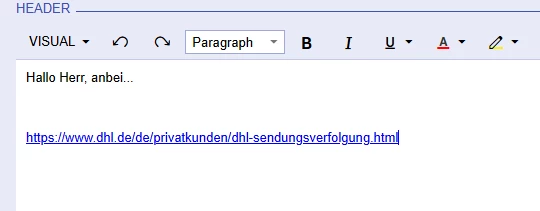
I tried as follows, but when i click “insert it just puts the full link in and not the link in the word:
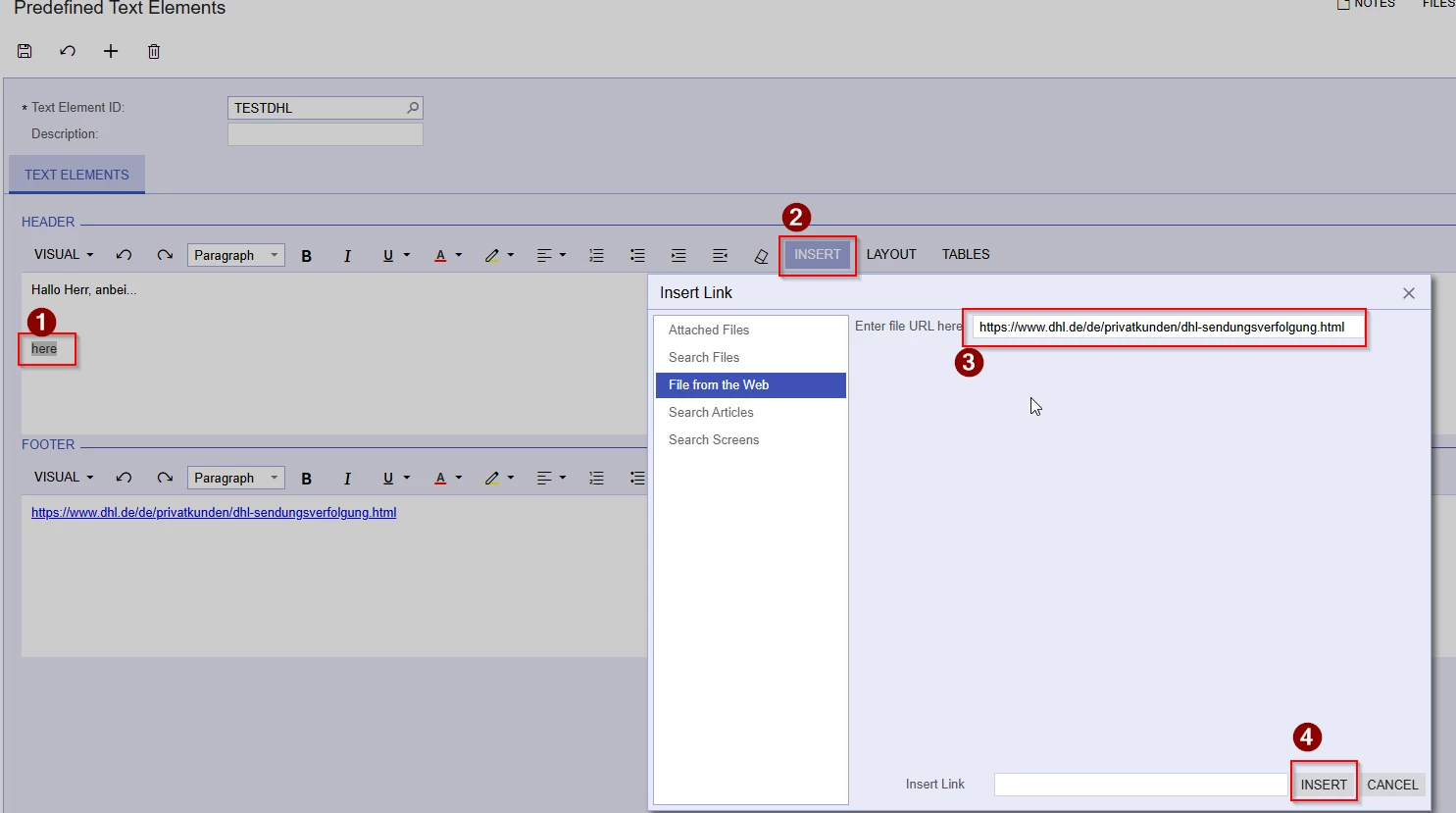
  1. marked the word
  2. insert->link from web
  3. put in link
  4. insert

The happens:


Is it possible to put the link into the word and if yes how?

Greetings
Best answer by craig2

I see (maybe), so links are managed differently between text/entry forms and the printed forms they produce.  Do you have access to the Report Designer?  That is where you can manipulate the behavior of text boxes and turn them into links.

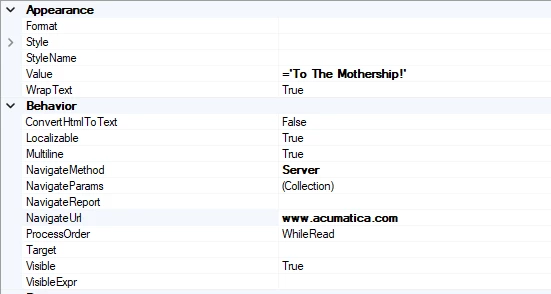
If you are able to open your printed document in the Report Designer, you can bypass using your Predefined Text altogether, and just add a text box.  The properties may look something like this:


3 replies

craig2
Pro I
Forum|alt.badge.img+3
  • Pro I
  • October 8, 2025

Hey ​@FinnSystemAG ,

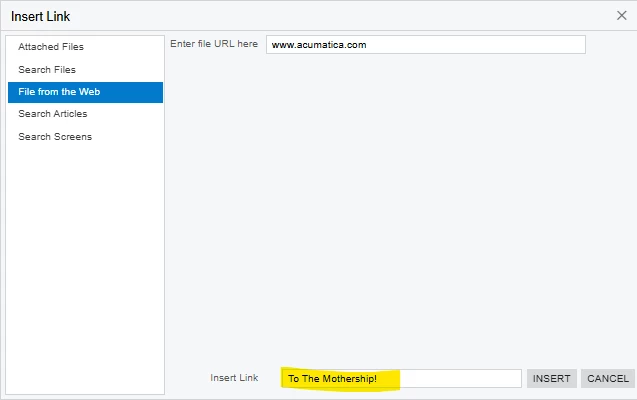
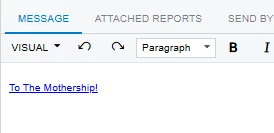
Adding your “link words” in the field next to the Insert button should do the trick:


Hope that helps!


FinnSystemAG
Freshman II
Forum|alt.badge.img
  • Author
  • Freshman II
  • October 9, 2025

Hey ​@FinnSystemAG ,

Adding your “link words” in the field next to the Insert button should do the trick:


Hope that helps!

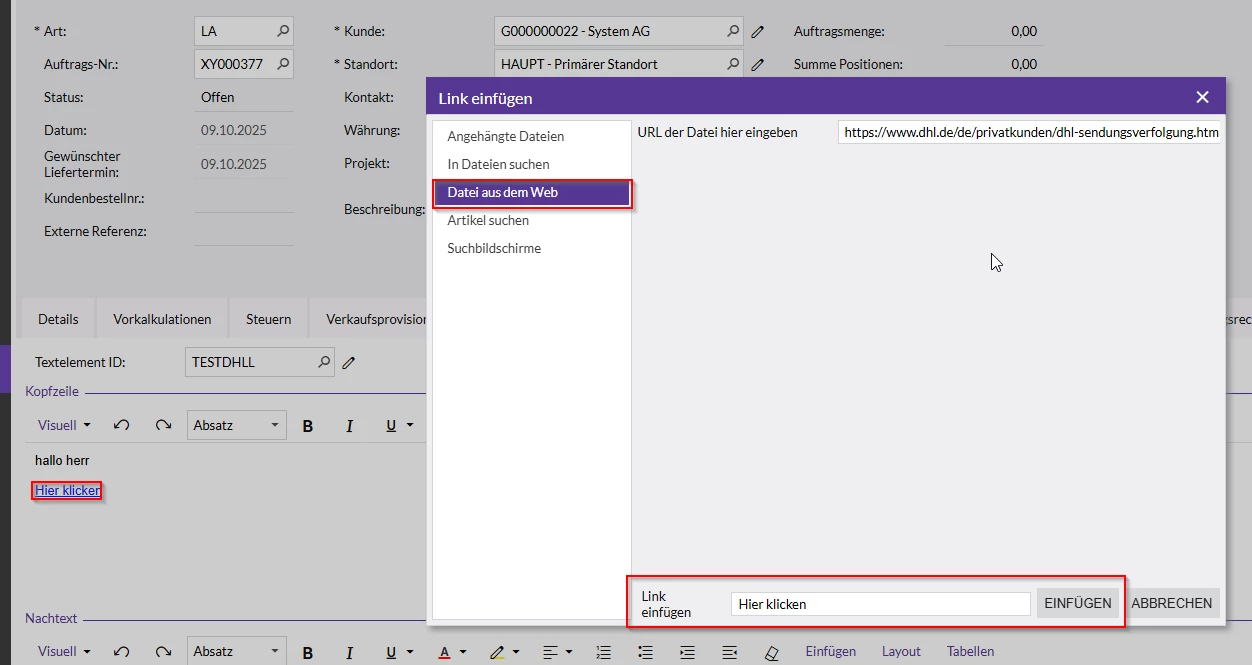
Thank you craig, i tried that out, but im afraid it doesnt work properly, because the word, linked to the link, isnt working, when being klicked on in the sales order.

I made the text element, as you described:


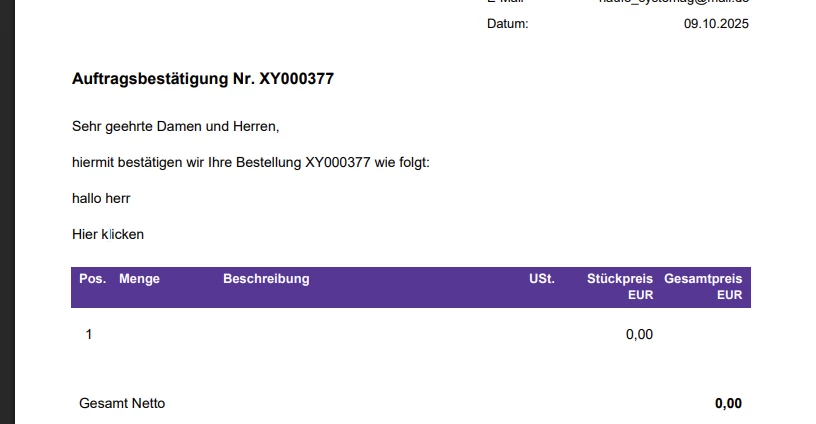
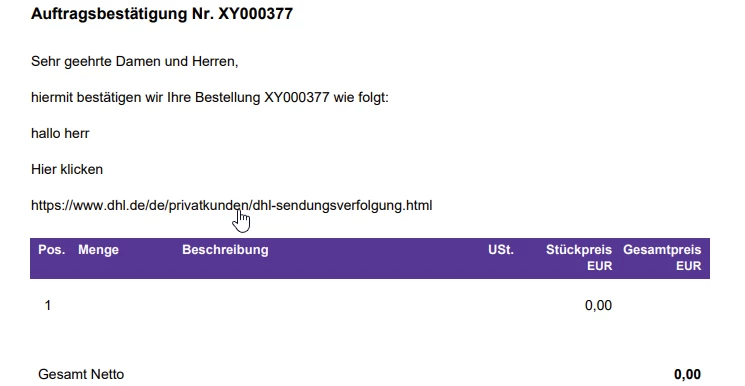
When the sales order with this text element is printed, the word i put the link in, in this case “hier klicken” is treated like normal text. When clicking on it, im not transfered to the link, i put in beforehand.
 

Normally this “hand-symbol” should occur, when its an functional link:


Greetings


craig2
Pro I
Forum|alt.badge.img+3
  • Pro I
  • Answer
  • October 9, 2025

I see (maybe), so links are managed differently between text/entry forms and the printed forms they produce.  Do you have access to the Report Designer?  That is where you can manipulate the behavior of text boxes and turn them into links.

If you are able to open your printed document in the Report Designer, you can bypass using your Predefined Text altogether, and just add a text box.  The properties may look something like this: