Question

How to Auto Reject Expense Claims with a certain expense item is in claim.

  • January 28, 2026
  • 3 replies
  • 24 views

Hello All, 

I am trying to set up a Step in my Expense Claim Approval Map that Auto Rejects Claims with a place holder expense item we use to do an import.   

Back ground:  We do an import scenario to upload corporate card charges to generate expense receipts with a generic place holder UNCODED.   

What I want to do, is if a user happens to miss recoding a receipt and try's to submit it for approval with an UNCODED item on it, it auto rejects.  

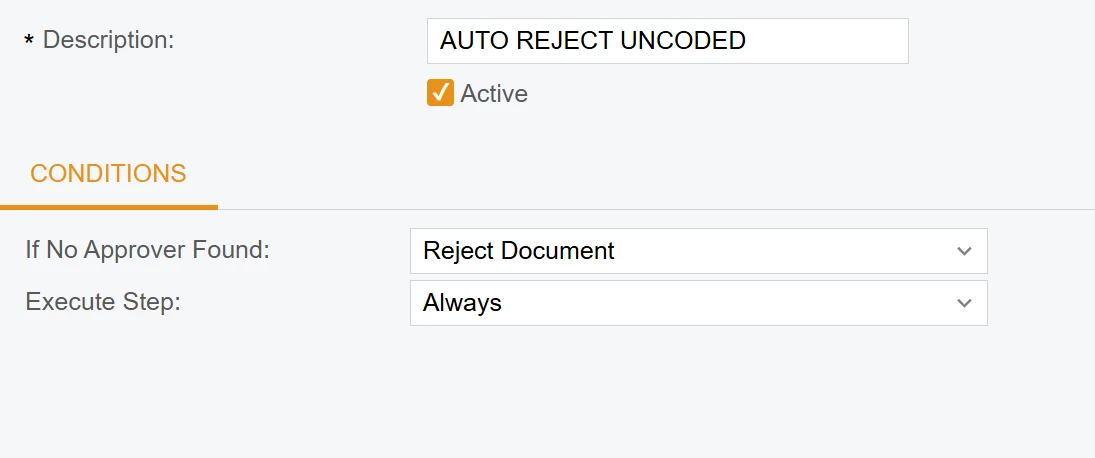
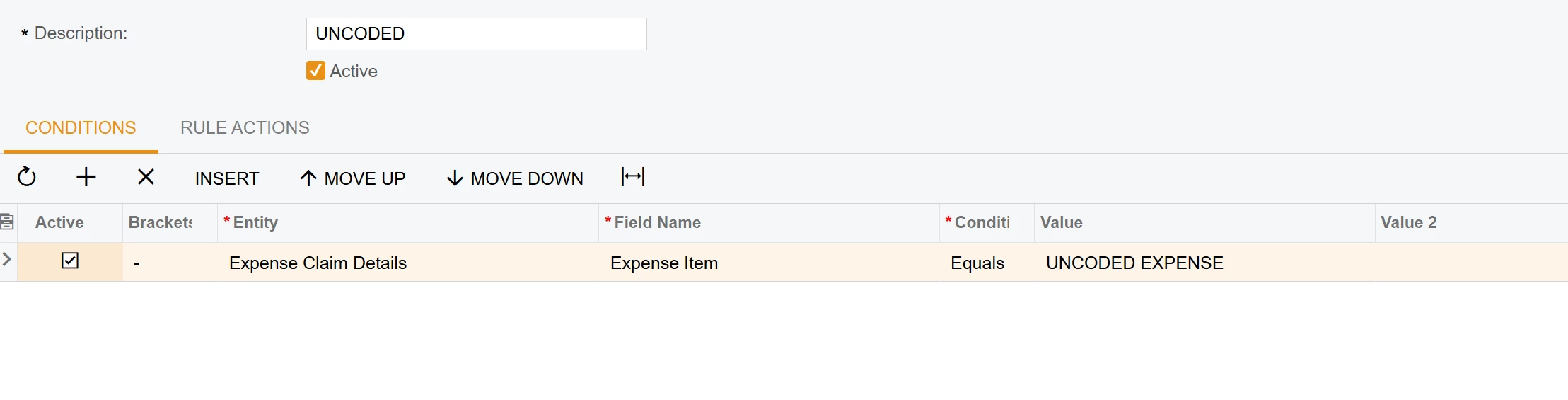
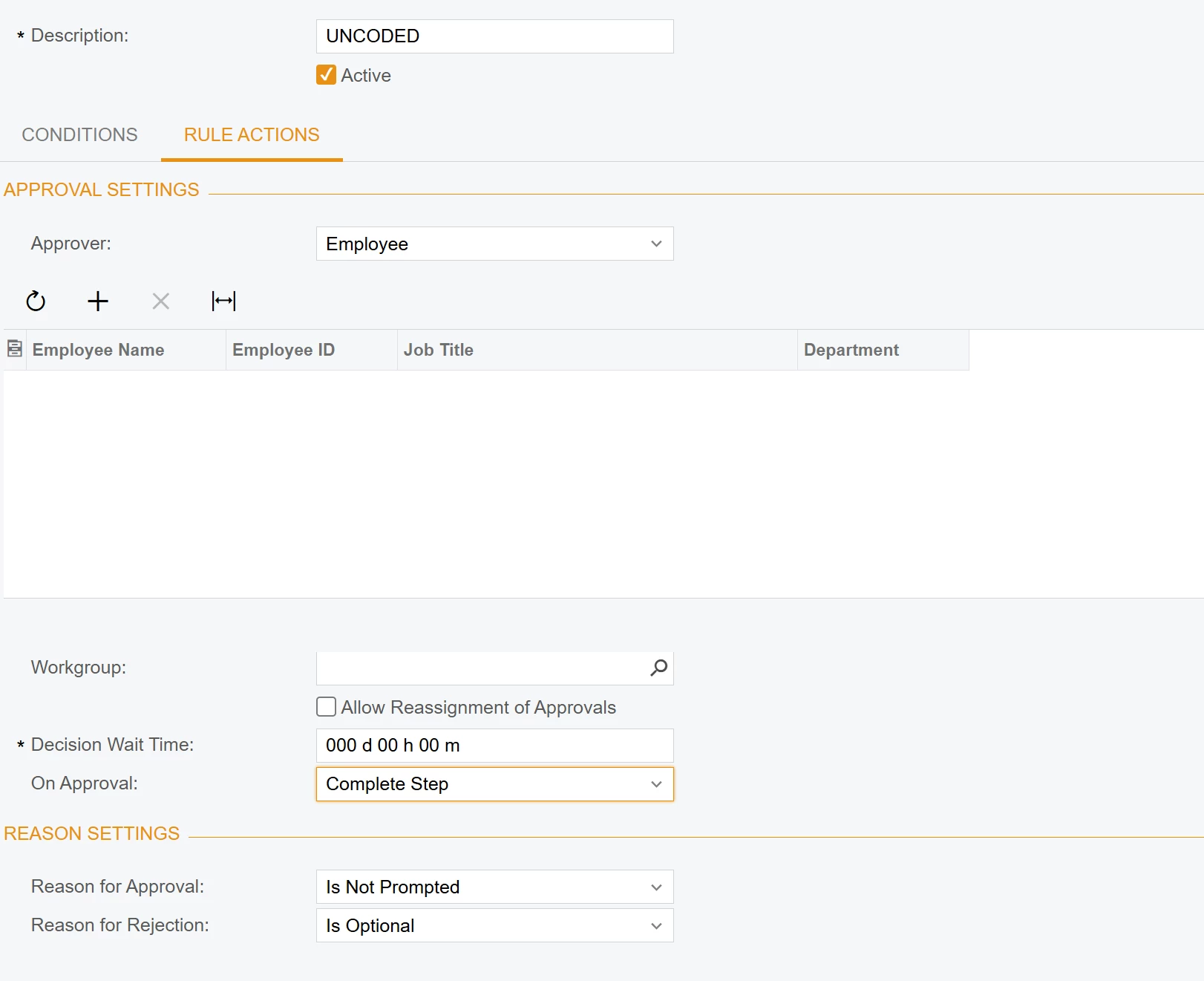
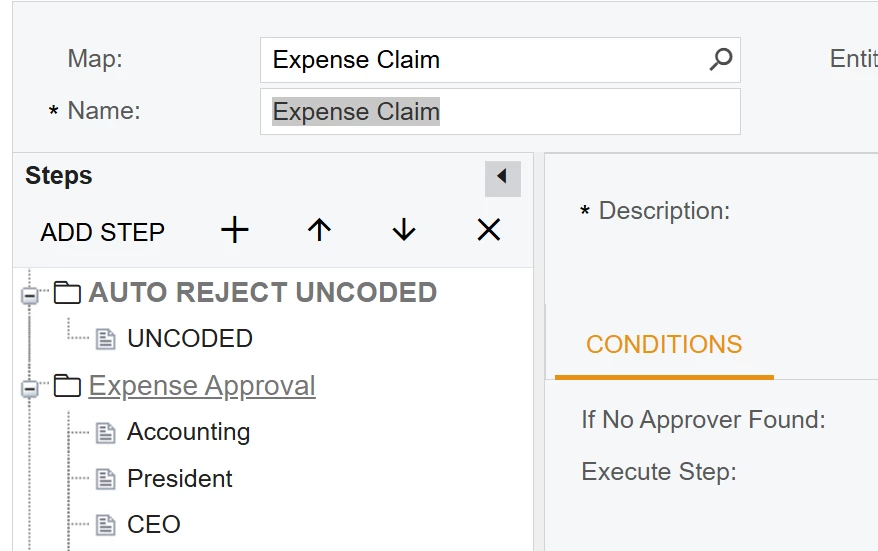
Below are some screen shots of what I have, the issue is it does reject but it rejects every expense claim regardless of Expense Item.    Thoughts? or Solution would be awesome!


3 replies

jhouser
Captain II
Forum|alt.badge.img+7
  • Captain II
  • January 30, 2026

@SethB I think you could accomplish this with a Business Event


johnnytanguts
Freshman I

There is going to be a limitation in implementing this, because you want to reject the expense claim if it has that item and without customizing. If I'm understanding correctly, you want Acumatica to first look for the item first, and if the expense claims doesn't have that item then it can go to through an approval process. We have to go through a roundabout way to accomplish this.


Because of the setting 'reject document' if no approver is found, you need to move the 'AUTO REJECT UNCODED' step below the Expense Approval step so it first goes through that step and you will need to add a condition to each rule that contains the DOES NOT EQUALS ITEM logic.  Then set the 'Expense Approval' step if no approver is found to 'Go to next step'. This way it will auto reject the document without a customization. It was rejecting every expense claim because the 'good' ones without the item didn't have a rule applicable to it. Hopefully I didn't over complicate what you were trying to achieve, but this should solve your issue without a customization. 


Business event wouldn't be reliable as it is a workflow customization that you would be looking for rather than an "automation" to reject the document which requires the admin user to be added to the individual workgroups. 


Forum|alt.badge.img

Hi ​@SethB,

The reason your current setup rejects every claim is that the Approval Map operates only at the Header level (EPExpenseClaim) and cannot natively "loop" through the lines to check for a specific Item ID. To fix this, you need to push a flag from the lines to the header.

1. Create a Custom Header Field

In your Customization Project, add a new field to the EPExpenseClaim (Header) entity:

  • Field Name: UsrHasUncodedItems
  • Data Type: bool (Checkbox)
  • DisplayName: Has Uncoded Items

2. Add Business Logic (Code)

Add the following logic to your ExpenseClaimEntry graph extension. This will automatically toggle the header checkbox if at least one line contains the "UNCODED" item:

csharp

protected void _(Events.RowSelected<EPExpenseClaim> e)
{
if (e.Row == null) return;

// Check if any receipt in the claim has the UNCODED item
bool hasUncoded = Base.ExpenseDetails.Select().Any(res => {
InventoryItem item = PXSelectorAttribute.Select<EPExpenseReceipt.inventoryID>(
Base.ExpenseDetails.Cache, res.GetItem<EPExpenseReceipt>()) as InventoryItem;
return item?.InventoryCD?.Trim() == "UNCODED";
});

// Update the custom header field
e.Cache.SetValue<EPExpenseClaimExt.usrHasUncodedItems>(e.Row, hasUncoded);
}

Используйте код с осторожностью.


3. Update your Approval Map

  1. Open your Approval Map (EP205000).
  2. Create a New Step and move it to the very top (Step 1).
  3. Conditions Tab:
    • Entity: Expense Claim
    • Field: UsrHasUncodedItems (your new field)
    • Condition: Equals
    • Value: Checked
  4. Rule Actions Tab:
    • Action: Reject
    • Reason: "Claim contains UNCODED items. Please recode them before submitting."