



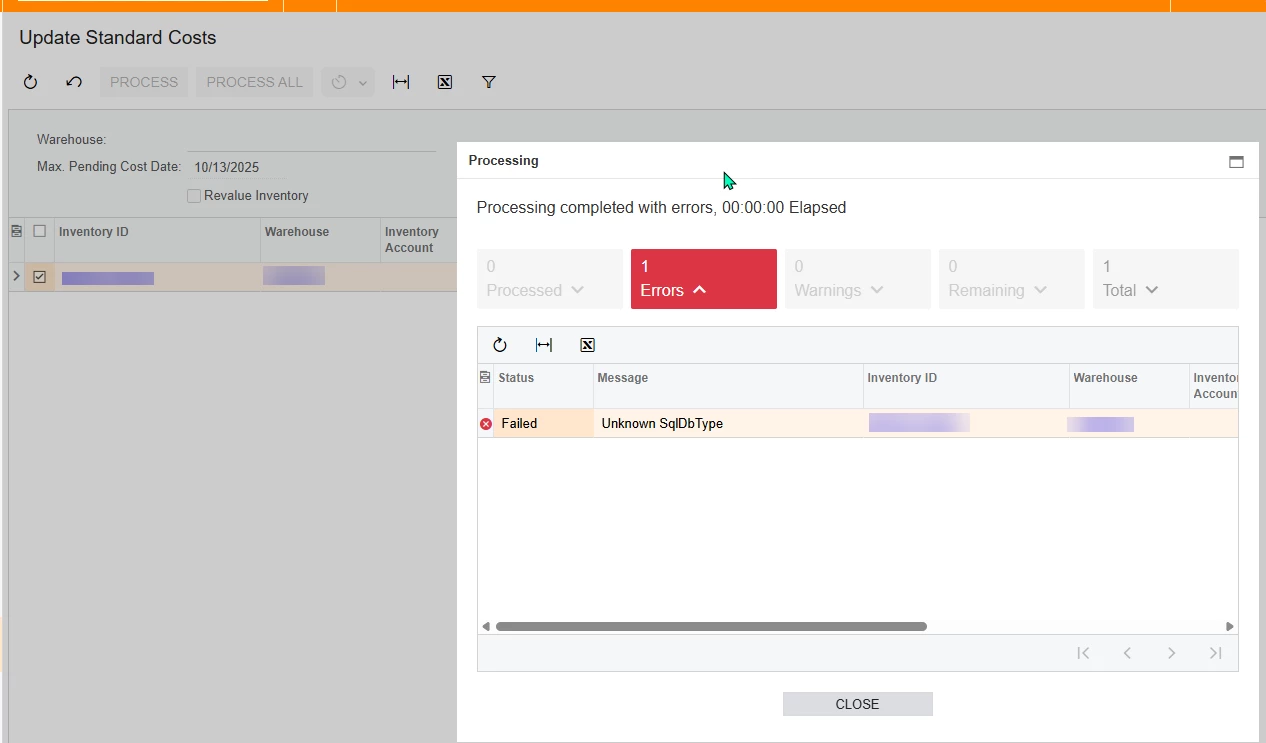
Has anyone gotten this error before? I am trying to update standard cost on a local version of acumatica. i have unpublished all customizations, restarted it, and restarted the computer but i keep getting this error. Below is the information from the trace. Im not sure what would be causing this but it wont let me update any costs. This instance is used solely for testing so its not obstructing our business process, but i am unable to do any tests with a sql view that i am making.
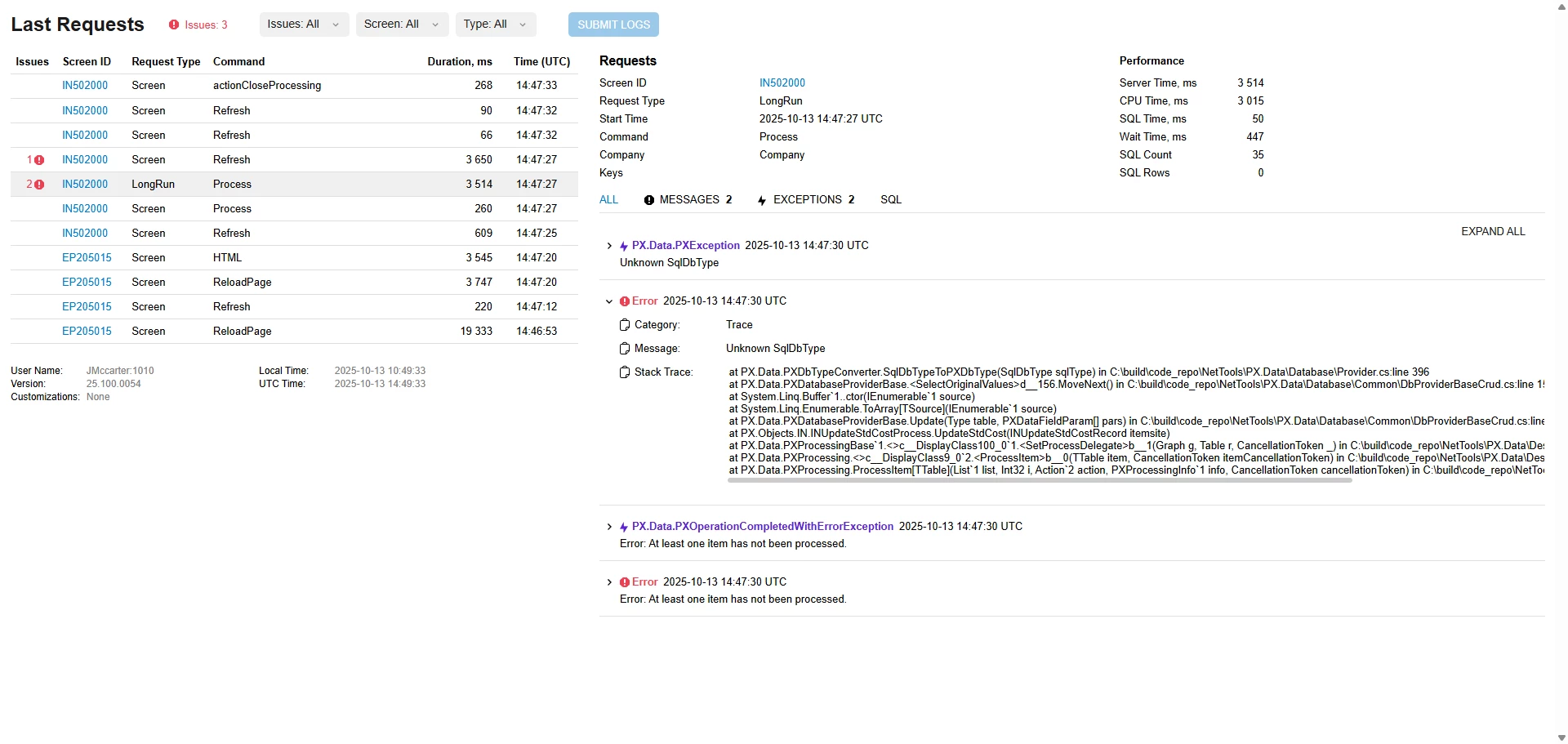
at PX.Data.PXFirstChanceExceptionLogger.ProfilerFirstChanceException(Object o, FirstChanceExceptionEventArgs args) at PX.Data.PXDbTypeConverter.SqlDbTypeToPXDbType(SqlDbType sqlType) at PX.Data.PXDatabaseProviderBase.<SelectOriginalValues>d__156.MoveNext() at System.Linq.Buffer`1..ctor(IEnumerable`1 source) at System.Linq.Enumerable.ToArray[TSource](IEnumerable`1 source) at PX.Data.PXDatabaseProviderBase.Update(Type table, PXDataFieldParam[] pars) at PX.Objects.IN.INUpdateStdCostProcess.UpdateStdCost(INUpdateStdCostRecord itemsite) at PX.Data.PXProcessingBase`1.<>c__DisplayClass100_0`1.<SetProcessDelegate>b__1(Graph g, Table r, CancellationToken _) at PX.Data.PXProcessing.<>c__DisplayClass9_0`2.<ProcessItem>b__0(TTable item, CancellationToken itemCancellationToken) at PX.Data.PXProcessing.ProcessItem[TTable](List`1 list, Int32 i, Action`2 action, PXProcessingInfo`1 info, CancellationToken cancellationToken) at PX.Data.PXProcessing.ProcessItem[TState,TTable](TState state, List`1 list, Int32 i, Action`3 action, PXProcessingInfo`1 info, CancellationToken cancellationToken) at PX.Data.PXProcessing.ProcessItemsParallel[TGraph,TTable](List`1 list, Action`3 action, Func`1 factory, PXParallelProcessingOptions parallelOpt, CancellationToken cancellationToken) at PX.Data.PXProcessingBase`1.<>c__DisplayClass99_0`1.<SetProcessDelegateCore>b__0(List`1 list, CancellationToken cancellationToken) at PX.Data.PXProcessing`1.<>c__DisplayClass87_0.<Process>b__1(CancellationToken cancellationToken) at PX.Async.Internal.PXLongOperationPars.PopAndRunDelegate(CancellationToken cancellationToken) at PX.Async.Internal.RuntimeLongOperationManager.PerformOperation(PXLongOperationPars p) at System.Threading.ExecutionContext.RunInternal(ExecutionContext executionContext, ContextCallback callback, Object state, Boolean preserveSyncCtx) at System.Threading.ExecutionContext.Run(ExecutionContext executionContext, ContextCallback callback, Object state, Boolean preserveSyncCtx) at System.Threading.ExecutionContext.Run(ExecutionContext executionContext, ContextCallback callback, Object state) at PX.Async.Internal.PXThreadPool.RunItem(RequestItem item) at PX.Async.Internal.PXThreadPool.Run() at System.Threading.ExecutionContext.RunInternal(ExecutionContext executionContext, ContextCallback callback, Object state, Boolean preserveSyncCtx) at System.Threading.ExecutionContext.Run(ExecutionContext executionContext, ContextCallback callback, Object state, Boolean preserveSyncCtx) at System.Threading.ExecutionContext.Run(ExecutionContext executionContext, ContextCallback callback, Object state) at System.Threading.ThreadHelper.ThreadStart()


