Answer

Error message on email and print invoices

  • June 19, 2025
  • 10 replies
  • 65 views

We are seeing this error when printing or emailing some invoices.  Not sure how to correct.
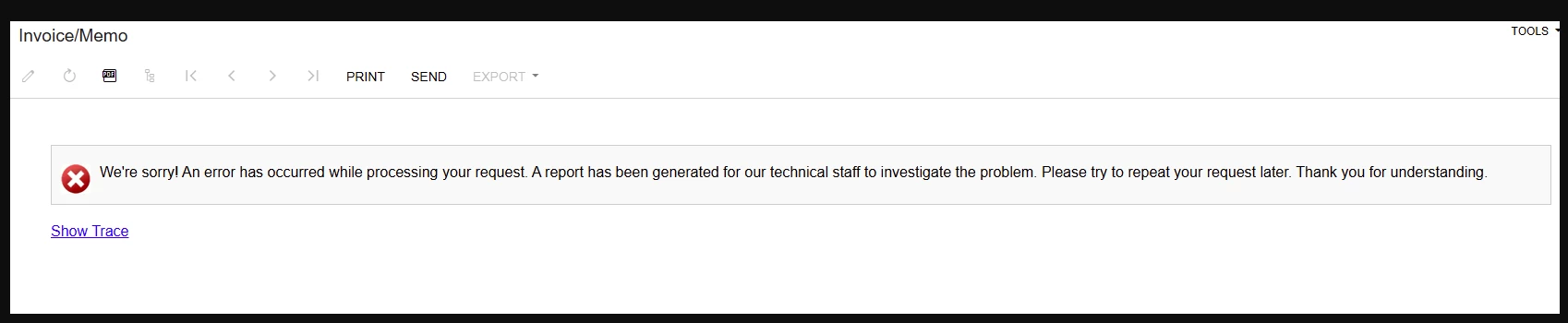
We have tried clearing cache, multiple users have attempted and on different days. 

Best answer by darylbowman

You’ll notice the in the trace:

Cannot perform the ‘=’ operation on System.String and System.Int32

Somewhere you’re using a conditional (probably an ‘IIf’) that is checking if a string (text) equals an int (number). That is the problem.

If you can locate the problem, feel free to post it for suggestions. At the simplest, you may be able to either convert the string to an int (CInt(*string*)) or convert the int to a string (CStr(*int*)).

10 replies

mohammadnawaz51
Jr Varsity I
Forum|alt.badge.img+4

Hi ​@Jmoore0426 

It appears that the report is customized and may have broken either after the upgrade or due to recent changes made to it.


Manikanta Dhulipudi
Captain II
Forum|alt.badge.img+15

Hi ​@Jmoore0426 

Please share the trace?


  • Author
  • Freshman I
  • June 19, 2025

@Manikanta Dhulipudi when trying to get the trace results the request never finishes downloading for this invoice. 


Manikanta Dhulipudi
Captain II
Forum|alt.badge.img+15

@Jmoore0426 Have you performed a recent upgrade? please restart the application to generate the trace.


  • Author
  • Freshman I
  • June 19, 2025

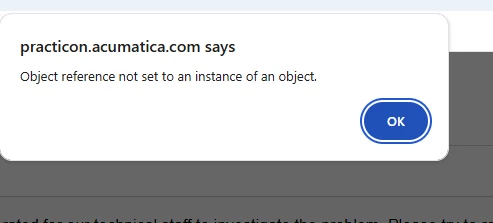
When using the send option we get the object reference not set error message 


  • Author
  • Freshman I
  • June 19, 2025

@Manikanta Dhulipudi No recent upgrade.  We just went to Acumatica in January.  What is the best to way to restart the application?


darylbowman
Captain II
Forum|alt.badge.img+15

‘Restart Application’ from ‘Apply Updates’ screen


Manikanta Dhulipudi
Captain II
Forum|alt.badge.img+15

@Jmoore0426 

Please confirm if you are able to print the invoice from the Invoice screen.

  • If yes, the issue is likely related to the email template.

  • If not, the issue may be with the report design.


  • Author
  • Freshman I
  • June 23, 2025

@Manikanta Dhulipudi  we are not able to print from the invoice screen. If i go under activities i can print the invoice.  

System has been restarted as well. 

I was able to run the trace this morning and attached. 


darylbowman
Captain II
Forum|alt.badge.img+15
  • Answer
  • June 23, 2025

You’ll notice the in the trace:

Cannot perform the ‘=’ operation on System.String and System.Int32

Somewhere you’re using a conditional (probably an ‘IIf’) that is checking if a string (text) equals an int (number). That is the problem.

If you can locate the problem, feel free to post it for suggestions. At the simplest, you may be able to either convert the string to an int (CInt(*string*)) or convert the int to a string (CStr(*int*)).