Question

Email Function

  • December 18, 2025
  • 3 replies
  • 23 views

Forum|alt.badge.img

Hey all! Question - Can you actually receive, view, and reply to emails in Acumatica? I was drafting an email and I saw the “Replay All” button but I have yet to see any place to actually view emails? Thanks!

3 replies

  • Freshman II
  • December 18, 2025

@SBaldwin

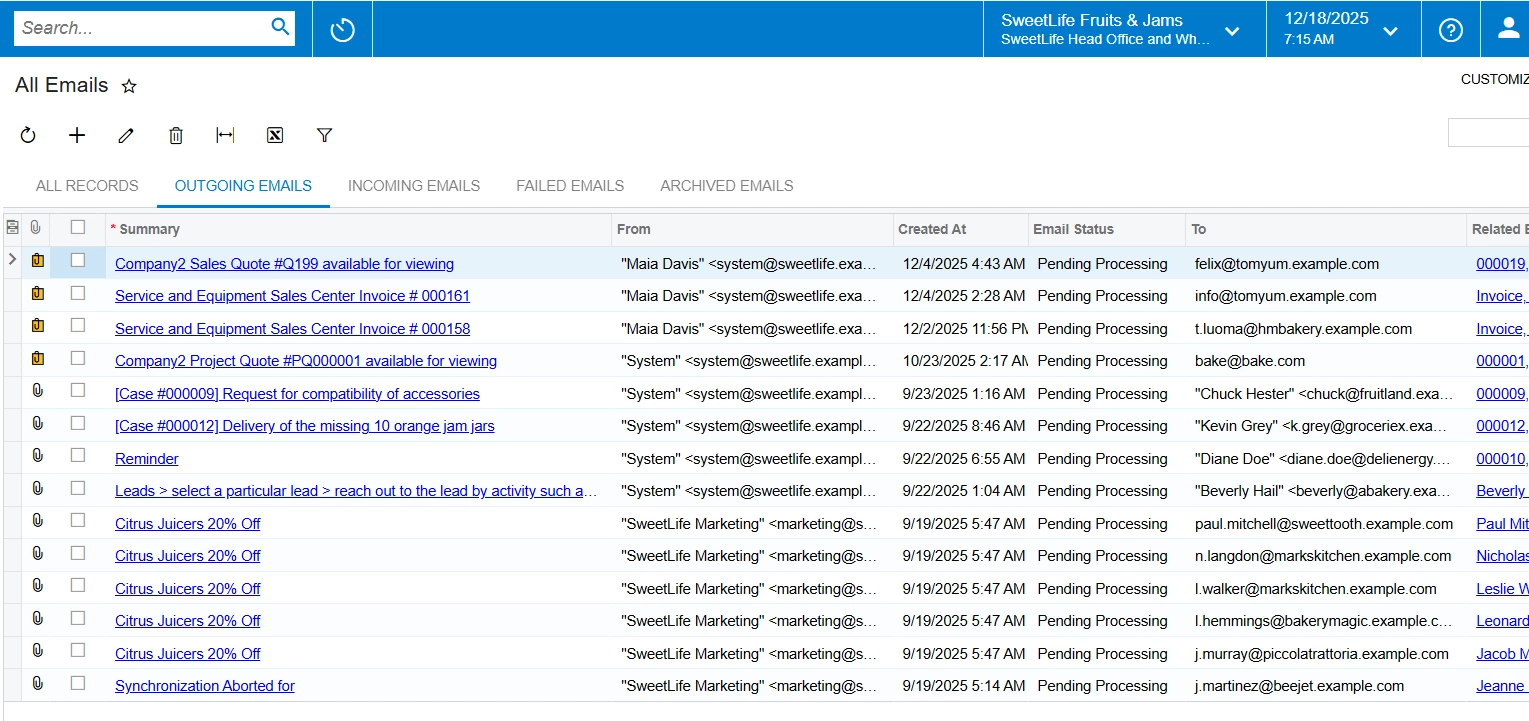
Yes, there is a way to check emails on Acumatica. A form 

CO409070 - All Emails

That will show you a GI of all the emails in the system. Please refer to the screenshot below

You can also write an email from Acumatica using the addition symbol in the screen above, which will redirect you to the “Email Activity”.

Hope it helps.


bwhite49
Captain II
Forum|alt.badge.img+11
  • Captain II
  • December 18, 2025

The “all emails” (CO409070) screen lists all emails in your system. Most emails should be linking as an activity to a customer, case, sales orders, purchase order, etc. If they are not, you should look into modifying the email template to create the activity.


meganfriesen37
Captain II
Forum|alt.badge.img+12

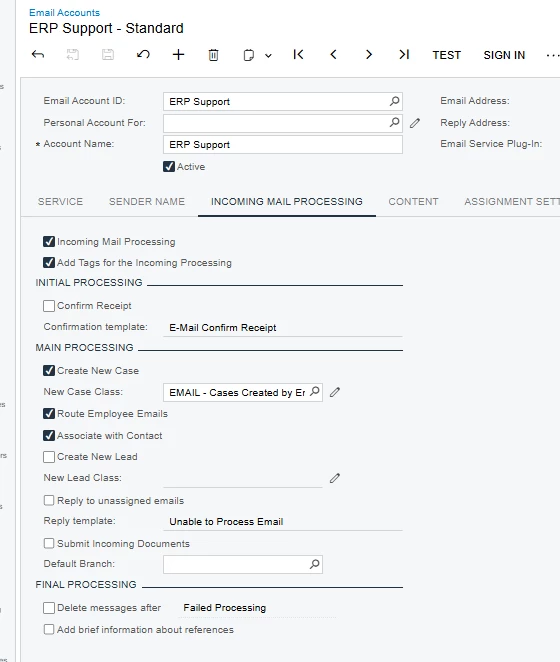
What you are able to do with emails in Acumatica depends on the set up of the email accounts in Acumatica.  If you have incoming processing turned on for an email account (and an automation schedule set on the send/receive emails screen) you can have the system process the incoming emails in various ways.  For certain types of processing and incoming email (i.e. related to a case) can be forwarded to the employee so that they see it or you can use business events to trigger other notices as well.