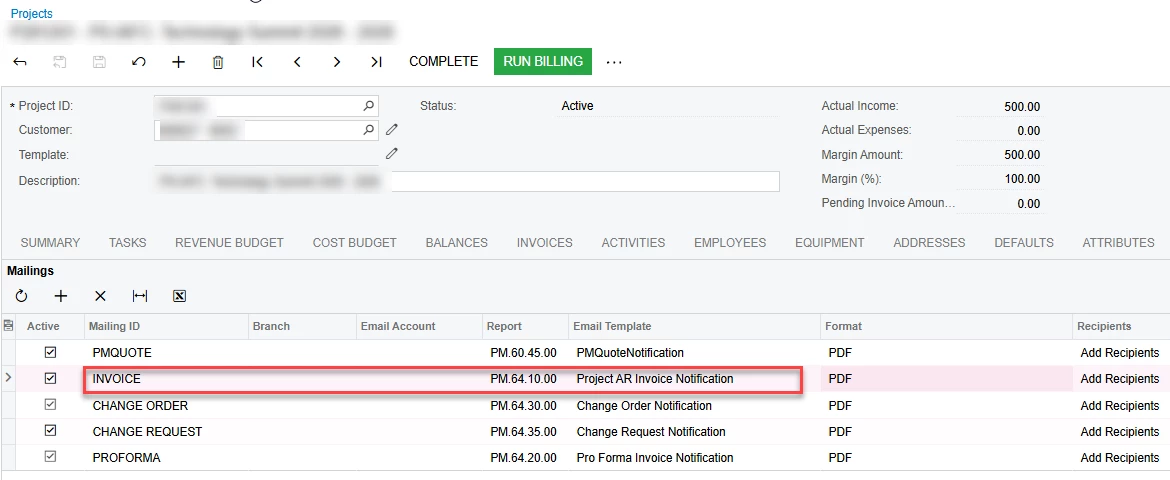
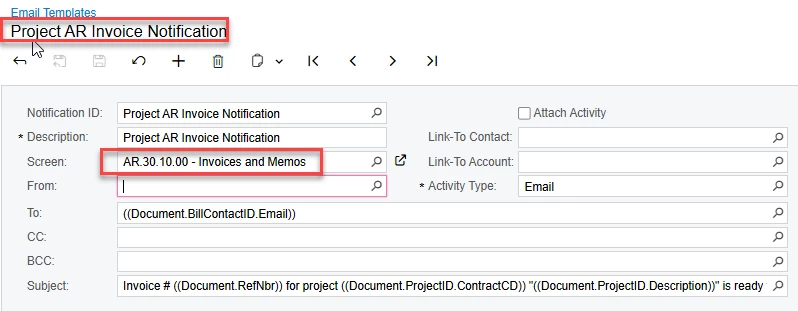
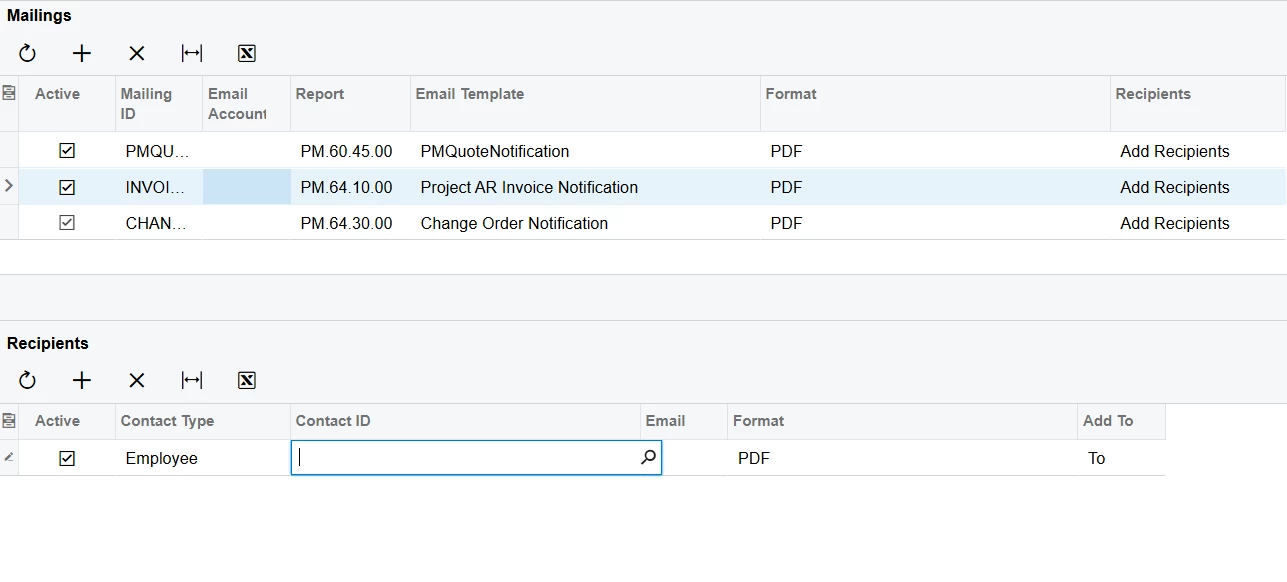
Client has need to email AR Invoice to email addresses that are not exposed on AR Invoice. AR Invoice is created and a Project ID is entered. When clicking EMAIL in the AR Invoice it uses the MAILING ID seen below that is on the Project. That works OK if the only email addresses I want to send to is already exposed to the AR Invoices screen and subsequently the email template (screenshot 2). However, none of the project email addresses are available and we need to CC 2 people (Proj Mgr and Salesperson) that are listed on the related project. Since none of the Project screen fields are available how do I create a new email template that I can use. I created a GI that listed AR doctype, refnbr, and all of the email addresses I want to send to per invoice. I created new email template referencing the GI containing that data and then changed the INVOICE MAILING ID to reference that EMail template. I can see the email addresses to select in the template, however when I EMAIL it doesn’t find any of those email addresses to add to the CC. The mail fires off because I hard-coded an address into the TO but the CC where I selected the other email addresses all blank. It is like the custom EMail template isn’t really linking to the invoice ref # being passed. Fills in all status data but doesn’t find matching record in GI or isn’t even looking at it. Maybe I’m going about this all wrong though.
Any ideas?