Answer

Adding Dashboard Parameter Field for Branch

  • April 8, 2025
  • 6 replies
  • 169 views

I’m attempting to add a parameter to a Dashboard for the Branch.  I will then use that parameter in the widgets for that dashboard.  (Goal is to get a branch-specific dashboard.)


When I went to add the parameter, I’m not sure which Schema Object to use to find a field for the branch to use in the parameter.  Ideally, I’d like to have the parameter populated with a value for the Current Branch.


Any ideas on this would be greatly appreciated!
Best answer by meganfriesen37

Hello,

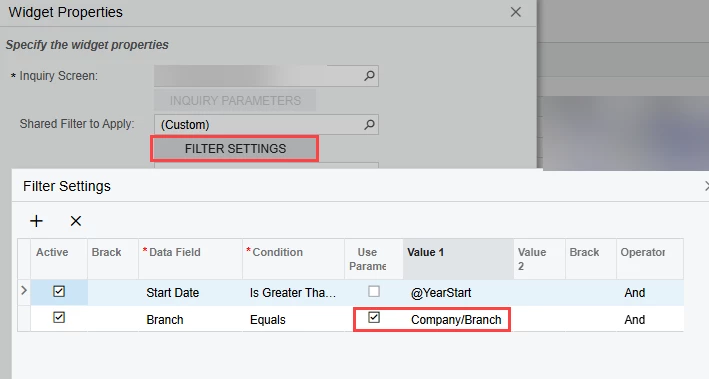
For each widget, update your filters to get the branch from the parameters as shown below.  Select the “Use Parameter” checkbox and then select the name of your Branch parameter from the dropdown.


6 replies

DipakNilkanth
Pro III
Forum|alt.badge.img+13

Hi ​@scottkdc,

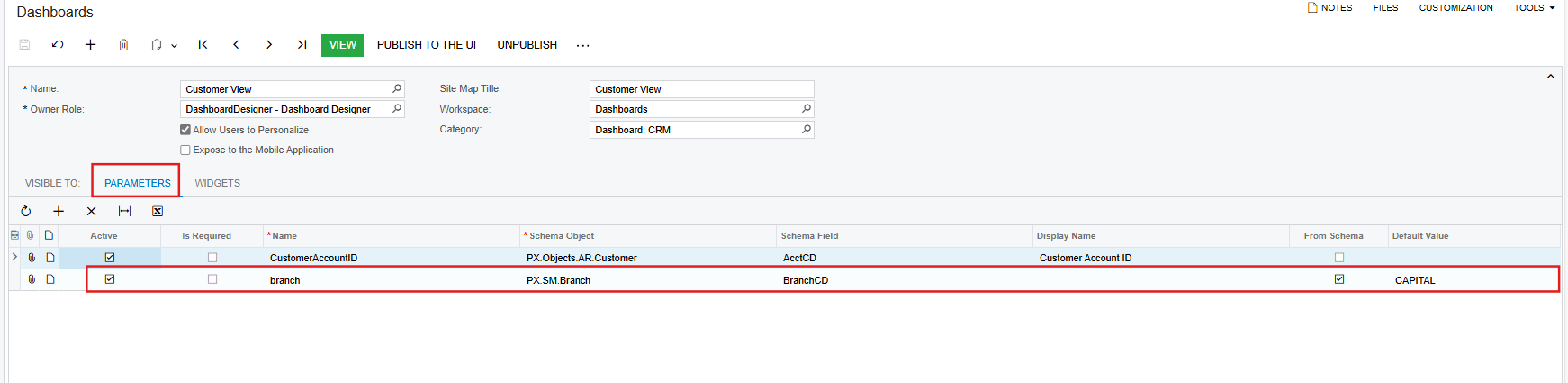
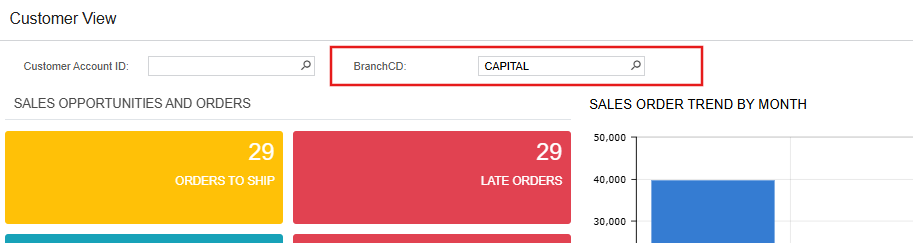
You can use the PX.SM.Branch Schema object for adding Branch parameter. you can also provide default value as below.


Hope, it helps!


  • Author
  • Freshman I
  • April 9, 2025

Hi Dipak,


I got the schema item added - thanks for pointing me to that information.


Regarding the default, is it possible to have the Branch/Company ID default based on the current branch/company?  Is there a variable @CurrentBranch or similar that could work there?  I don’t want a static default value there and hope it can refresh based on the company selected.


Thanks,


Scott


  • Author
  • Freshman I
  • April 9, 2025

For further details, I want to use the dashboard-level parameter value as a filter value for certain widgets.  For example, if I’m in Branch A and have an Open AP Bills widget on the dashboard, I want that to include only items for the branch in the parameter field.  If I switch the value in the parameter field to Branch B, either manually or by switching branches, I want the widget to refresh accordingly and only show Open AP Bills for Branch B.


Chris Hackett
Community Manager
Forum|alt.badge.img
  • Acumatica Community Manager
  • July 1, 2025

Hi ​@scottkdc were you able to find a solution? Thank you!


Manikanta Dhulipudi
Captain II
Forum|alt.badge.img+15

@Nilkanth Dipak i’ve added the dashboards as per your instructions, however the data remains same for every branch,

@scottkdc -Did you able to resolve this?


meganfriesen37
Captain II
Forum|alt.badge.img+12

Hello,

For each widget, update your filters to get the branch from the parameters as shown below.  Select the “Use Parameter” checkbox and then select the name of your Branch parameter from the dropdown.