Solved

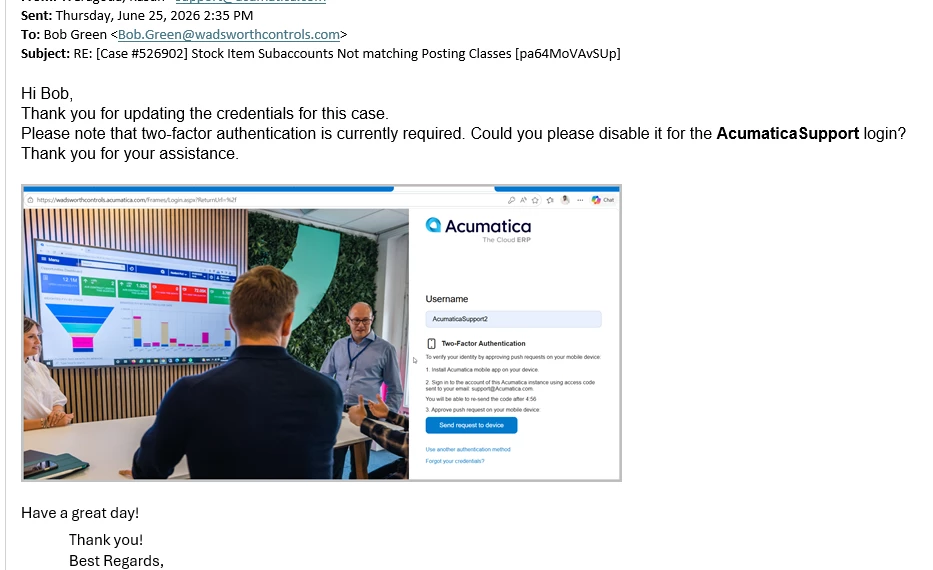
Acumatica Support asks us to turn off 2 factor authentication

  • June 25, 2026
  • 1 reply
  • 17 views

Forum|alt.badge.img

Hi Everyone, 

When we engage with Acumatica Support, we are asked to disable our MFA for the Acumatica Support user. Our company has been hacked via Acumatica before, and we will not disable the 2FA for users. I’m surprised that Acumatica asks us to disable it for them - surely Acumatica understands the importance of robust security, right?

Our current plan is to update the support account email to be the email of the specific person helping us, so they can get the emails with the authentication codes. Does anyone have any better ideas? Or know why the direction from Acumatica is to disable critical security?


Best answer by Glen Martin

Hi ​@jbedwards,

If disabling MFA is a concern, please let the support agent know, as different clients have different security requirements. Depending on what the troubleshooting requirements are, support may be able to use Access For Support: https://community.acumatica.com/maintenance-and-troubleshooting-15/how-to-grant-secure-access-to-acumatica-erp-customers-sites-for-acumatica-support-5386. Please ensure Access For Support has all required access to perform the troubleshooting.

For troubleshooting things that require credentials (mobile, reports, etc.), full case credentials are required. This KB article explains the difference between Access For Support and full case credentials: https://community.acumatica.com/maintenance-and-troubleshooting-229/how-to-securely-share-credentials-for-an-acumatica-instance-with-the-acumatica-support-for-troubleshooting-purposes-18732

There are other options as well, and a meeting to demonstrate the issue may be a possibility, depending on the support level. Troubleshooting without site access can be challenging, and the support agents are doing their best to ensure a speedy case resolution.


1 reply

Glen Martin
Acumatica Moderator
Forum|alt.badge.img+1
  • Acumatica Moderator
  • Answer
  • June 26, 2026

Hi ​@jbedwards,

If disabling MFA is a concern, please let the support agent know, as different clients have different security requirements. Depending on what the troubleshooting requirements are, support may be able to use Access For Support: https://community.acumatica.com/maintenance-and-troubleshooting-15/how-to-grant-secure-access-to-acumatica-erp-customers-sites-for-acumatica-support-5386. Please ensure Access For Support has all required access to perform the troubleshooting.

For troubleshooting things that require credentials (mobile, reports, etc.), full case credentials are required. This KB article explains the difference between Access For Support and full case credentials: https://community.acumatica.com/maintenance-and-troubleshooting-229/how-to-securely-share-credentials-for-an-acumatica-instance-with-the-acumatica-support-for-troubleshooting-purposes-18732

There are other options as well, and a meeting to demonstrate the issue may be a possibility, depending on the support level. Troubleshooting without site access can be challenging, and the support agents are doing their best to ensure a speedy case resolution.