Answer

Acumatica Multi-Currency - Velixo Consolidated Report

  • March 26, 2025
  • 3 replies
  • 81 views

Forum|alt.badge.img

Good day,

I have been trying to get some confirmation on setting up Multi-currency report in Consolidating Reports.  So far, Velixo is no help.  I was wondering if adding our Canadian company to the current P&L Consolidated Report was as simple as adding the Acumatica Reporting Ledger to the list of ledger on the the report.  

Has anyone done this?  Or have you set up the Consolidated P&L and Balance for USD reporting with other currencies.  I need to include a CAD in USD to the Velixo reports.

Thank you.

Evan

Best answer by WillH

Hi ​@grillevan ,

I’m not 100% current on that part of the system, so hopefully another user has more specific advice.

But incase it helps, the Acumatica Open University course F340 covers Multicurrency setup, and has a section on how to configure reporting:

https://openuni.acumatica.com/courses/fin/f340-financials-advanced-multi-currency-accounting/

3 replies

WillH
Varsity III
Forum|alt.badge.img+3
  • Varsity III
  • Answer
  • March 30, 2025

Hi ​@grillevan ,

I’m not 100% current on that part of the system, so hopefully another user has more specific advice.

But incase it helps, the Acumatica Open University course F340 covers Multicurrency setup, and has a section on how to configure reporting:

https://openuni.acumatica.com/courses/fin/f340-financials-advanced-multi-currency-accounting/


Forum|alt.badge.img
  • Author
  • Jr Varsity III
  • March 31, 2025

HI ​@WillH   Thank you for taking the time to reply.  I finally spoke with Velixo support.  The issue has been resolved as I thought.  We need to add the Reporting ledger to the consolidated reports so the currency will based on our Base currency.

Evan


Gabriel Michaud
Captain II
Forum|alt.badge.img+11

@grillevan -- just stumbled on your post, and glad to hear the issue was resolved by support. Confirming that the use of a reporting ledger, translated from your base currency is the way to go.

In the report itself, you can freely toggle between ledgers if you’d like -- this is something that we highlight in this article.

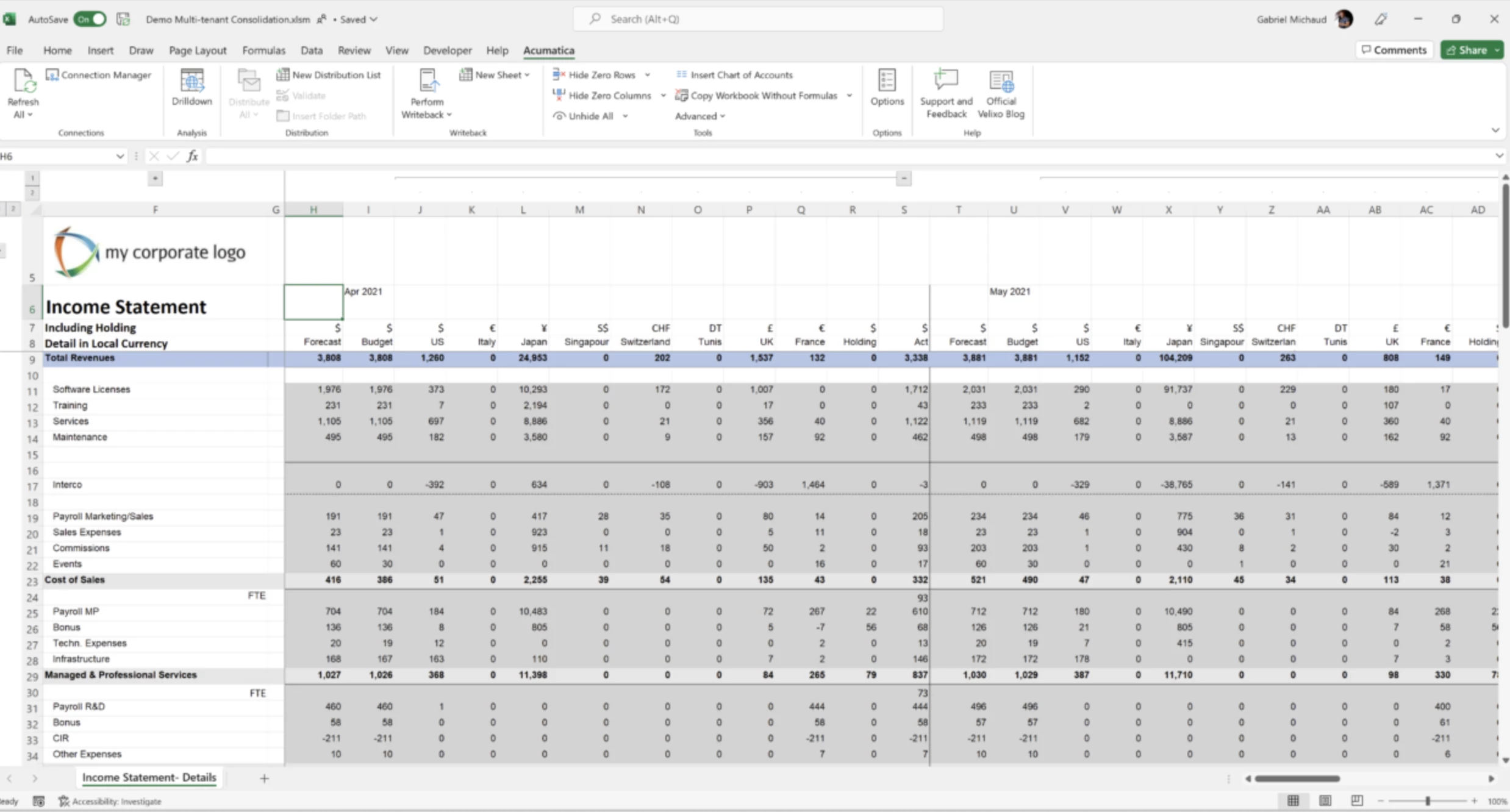
In Local Currency (all columns loading from the “ACTUAL” ledger)

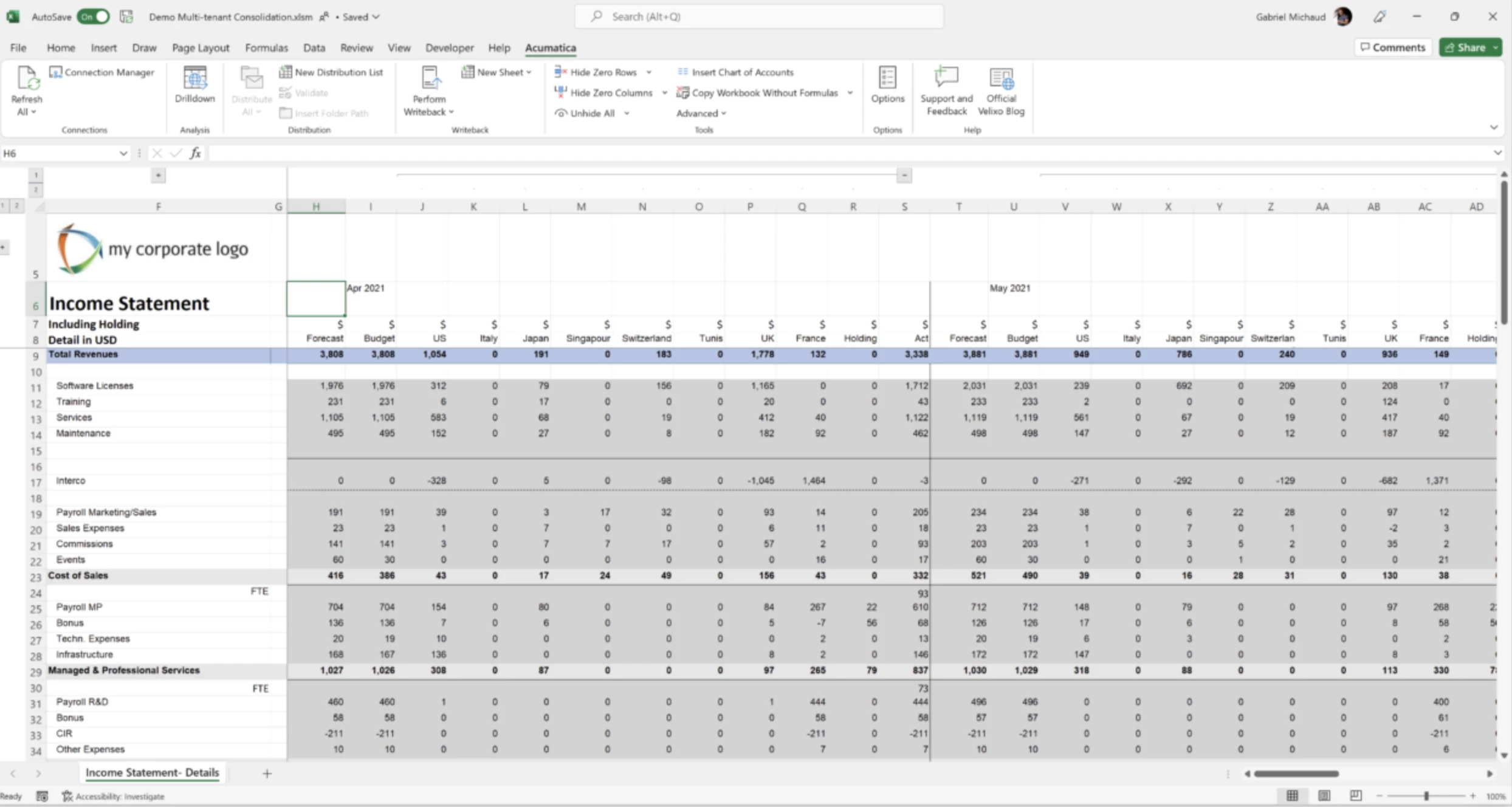
In USD (columns loading from the reporting ledger of each company)