Question

working groups for approval and USD

  • February 4, 2026
  • 5 replies
  • 39 views

Hello,

I have a couple of questions regarding Purchase Order approvals in Acumatica.

1. Approval by amount using Workgroups instead of specific users

For Purchase Orders approval based on amount, I have configured an Approval Map with conditions.
However, instead of assigning a specific user as an approver, I need to assign a workgroup that can approve these documents under the defined conditions.

The goal is to avoid constant changes in approval settings and to ensure that if one person is absent, another member of the workgroup can approve the document.

  • Is it possible to configure Purchase Order approvals using workgroups instead of individual users?

  • If yes, what is the correct way to set this up?

  • If not, what alternative configuration options are recommended to achieve this behavior?

2. Approval based on amount in USD only (multi-currency vendors)

We also need Purchase Orders to be approved based on amounts in USD only.

We have several vendors using different currencies (for example, JPY).
When a Purchase Order is created in a foreign currency (currency is enabled), the total amount in that currency is much higher, and as a result, it triggers approval levels that were configured for USD amounts.

The requirement is:

  • Approvals should be evaluated only based on amounts in USD, regardless of the document currency.

Is there a way to configure approvals to use USD (base currency) amounts only?
If so, please advise on the possible solution.

Thank you in advance for your help.

5 replies

nickcerri32
Semi-Pro III
Forum|alt.badge.img+7
  • Semi-Pro III
  • February 4, 2026

@auditsoft - I can speak to the first point, but someone with more multicurrency experience will need to assist with your second question.

Is it possible to configure Purchase Order approvals using workgroups instead of individual users?

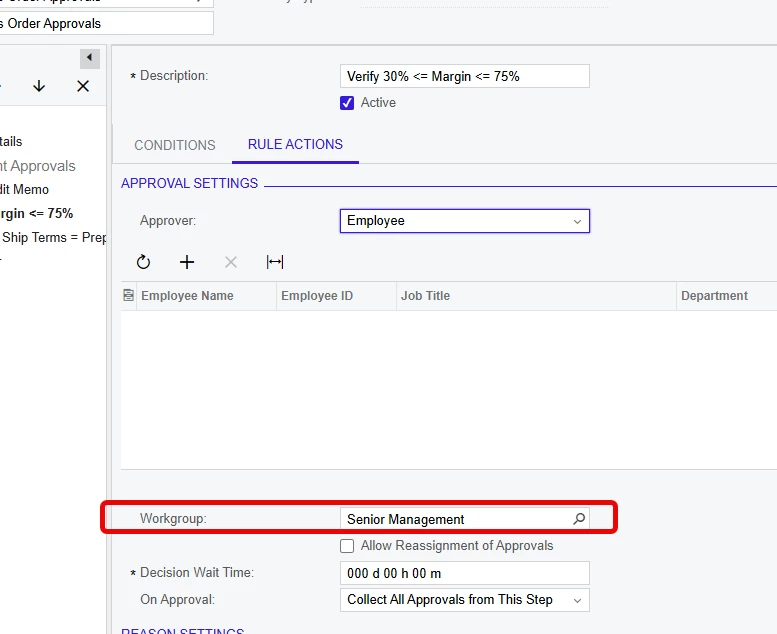
Yes - simply select the relevant Workgroup in the Workgroup field of the Rule Actions tab.


YasasWithanage76
Acumatica Employee
Forum|alt.badge.img+4

Hello ​@auditsoft ,


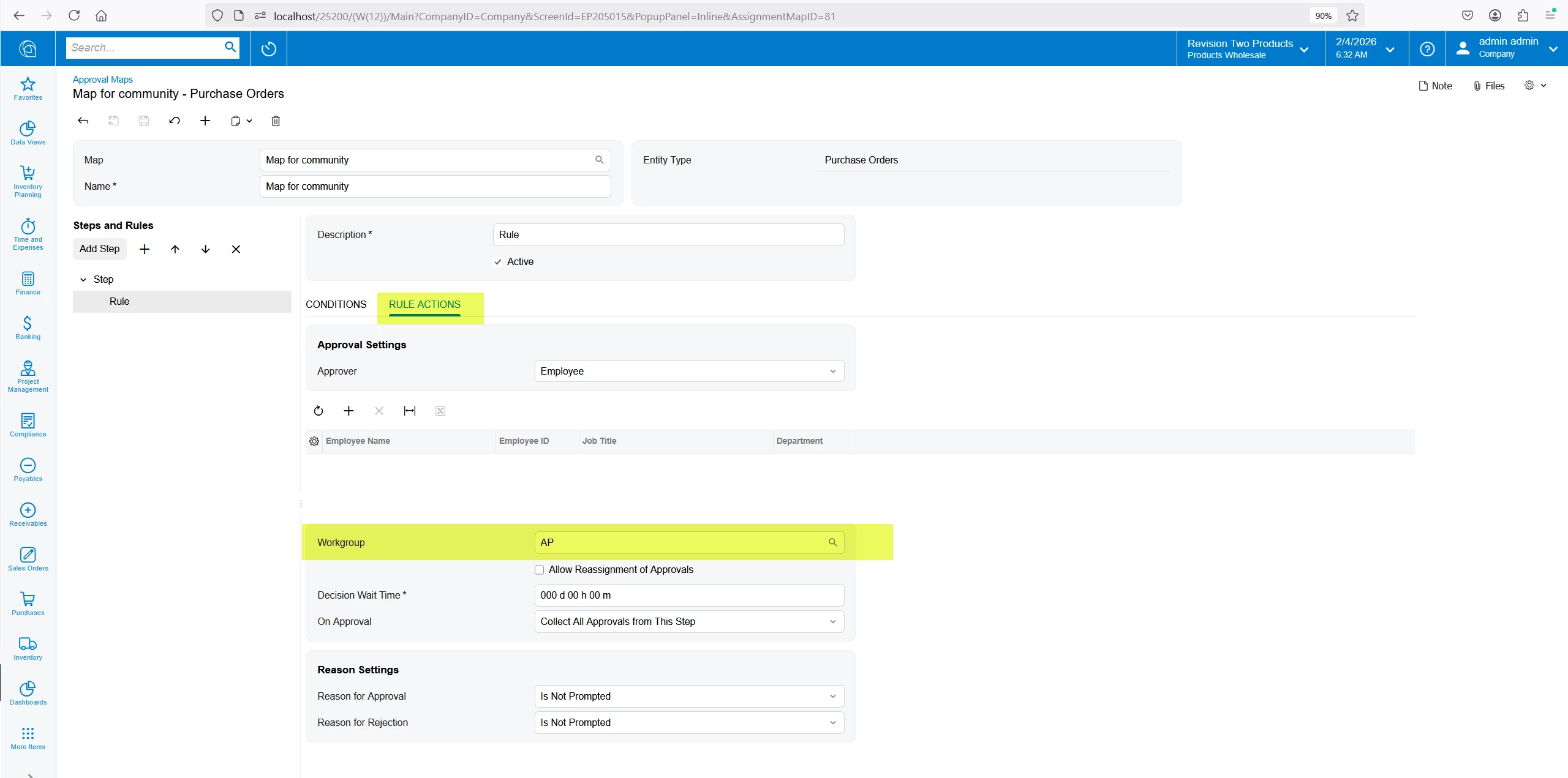
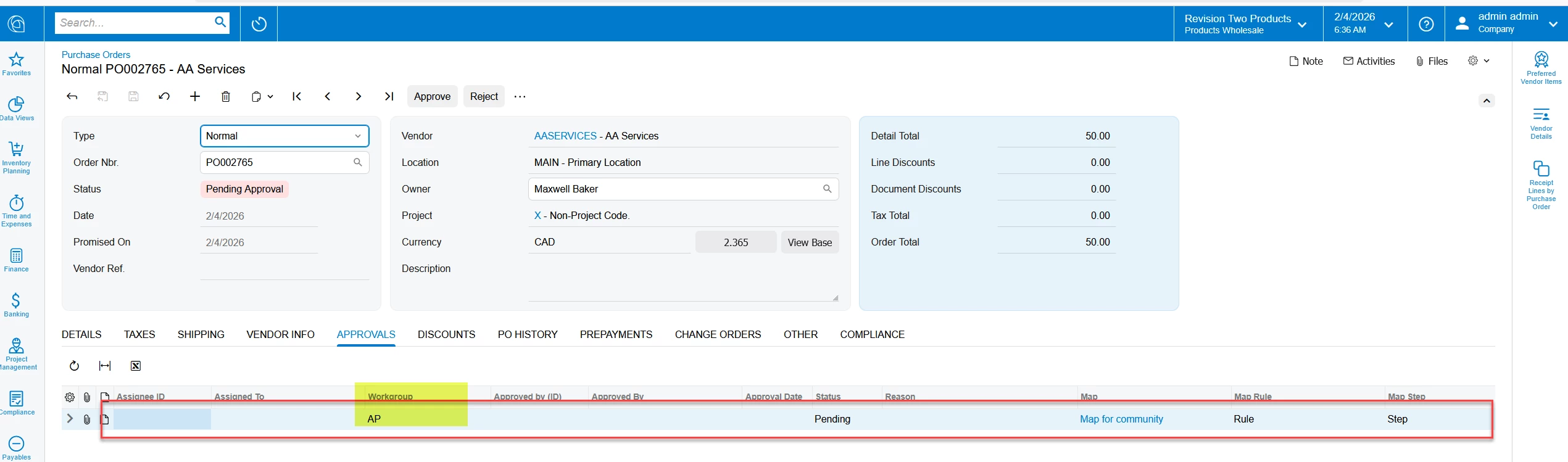
  1. Yes. We can assigned workgroup as approver.
  2. Yes. When setting up an approval map with amounts, we cannot define currecncy type (base or document). So that means the system is utilizing the base currency of the system. When we add an amount as a condition, the system consider as a base currency value.


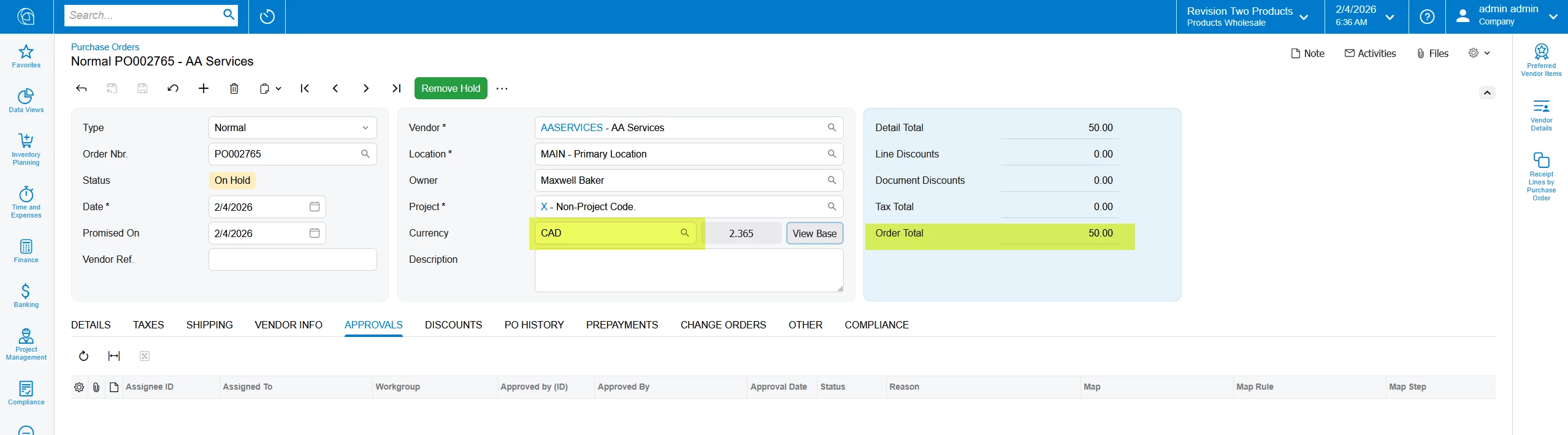
Example for 1st scenario


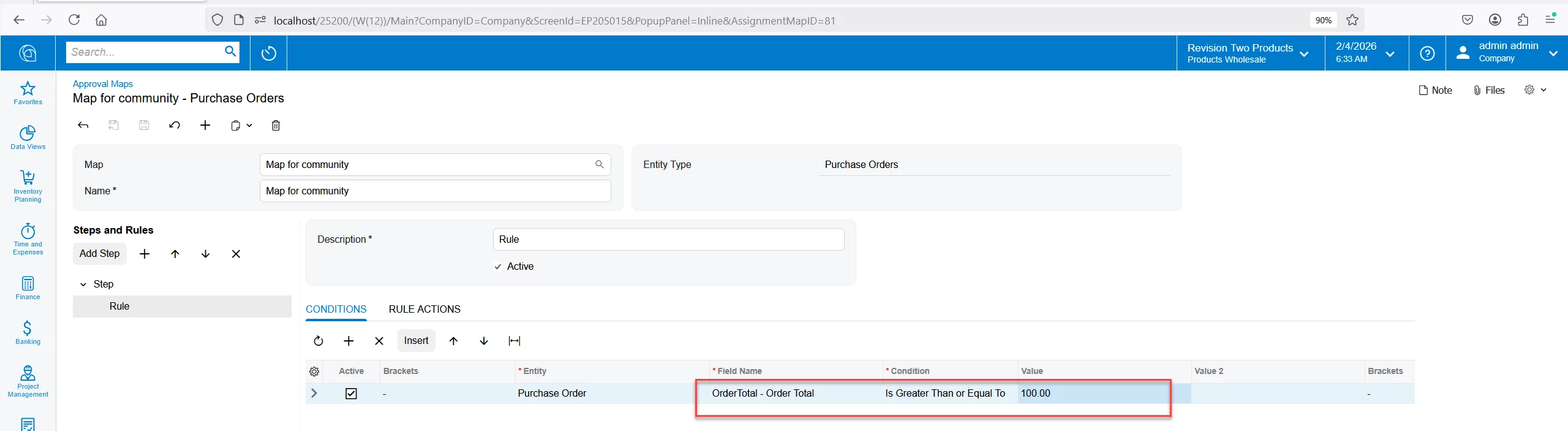
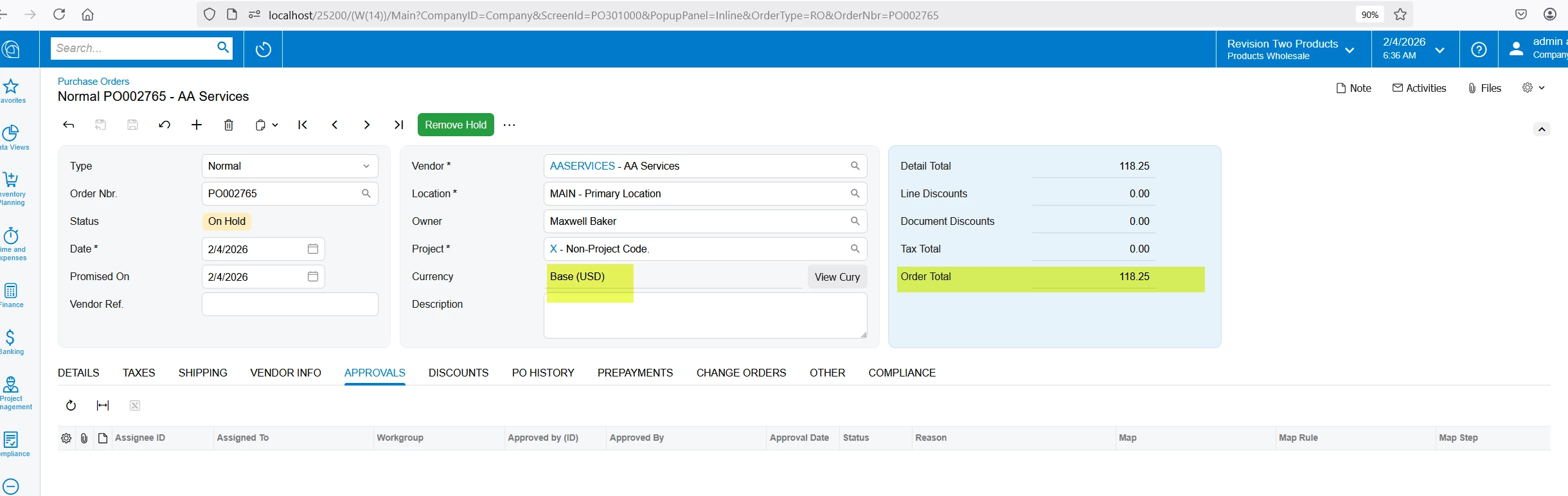
Example for 2nd scenario

Rule

Base currency amount (USD) = 118.25


FC amount (CAD) = 50


Approval is triggered. That means the system is considering the base currency amount (118.25>= 100)


Thanks


  • Author
  • Freshman I
  • February 4, 2026

@nickcerri32 
Thank you for your reply.

Just to clarify: when selecting a Workgroup in the lower section, doesn’t this only limit the users that can be selected above in the Rule Actions?

If a workgroup is specified, do I not need to select any individual user, and the approvers will be automatically determined from the members of that workgroup?

Am I understanding this correctly?


  • Author
  • Freshman I
  • February 4, 2026

@YasasWithanage76 

Thank you very much for such a detailed and thorough response — I really appreciate the time and effort you put into explaining this.

My interface looks slightly different.

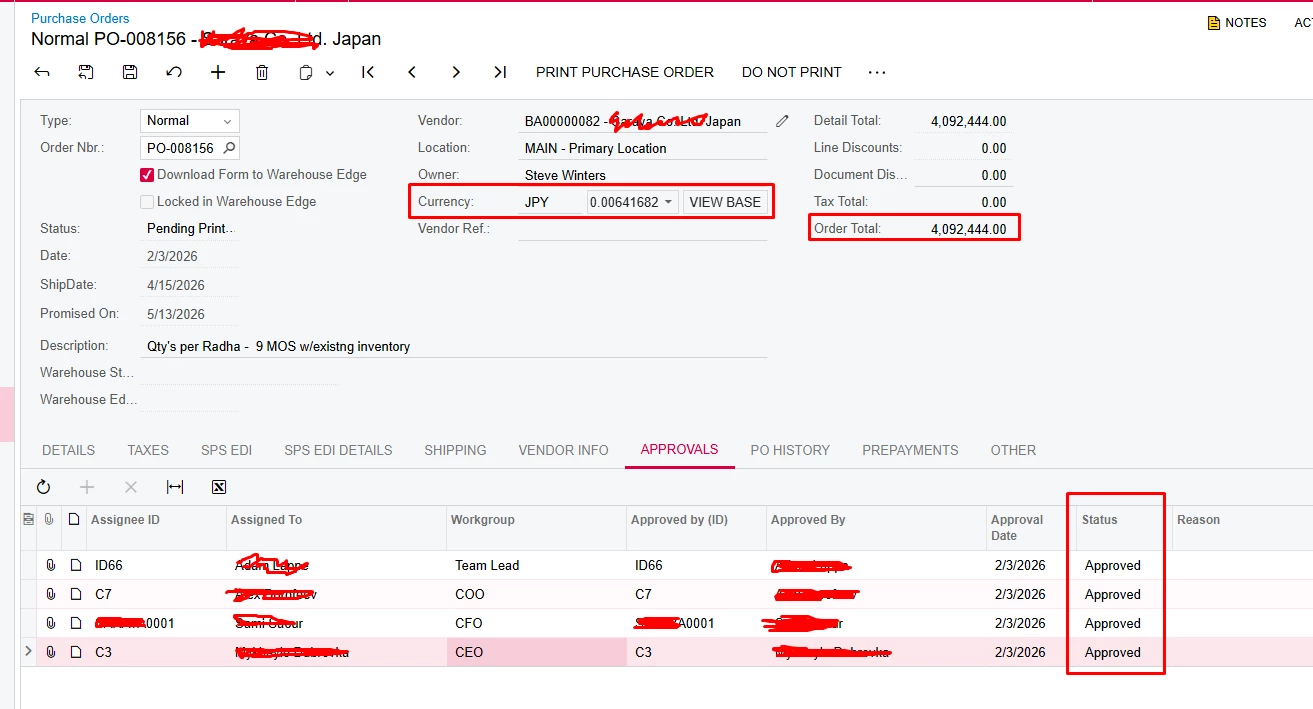
In my case, I have a Purchase Order in JPY where the total amount is over 50,000.
According to the approval conditions, any amount greater than 50,000 requires 4 approvers.
 

However, in USD, this amount is only 26,000, and this can be seen only after clicking “View Base”.
 

Is there any additional configuration that allows approval conditions to be evaluated based on the base currency amount, without needing to manually check “View Base”?

That is, according to the base currency setting - dollars and according to the conditions of my approval map, there should be only 3 people who approve/

Thanks


nickcerri32
Semi-Pro III
Forum|alt.badge.img+7
  • Semi-Pro III
  • February 4, 2026

@nickcerri32 
Thank you for your reply.

Just to clarify: when selecting a Workgroup in the lower section, doesn’t this only limit the users that can be selected above in the Rule Actions?

If a workgroup is specified, do I not need to select any individual user, and the approvers will be automatically determined from the members of that workgroup?

Am I understanding this correctly?


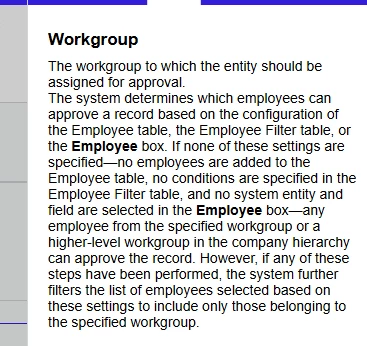
Selecting the workgroup will limit the users that can be selected in the table above, yes.  However, you do NOT need to select any individual users.  Simply selecting the Workgroup will allow for any user in that workgroup to approve the document.  Here’s the help for the Workgroup field.