Answer

Vendor Top Selling SKUs - by Time Period

  • March 18, 2025
  • 1 reply
  • 48 views

With regards to this topic top-selling-items-in-a-generic-inquiry-27114.

We have followed this reply: SoLine Table

So far so good, except we would like to accurately display the quantity based on a given time period (specifically for the past year to date). If we just add OrderDate as a column it doesn’t display the correct quantity for that time period when filtered.

What is the best way to accurately display the quantity for a certain time period (instead of just all time quantity totals)?
 

Best answer by bwhite49

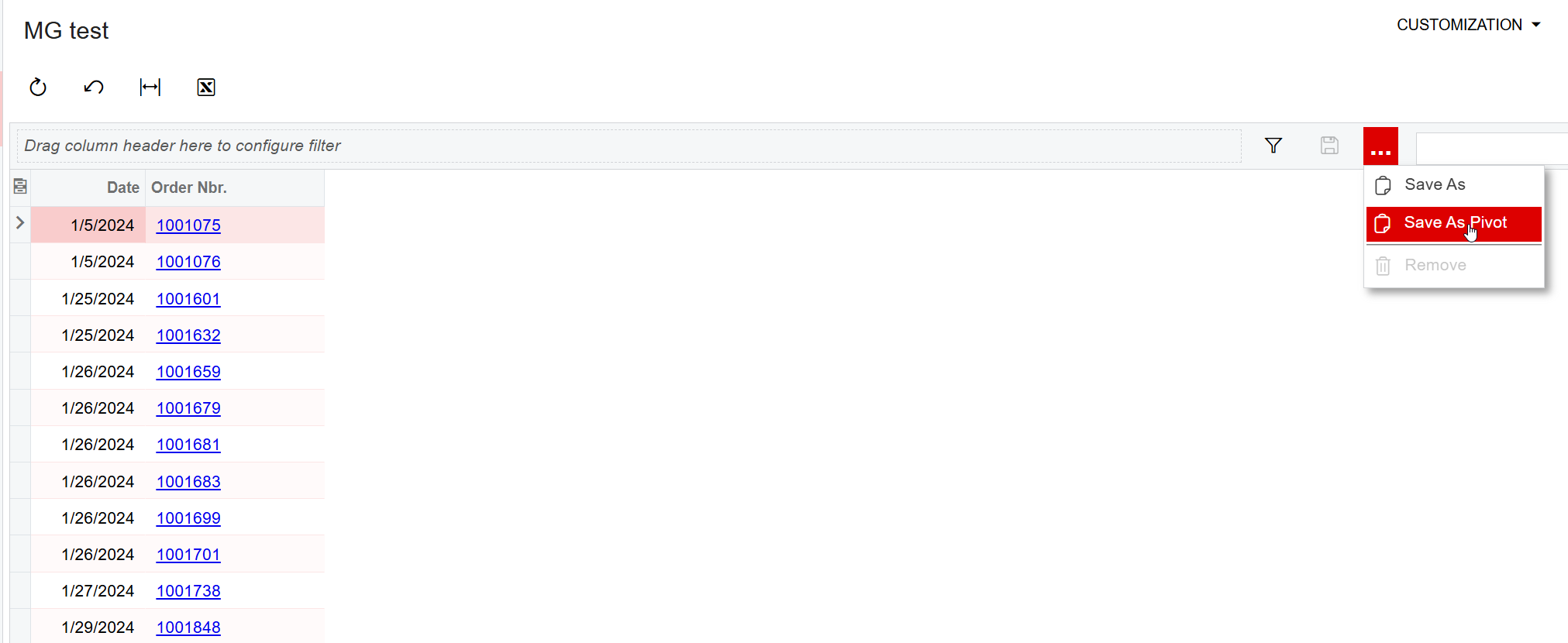
The easiest/quickest solution is to add a pivot table to your inquiry. To do this click on the 3 dots, and then save as pivot

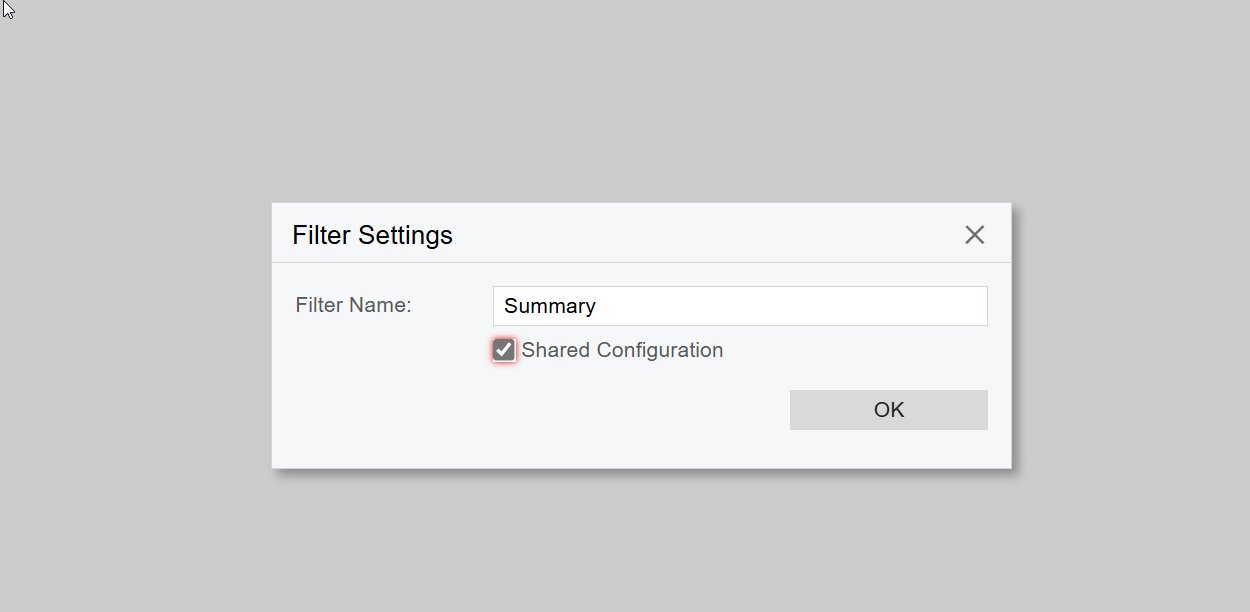
Give the pivot table a name and then click on “shared configuration”

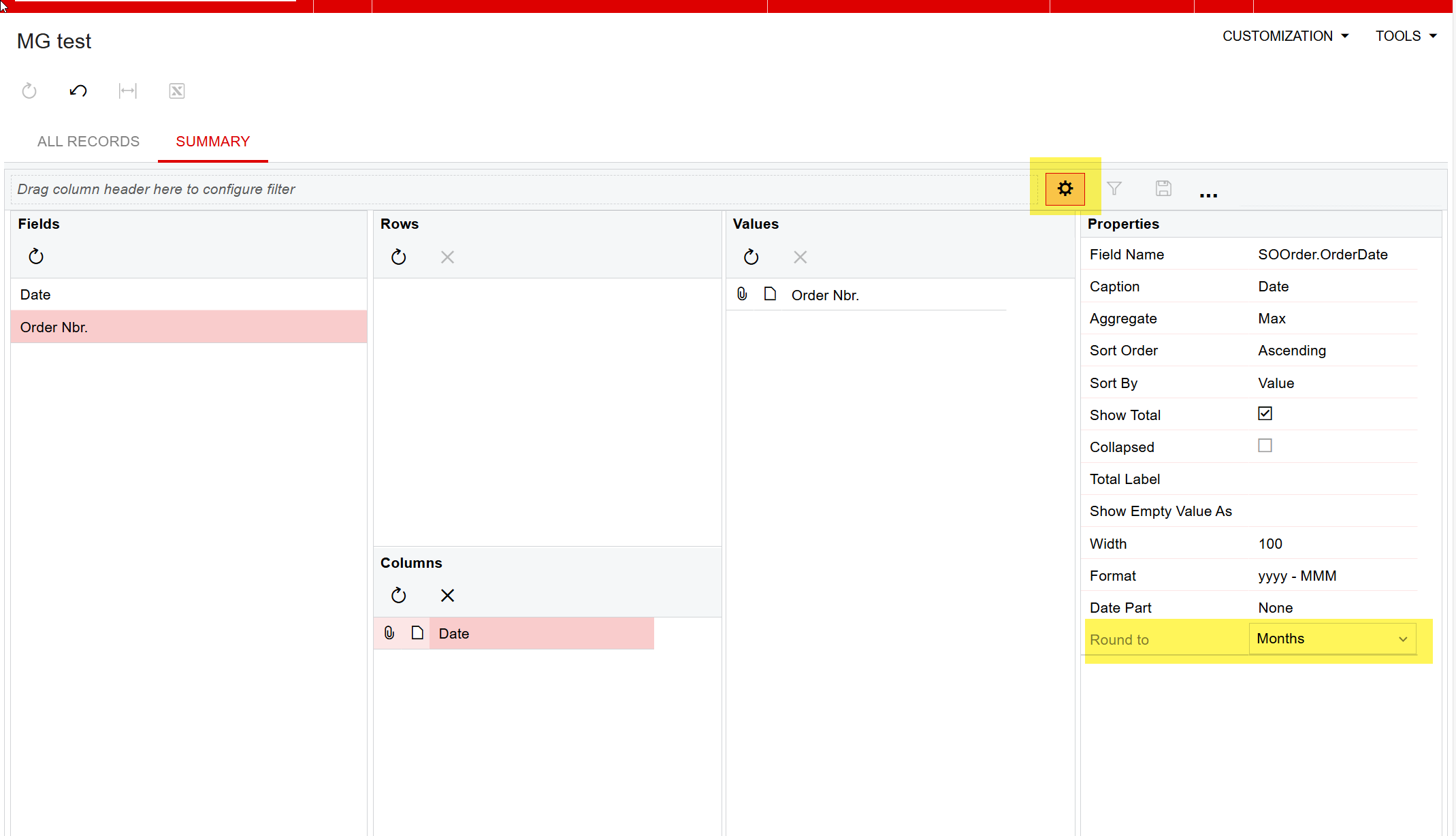
From here you just need to drag a drop your fields and modify a few settings. Add your date field as a column, as well as your inventoryCD/ID as a row, and then your qty field as the value. After that, click on the date field and modify the “round to” to be month or quarter.

To save the pivot table, click on the gear icon

1 reply

bwhite49
Captain II
Forum|alt.badge.img+11
  • Captain II
  • Answer
  • March 18, 2025

The easiest/quickest solution is to add a pivot table to your inquiry. To do this click on the 3 dots, and then save as pivot

Give the pivot table a name and then click on “shared configuration”

From here you just need to drag a drop your fields and modify a few settings. Add your date field as a column, as well as your inventoryCD/ID as a row, and then your qty field as the value. After that, click on the date field and modify the “round to” to be month or quarter.

To save the pivot table, click on the gear icon