Solved

Transfer Details Project and Project Task reset after Location is selected

  • December 15, 2025
  • 2 replies
  • 49 views

nickcerri32
Semi-Pro II
Forum|alt.badge.img+6

Hey, team - wanted to know if there’s anything I’m overlooking here.  I’ve inherited a client (1-year post-go-live) that needs to transfer materials purchased to projects back into free stock from time to time.  For what it’s worth, I would have configured their locations differently, but we may be too far down the road to try and reconfigure at this point.

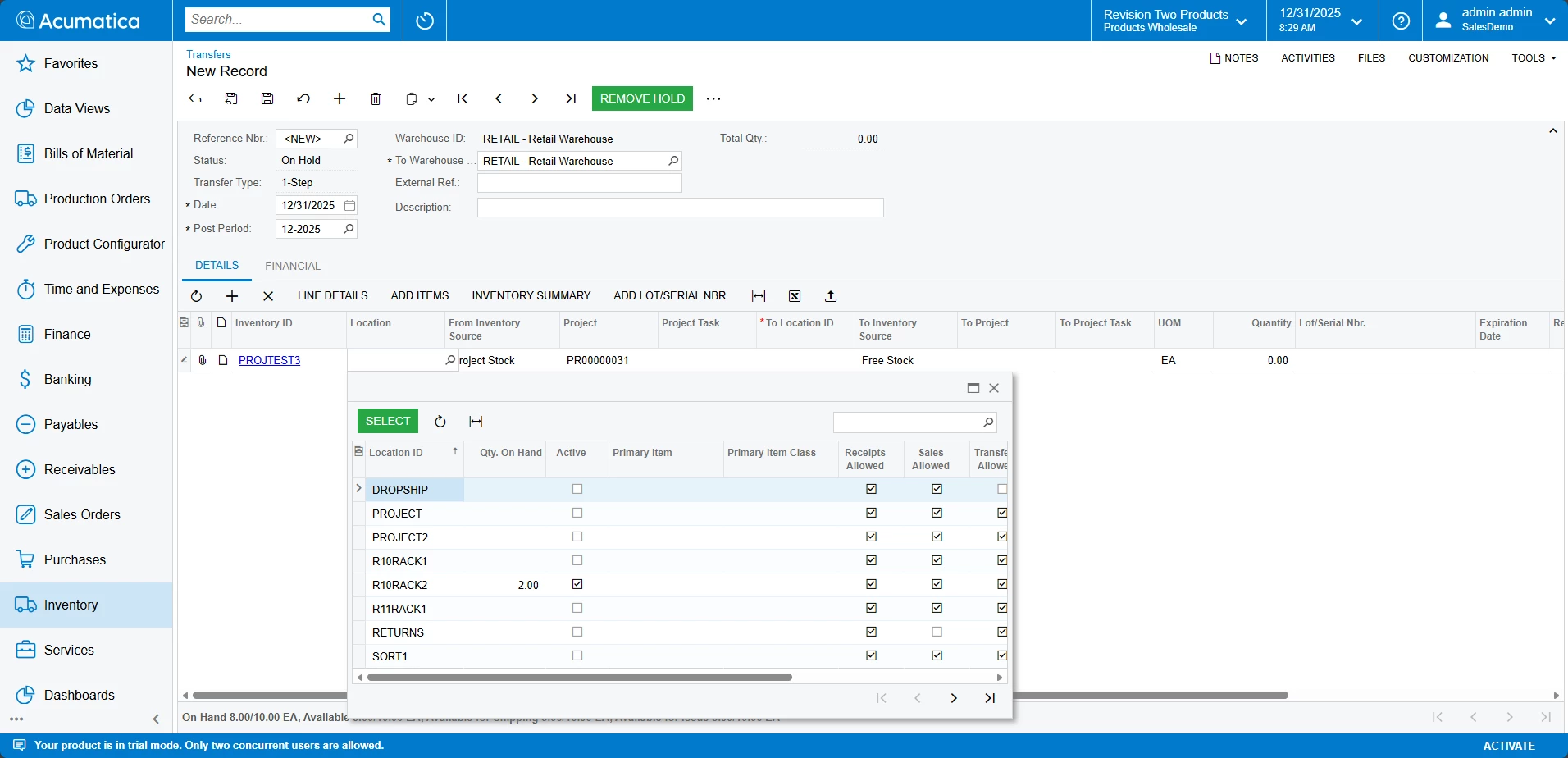
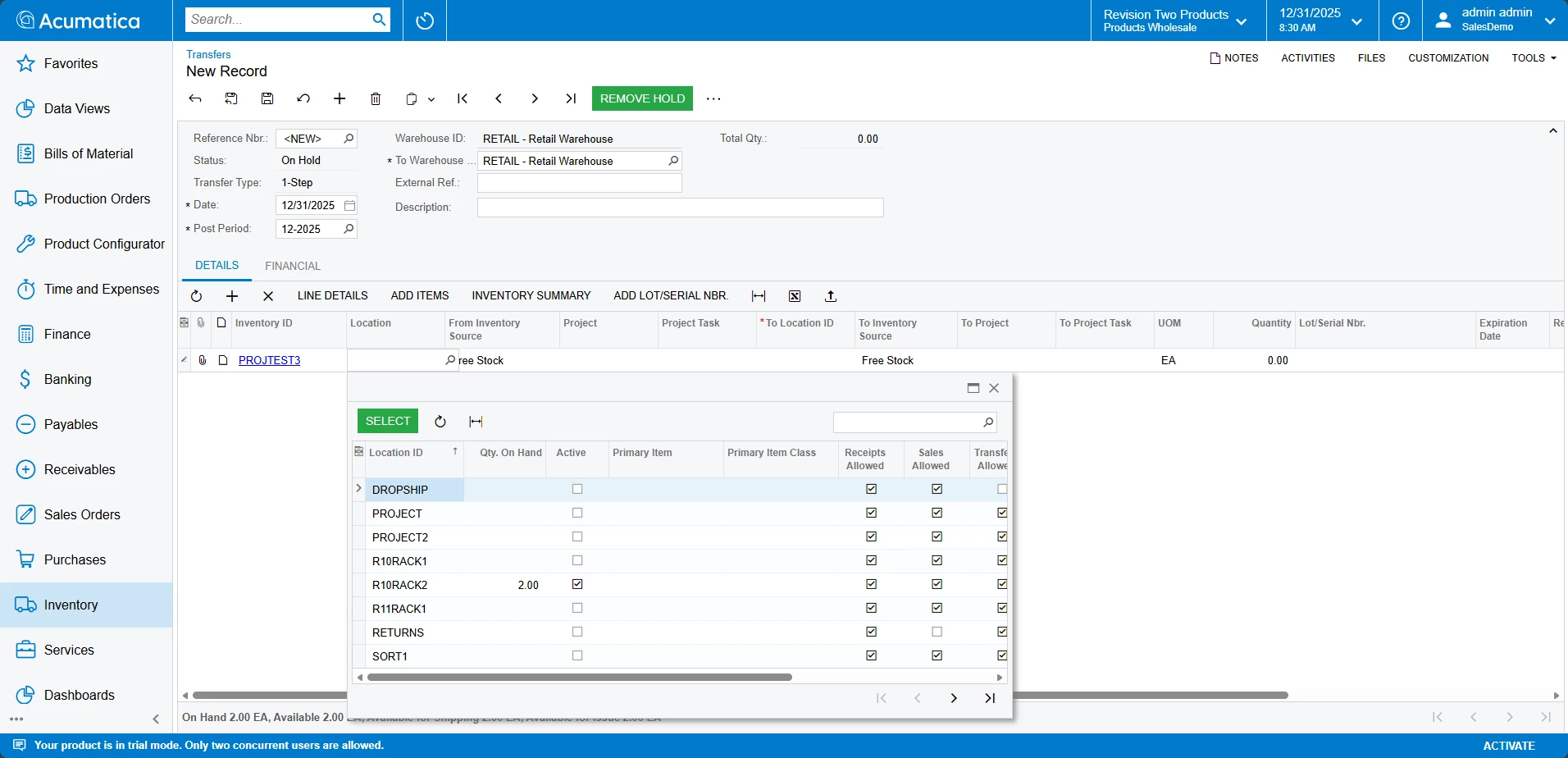
For obvious reasons, when selecting the material from Project stock with NO project or project task selected, the Location selector does not accurately recognize the Qty. On Hand (you’ll see why below.)

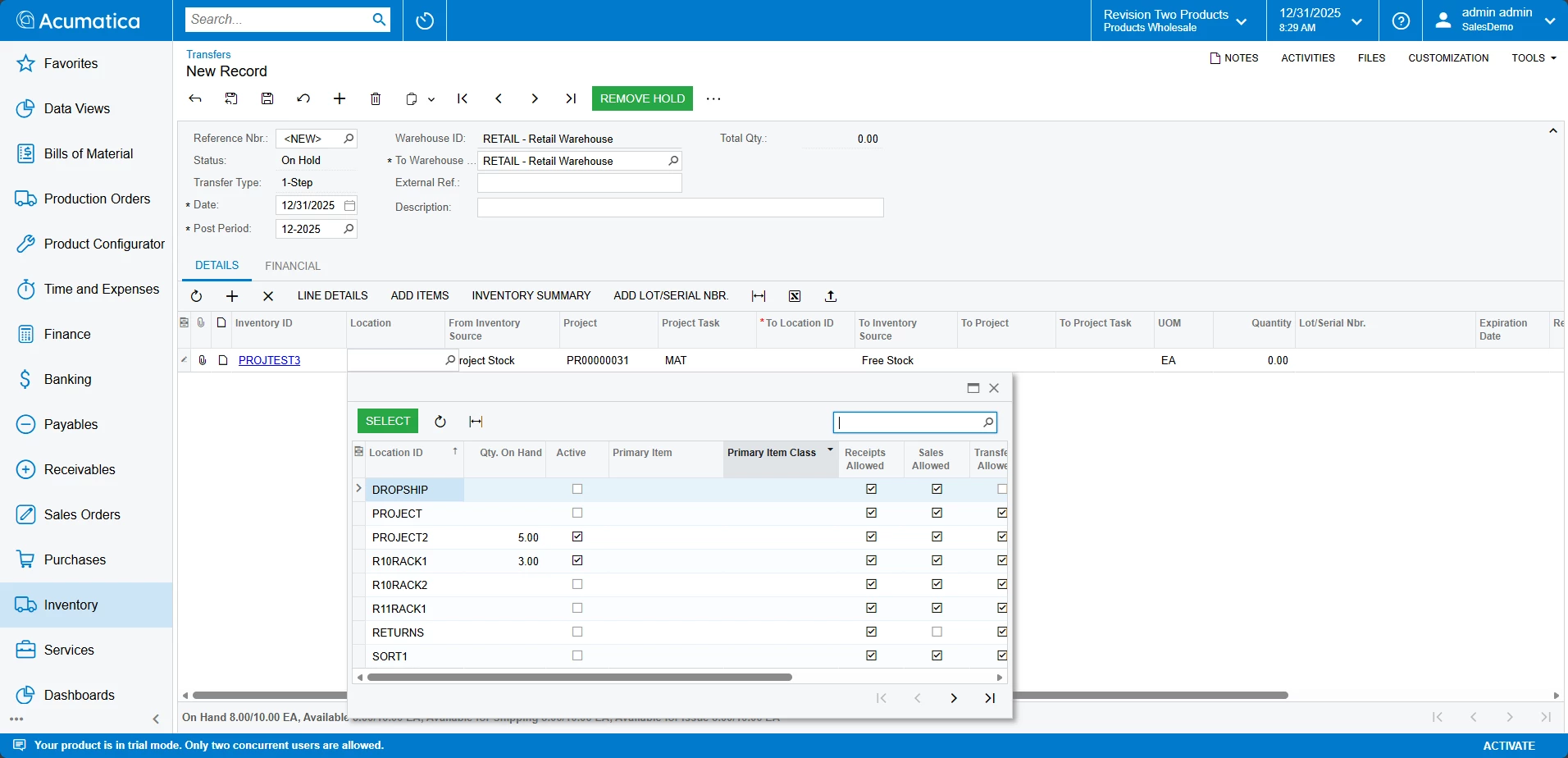
Then, when we put Project and Task information in the line, we can see the correct location and Qty. On Hand.  


When we select this location, the Project and Project Task fields reset, which is inconvenient if there are many items that need transferred.


Is there any way around this?  Preferably as a configuration, but I’m not against a low/no-code solution as well.  As I’ve said above, we may be past the point where I would set up Project Locations, so the solution would assume that we would stick with the locations we have.  Any thoughts would be extremely helpful.  Thanks!
Best answer by ShoKetchum56

Hi ​@nickcerri32 !


This is a really good question. I think you checked everything on the Transfer side. I took a look at this locally in a 25R1 tenant and I noticed the same behavior (a Locations “On Hand” updates when a Project + Project Task is set). 


From my review, the currently logic on Transfers is to update the “On Hand” on the Location magnifying icon only when the Project Task is set. I want to note this, as setting the Project only still has the same output as no selection (only shows the “Free Stock” On Hand).

Free Stock
Only Project set
Project + Taks set


I think the intention is to only show On Hand of Locations related to a specific Project Task, not all Project Cost Layers. 


With this, I don’t think there is a simple way to see which items have a Project Cost Layer from the Transfer side (without setting the Project Task on the Line).

I think the main workflow your client is looking to achieve is to use Transfers to identify locations where an Item has Project Cost Layers and move them to Free Stock Cost Layers. 


I think this review needs to be done from the Inventory Summary or Project Side currently.


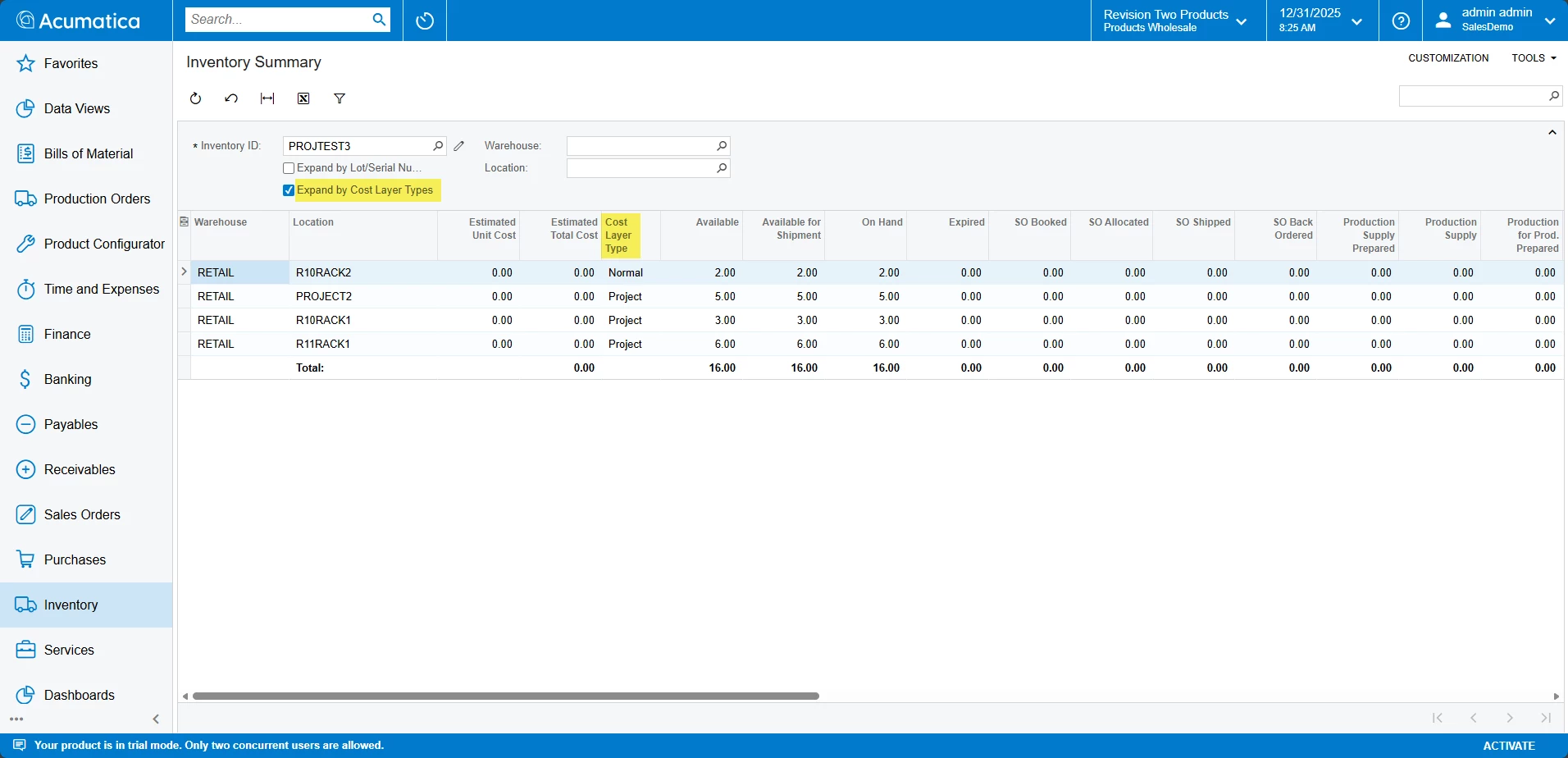
Using the Inventory Summary with “Expand by Cost Layer Type” would help identify Project Cost Layers. However, this would not identify which project/task the layer is associated with:


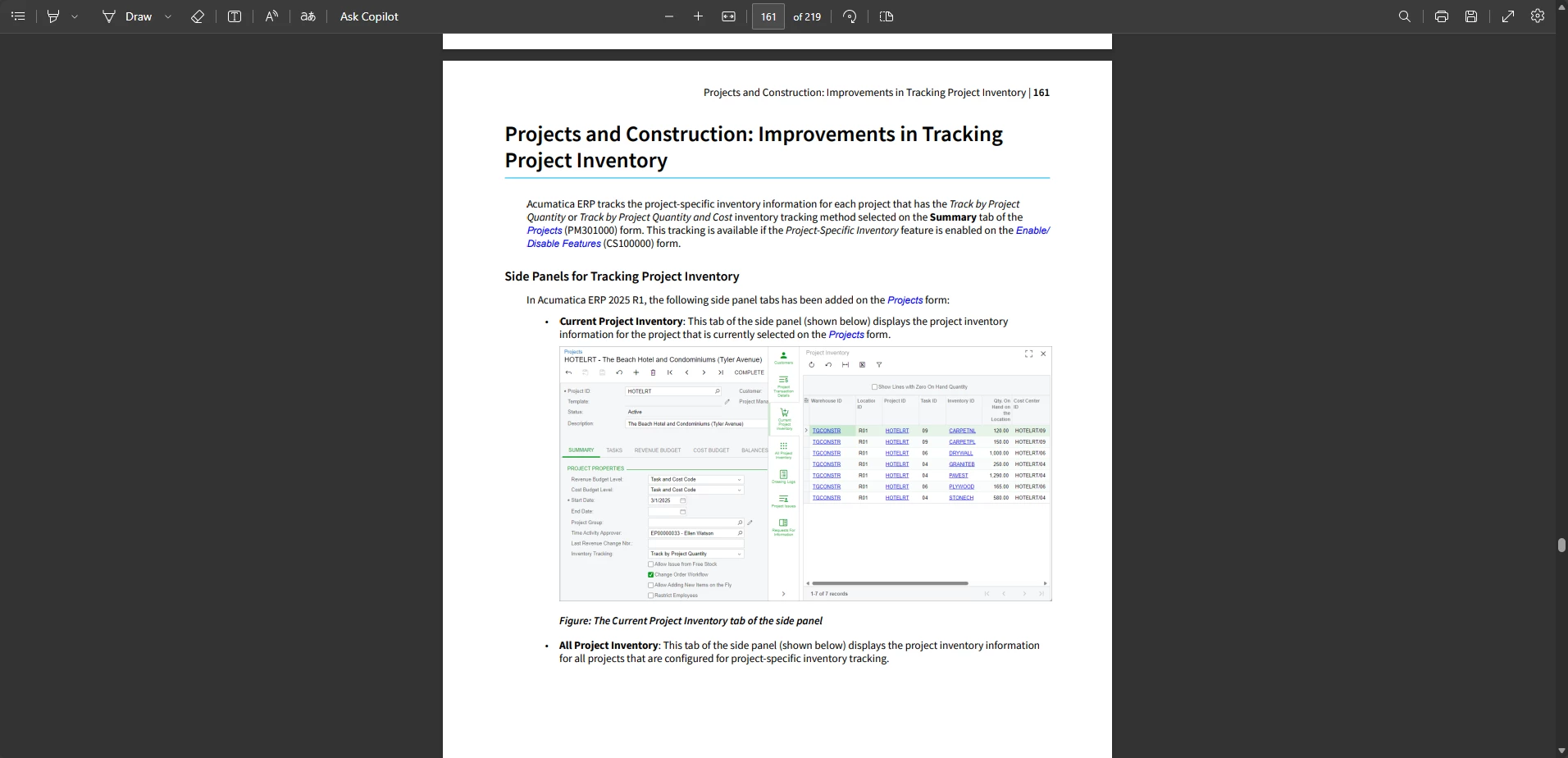
However, checking the 2025R1 release notes, we also added a Project Inventory Side Panel to show the details of the related amounts:

Acumatica 2025 R1 Downloads and Release Notes | Community


However, I also want to share this post, as they share some GIs that can assist with identifying Project Cost Layers, if the side panel does not work out for your team:

How to review project-specific inventory quantity and cost | Community


Lastly, an Idea post to improve/update the Location “On Hand” calculation on the Transfer (IN Docs) side would be helpful!

I think having a method to view Project Cost Layers from IN Documents would be beneficial, but I think our development team would need to be made aware of this to look into the function further.


I hope this information is helpful!

Happy New Year!

2 replies

  • Acumatica Employee
  • Answer
  • December 31, 2025

Hi ​@nickcerri32 !


This is a really good question. I think you checked everything on the Transfer side. I took a look at this locally in a 25R1 tenant and I noticed the same behavior (a Locations “On Hand” updates when a Project + Project Task is set). 


From my review, the currently logic on Transfers is to update the “On Hand” on the Location magnifying icon only when the Project Task is set. I want to note this, as setting the Project only still has the same output as no selection (only shows the “Free Stock” On Hand).

Free Stock
Only Project set
Project + Taks set


I think the intention is to only show On Hand of Locations related to a specific Project Task, not all Project Cost Layers. 


With this, I don’t think there is a simple way to see which items have a Project Cost Layer from the Transfer side (without setting the Project Task on the Line).

I think the main workflow your client is looking to achieve is to use Transfers to identify locations where an Item has Project Cost Layers and move them to Free Stock Cost Layers. 


I think this review needs to be done from the Inventory Summary or Project Side currently.


Using the Inventory Summary with “Expand by Cost Layer Type” would help identify Project Cost Layers. However, this would not identify which project/task the layer is associated with:


However, checking the 2025R1 release notes, we also added a Project Inventory Side Panel to show the details of the related amounts:

Acumatica 2025 R1 Downloads and Release Notes | Community


However, I also want to share this post, as they share some GIs that can assist with identifying Project Cost Layers, if the side panel does not work out for your team:

How to review project-specific inventory quantity and cost | Community


Lastly, an Idea post to improve/update the Location “On Hand” calculation on the Transfer (IN Docs) side would be helpful!

I think having a method to view Project Cost Layers from IN Documents would be beneficial, but I think our development team would need to be made aware of this to look into the function further.


I hope this information is helpful!

Happy New Year!


nickcerri32
Semi-Pro II
Forum|alt.badge.img+6
  • Author
  • Semi-Pro II
  • January 6, 2026

@ShoKetchum56 - thank you for the response.  This was very well received by the client.