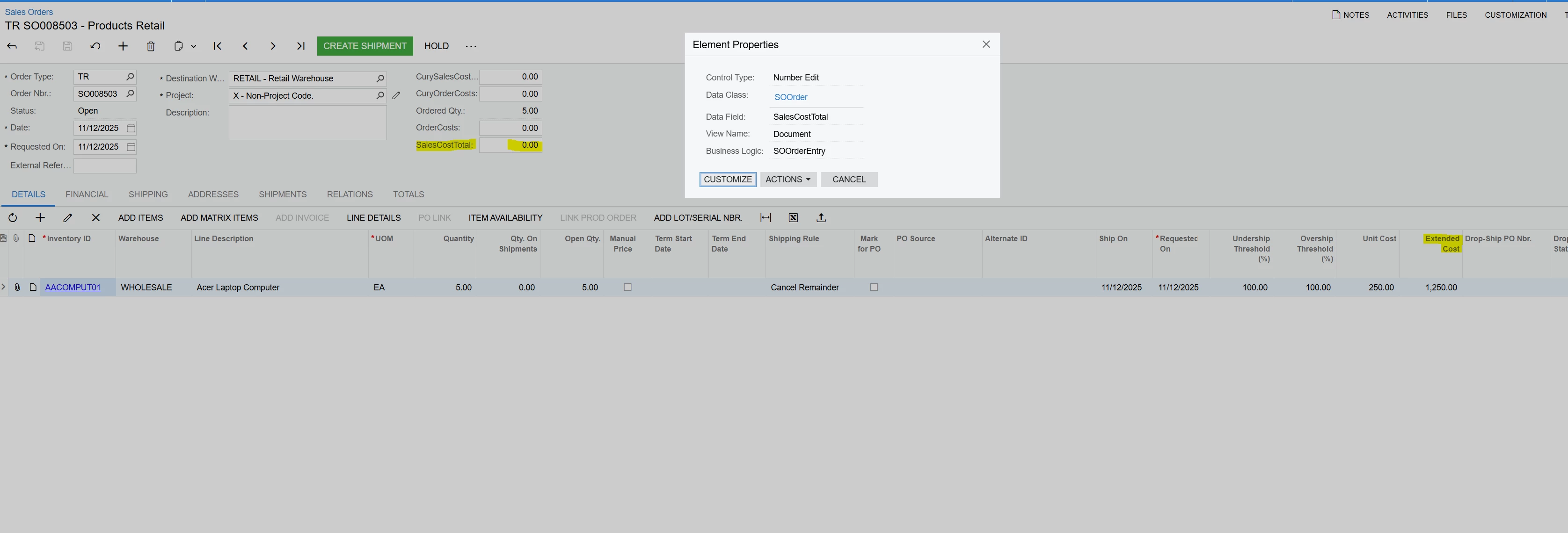
Has anyone has any luck adding a Total Cost to the Sales Order screen? This would be the “Ext Cost” column aggregated.
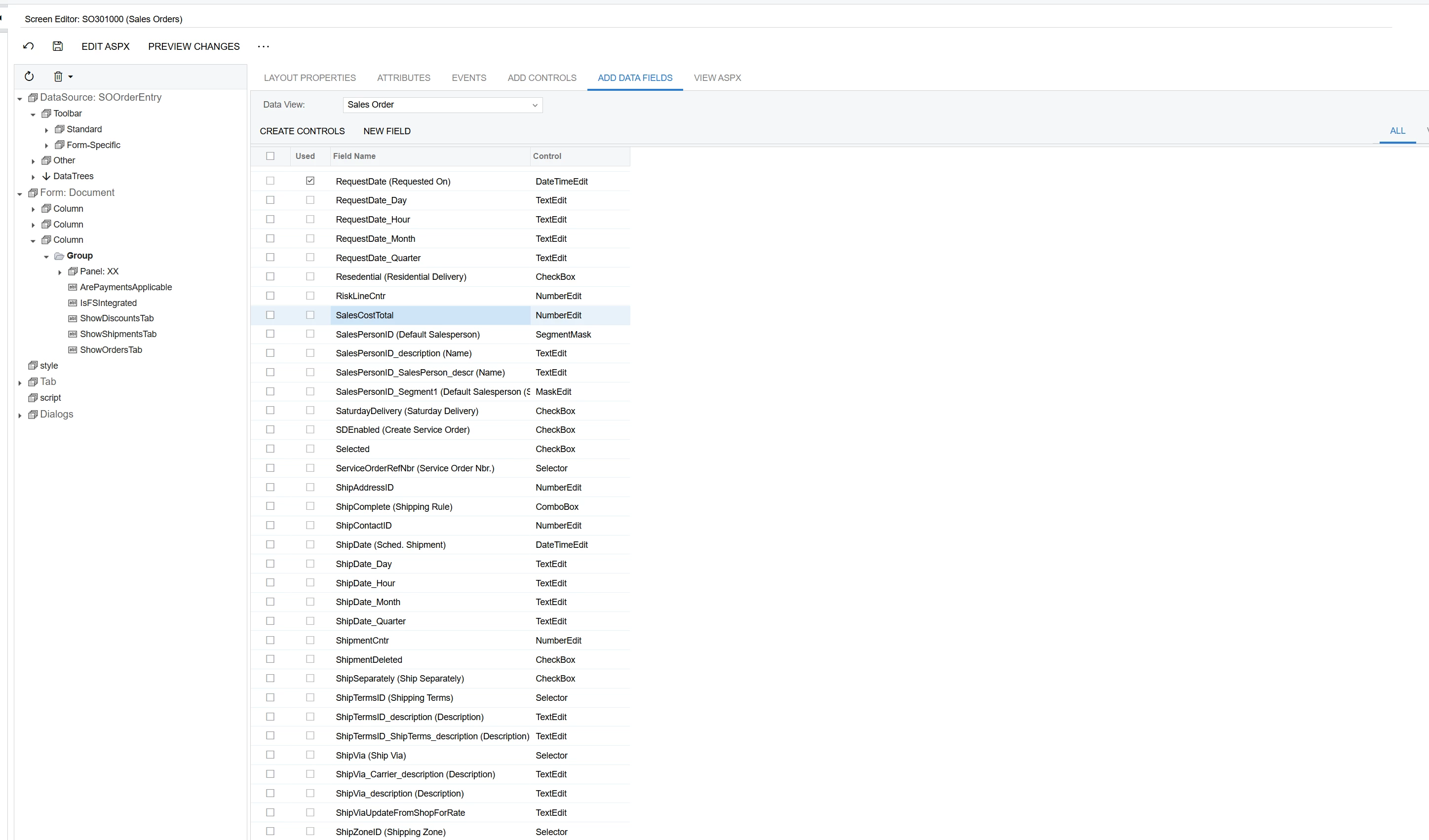
I added this field below, “SalesCostTotal” but its always 0.00. Even when you create the issue the cost is still 0.00.
We just need to take the Extend Cost column and summarize it for the entire order as the Estimated Total Cost.
Best answer by TharakaFernando29
Hi @etrojan28
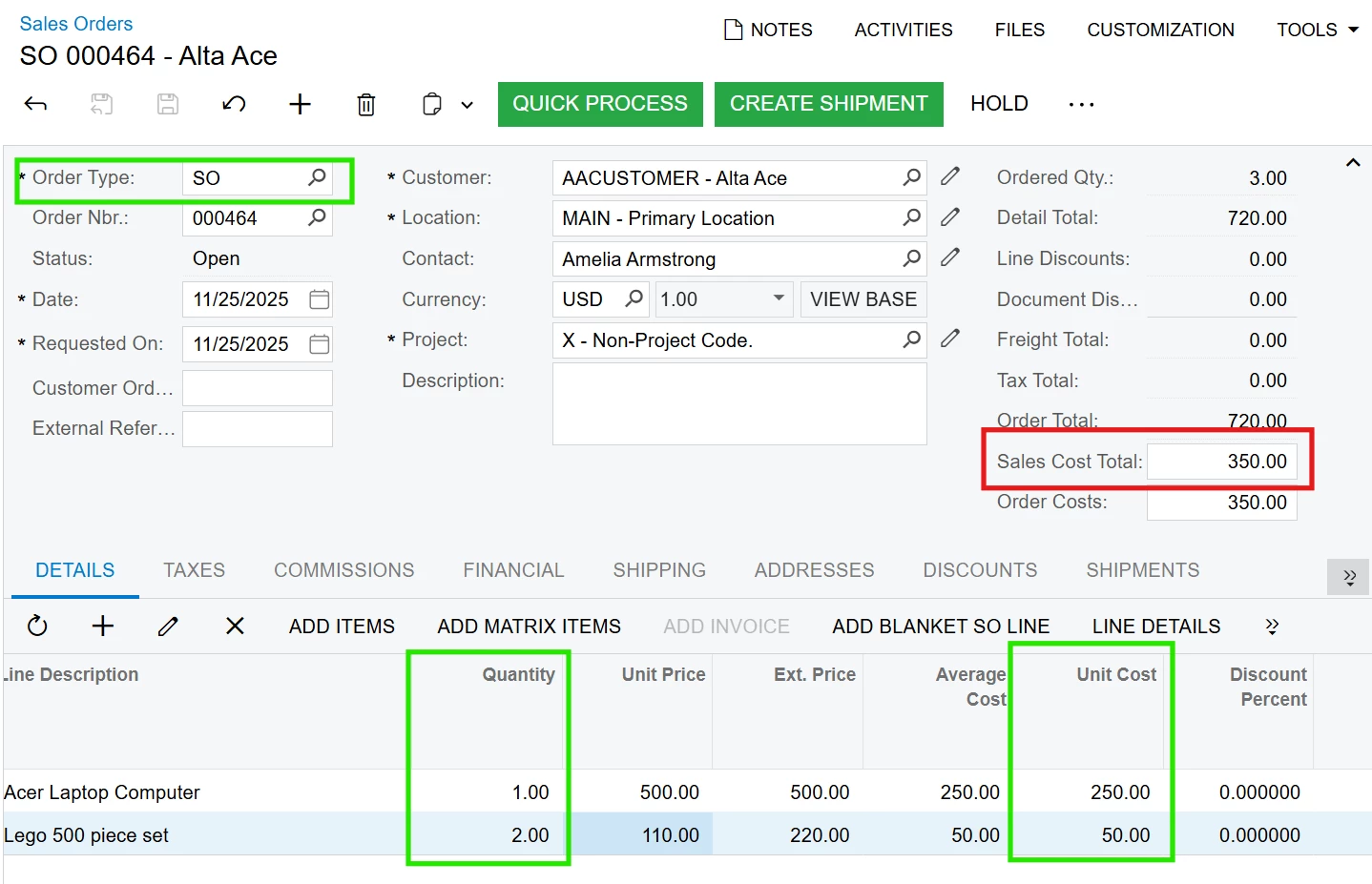
If you just add the SOOrder.SalesCostTotal field from the DAC to the Sales Orders (SO301000) screen, this will NOT be calculated when the Order Type is ‘TR’, as per the out of the box behavior. This will be calculated if the Order Type is ‘SO’, see the image below.
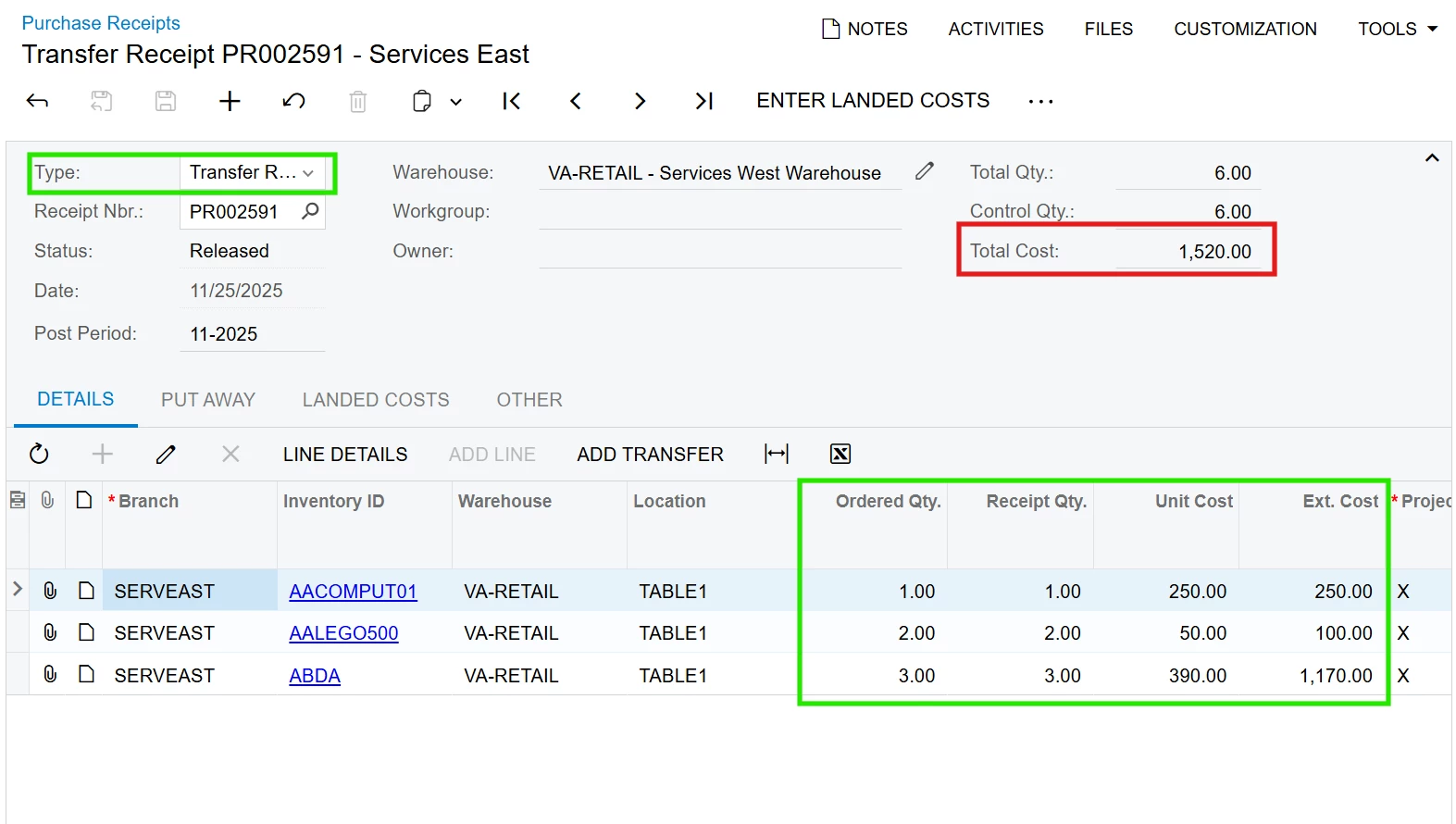
When the Order Type is ‘TR’ on the Sales Orders (SO301000) screen, the cost is being calculated when the relevant transfer receipt is being created in the Purchase Receipts (PO302000) screen (having its PO Receipt Type as ‘Transfer Receipt’). In this scenario, you can get the Total Cost field by overriding the POReceipt.CuryOrderTotal field attributes (i.e.; [PXUIField(DisplayName = "Total Cost", Visibility = PXUIVisibility.Visible, Visible = true, Enabled = false)]), as per my image below.
Hope this clears out what's happening here to you. Feel free to reach out to us and log a case with us (Acumatica). We can guide you if you further need a customization here to suite your requirement.
@Tony Lanzer Hey Tony, I went low code/no code. All I did was go into the backend and I saw the DAC available and I extended it to the screen. I did nothing in terms of coding on this one.
@etrojan28 So did you do anything besides adding a custom field to a screen? Are you calculating the total in any way, or are you asking how to calculate it?
@Tony Lanzer just added the field that was available in the backend. I have not coded anything. I was just curious why this field doesn’t work and what the purpose of this field is.
If you just add the SOOrder.SalesCostTotal field from the DAC to the Sales Orders (SO301000) screen, this will NOT be calculated when the Order Type is ‘TR’, as per the out of the box behavior. This will be calculated if the Order Type is ‘SO’, see the image below.
When the Order Type is ‘TR’ on the Sales Orders (SO301000) screen, the cost is being calculated when the relevant transfer receipt is being created in the Purchase Receipts (PO302000) screen (having its PO Receipt Type as ‘Transfer Receipt’). In this scenario, you can get the Total Cost field by overriding the POReceipt.CuryOrderTotal field attributes (i.e.; [PXUIField(DisplayName = "Total Cost", Visibility = PXUIVisibility.Visible, Visible = true, Enabled = false)]), as per my image below.
Hope this clears out what's happening here to you. Feel free to reach out to us and log a case with us (Acumatica). We can guide you if you further need a customization here to suite your requirement.
@TharakaFernando29 Thank you for the follow up explanation. Makes sense. But, we still need to have the extended cost column summarized on the sales order screen. They are not concerned with the Purchase Receipt screen showing Total Cost. They need to see the total cost before they get to the Purchase Receipt.
@TharakaFernando29 Thank you for the follow up explanation. Makes sense. But, we still need to have the extended cost column summarized on the sales order screen. They are not concerned with the Purchase Receipt screen showing Total Cost. They need to see the total cost before they get to the Purchase Receipt.
Then you would need a minor field-level customization there.