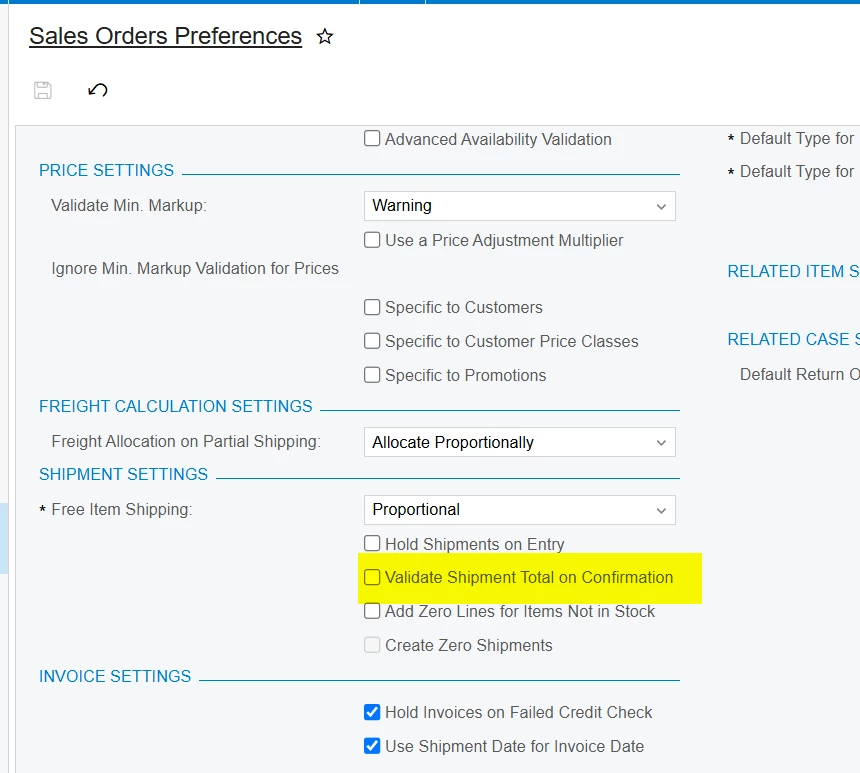
In most situations, if I have an order with two lines--one line that I have stock on, and one line that I don’t (and the order is set to Backorder Allowed), when I create a shipment it only has the item that I have stock on.
We’ve found a small subset of shipments over the past year (as far as I went back) that, with the example order above, show both items but the item with no stock has a Shipped Qty on the shipment of zero. I looked at audit detail and it wasn’t added and then changed--the system (we create most shipments from the Process Orders screen) created the shipment with two lines, one with qty and one without.
We discovered this because one of our warehouse managers had a pick ticket with multiple zero qty lines on it; he asked if this was something that “broke” during our upgrade (we moved from 23R1 to 25R1 last month). I dug deeper and found about 10 shipments each month this year with zero qty lines added.
This isn’t necessarily a problem, but I’m really confused what the trigger is for this. It seems random--we’ve looked at order type setup, shipping rules, PO Links, any common thread we can think of but we can’t find a reason.