

| In the mobile app, I can open a sales order and i can attach a file to a sales order. I have exposed the Shipment screen to mobile, I can open the shipment in the mobile app, but i can not attach a file in the mobile app. What needs to be done to allow a file attachment in the mobile app on a shipment record. The use case is the customers delivery driver is onsite delivering product and wants to open the mobile app, open the shipment and take a picture of the delivery and attach to the shipment.
It appears the exposed SHipment screen is inquiry only.
|
Solved
Shipment Screen in Mobile App
Best answer by Dipak Nilkanth
Hi
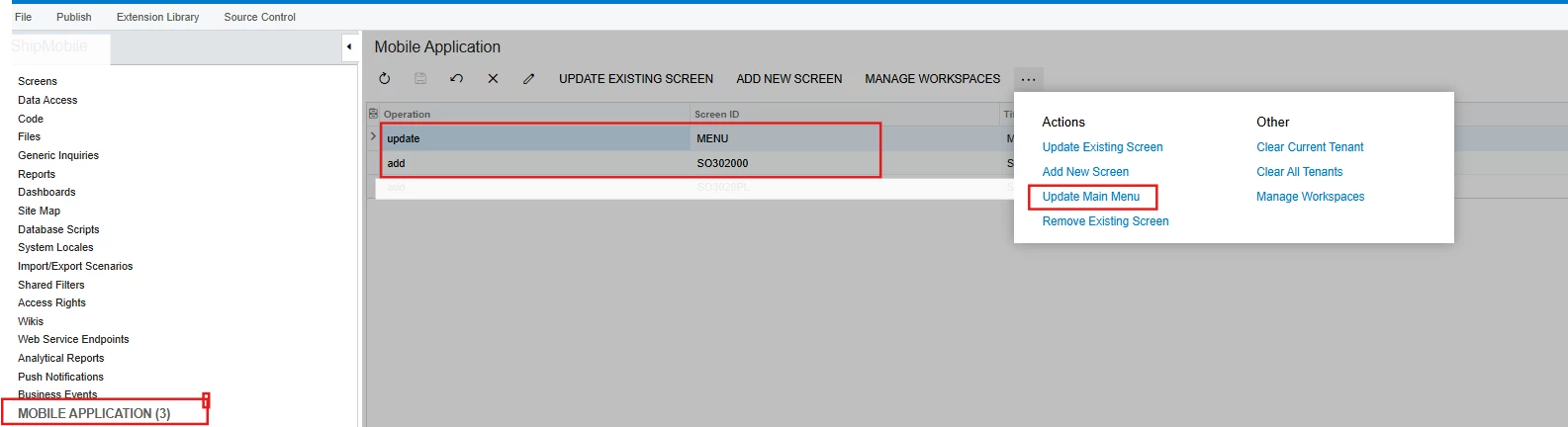
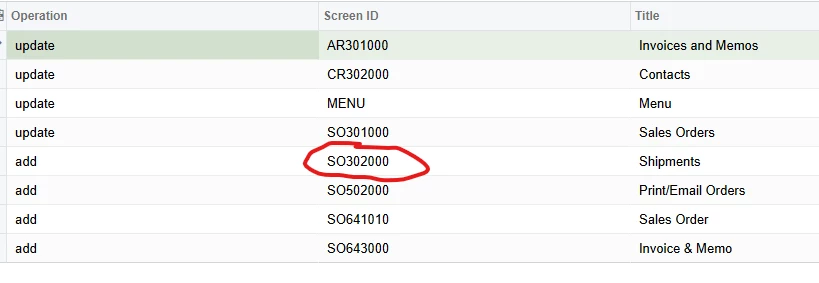
You need to add Shipment(Transactions) screen to Mobile app using Mobile Application section of Customization Editor.
Below code snippet will help you to do the same.
add screen SO302000 {
  add container "ShipmentSummary"
    {formActionsToExpand =1
      add layout "ShipmentHeader"
    {displayName = "ShipmentHeader"
      layout ="HeaderSimple"
      add layout "ShipmentHeaderNbrRow" {
        displayName = "ShipmentHeaderNbrRow"
        layout = "Inline"
        add field "ShipmentNbr"
        add field "ShippedQuantity"
    }
        add field "Customer"
      add field "ShipmentDate"
    }


     attachments {
        imageAdjustmentPreset = Receipt}

    }
   add container "Details"
    {  add field "InventoryID"
      add field "Description"
      add field "LotSerialNbr"
      add field "UOM"
      add field "ShippedQty"   }

   }
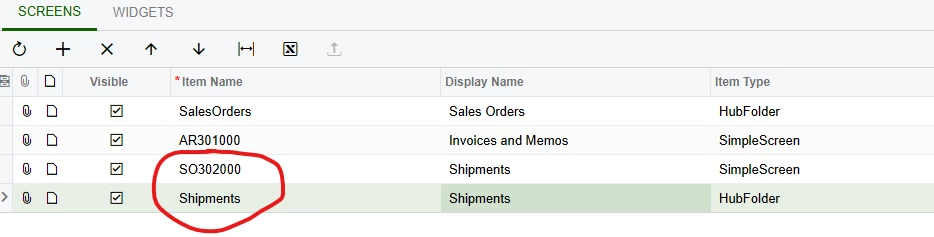
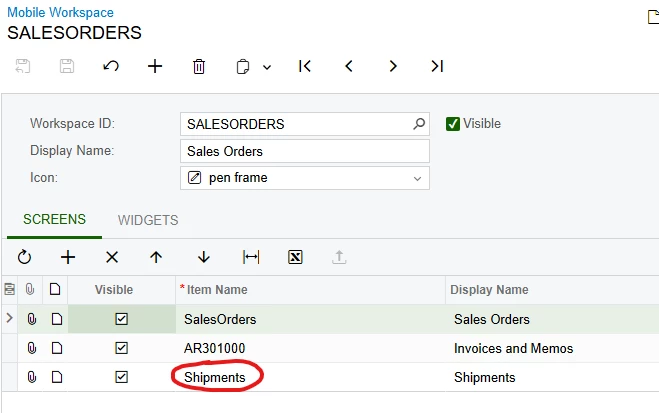
Note : Don’t Forget to Update Main Menu from Mobile Application section.
update sitemap {

    add folder "Shipments" {
    placeAt 0
    type = HubFolder
    isDefaultFavorite = True
    displayName = "Shipments"
    icon = "system://Cart"
    add item "SO3020PL" {
      displayName = "Shipments"
      icon = "system://Cart"
    }
  }

    add item "SO302000" {
    displayName = "Shipments"
    visible = False
  }


}
Hope, it helps!








Login to the community
No account yet? Create an account
Social Login
Login with your Acumatica accountEnter your E-mail address. We'll send you an e-mail with instructions to reset your password.