Question

Set Customer Default Payment to Acumatica Pay via import scenario or mass update

  • April 17, 2026
  • 2 replies
  • 26 views

Forum|alt.badge.img

For new customers the Default Payment Method is set to Acumatica Pay and works. However, I have over 100,000 customers with defaults set to Authorize.net.  I need to change them to Acumatica Pay as the default when an Acumatica Pay account does not exist for the customer.

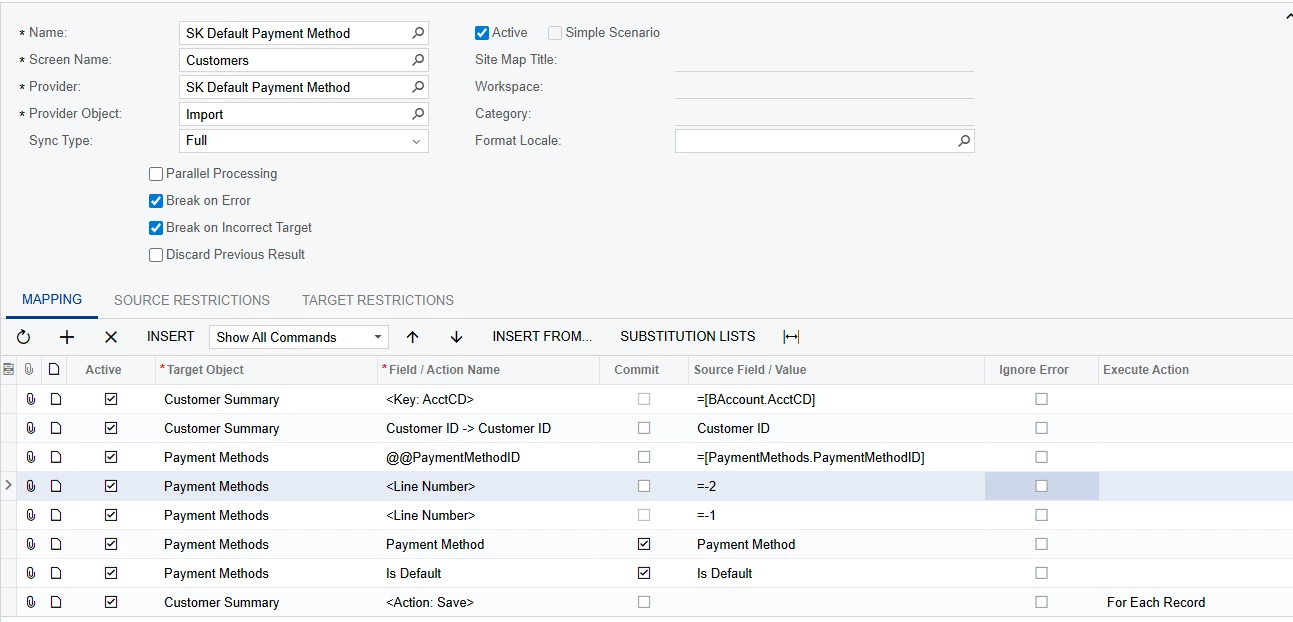
I created a GI that selects the correct customers.  I have tried the import scenario a couple of different ways, with none of them working.

<Line Number> line was used to set Authorize.net as the default when we first got on Acumatica.  I do not know how to get the Line Number for the Acumatica Pay method.

PaymentMethod table PaymentMethodID = TXACUCC

                                    PaymentInstanceID = 58452

Either way I run it the default is set to the first payment method which is the default cash option.
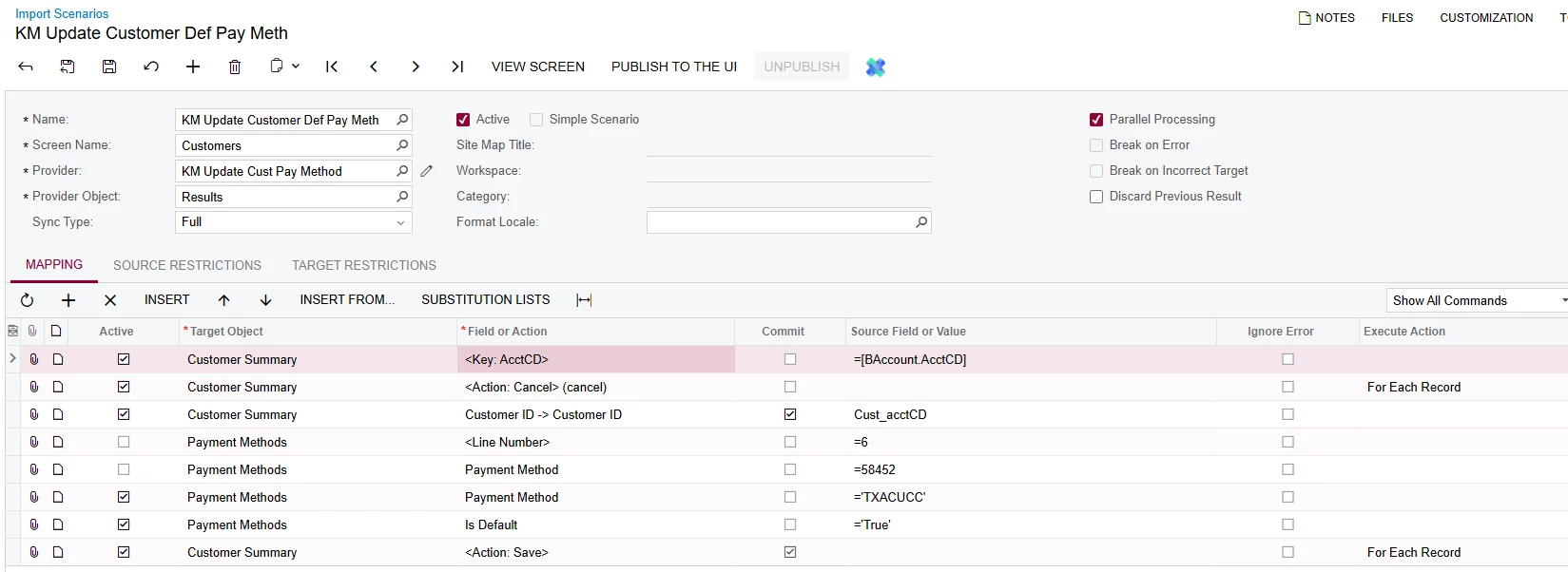
Please Help. 

2 replies

mohammadnawaz51
Jr Varsity II
Forum|alt.badge.img+6

@skalb11 

Please use this.


Forum|alt.badge.img
  • Author
  • Jr Varsity III
  • April 23, 2026

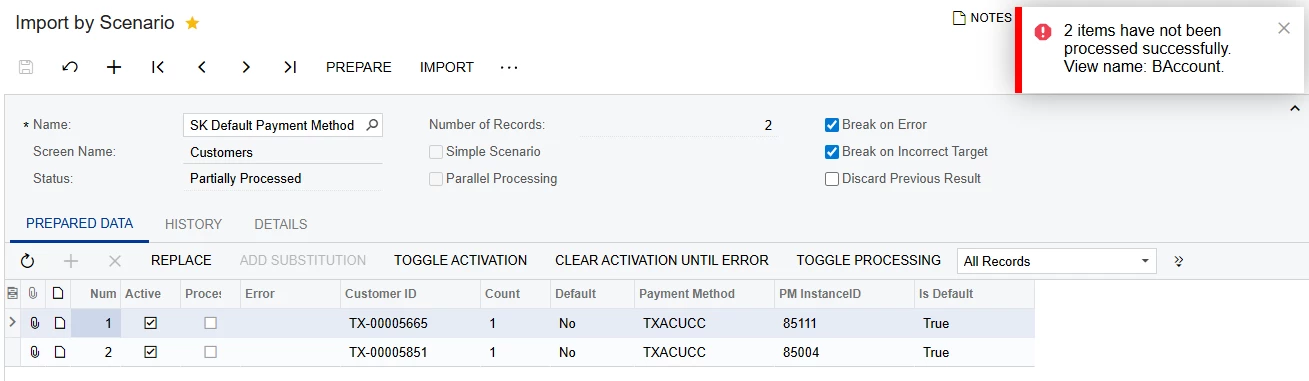
I tried the scenario shared in the response.  I think the line nbr value is the issue.  From another Scenario I successfully setup, the error I am getting indicates it is not getting the correct payment method.  I cannot find defPMInstanceID or Card/Account Nbr available for mapping in the customer table.  I have no idea how to set the correct line nbr. 

Data:

Import Scenario:


Error:


Is there a way to find the line nbr?  Is it the same for all customers or do I need to find it for each customer based on how many payments they have setup?


Thanks.