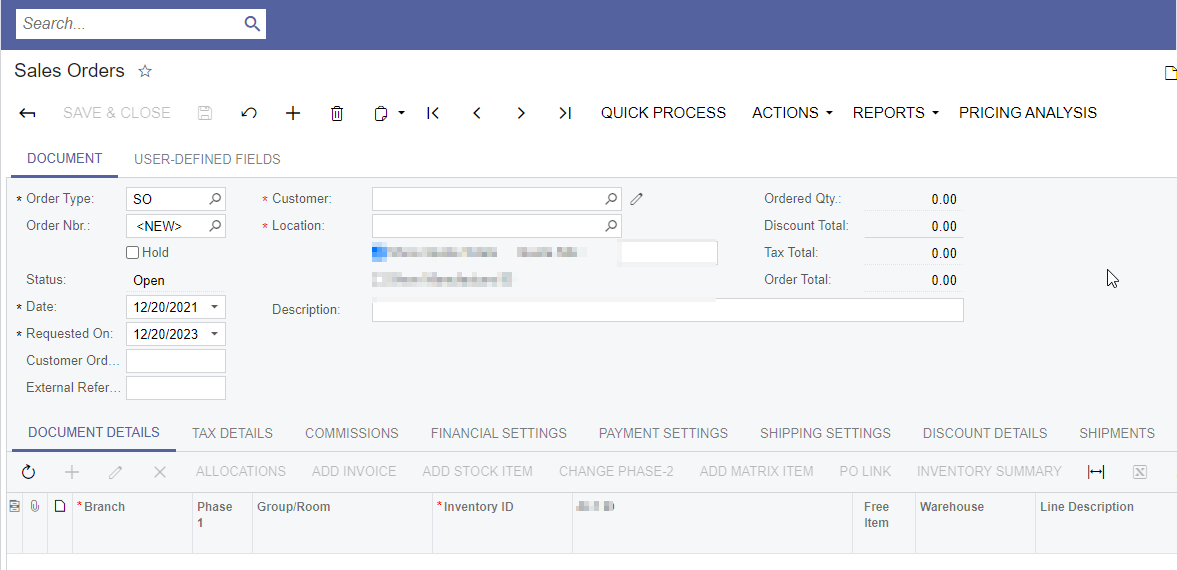
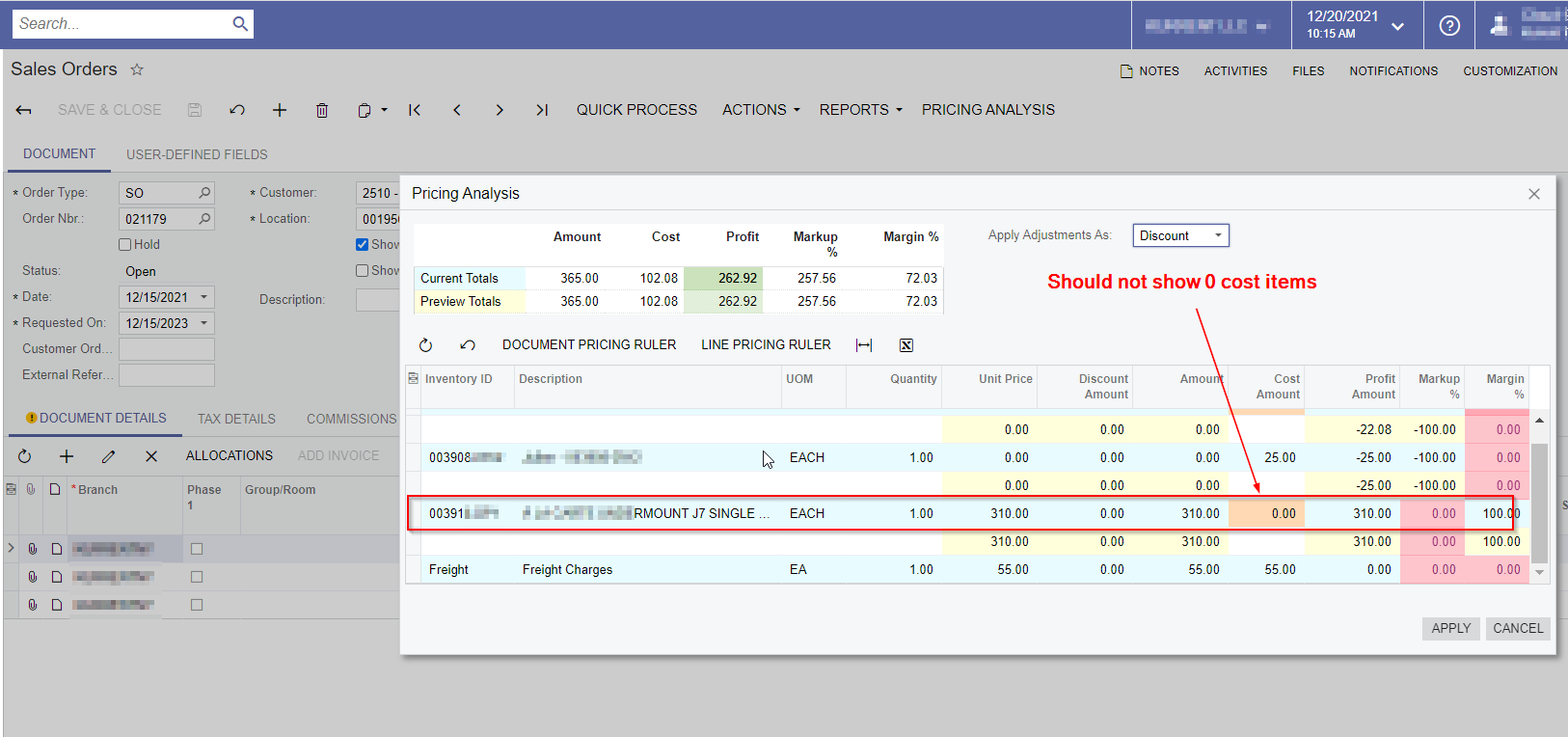
One of our clients using the Pricing Analysis functionality in the Sales Order screen, but we do not want to show the Zero unit cost items on it.
If anyone knows about this functionality could you please let us know how can we achieve this? Please find the some screenshots for your reference.
Best answer by Dhiren Chhapgar
Hi @nsmith51 , We have couple options here.
Option # 1 :
You can modify source of this extension as per your need since Pricing Analysis is open source solution. Add additional check to exclude lines with 0 cost in InitializePreviewData and InitializeFreightPreviewData. And use this modified compiled library.
Create second level extension and exclude 0 cost lines in view delegate as below.
using System;
using System.Linq;
using System.Collections;
using System.Collections.Generic;
using PX.Data;
using PX.Objects.SO;
using PX.PricingAnalysis.Ext;

namespace PXPricingAnalysisPXExt
{
    public class SOOrderEntryPricingAnalysisExt2 :
                 PXGraphExtension<SOOrderEntryPricingAnalysisExt, SOOrderEntry>
    {
        //View Delegate of PricingAnalysisPreview
        public IEnumerable pricingAnalysisPreview()
        {
            //Locate Graph implementing PricingAnalysisGraph.
            SOOrderEntryPricingAnalysisExt paGraph =
                        Base.GetExtension<SOOrderEntryPricingAnalysisExt>();
            //Get data from Base
            IEnumerable<PricingAnalysisPreviewLine> datalist =
                    paGraph.pricingAnalysisPreview().Cast<PricingAnalysisPreviewLine>();
            //Exclude zero cost preview lines.
            return datalist.Where(x => x.CuryExtCost.GetValueOrDefault(0) > 0);
        }
    }
}
Hi @ChandrasekharM With that filter, it will filter only non zero unit cost items, but we need to avoid the Unit Cost 0 items, because these items are getting involved in the average pricing calculations.
Below is sample code which I have tried to override the view delegate and added this ( if (orgLine.CuryExtCost > 0m)) condition, but still not working. :(
Could you please help me on this?
using PX.Data; using PX.Objects.IN; using PX.PricingAnalysis.Ext; using System.Collections; using System.Collections.Generic; using System.Linq;
namespace PricingAnalysisExt { public abstract class PricingAnalysisGraphExt<TGraph, TPrimary> : PricingAnalysisGraph<TGraph, TPrimary> where TGraph : PXGraph where TPrimary : class, IBqlTable, new() { [PXOverride] public override void InitializePreviewData() { int iRecordCounter = 0;
foreach (DocumentLine orgLine in DocumentLineData.Select()) { if (orgLine.CuryExtCost > 0m) { if (!orgLine.IsStockItem.GetValueOrDefault(false) || orgLine.OrderQty.GetValueOrDefault(0) <= 0) { continue; }
var inventoryItem = InventoryItem.PK.Find(Base, orgLine.InventoryID);
Director – Customization Services, Special Projects
Answer
December 27, 2021
Hi @nsmith51 , We have couple options here.
Option # 1 :
You can modify source of this extension as per your need since Pricing Analysis is open source solution. Add additional check to exclude lines with 0 cost in InitializePreviewData and InitializeFreightPreviewData. And use this modified compiled library.
Create second level extension and exclude 0 cost lines in view delegate as below.
using System;
using System.Linq;
using System.Collections;
using System.Collections.Generic;
using PX.Data;
using PX.Objects.SO;
using PX.PricingAnalysis.Ext;

namespace PXPricingAnalysisPXExt
{
    public class SOOrderEntryPricingAnalysisExt2 :
                 PXGraphExtension<SOOrderEntryPricingAnalysisExt, SOOrderEntry>
    {
        //View Delegate of PricingAnalysisPreview
        public IEnumerable pricingAnalysisPreview()
        {
            //Locate Graph implementing PricingAnalysisGraph.
            SOOrderEntryPricingAnalysisExt paGraph =
                        Base.GetExtension<SOOrderEntryPricingAnalysisExt>();
            //Get data from Base
            IEnumerable<PricingAnalysisPreviewLine> datalist =
                    paGraph.pricingAnalysisPreview().Cast<PricingAnalysisPreviewLine>();
            //Exclude zero cost preview lines.
            return datalist.Where(x => x.CuryExtCost.GetValueOrDefault(0) > 0);
        }
    }
}