Answer

Sales Order Notifications not sending to all emails listed to send to

  • December 10, 2021
  • 11 replies
  • 343 views

stacy16
Varsity I
Forum|alt.badge.img+1

Can anyone help me with this?

It is only sending to the first email in the list
 

Best answer by dales50

One suggestion to try would be to remove the To email definition on the template and let the system use the default 
 

11 replies

Gabriel Michaud
Captain II
Forum|alt.badge.img+11

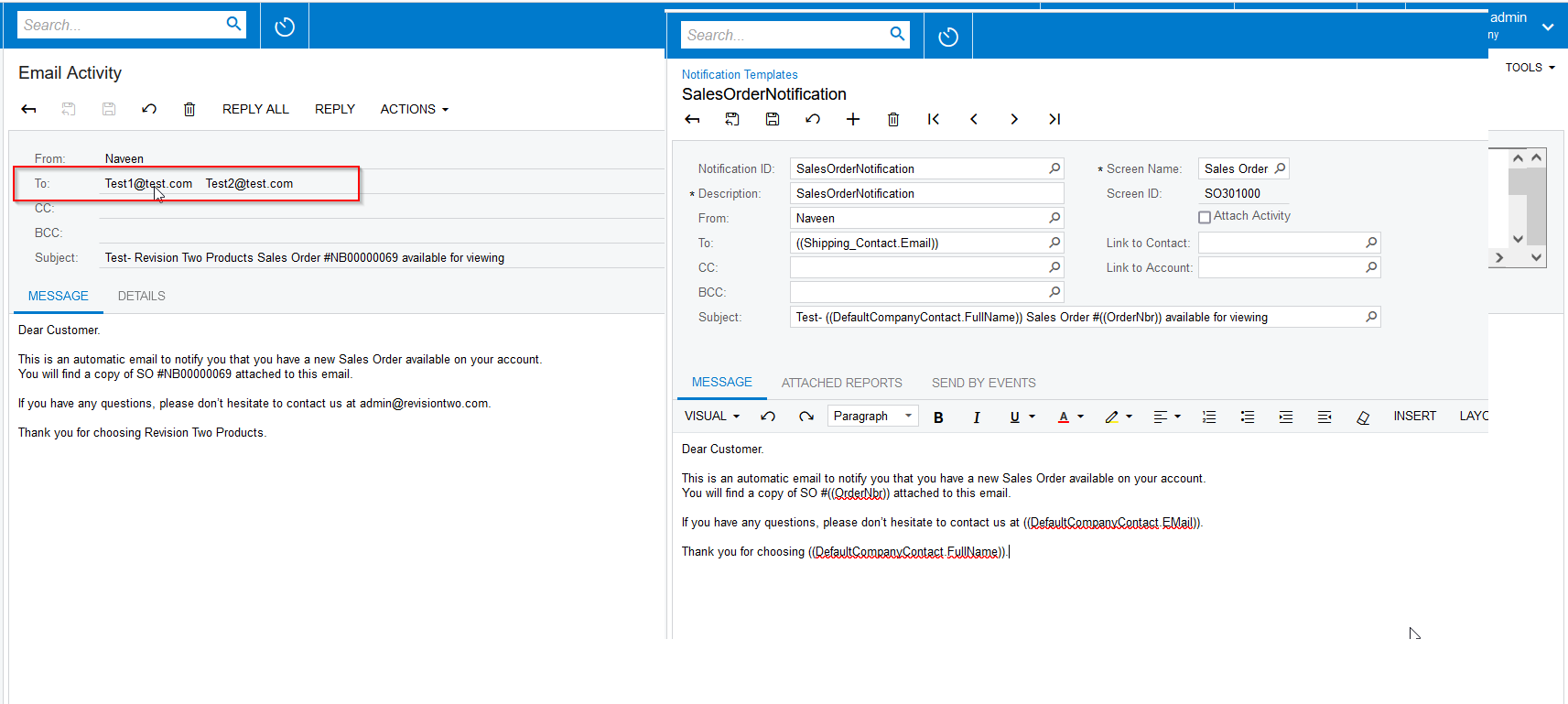
Can you share your Notification settings for this customer, as well as a screenshot of the notification template?


stacy16
Varsity I
Forum|alt.badge.img+1
  • Author
  • Varsity I
  • December 10, 2021

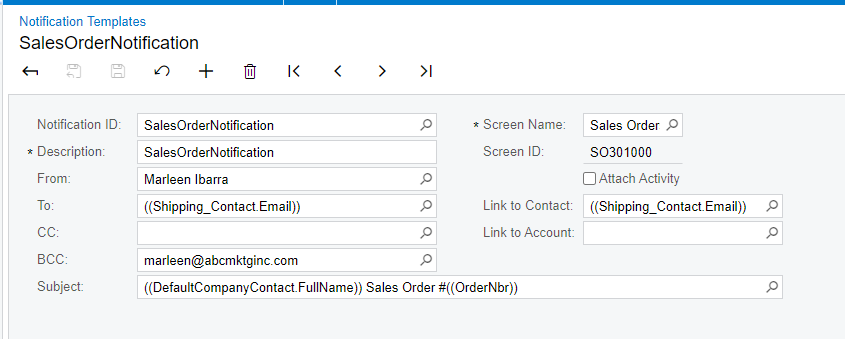
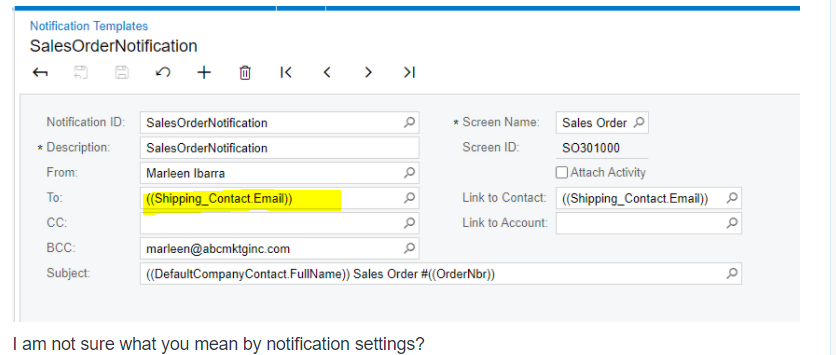
Here is the template

I am not sure what you mean by notification settings? 


Gabriel Michaud
Captain II
Forum|alt.badge.img+11

Thanks Stacy. I wanted to check the To: field in the template, that answers my question.

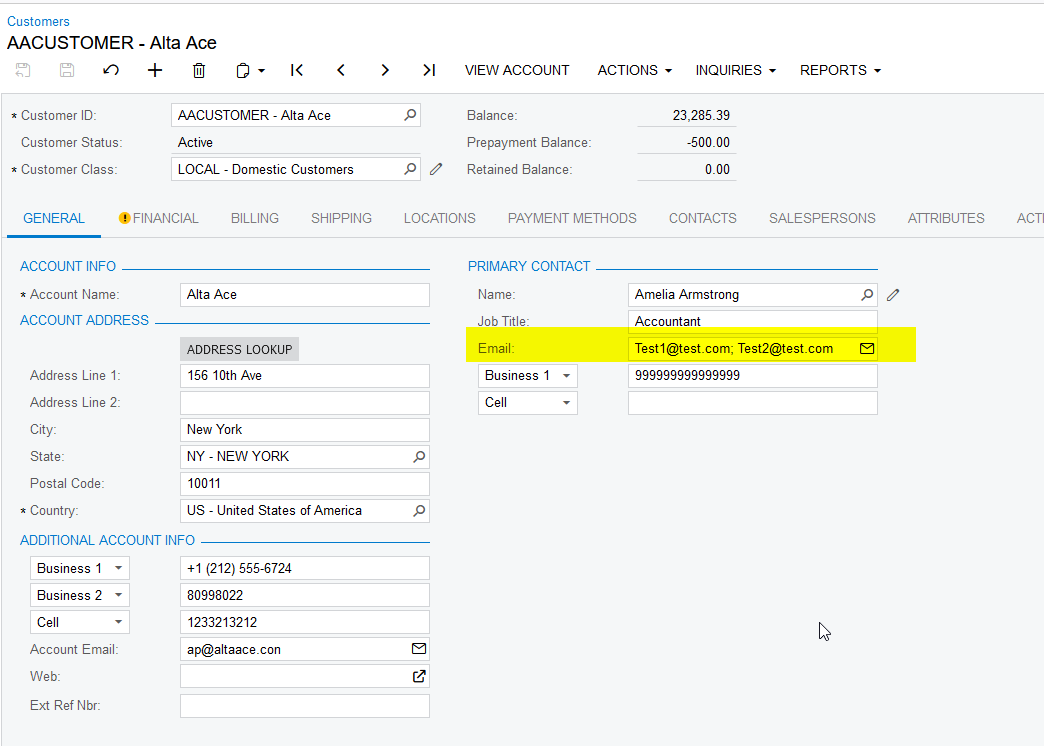
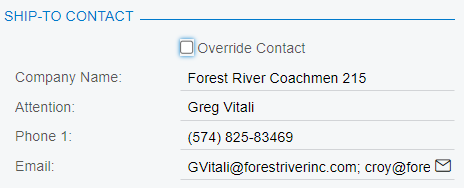
Can you tell me where the first screenshot you sent comes from? Is it the customer maintenance or a sales order? Important to remember that if you make changes to the contact information that it does not update previously created sales orders unless you check/uncheck the Override Contact info to force it to refresh.


stacy16
Varsity I
Forum|alt.badge.img+1
  • Author
  • Varsity I
  • December 10, 2021

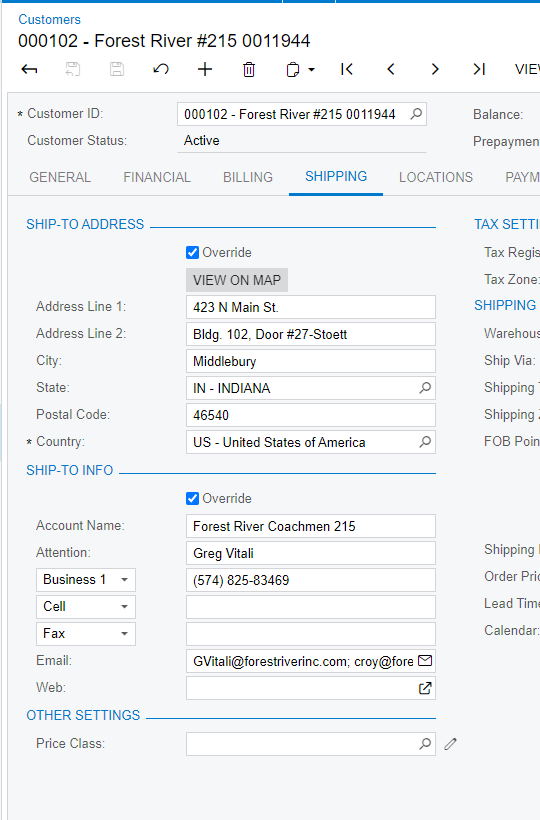
This is from the customer maintenance screen

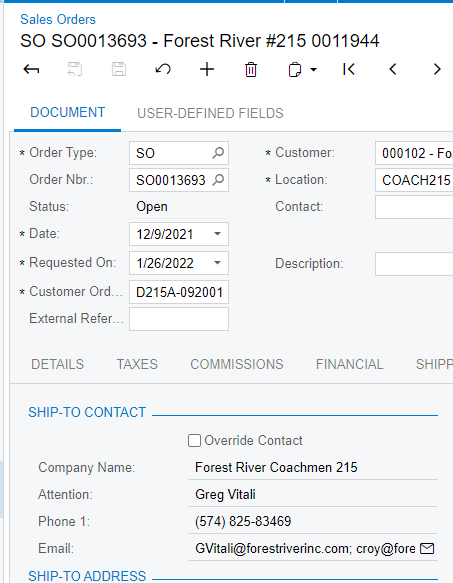
 This is in the sales order

There has always been multiple email addresses in both places. :/


Gabriel Michaud
Captain II
Forum|alt.badge.img+11

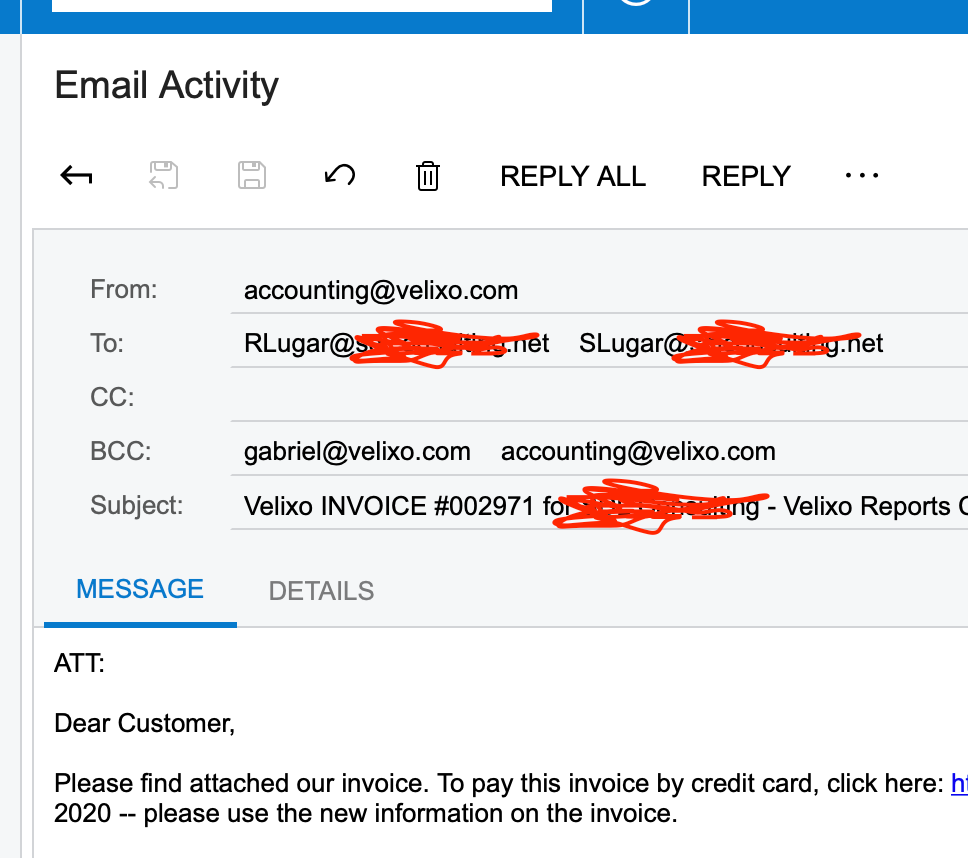
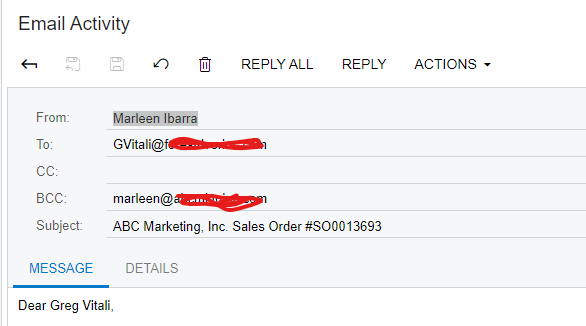
Very strange. Can you send a screenshot of the Email activity that was generated in Acumatica? Go to “All Emails” (screen CO.40.90.70),  and click on the message. Does it show the multiple e-mail addresses or just one?

I do the same thing internally with a semicolon and it works just fine.


stacy16
Varsity I
Forum|alt.badge.img+1
  • Author
  • Varsity I
  • December 15, 2021

It looks like it is only sending to the one person :/


Naveen Boga
Captain II
Forum|alt.badge.img+19
  • Captain II
  • December 15, 2021

Hi @stacy16  Looks like Email ID’s are not taking from the Shipping Contact instead it is taking it from the Customers screen → Primary Contact Email.

Here is the screenshot for reference.


stacy16
Varsity I
Forum|alt.badge.img+1
  • Author
  • Varsity I
  • December 15, 2021

Hi @Naveen B i would agree but i do not have any emails set up in the primary contact email… so if that were true I wouldn't have any emails going out for sales order notifications??


dales50
Semi-Pro III
  • Answer
  • December 15, 2021

One suggestion to try would be to remove the To email definition on the template and let the system use the default 


stacy16
Varsity I
Forum|alt.badge.img+1
  • Author
  • Varsity I
  • December 15, 2021

I can try that. Will it default on its own then though?


stacy16
Varsity I
Forum|alt.badge.img+1
  • Author
  • Varsity I
  • December 15, 2021

@dales50  - That did the trick!

Thank you so much!