Question

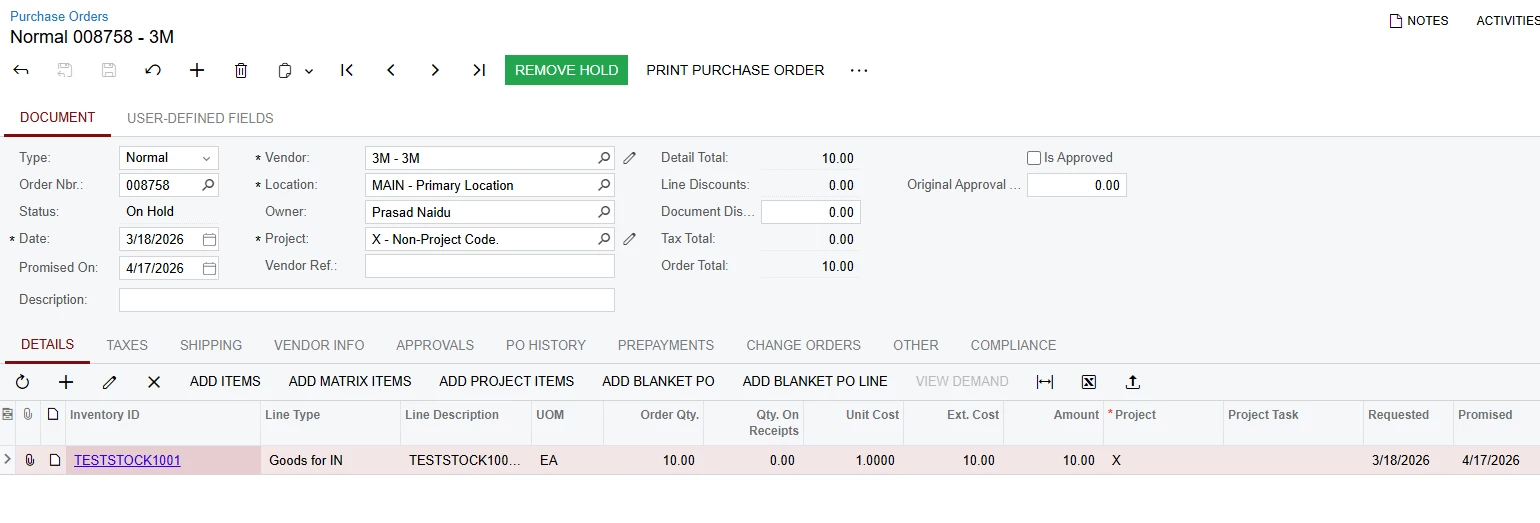
Purchase Order created from the Inventory Planning Display defaults to Project X instead of the demand Project

  • March 18, 2026
  • 3 replies
  • 46 views

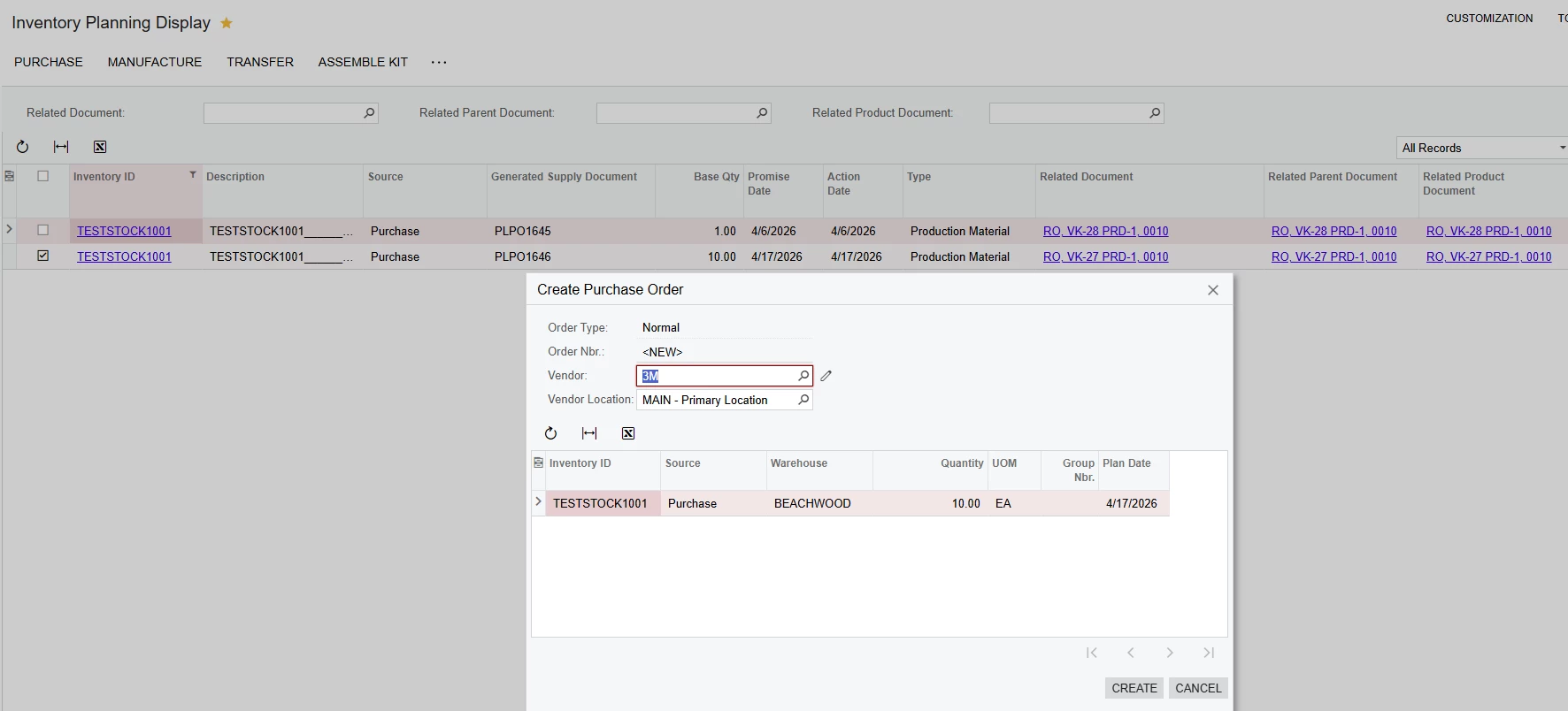
I’m encountering an issue when creating a PO from the Inventory Planning Display screen. The demand is being generated for a specific Project. However, when the PO is created from the Planning screen, the Project field on the PO is defaulting to Project X instead of inheriting the actual Project associated with the demand.

I’m trying to understand whether this behavior is driven by system setup/configuration or standard Acumatica functionality.

Is there any setup or configuration that can prevent the PO from defaulting to Project X and instead carry over the correct Project from the originating demand?
 

3 replies

jhalling52
Jr Varsity I
Forum|alt.badge.img
  • Jr Varsity I
  • March 23, 2026

Hi ​@PrasadNaidu06

Would you be able to share a screenshot of the source document driving the demand, specifically where the Project is defined?

I’ve never had luck getting Projects to flow through that screen. The logic behind the Planning Display is focused on supply and demand at the inventory level and is really designed to fulfill demand based on stock levels for general inventory, not project-specific needs.

From what I’ve seen, Project information typically flows through to the PO when it originates from a Sales Order (or Service Order/Appointment). In that scenario, the Sales Order line contains the Project, Project Task, and Cost Code, and the Mark for PO option is selected. The PO is then created via the Create Purchase Orders screen, with the PO line type set to Goods for SO, allowing the Project details to carry through correctly.


Forum|alt.badge.img+1
  • Freshman II
  • March 23, 2026

I have found recently that there are a few pieces missing when it comes to handling project inventory in Acumatica. I am not aware of a way to handle this in any current versions of Acumatica unfortunately.


  • Author
  • Freshman I
  • March 24, 2026

Hi ​@jhalling52,

Thank you for the response.

Attached is the screenshot of the Production Order Maintenance screen that is driving the demand, along with the Project screen showing the Project setup details.

For context, we do not use Sales Orders in this process. Instead, we use Projects. The Production orders were created under the Project, once the BOM is added to the Production Order it creates demand in the Inventory Planning Display screen, and the Purchasing team creates the PO from that screen by selecting the item and clicking Purchase.

From my side, when the Purchase Order is created through the create Purchase Orders screen, it does not seem to consider the MRP demand in the same way.

Please correct me if my understanding on that last point is not accurate.