Solved

Open PO amount

  • September 22, 2023
  • 5 replies
  • 219 views

Is there a field where the open PO cost amount is stored, both at the line and order level?  We issue a lot of PO’s that have multiple receipts and I haven’t been able to easily run a report that shows open amount by line as well as the order total.

Best answer by Laura03

Hello @raybat ,

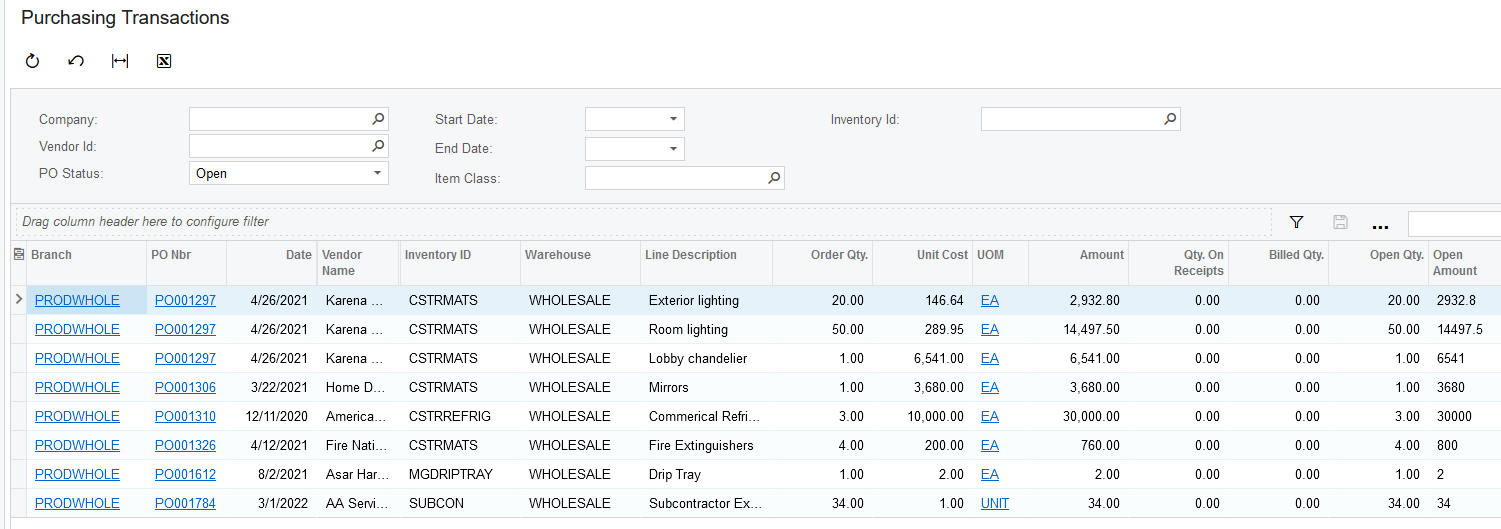
I attached a quick Generic Inquiry for you, to provide the open $ Amount of PO Lines. The Open $ Amount is calculated as Unit Cost * Open Quantity. Please try it, test it, verify it and modify it as necessary to fit your needs.

It sounds like you are requesting an Open Only version of your printed PO as well. I recommend working with your Partner to customize the PO report. Depending on your skillset, you may wish to download the Acumatica Report Designer and create the new report yourself. Search Acumatica Community to find the Acumatica Report Designer download. There are many online videos to help you get started.

Laura
 

5 replies

Kandy Beatty
Captain II
Forum|alt.badge.img+18
  • Captain II
  • September 22, 2023

HI @raybat 

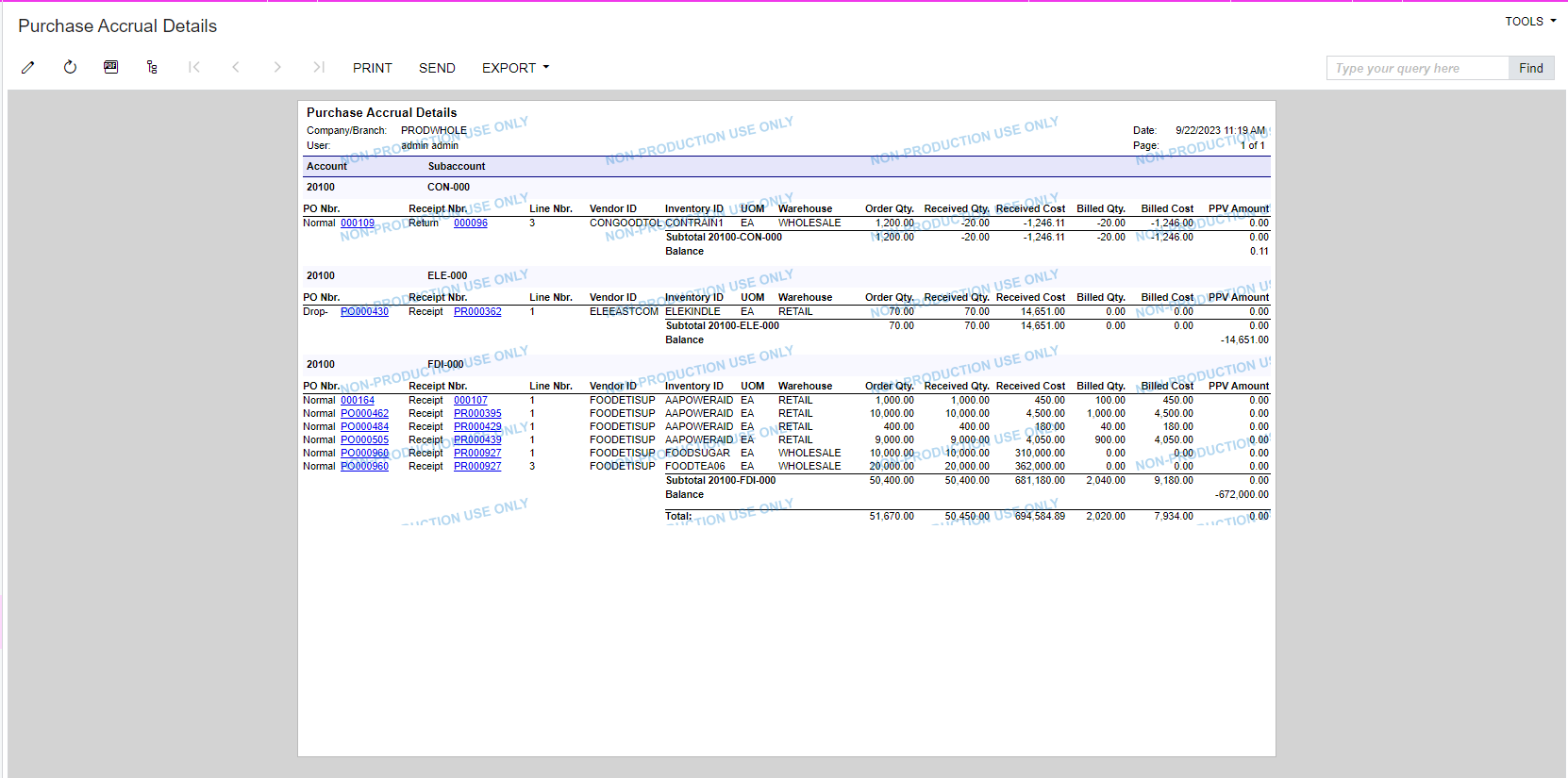
Have you looked at the Purchase Accrual Details Report?


Kandy Beatty
Captain II
Forum|alt.badge.img+18
  • Captain II
  • September 22, 2023

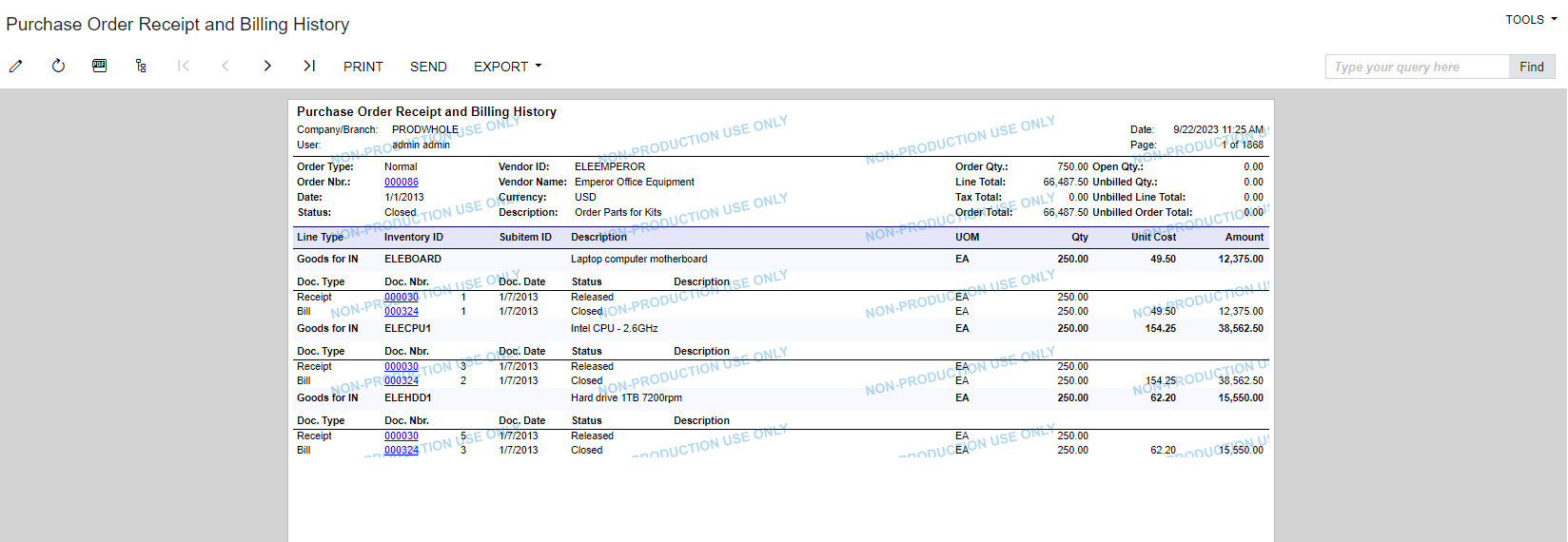
I also thought, you could use the Purchase Order Receipt and Billing History, and you can export that to excel if you needed to:


  • Author
  • Freshman I
  • September 22, 2023

Yes, but does not show open $ amount.  I am trying to keep tabs on how much we have out there in the way of open commitments.  Billed amounts depend on invoices being processed, which can be delayed from the receipt.  Also want to be able to reprint a PO that only shows the open qty and amount with an open total at the bottom.


Laura03
Captain II
Forum|alt.badge.img+20
  • Captain II
  • Answer
  • September 22, 2023

Hello @raybat ,

I attached a quick Generic Inquiry for you, to provide the open $ Amount of PO Lines. The Open $ Amount is calculated as Unit Cost * Open Quantity. Please try it, test it, verify it and modify it as necessary to fit your needs.

It sounds like you are requesting an Open Only version of your printed PO as well. I recommend working with your Partner to customize the PO report. Depending on your skillset, you may wish to download the Acumatica Report Designer and create the new report yourself. Search Acumatica Community to find the Acumatica Report Designer download. There are many online videos to help you get started.

Laura



  • Freshman I
  • April 13, 2026

Hi ​@raybat

On your GI:

You can try this to capture your Open PO Amount at the order level. 

=Sum(IIf([POLine.OrderQty]=0,0,([POLine.OpenQty]/[POLine.OrderQty])*[POLine.CuryExtCost]))

Or this

=Sum(([POLine.OrderQty] - [POLine.ReceivedQty]) * [POLine.UnitCost])


This formula is saying:

“For each PO line, calculate how much of the cost is still open based on remaining quantity, then add all lines together.”


The formula will not work without grouping.

On Grouping Tab: Group POOrder.OrderNbr


Why it works with Grouping:

When you group by POOrderNbr you are telling GI:

“For each PO Order Nbr, collect all matching rows, then sum them.”


You cannot show true line detail AND a true grouped header total in the same GI grid using Sum ()

Thus, you can not have the PO Line open amount. It will need to be in another report.

John