Hi, how can I assign a cost to an item that is sold by the sales team on a sales order but is not purchased through our purchasing process?
For example, we resell an employee’s day rate when they work on-site at a customer location. Currently, because there is no associated purchase transaction, the system records the sale as 100% profit, which is not an accurate reflection of the true margin.
Could you advise on the correct approach to ensure the cost is properly captured and reflected in margin reporting?
Best answer by MarkD
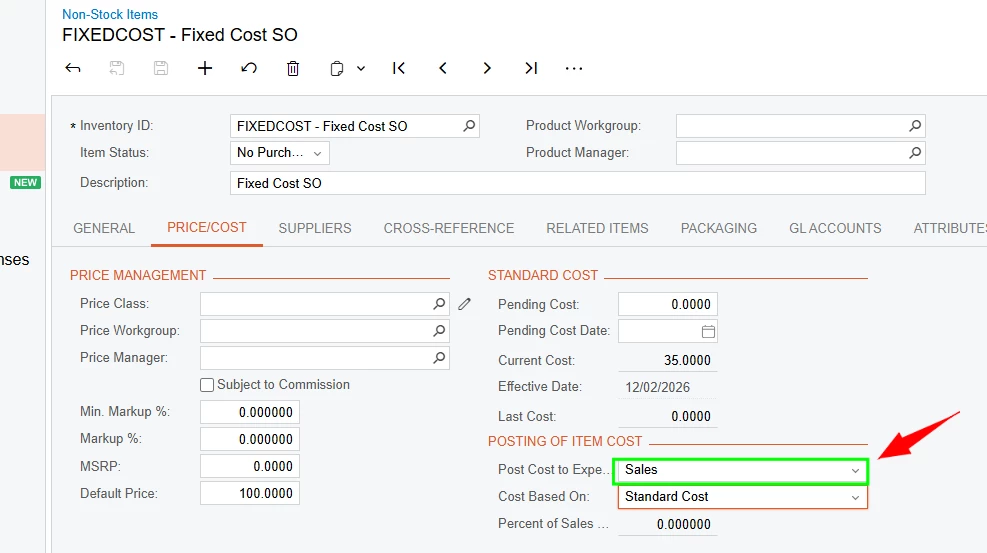
@rkenna - thanks for your recommendation. I’ve tested that, but the cost wasn’t captured unfortunately. Though that is quite right, you just need to make sure to set the ‘Purchase Cost to Expense’ to ‘Sales’ instead of purchases.
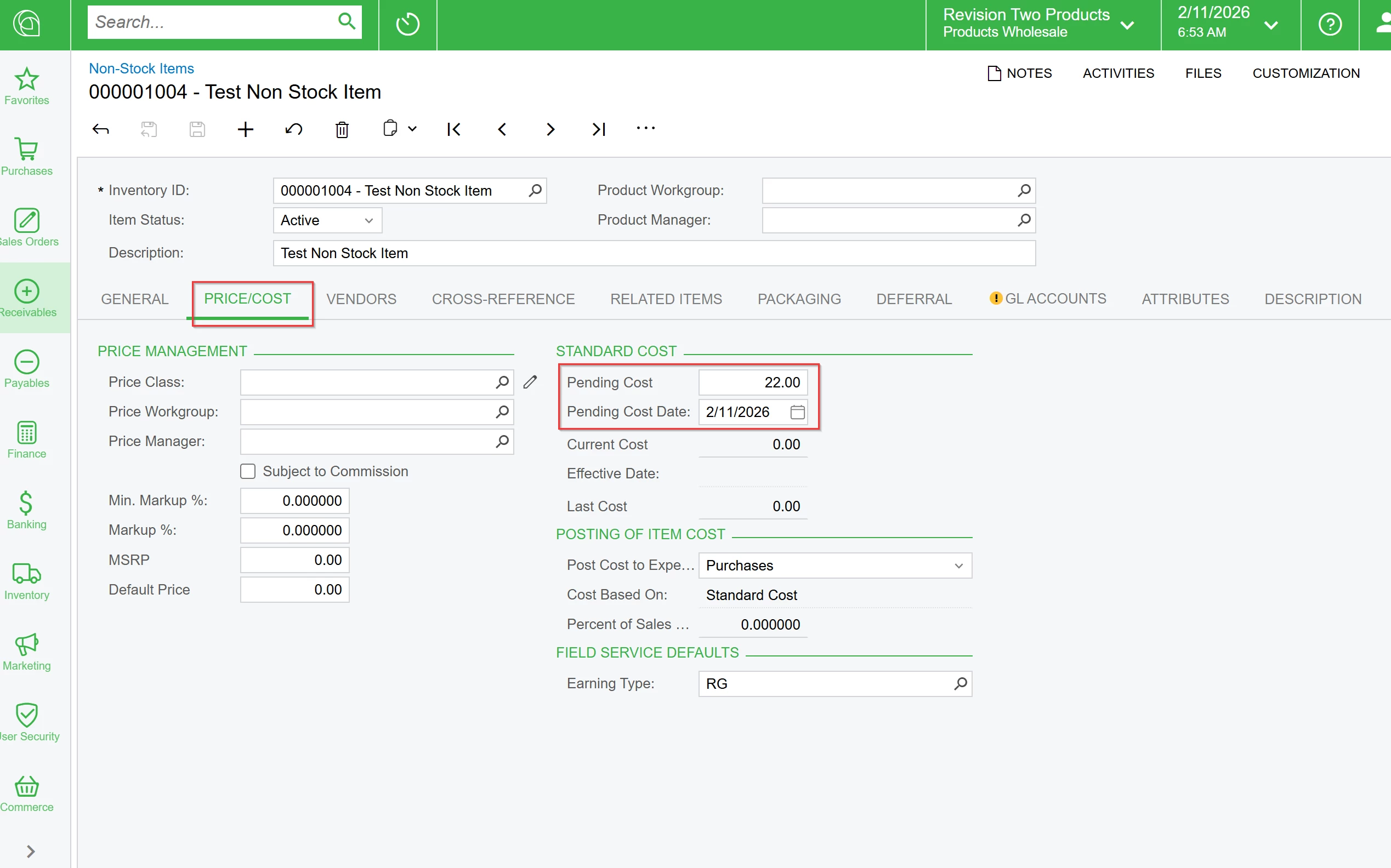
Sharing how I managed to work this out:
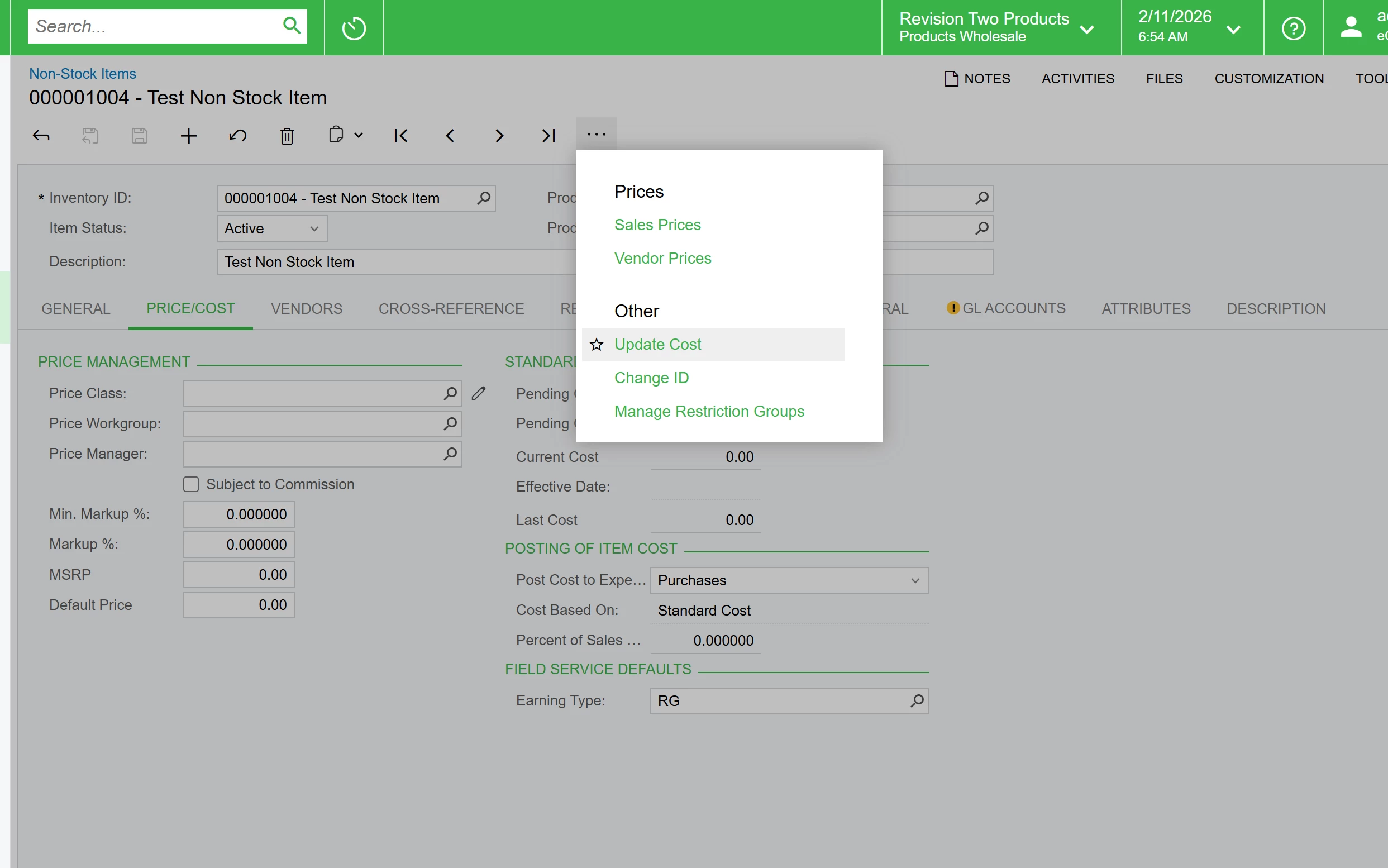
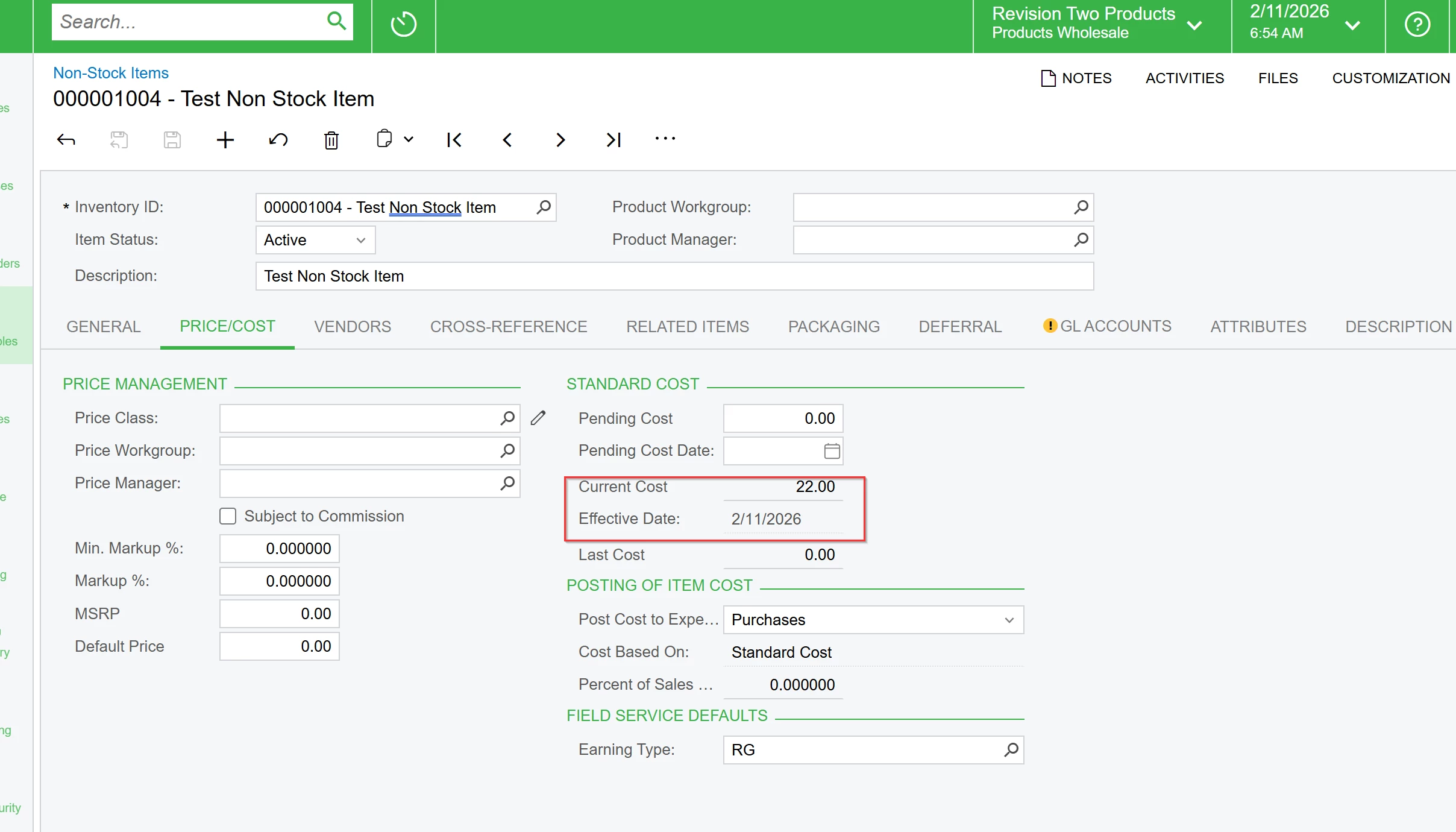
Create non-stock item, enter a pending cost, update the cost and set the ‘Purchase Cost to Expense’ to Sales
Create SO and add the non-stock item, ship and invoice it. The cost is captured upon release of invoice. Just need to make sure to select the correct account
@rkenna - thanks for your recommendation. I’ve tested that, but the cost wasn’t captured unfortunately. Though that is quite right, you just need to make sure to set the ‘Purchase Cost to Expense’ to ‘Sales’ instead of purchases.
Sharing how I managed to work this out:
Create non-stock item, enter a pending cost, update the cost and set the ‘Purchase Cost to Expense’ to Sales
Create SO and add the non-stock item, ship and invoice it. The cost is captured upon release of invoice. Just need to make sure to select the correct account