

Question

Issues with generating PO Receipt with the Project Drop Ship PO Type

  • April 11, 2026
  • 7 replies
  • 59 views

Forum|alt.badge.img

Hi,

I am running into an issue with a client on version 25R2. I am able to generate a Project Drop Ship PO from the project. However, when I try to create a PO Receipt against the Project Drop Ship PO, I keep on getting this error message below. The trace log does not provide any detail. I reviewed the inventory and stock item configuration everything appears to be okay. Do you know what I am missing or could it be a bug? Any insight would be great. 
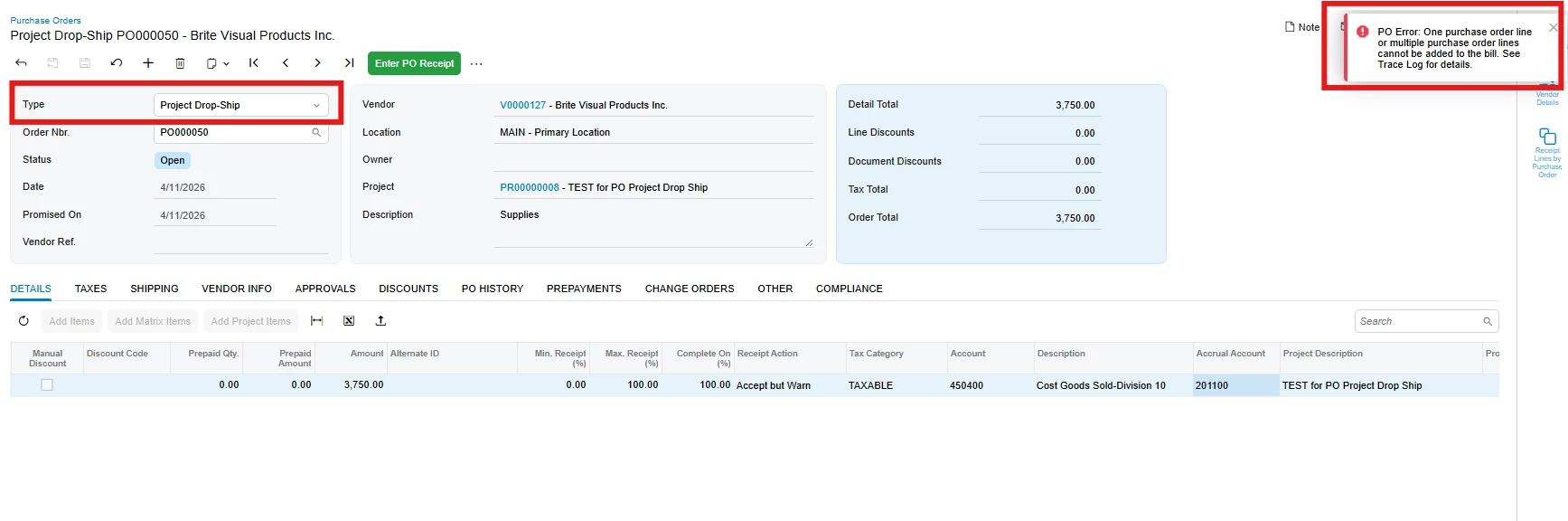
Thanks,

​Frances  

7 replies

ricoybanez
Jr Varsity III
Forum|alt.badge.img+5
  • Jr Varsity III
  • April 13, 2026

@fpantelidakis07 

Is your line item an Inventory item? Usually that error occurs if the lie item is a Service item.


Forum|alt.badge.img

It is a stock item. They do have the Field Service Module. Is that the issue? 


Thanks, 


ricoybanez
Jr Varsity III
Forum|alt.badge.img+5
  • Jr Varsity III
  • April 14, 2026

@fpantelidakis07 

Most probably that is the issue, by principle services does not need for Purchase Receipt unless you specified it.


Forum|alt.badge.img
  • Freshman II
  • April 14, 2026

@ricoybanez what about non-stock items and non-stock expense type items?  We are also seeing issues with those types.


mohammadnawaz51
Jr Varsity III
Forum|alt.badge.img+6

Hi, 

Have you checked the Expense Account or COGS Account on the GL Accounts Tab of the Non-stock Item or Stock Item if it’s linked to an Account Group? 

Since it’s related to a project, you need to make sure that the Expense/COGS Account are linked to an Account Group to post the cost to the Project. 


Were you able to manually add the purchase order line to a purchase receipt document and get an error mentioning an account? If yes, try opening that account in the Chart of Accounts and check the currency field. Try clearing the currency field temporarily, and then attempt to generate the PO receipt again. Also, check that the warehouse has the same data as the PO.



