Question

Issue in Sales Price Worksheet

  • April 16, 2026
  • 3 replies
  • 20 views

Hi Team,

I have noticed that in sales price worksheets once it is released, we are not able to make adjustments to it. 

However, when we click on ignore automatic line discount (Which is selectable though the worksheet is released) the entire worksheet is put back on hold for edits. 
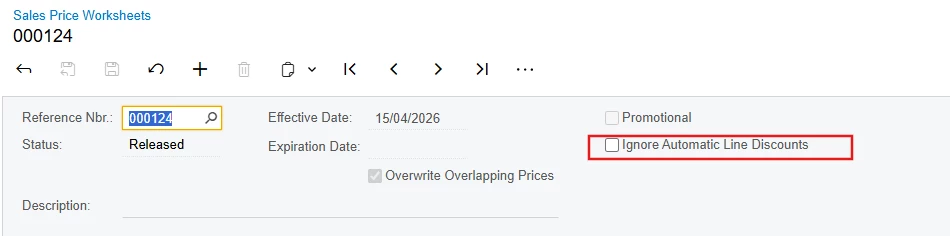
Can anyone please explain to me what the intended functionality of this check box? 

I have tested with this and if we delete the worksheet and it doesn't remove the released prices in the sales prices form but this seems problematic for traceability. 

Thank you in advance on any thoughts. 

Warm regards,

Yasali

3 replies

nhatnghetinh
Captain II
Forum|alt.badge.img+13
  • Captain II
  • April 16, 2026

Hi ​@yasalimadihahewage 

1. Purpose of Ignore Automatic Line Discounts
The Ignore Automatic Line Discounts checkbox is used to prevent automatic line discounts from being applied to prices created from this worksheet. It ensures that the sales price is used as a fixed final price without additional discounts.
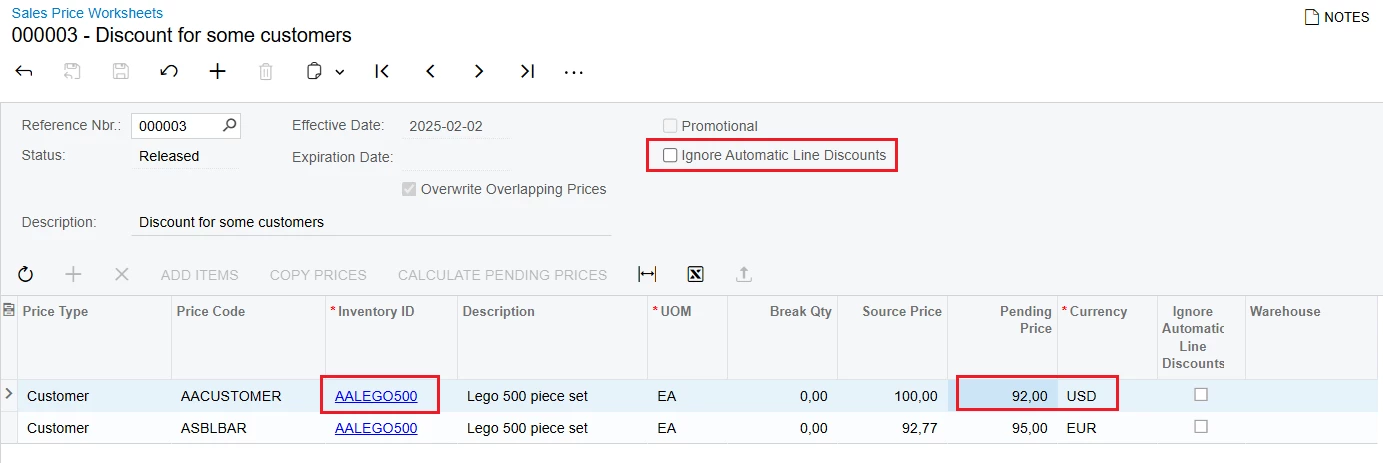
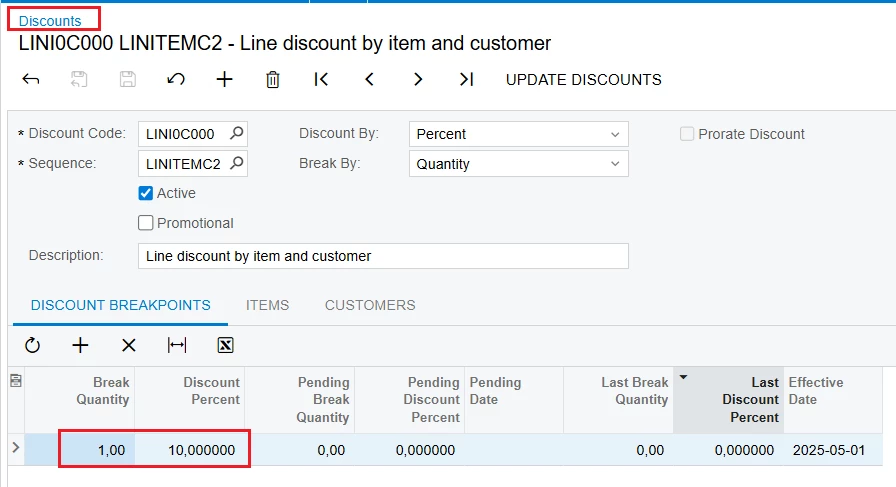
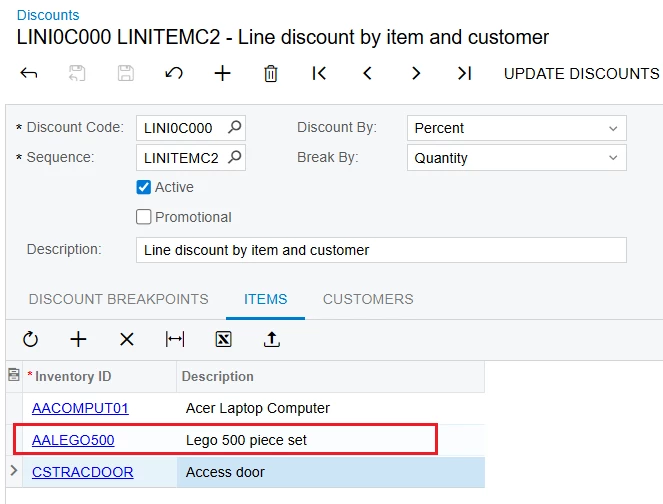
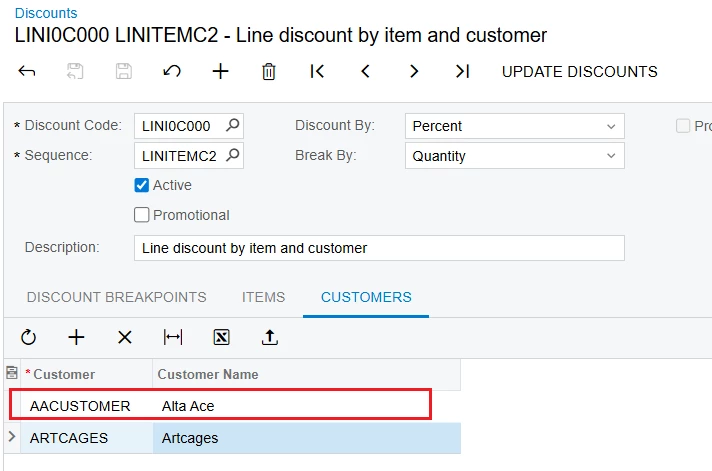
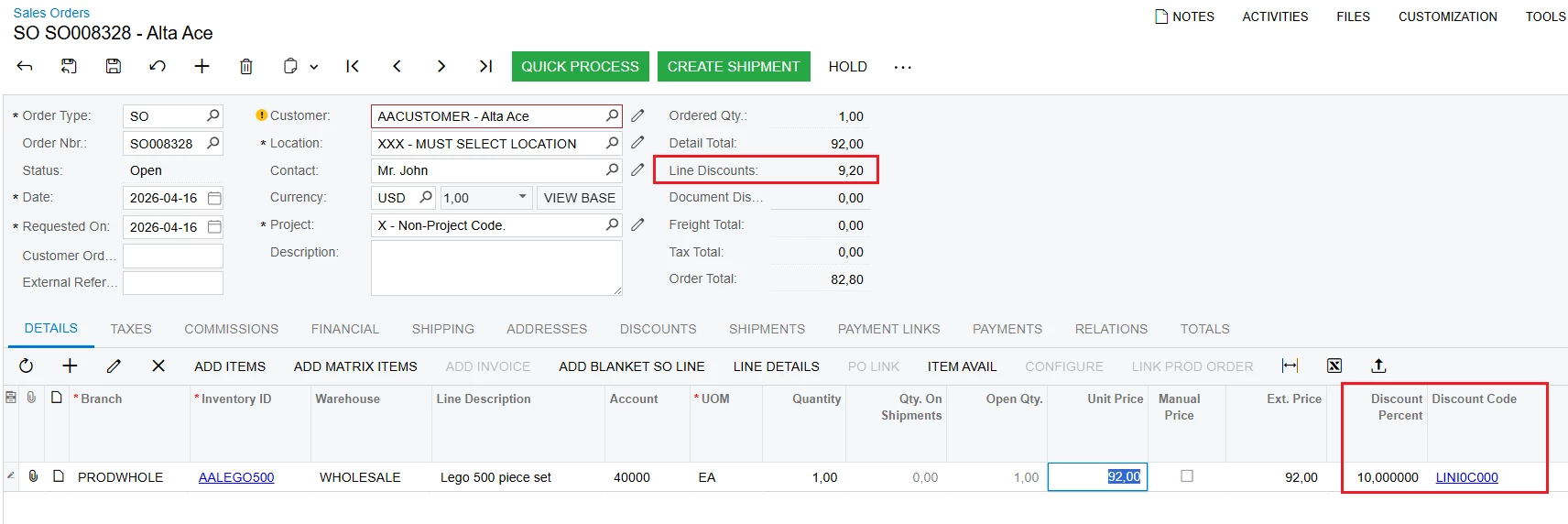
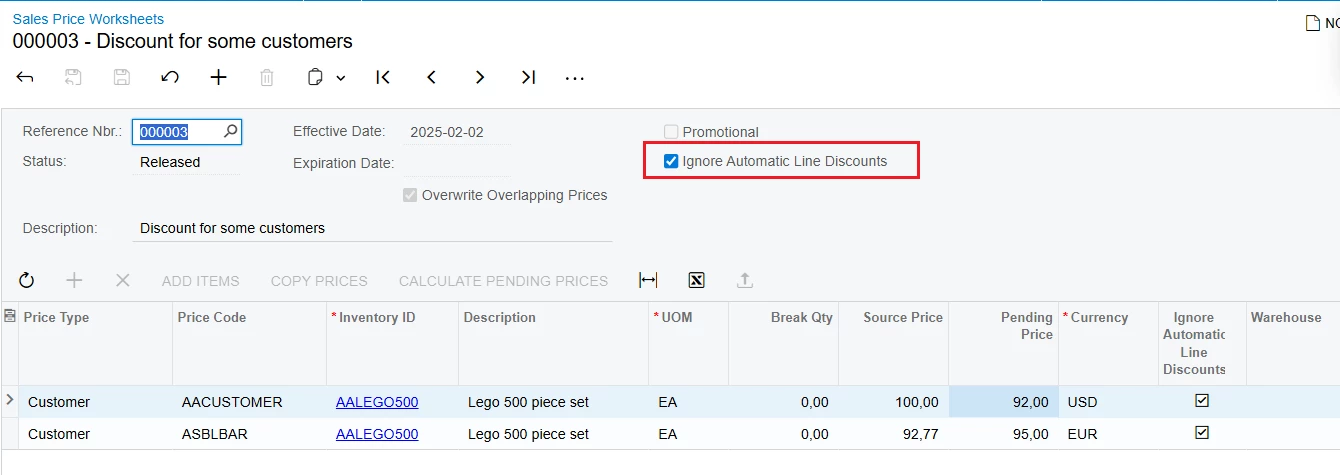
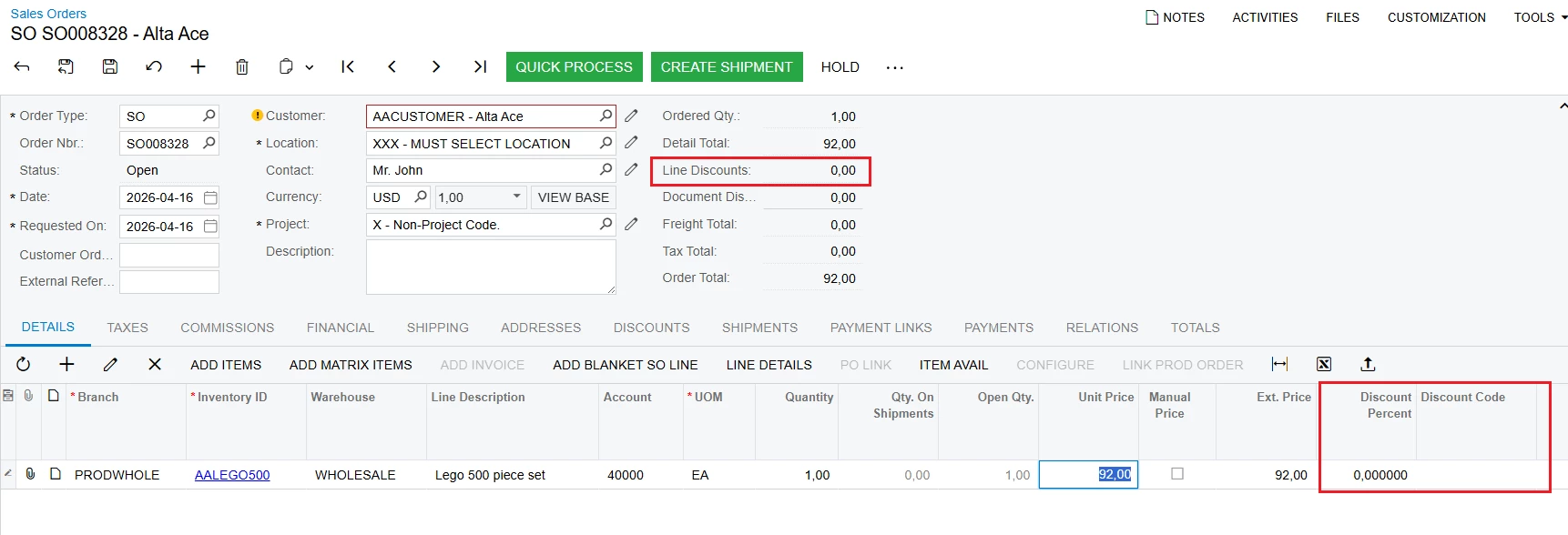
Please note that in Acumatica, in addition to Discount using the Sales Price Worksheets screen, there is also Discount using another screen called "Discounts". And when you select "Ignore Automatic Line Discounts" => the system will ignore Discount with the "Discounts" screen. See the example below.

+ If you clear this check box “Ignore Automatic Line Discounts”


+ If you check this check box “Ignore Automatic Line Discounts”


2. About deleting worksheet not removing released prices
Deleting a worksheet does not remove released prices from the Sales Prices screen because the prices are already saved as active records. This is expected system behavior.
Do not delete released worksheets for corrections. Instead, create a new worksheet to update or override existing prices.


Best Regards,

NNT


Hello ​@nhatnghetinh

Thank you for your detailed description of the functionality. 

And I do agree that the correct method would be to add a new price worksheet and not to delete any released price worksheets. The issue is that even in a released price worksheet if you click on the Ignore Automatic Line Discounts check box it brings the released price worksheet back to on hold status. Is it supposed to do that? 

Generally, once the Price worksheet is released you will not be allowed to delete or put in back on hold by design. But if you click on the Ignore Automatic Line Discounts check box the system automatically reverts the systems back to On Hold. 

Is that also expected from the check box?


nhatnghetinh
Captain II
Forum|alt.badge.img+13
  • Captain II
  • April 16, 2026

Hi ​@yasalimadihahewage 

I am responding to your question as follows.

Yes, this behavior is expected by design. Normally, once a Sales Price Worksheet is released, it cannot be manually put back on Hold. However, the Ignore Automatic Line Discounts checkbox is treated as a special pricing control, so when it is changed, the system automatically moves the worksheet back to On Hold to allow reprocessing and re-release.
This design provides flexibility, allowing certain important pricing settings to be updated even after the worksheet has been released.
If you want to prevent users from changing this option, you can configure Access Rights to restrict which users are allowed to select the Ignore Automatic Line Discounts checkbox.


Best Regards,

NNT