Answer

Invoice Nbr cannot be empty

  • January 6, 2025
  • 8 replies
  • 240 views

debbiereed72
Varsity I
Forum|alt.badge.img

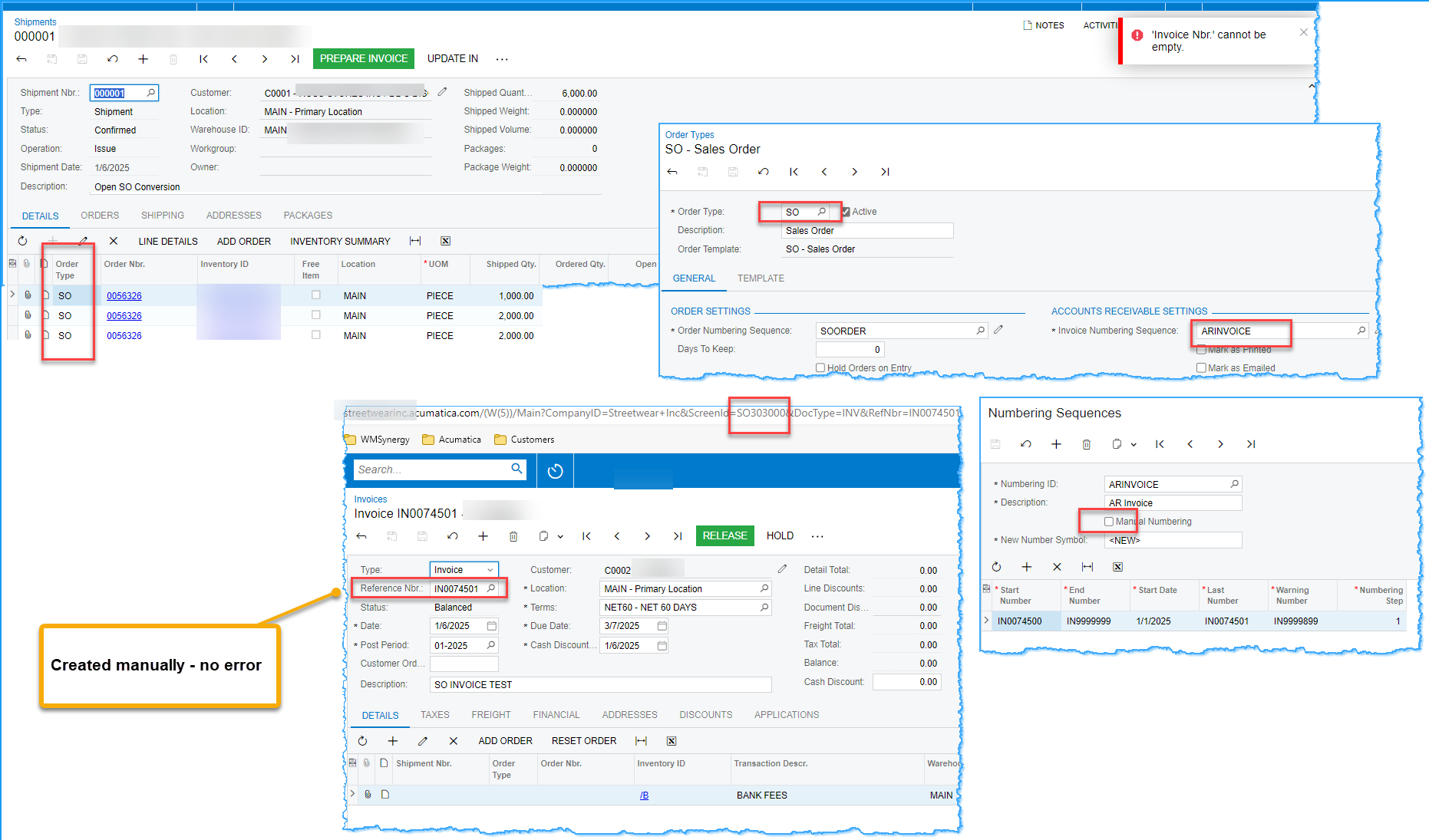
Any ideas!  Customer cannot generate an invoice from shipment.  A Sales Order invoice can be generated manually and an AR Invoice can be generated manually.  However, from the Shipment, the error ”‘Invoice Nbr’ cannot be empty” is returned.  Below shows that the numbering sequence for invoices related to the sales order type is not manual. 


Thank you for any thoughts/solutions!
Best answer by travislawson

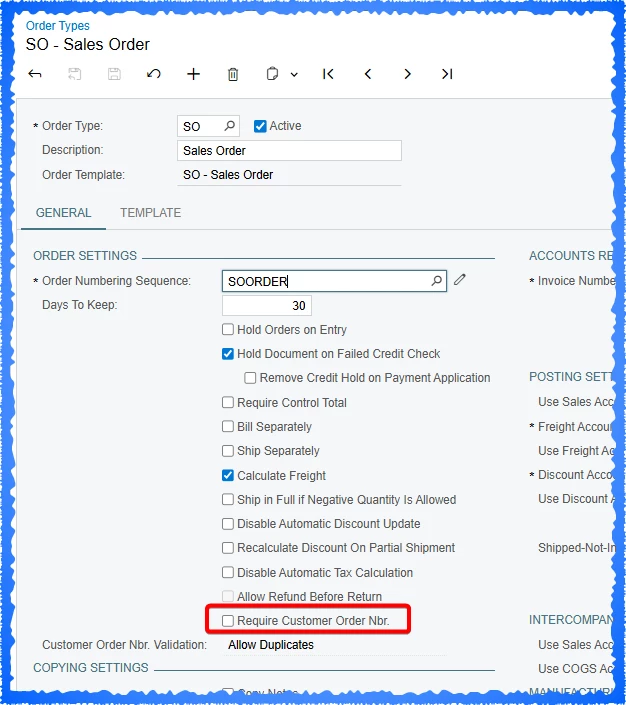
Based on ​@Graeme Laughton-Mutu comment, if you turn ON, save, then turn OFF Require Customer Nbr. it seems to “reset” whatever needs to reset.  


Turning it on and off again seemed to work once again :) 


8 replies

Manikanta Dhulipudi
Captain II
Forum|alt.badge.img+15

@debbiereed72 Do you have any customization on this?


debbiereed72
Varsity I
Forum|alt.badge.img
  • Author
  • Varsity I
  • January 6, 2025

Nope, no customizations at play.

It suddenly is just working now… after several attempts.  We can’t explain why it’s working now. 🤷🏼


Kandy Beatty
Captain II
Forum|alt.badge.img+17
  • Captain II
  • January 7, 2025

Hi ​@debbiereed72 

I was going to suggest turning on, save then turning off manual numbering. However, it seems you don’t need that now. 

Acumatica has a mind of it’s own sometimes. 😁


amitr70
Semi-Pro I
Forum|alt.badge.img
  • Semi-Pro I
  • January 7, 2025

As mentioned created manually - no error , that means auto numbering has stopped. Need to check the AutoNumbering. Probably you might have exhausted entire series. 😄


debbiereed72
Varsity I
Forum|alt.badge.img
  • Author
  • Varsity I
  • January 7, 2025

That wasn’t it.. look at the screenshots I included.  But thank you for the response ​@amitr70 .  


debbiereed72
Varsity I
Forum|alt.badge.img
  • Author
  • Varsity I
  • January 7, 2025

@Kandy Beatty the strangest part was that creating a SO Invoice directly did auto assign the next number.  But creating the SO Invoice from a Shipment is what failed.  💁

When I said manually, I didn’t communicate clearly enough.. I didn’t mean that the invoice number was keyed in.. I meant that it was created directly on the SO Invoice form and not from a shipment.


Thanks all for the responses… we’ll put this one in the Ripley’s box.


Graeme Laughton-Mutu
Semi-Pro I
Forum|alt.badge.img+1

Throwing in my 2 cents to help any future/further investigation:

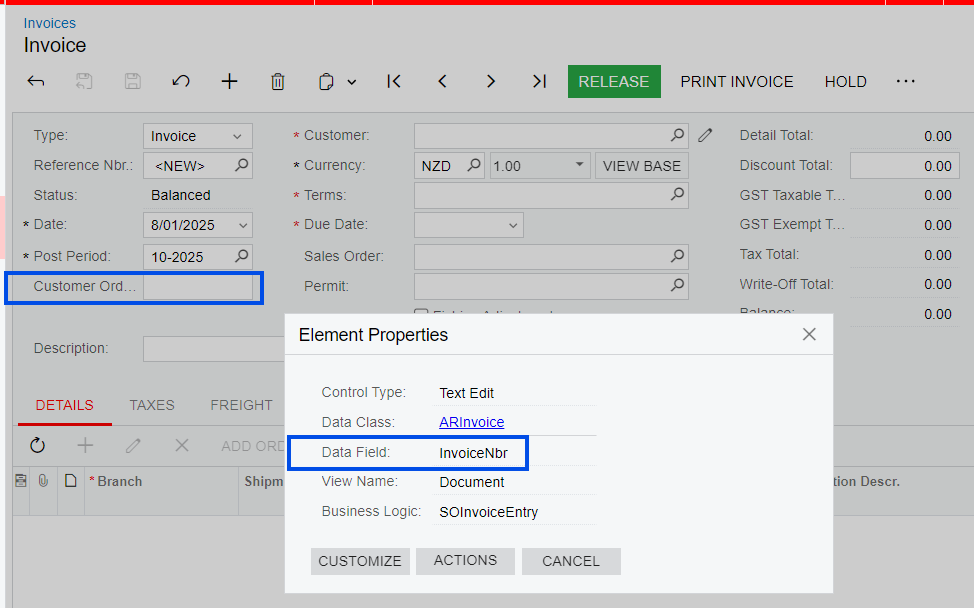
The error message ‘Invoice Nbr. cannot be empty’ could be referring to the InvoiceNbr field on the Sales Order and/or Invoice.

This is displayed in the front end UI as “Customer Order Nbr.

Could any Preferences or Order Type settings that make one of these a required field, have been changed, somewhere between the timeline of the Sales Order, Shipment and Invoice being created and processed perhaps?


Forum|alt.badge.img+1

Based on ​@Graeme Laughton-Mutu comment, if you turn ON, save, then turn OFF Require Customer Nbr. it seems to “reset” whatever needs to reset.  


Turning it on and off again seemed to work once again :)