When I attempt to correct a previously created Purchase Receipt, the system does not generate an IN Reference. As a result, the Batch Number is also not created.
Has anyone encountered this issue before? Any insights into possible causes (configuration, posting status, or known limitations) would be greatly appreciated.
Best answer by Meri36
When you correct a Purchase Receipt, the system does not create a new IN document. The correction only reverses or adjusts the AP and PO impact, but inventory is not re-posted through Inventory (IN) again. Because no new IN transaction is generated, no IN Reference and no Batch Number are created.
When you correct a Purchase Receipt, the system does not create a new IN document. The correction only reverses or adjusts the AP and PO impact, but inventory is not re-posted through Inventory (IN) again. Because no new IN transaction is generated, no IN Reference and no Batch Number are created.
The possible scenarios you may encounter are as follows: 1. The Inventory Receipt is created but not released When you edit a Purchase Receipt and release it, Acumatica creates a corresponding Inventory Receipt. However, in some cases, the Inventory Receipt is created but not released, so the system does not generate or display an IN Reference on the Purchase Receipt screen.
Please verify the related Inventory Receipt and release it if it is still on Hold or Balanced status.
2. The Purchase Receipt contains Non-Stock Items If the items on the Purchase Receipt are Non-Stock Items, then upon releasing the Purchase Receipt: + No inventory transaction is created + Therefore, no IN Reference will be generated This is standard Acumatica behavior, not a system error.
If this is related to a non-stock item, when no quantity changes are made, no inventory transaction will be generated for the correction entry. However, when the quantity is changed on the non-stock item receipt, the system successfully generates inventory transactions. This is the behavior I observed in the test environment.
When you correct a Purchase Receipt, after the corrected document is released, the system will generate a new IN Reference document, and a new Batch Number will also be created.
Please refer to the screenshots below for clarification:
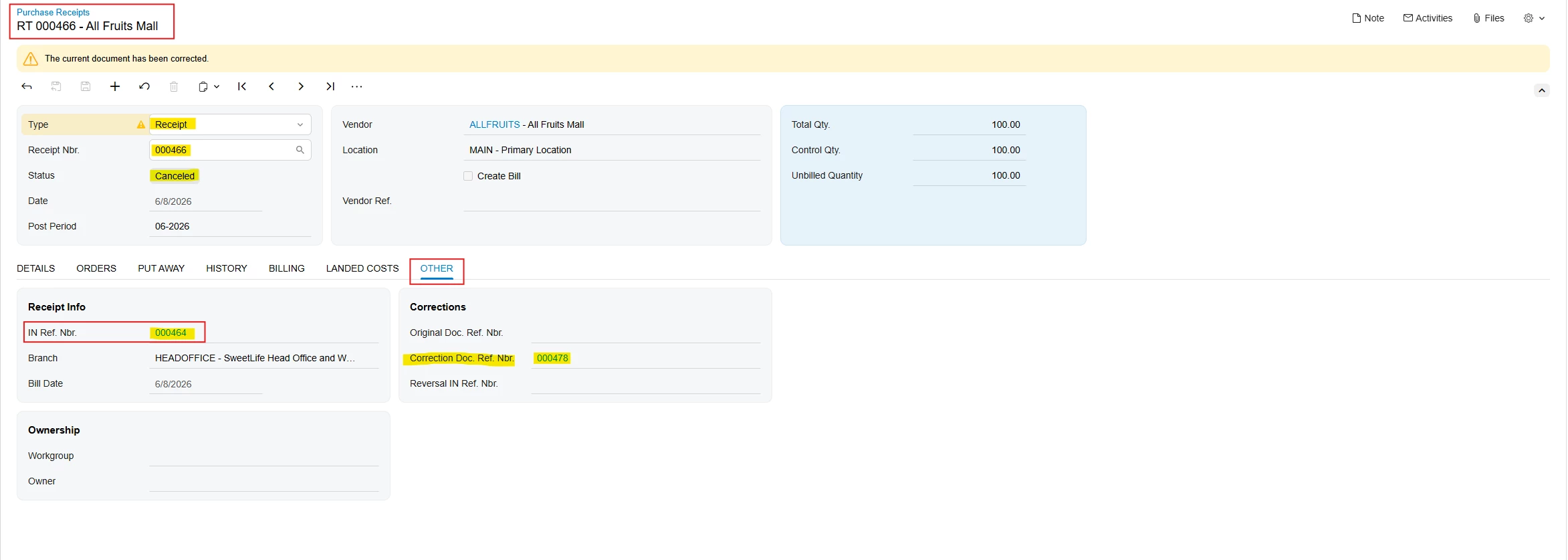
Original Purchase receipt
IN.Ref.Nbr.: 000464
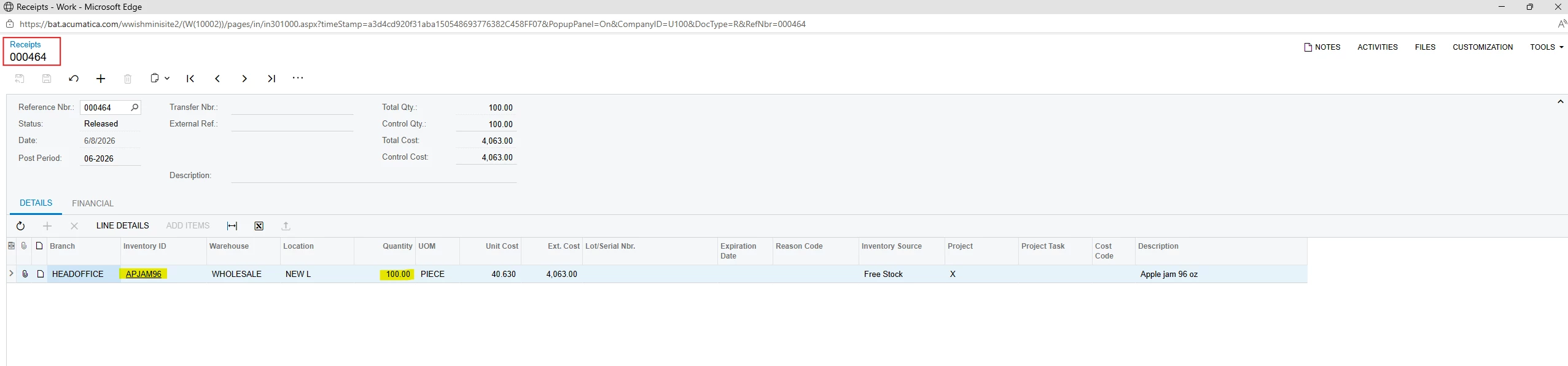
IN Reference document
(Linked to the original IN Reference document)
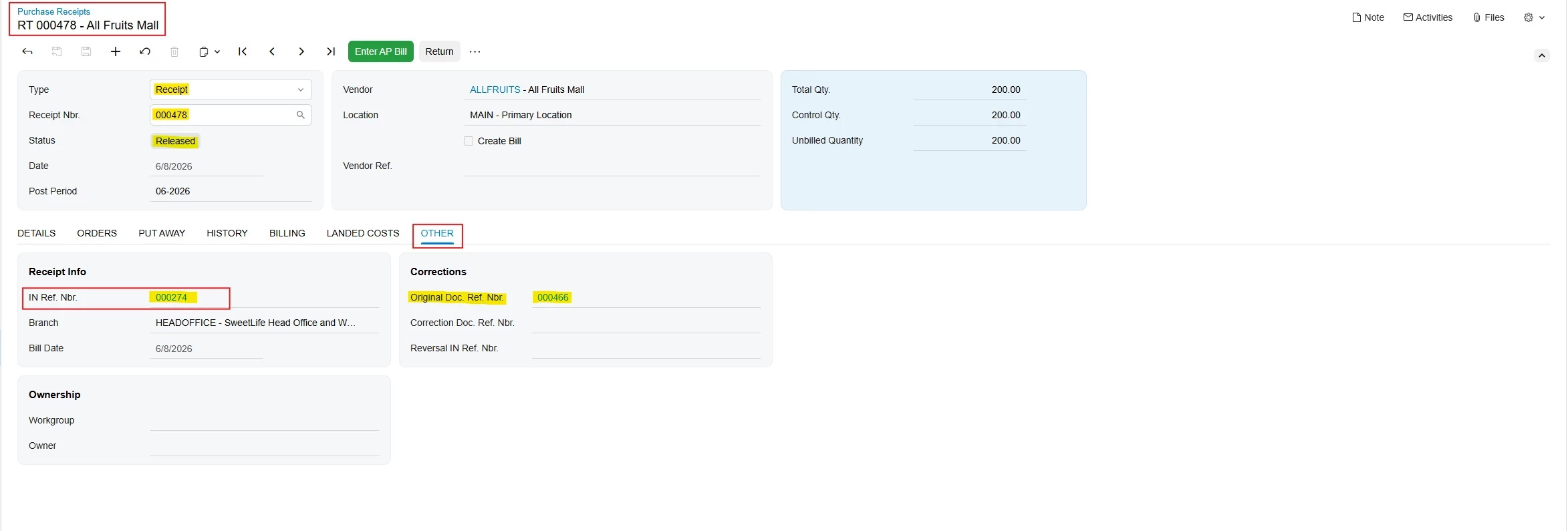
Corrected Purchase Receipt
IN.Ref.Nbr.: 000274
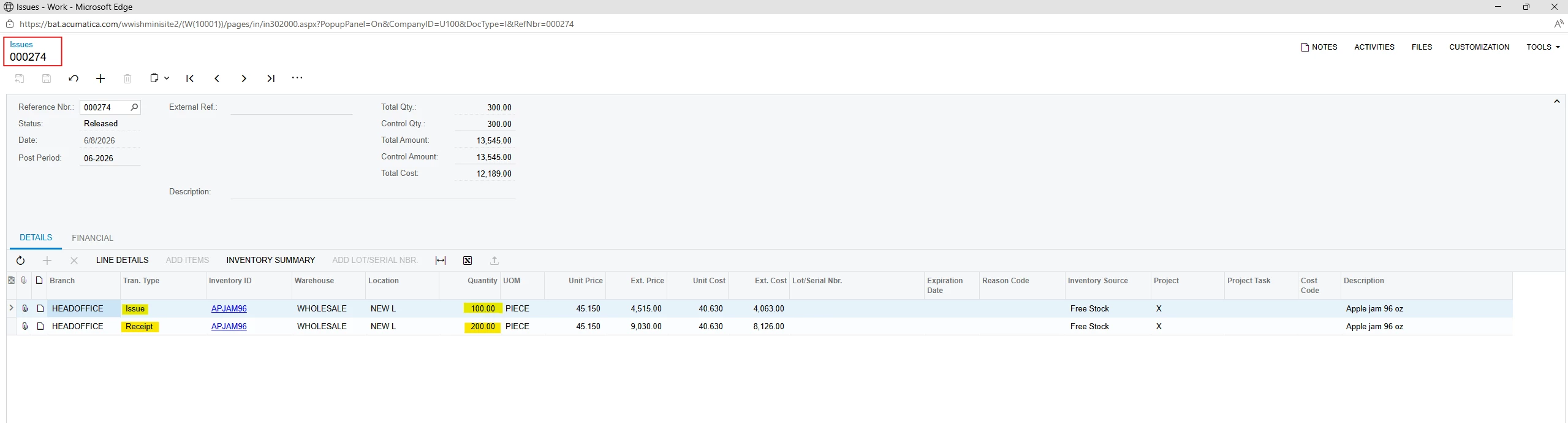
IN Reference document
(A new IN Reference document is created as part of the correction)
This demonstrates the expected system behavior when a Purchase Receipt is corrected and released.