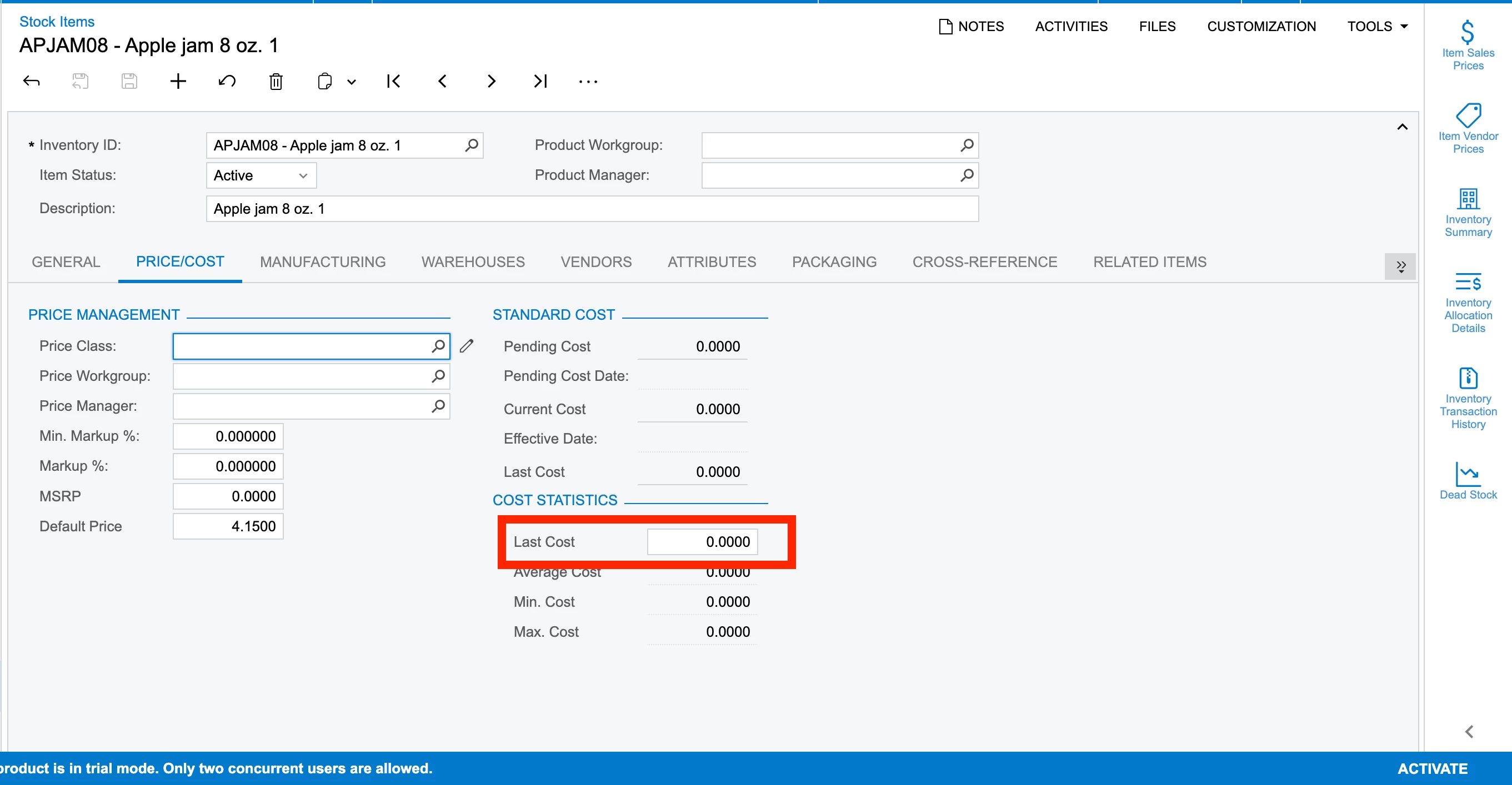
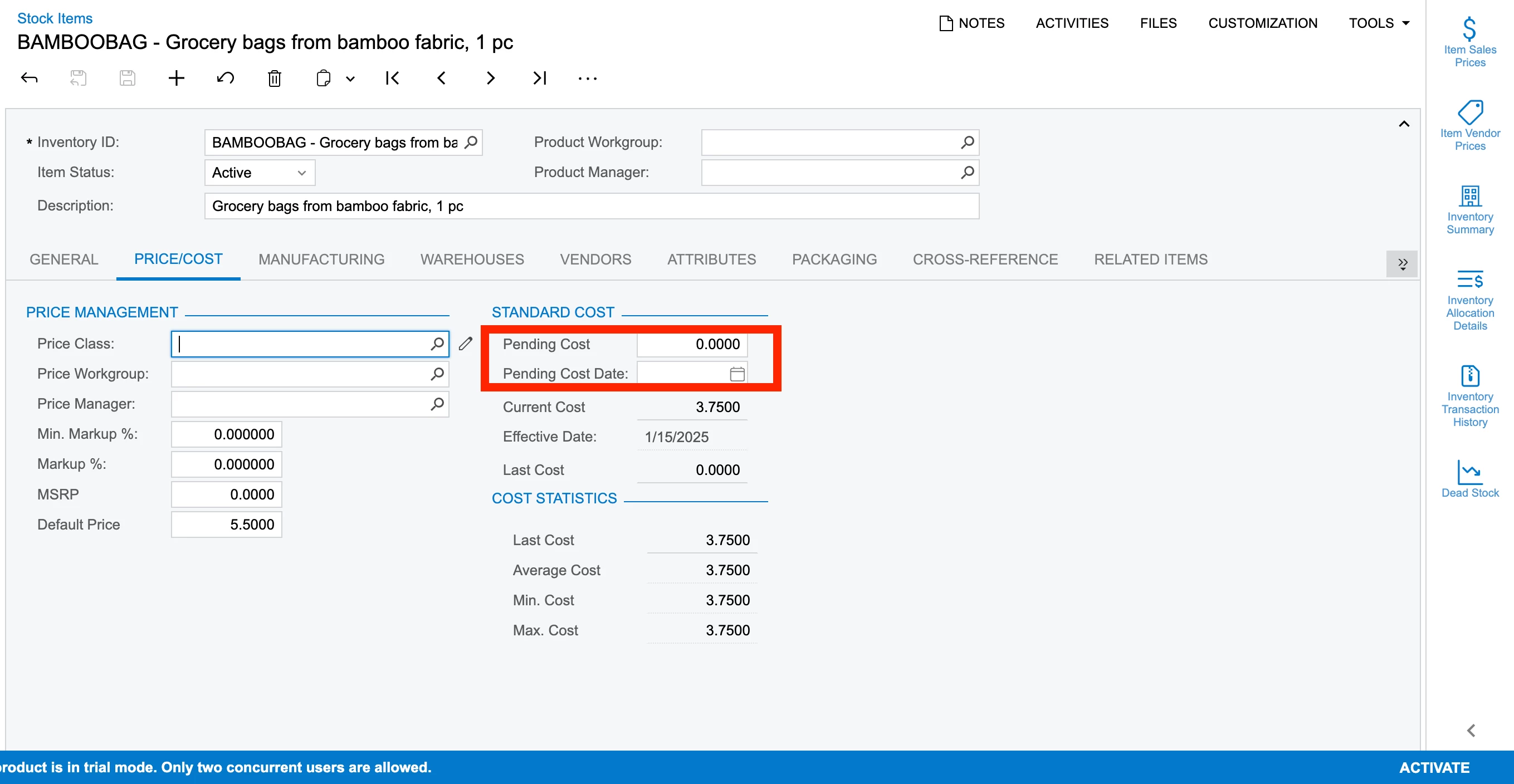
Can anyone clarify me how can I update the cost of an item?
Items that belong to Standard, Average, FIFO & Specific valuation methods.
As far as I have understood that for Average we would need to create an Inv Adj with the negative/positive ext cost in order to decrease/increase the cost resp. But for others i am getting a lill confused.
Best answer by vshashkova
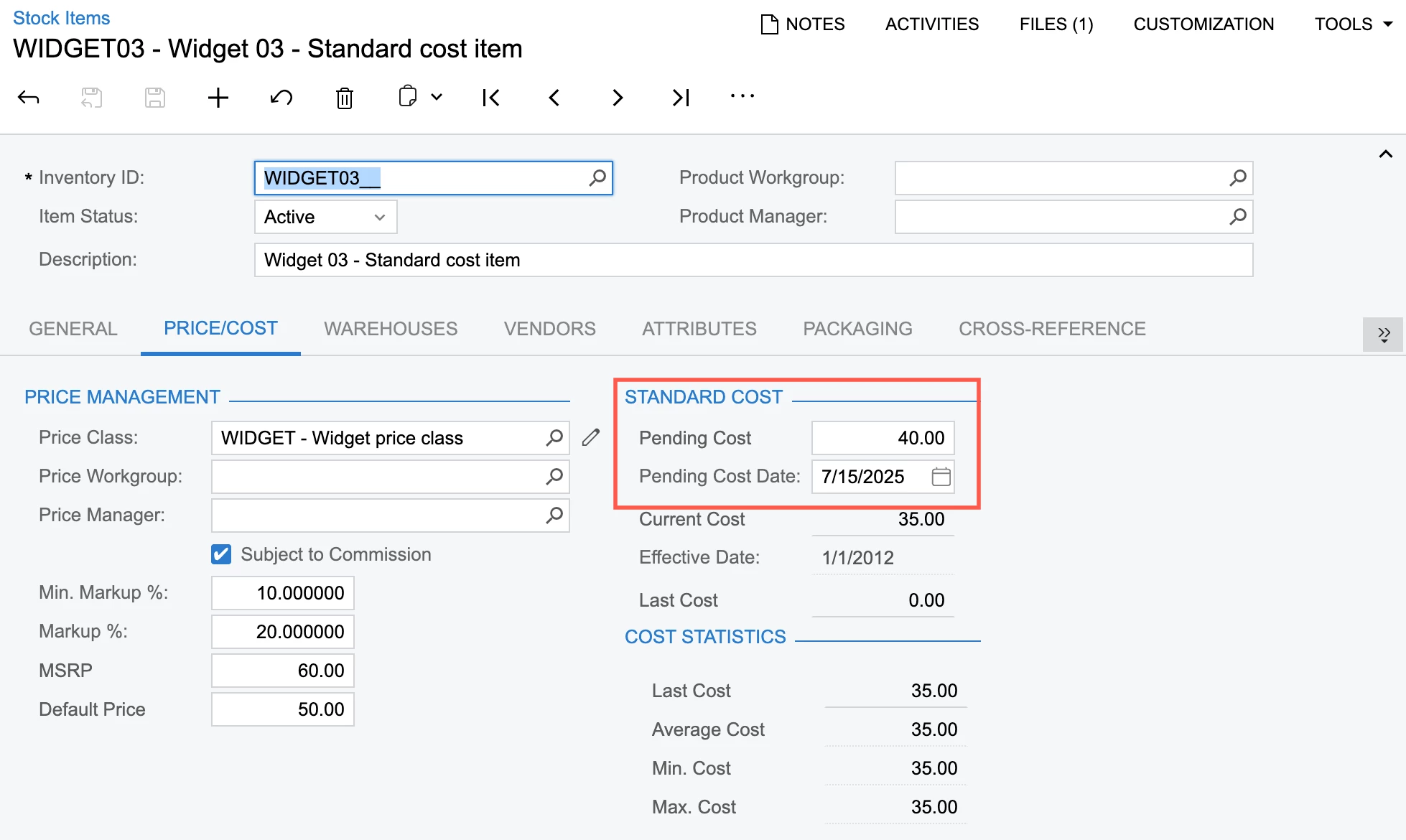
@Harry For standard costed items, you need to set the pending cost on the Stock Items screen (IN202500) or the Inventory Warehouse Details screen (IN204500) if you want to update it for a specific item-warehouse combination.
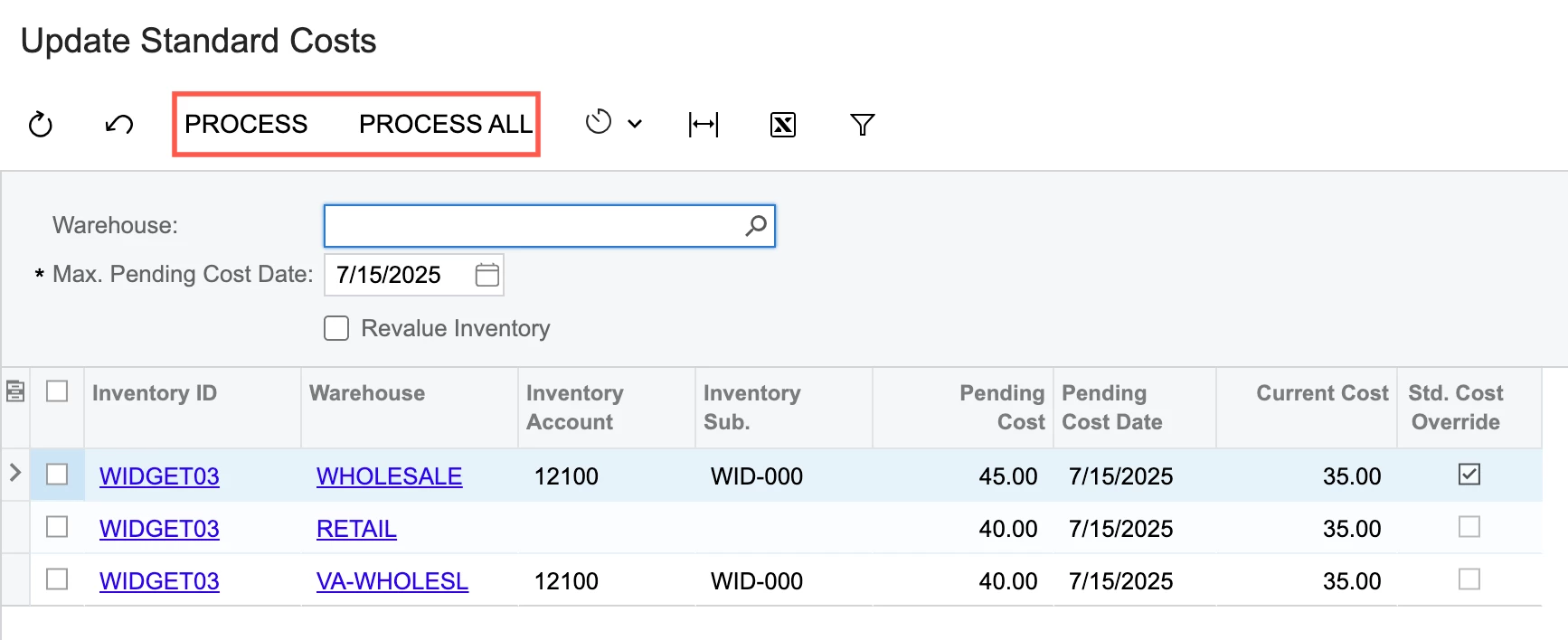
Once the pending cost is set, run the update process on the Update Standard Costs screen (IN502000).
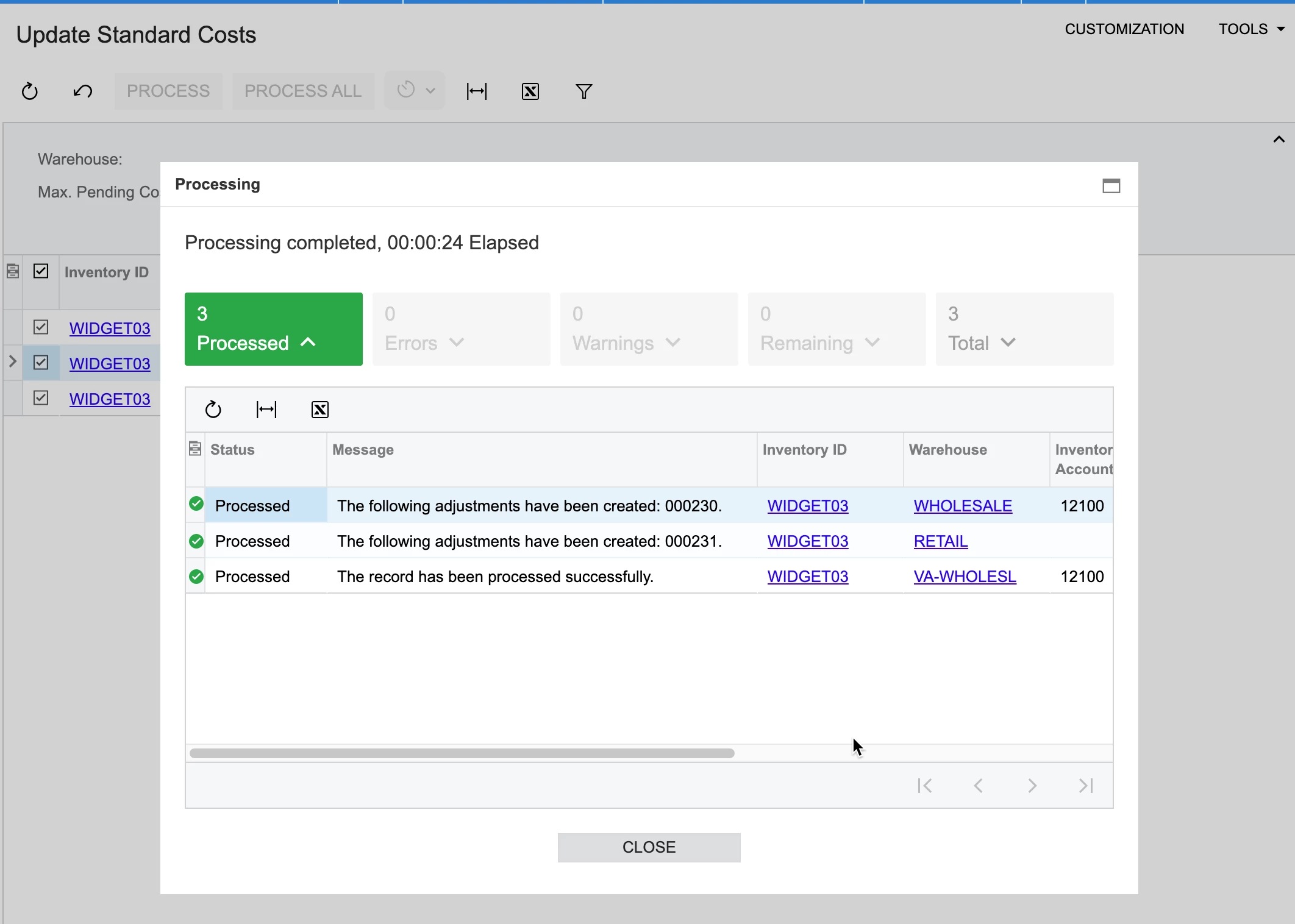
The system will generate the necessary inventory adjustments for items that are currently in stock. If the item is not in stock, you can update the standard cost by clicking Update Cost on the Stock Items form.
For other valuation methods, such as average, FIFO, or specific, you need to create an inventory adjustment to update the cost. This may involve adjusting the average cost, the cost for a specific lot or serial number, or the cost associated with a specific FIFO layer (in which case, you’ll need to specify the receipt number).
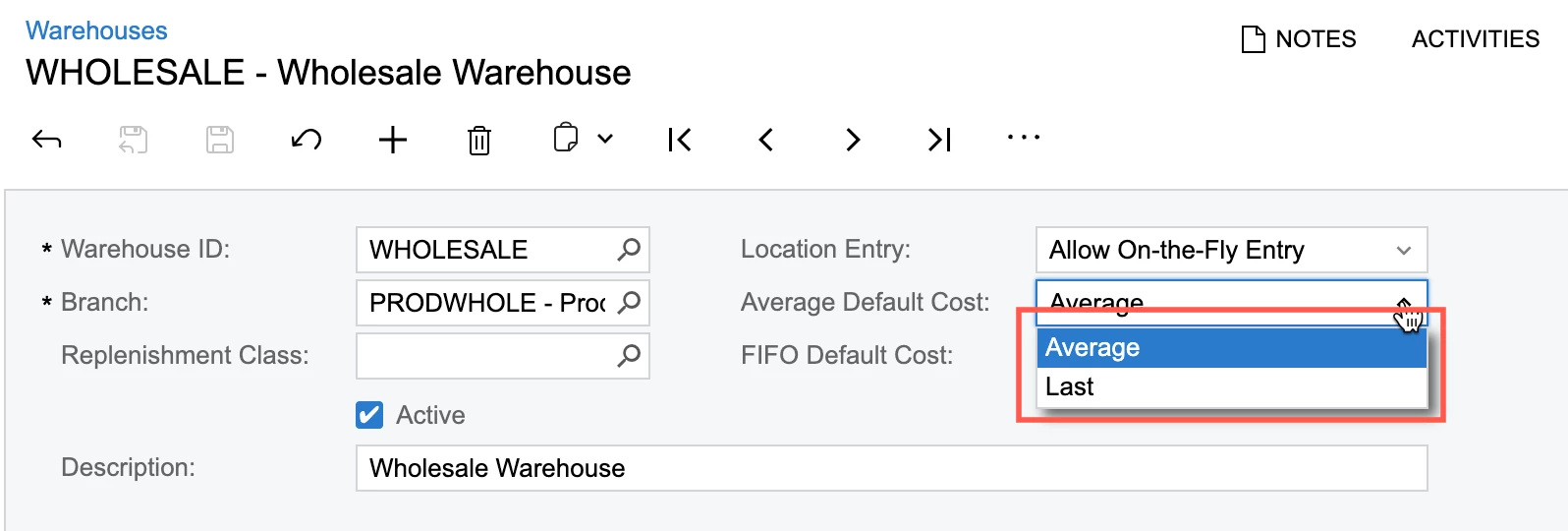
The Last Cost is updated when inventory receipts are released or during kit assembly or disassembly. Based on the settings in the Warehouses screen, it can be used in sales order documents or physical inventory counts.
We are using Specific valuation method for items. And we use Inventory/Adjustments to update the cost of an item as you described. I think it is possible to use Inventory/Adjustments to update the cost of an item with all valuation methods.
Hey @Nilkanth Dipak , Thanks for your response. But it doesnt clarify that if we need to update the cost which without any PO creation, can we update via Adj or is there some other method.
We are using Specific valuation method for items. And we use Inventory/Adjustments to update the cost of an item as you described. I think it is possible to use Inventory/Adjustments to update the cost of an item with all valuation methods.
Best Regards,
NNT
Hey @nhatnghetinh , so what is the use of Last cost field → under Price/Cost tab → Stock items screen? Cant we update the cost using this field or is it mandatory to make use to Inv. Adj?
or pending cost field → for Standard valuation method?
@Harry For standard costed items, you need to set the pending cost on the Stock Items screen (IN202500) or the Inventory Warehouse Details screen (IN204500) if you want to update it for a specific item-warehouse combination.
Once the pending cost is set, run the update process on the Update Standard Costs screen (IN502000).
The system will generate the necessary inventory adjustments for items that are currently in stock. If the item is not in stock, you can update the standard cost by clicking Update Cost on the Stock Items form.
For other valuation methods, such as average, FIFO, or specific, you need to create an inventory adjustment to update the cost. This may involve adjusting the average cost, the cost for a specific lot or serial number, or the cost associated with a specific FIFO layer (in which case, you’ll need to specify the receipt number).
The Last Cost is updated when inventory receipts are released or during kit assembly or disassembly. Based on the settings in the Warehouses screen, it can be used in sales order documents or physical inventory counts.
For average,you need to calculate the difference between the current extended cost and the new extended cost for each warehouse and warehouse location (if costed separately) and create the Inventory Adjustment with that difference whether positive or negative. Just the extended cost difference and do not enter a quantity or unit cost. For FIFO, you need to know the cost layer. aka the receipt number. This query will show the cost layers regardless of valuation method. For lot/serial tracked, you will also need the lot/serial number. For project controlled inventory it gets more complicated so you need those fields too - there should be some queries for project controlled inventory in the U100 data set.