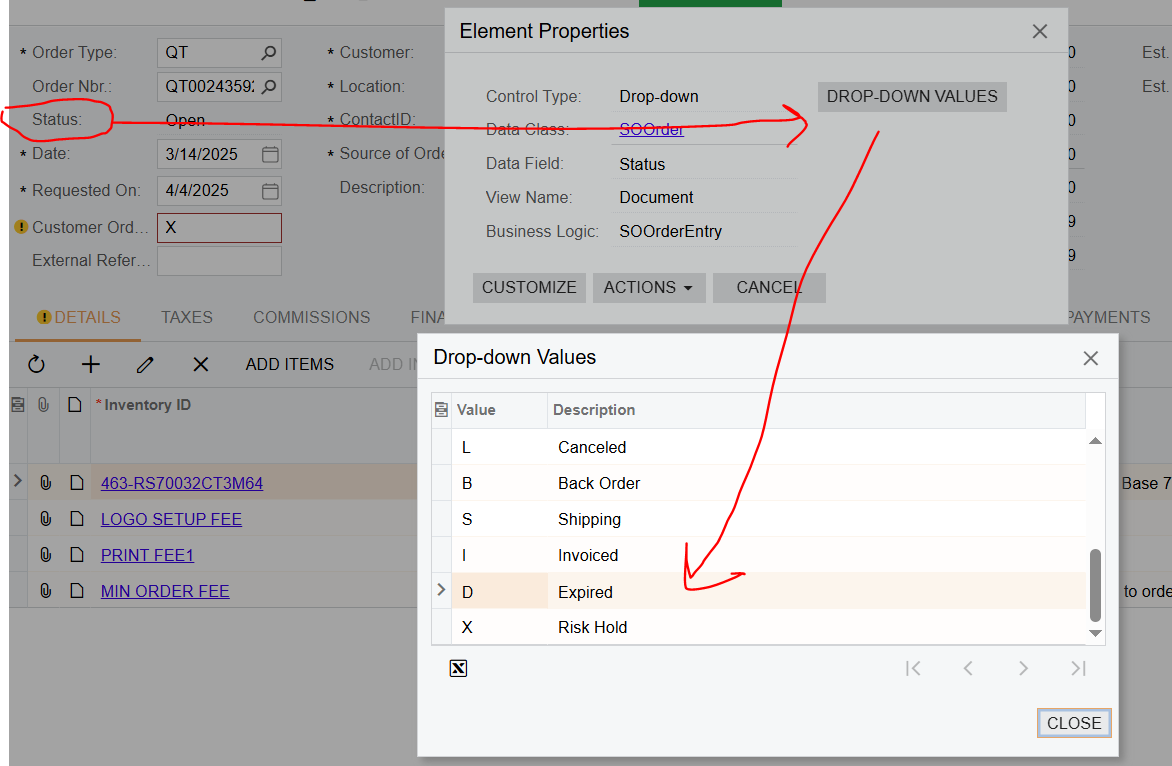
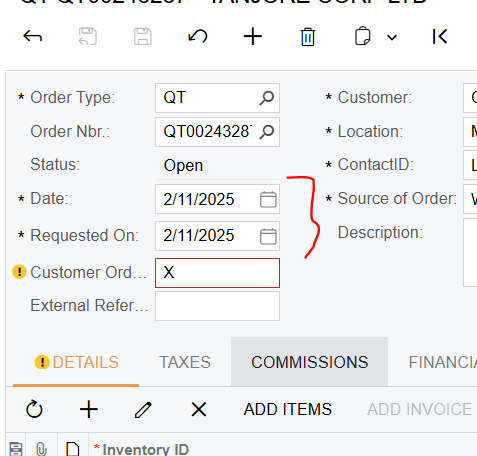
We have several sales quotes that are currently open in our system, and we are unsure how to mark them as "Expired" if they remain open for more than 30 days.
There is an action “Expired” in the Quote Status, but we are unsure how to use it. Is there a setting in Acumatica that can automatically mark a quote as “Expired” after a certain period, such as 30 days?
Alternatively, how and when should we use the “Expired” action on a quote?
Best answer by meganfriesen37
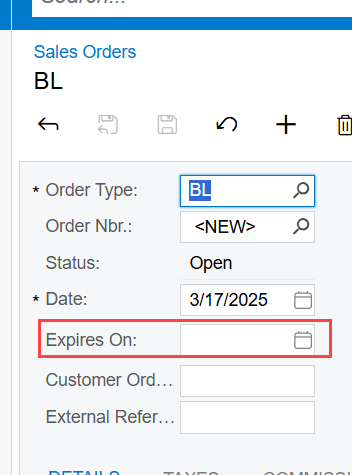
The Expired Date in the header looks to be only for Blanket Orders.
Blanket Order Option
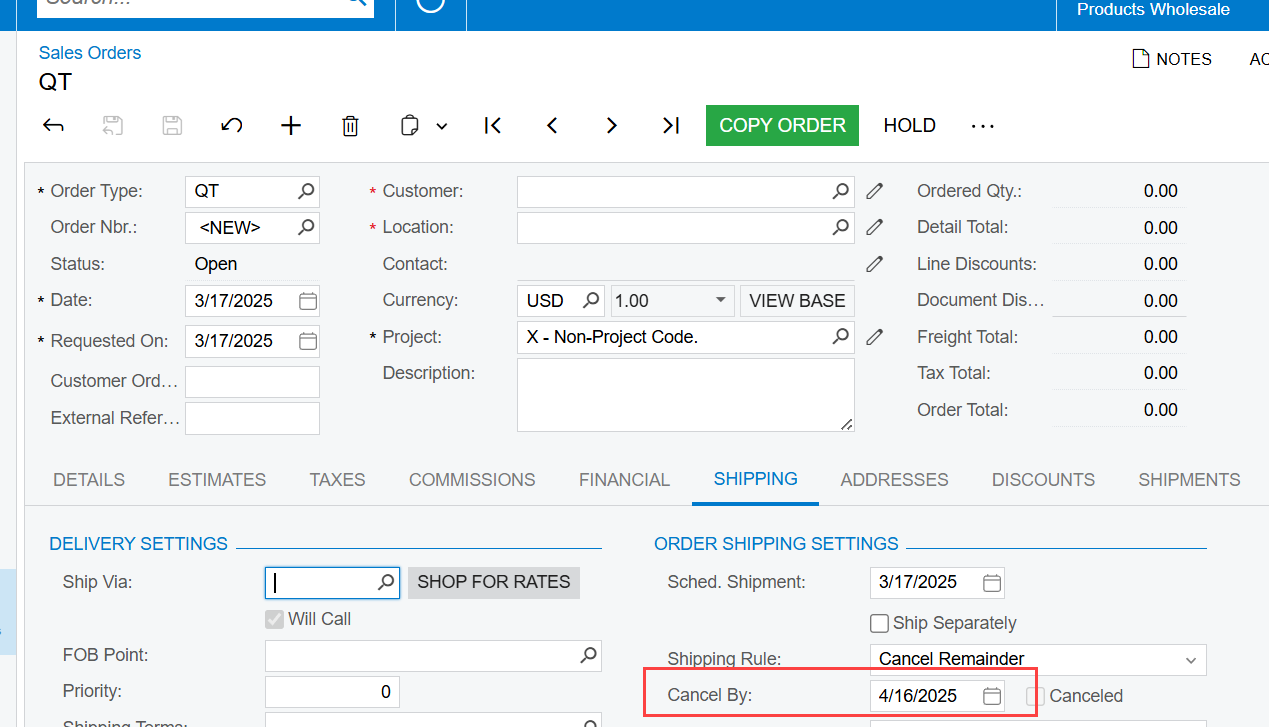
I usually use the Cancel by date, on the Shipping Tab: (SOOrder.CancelDate) for Quotes.
Cancel By Date field for Quote
At one point I had an business event that we were using internally to close any quotes that were past the cancel by date. This ran an import scenario at the end of each week to cancel any expired quotes.
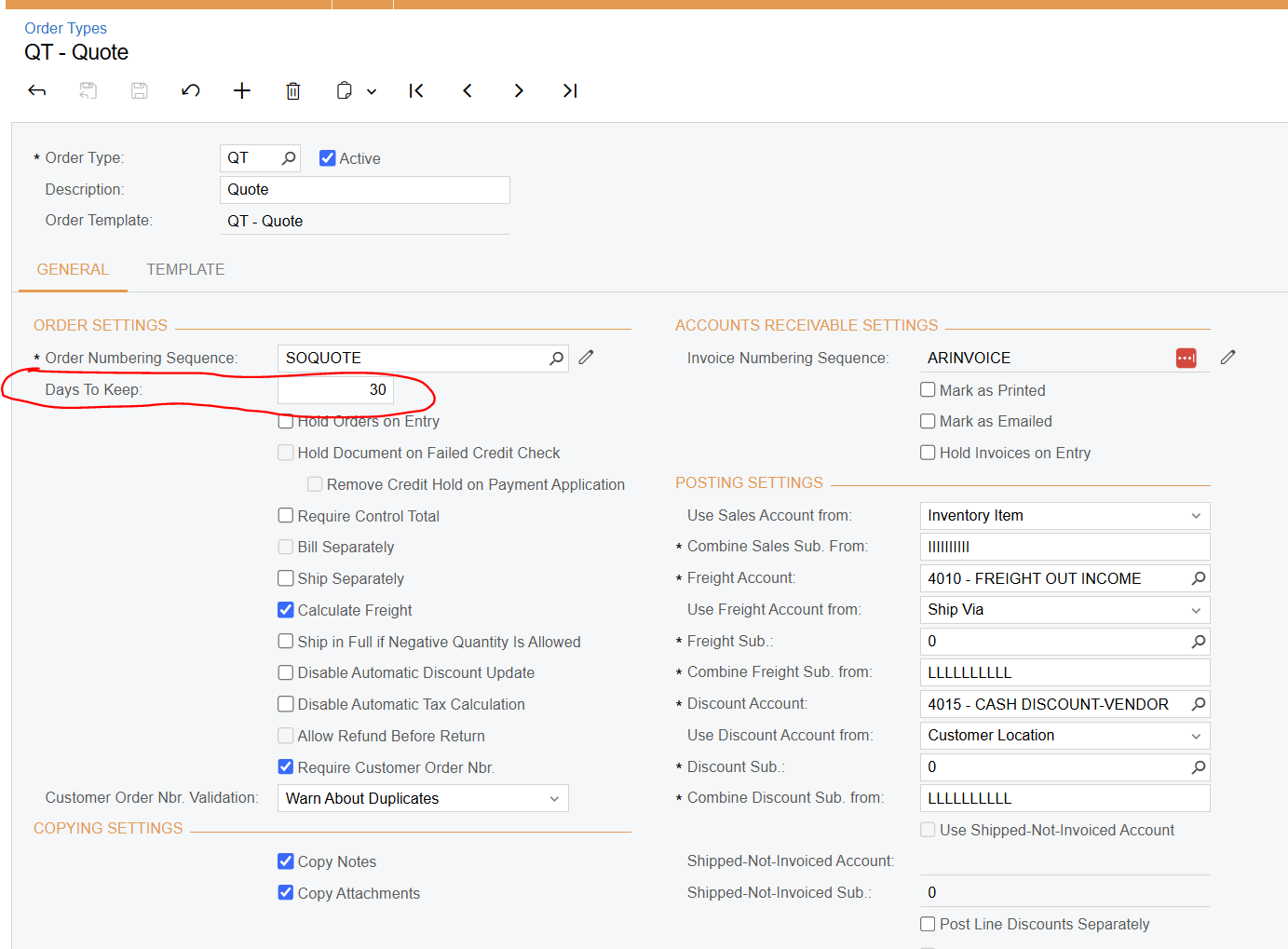
On the Sales Orders (SO301000) from, for each newly created quote, you can specify an expiration date in the Cancel By box on the Shipping tab. By default, the system calculates the Cancel By date by adding the number of days specified in the Days to Keep box for the QT order type on the Order Types form (SO201000) to the Date specified in the quote.
The system does not cancel expired quotes automatically. You cancel an expired quote on the Sales Orders form or cancel multiple expired quotes by selecting the Cancel Order action on the Process Orders (SO501000) form and processing the order. This changes the status of the order to Canceled. The status reflects in the system that the customer is no longer considering the particular quote or that your company is no longer offering the included item or items at the specified price or prices.
Expired: The date in the Expires On box in the Summary area of the form is earlier than the current business date. You cannot make changes in the sales orders with the Expired status.
The Expired Date in the header looks to be only for Blanket Orders.
Blanket Order Option
I usually use the Cancel by date, on the Shipping Tab: (SOOrder.CancelDate) for Quotes.
Cancel By Date field for Quote
At one point I had an business event that we were using internally to close any quotes that were past the cancel by date. This ran an import scenario at the end of each week to cancel any expired quotes.
On the Sales Orders (SO301000) from, for each newly created quote, you can specify an expiration date in the Cancel By box on the Shipping tab. By default, the system calculates the Cancel By date by adding the number of days specified in the Days to Keep box for the QT order type on the Order Types form (SO201000) to the Date specified in the quote.
The system does not cancel expired quotes automatically. You cancel an expired quote on the Sales Orders form or cancel multiple expired quotes by selecting the Cancel Order action on the Process Orders (SO501000) form and processing the order. This changes the status of the order to Canceled. The status reflects in the system that the customer is no longer considering the particular quote or that your company is no longer offering the included item or items at the specified price or prices.