Question

How can we suppress the default validation message when changing the Lot/Serial Class on the Stock Items screen?

  • August 6, 2025
  • 5 replies
  • 82 views

Hi Team,

We need to suppress the following message displayed on the Stock Items screen when changing the Lot/Serial Class:

"The lot/serial class of the ITEMLOT1 item cannot be changed because this item is allocated in the Shipment 006084 document."

We attempted the following approaches to suppress this validation, but neither was successful:

  1. Extended the INItemPlan DAC and overrode the CreateEditPreventingReason method to return null.
  2. Used a CacheAttached event for the InventoryID field in the INItemPlan DAC to intercept or suppress the validation.

Despite these efforts, the default validation and message continue to appear.


Could you please assist with the correct approach to suppress or override this validation?

5 replies

  • Author
  • Freshman I
  • August 8, 2025

Hi Team,
Could you please suggest on the above please.


Manikanta Dhulipudi
Captain II
Forum|alt.badge.img+15

@darylbowman ​@Naveen Boga I believe you guys can help this.


darylbowman
Captain II
Forum|alt.badge.img+15

If you were trying to override CreateEditPreventingReason, I think you’d need to do it in a graph extension:

// Acuminator disable once PX1016 ExtensionDoesNotDeclareIsActiveMethod extension should be constantly active
public class Test : PXGraphExtension<INItemPlan.inventoryID.InventoryLotSerClassIDRule, InventoryItemMaint>
{
public delegate string CreateEditPreventingReasonDelegate(GetEditPreventingReasonArgs arg, object firstPreventingEntity, string fieldName, string currentTableName, string foreignTableName);
[PXOverride]
public string CreateEditPreventingReason(GetEditPreventingReasonArgs arg, object firstPreventingEntity, string fieldName, string currentTableName, string foreignTableName, CreateEditPreventingReasonDelegate baseMethod)
{
return string.Empty;
}
}


  • Author
  • Freshman I
  • August 12, 2025

Hi @darylbowman,

Thanks for the response. With the CreateEditPreventingReason override method, we were able to suppress the message. However, after this change, we’re facing another issue during invoice release. Please advise.

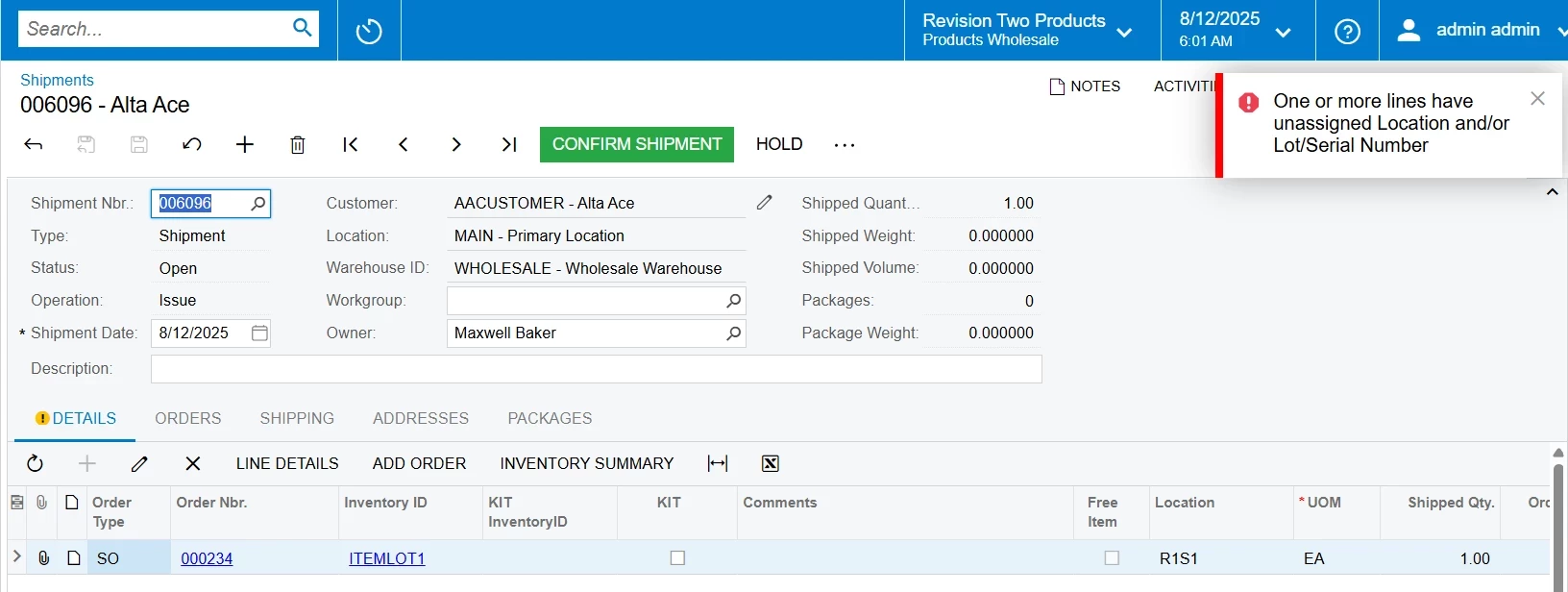
We created an item with a tracked lot/serial class, then created the order and shipment with this item. While confirming the shipment, we received the default Acumatica error shown below.
 

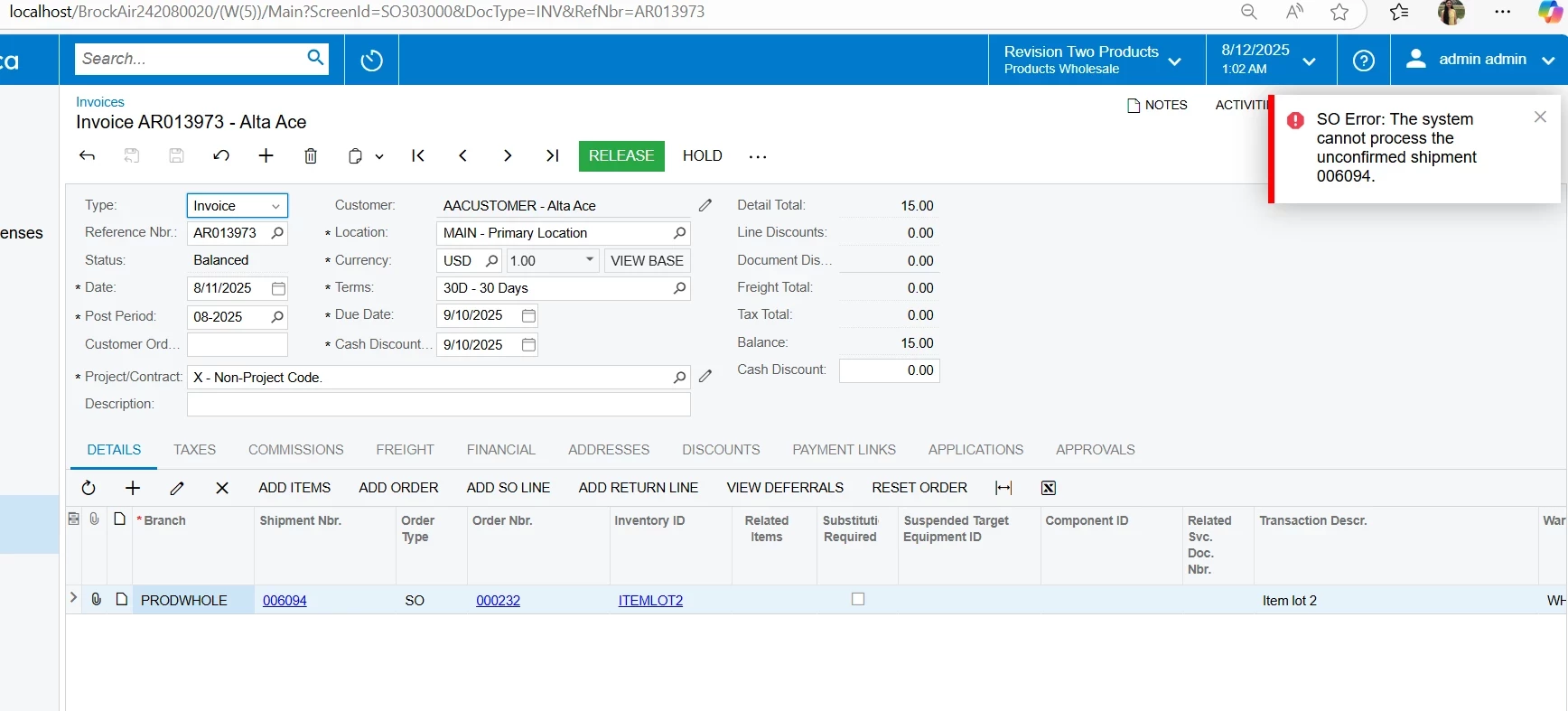
To proceed, I changed the lot/serial class from tracked to non-tracked, which allowed me to confirm the shipment and prepare the invoice. However, while releasing the invoice, I am now getting the error below.


Could you please help with this?


darylbowman
Captain II
Forum|alt.badge.img+15

I don’t know that I can, no. Me providing code to do what you are attempting was not me saying what you’re doing is a good idea. I know nothing about the situation and very little about lot/serial. I was simply providing you the means to do what you were attempting.