Solved

Efficient Picking for a Single Shipment Pick List

  • December 10, 2025
  • 3 replies
  • 48 views

Forum|alt.badge.img

With a standard order (no make to order items), we have a shipping clerk grab a printed pick list (generated from the shipment screen as an action) and pick the items from the warehouse and place in the shipping staging area (size of a midsize meeting room). After the area starts filling up, he/she will start processing these staged shipments (the pick list sits on top of the picked items and acts as a traveler).

We have a usb scanner that our shipping clerk would use in our shipping staging area that we envision could actually pick in Acumatica and then pack and ship.

If we have the desktop attached to the usb scanner proceed to perform these steps on the screen, SO302020 -Pick Pack Ship, the scanning for serialized parts is burdensome (need to scan item, location and serialized id). Is there some way to just scan the item and the serialized id and not include the location? 


Best answer by AntonDegtyarev27

Hello!

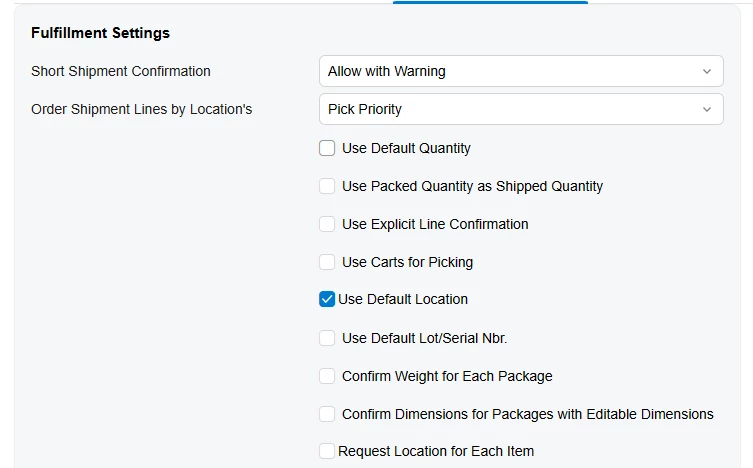
I would recommend trying the following settings on the Sales Orders Preferences (SO101000) form:

  • Use Default Location = true

  • Request Location for Each Item = false

It looks like you don’t need to scan a location while processing shipments in the shipping zone, because all items are physically picked from their locations.

These settings allow you to process only the following steps:

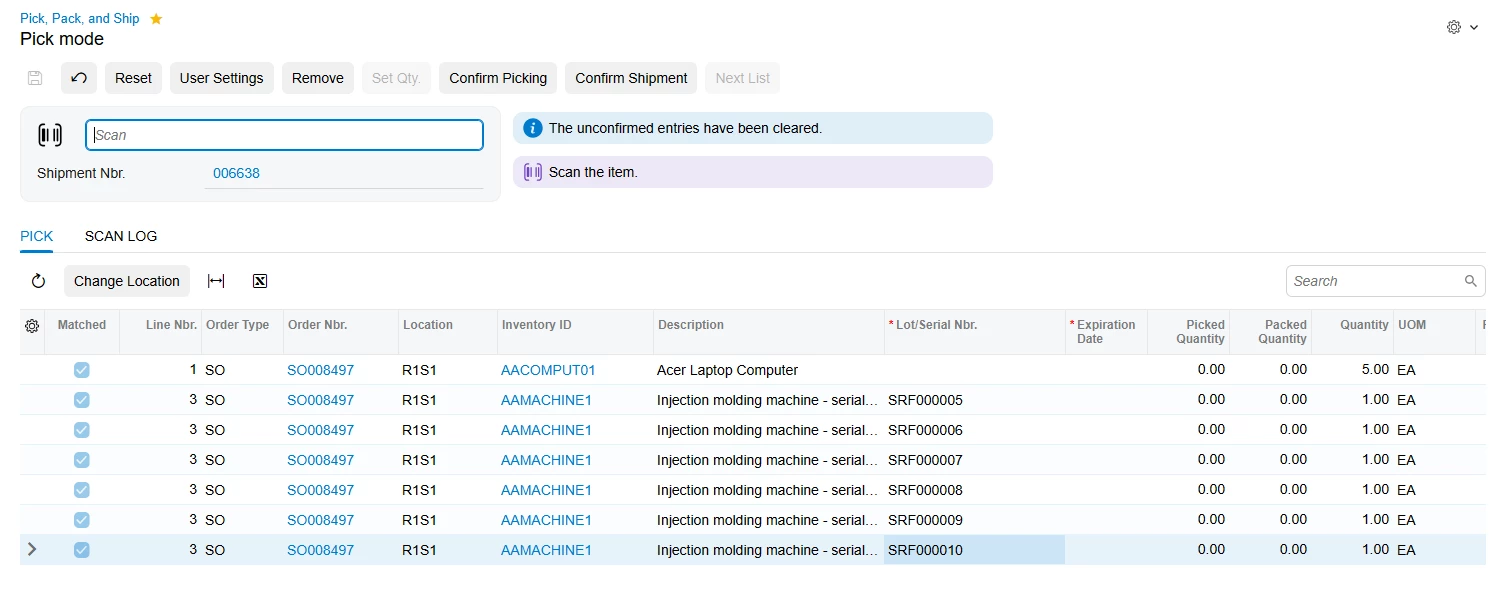
Scan the item

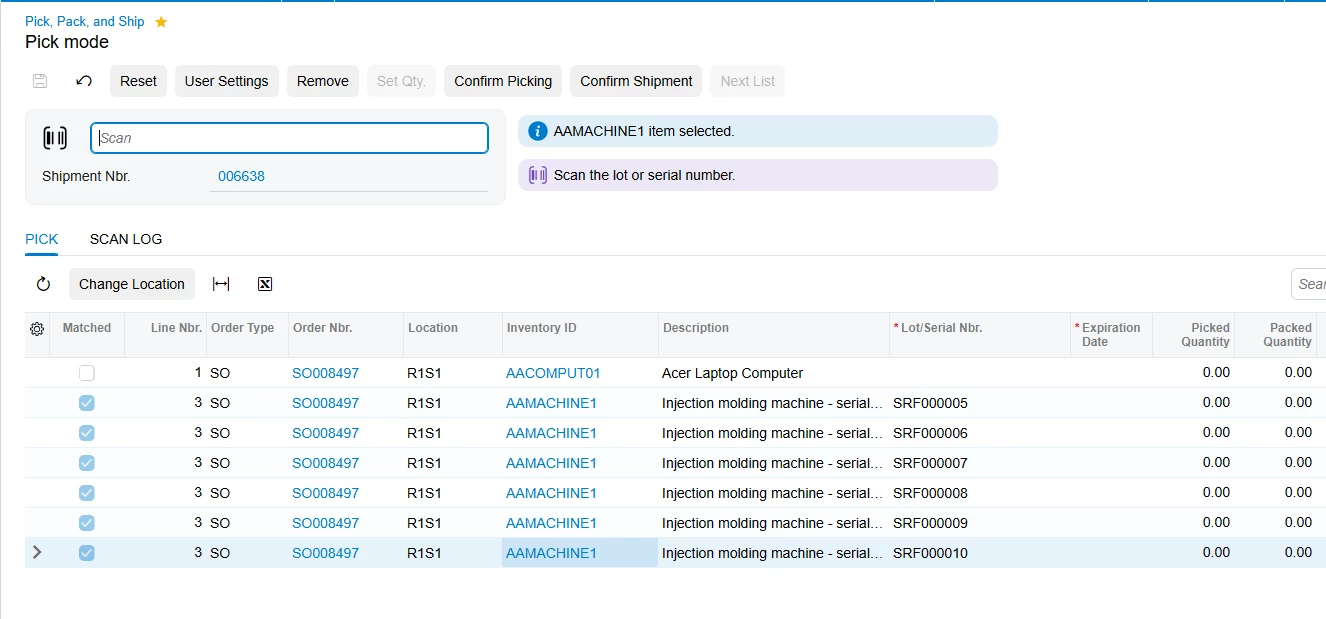
Scan the serial number

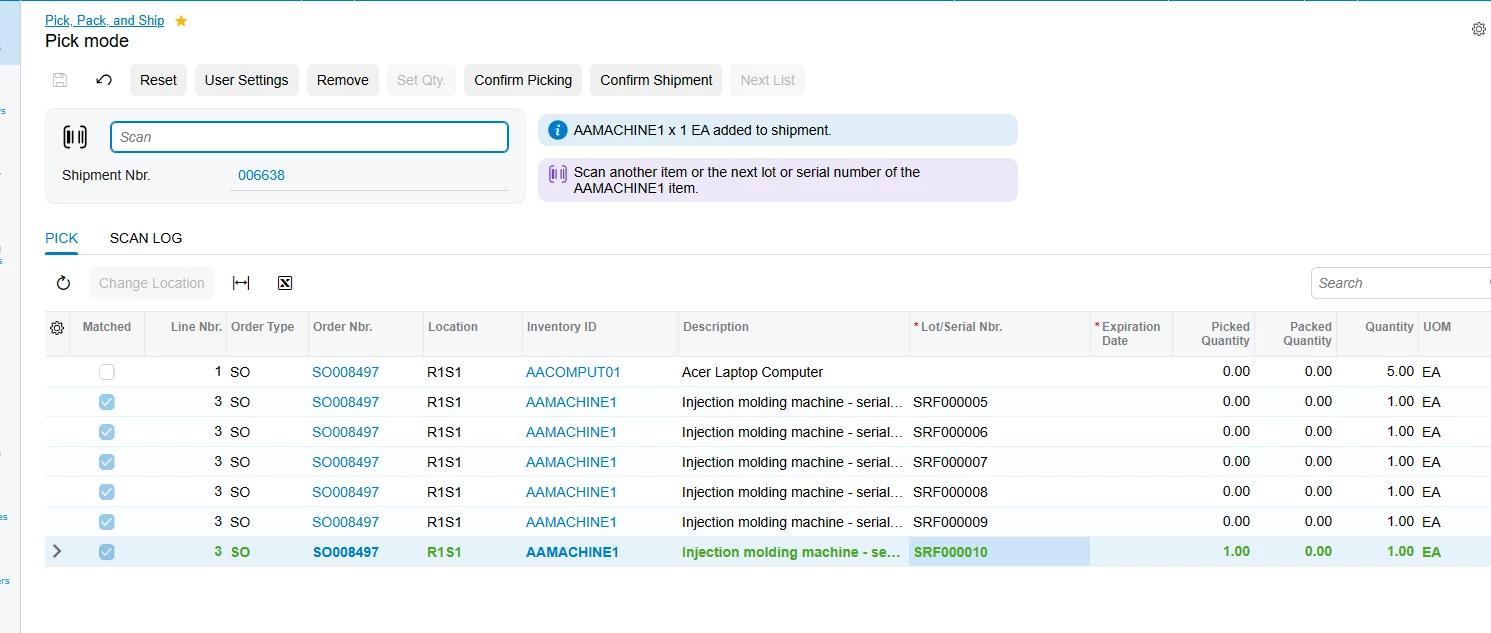
Scan the next serial number or another item


3 replies

AntonDegtyarev27
Acumatica Employee
  • Acumatica Employee
  • Answer
  • December 11, 2025

Hello!

I would recommend trying the following settings on the Sales Orders Preferences (SO101000) form:

  • Use Default Location = true

  • Request Location for Each Item = false

It looks like you don’t need to scan a location while processing shipments in the shipping zone, because all items are physically picked from their locations.

These settings allow you to process only the following steps:

Scan the item

Scan the serial number

Scan the next serial number or another item


  • Acumatica Employee
  • December 11, 2025

Anton has a great answer for a global change to how locations are scanned on the Pick, Pack, and Ship screen!

However, Anton’s suggestion would affect all users using Pick, Pack, and Ship.


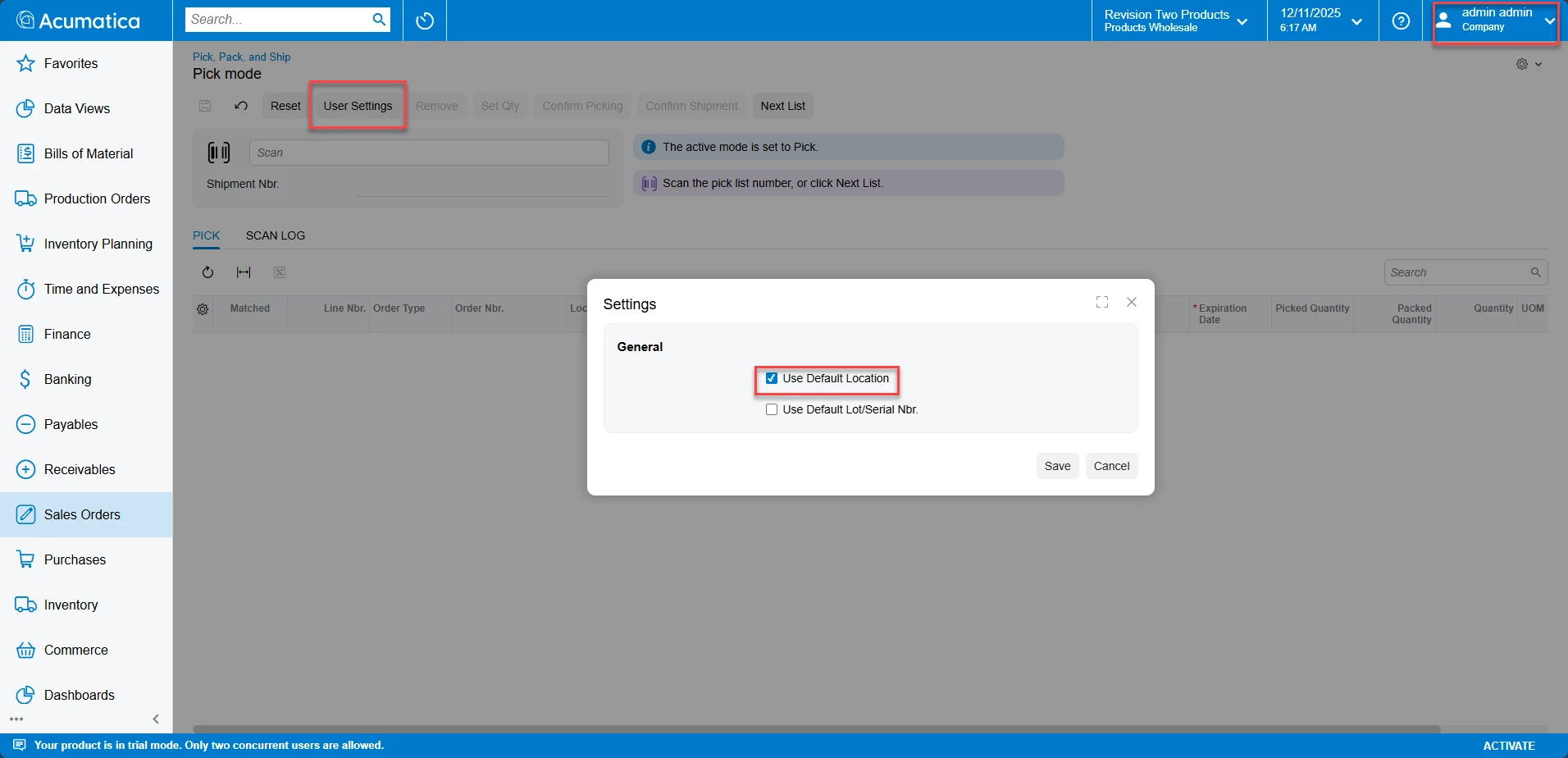
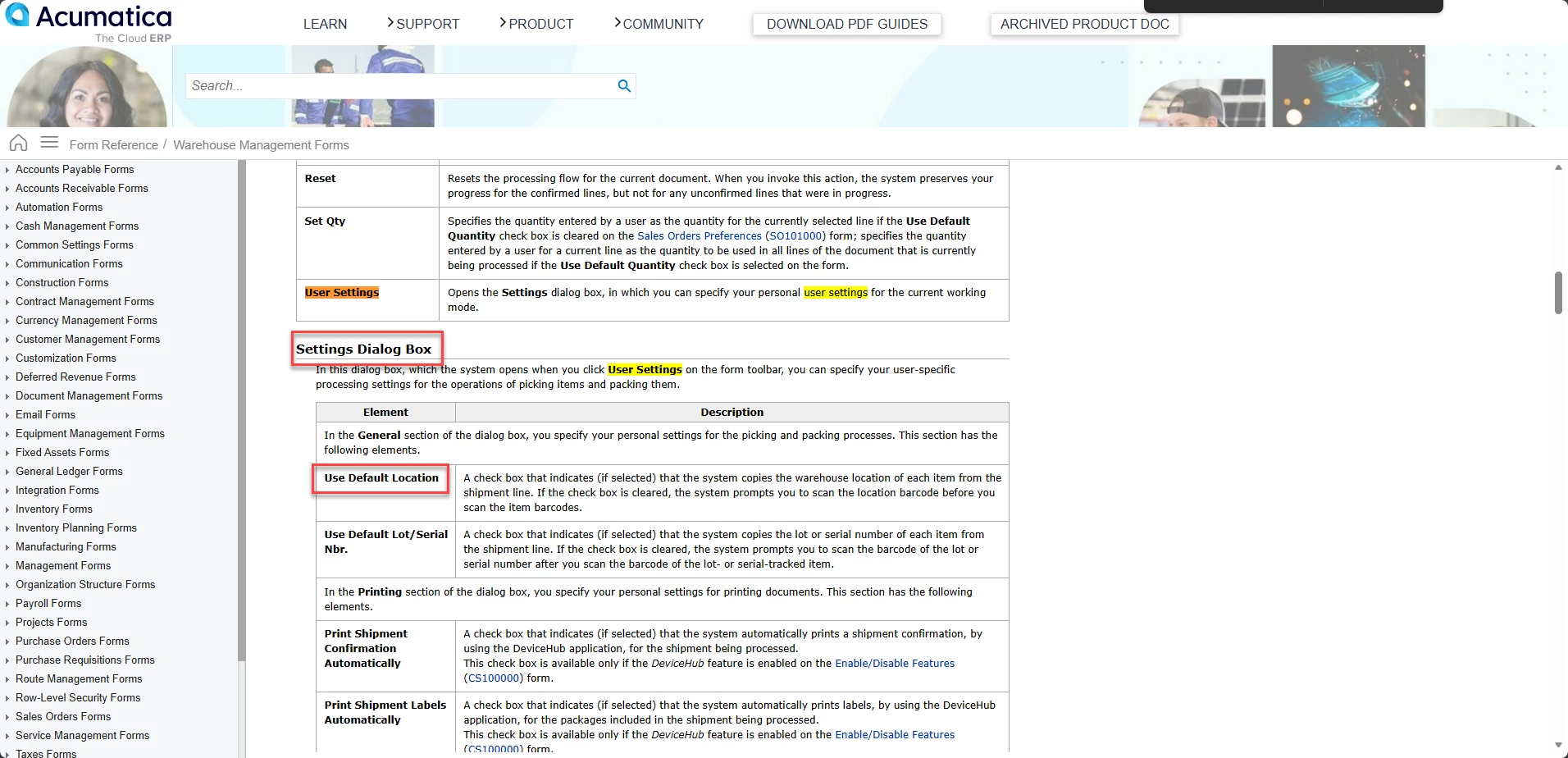
I wanted to also suggest a solution to update the “shipping clerk” users settings (on the Pick, Pack, and Ship form): 

With this set, the default location set on the Shipment will be used, and this user would not have to scan a location (while retaining location scanning requirements for other users).


This section of our Help documentation speaks to this button and pop up in more detail! (Pick, Pack, and Ship):


Hopefully this plus Anton’s solution should help you out!


Forum|alt.badge.img
  • Author
  • Varsity I
  • December 12, 2025

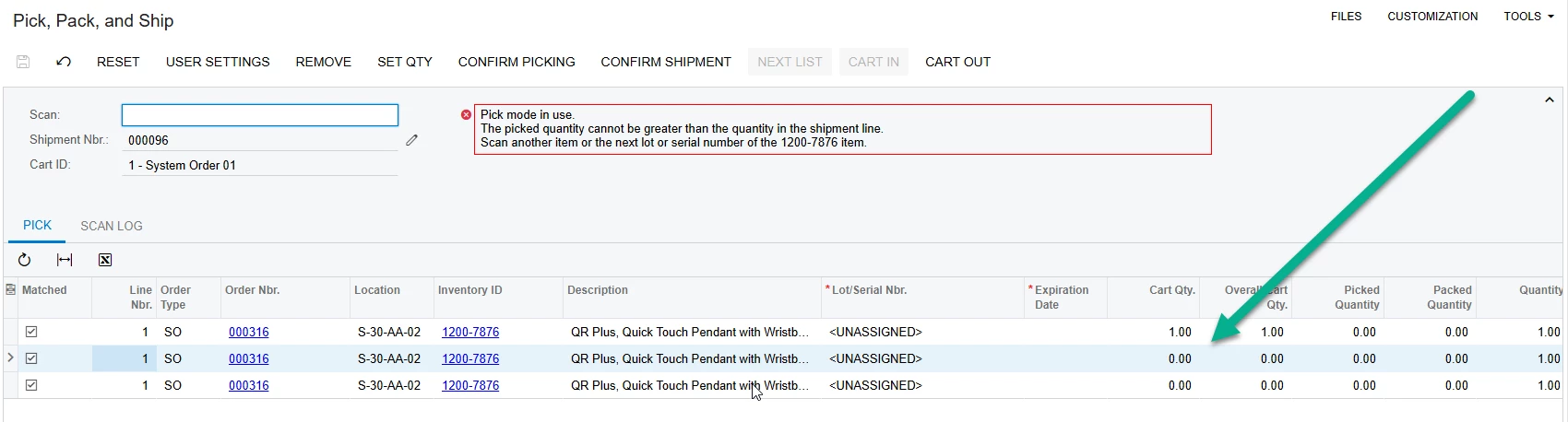
Hi Anton and Sho,


It looks like Anton’s solution can probably work for us. Presently (and probably because of my lack of experience), On the first line of the pick, pack and ship screen, I scan the shipment, cart, item and serial id and no error is thrown. Next, I am prompted for the next serial id (I have a quantity of 3 for line no 1 which is for item 1200-7876). I scan the next serial id and I receive this error: