Answer

Drop Ship PO from Sales Order not working

  • December 16, 2024
  • 8 replies
  • 201 views

claudematherne24
Varsity I
Forum|alt.badge.img

I’m having a weird issue, and was wondering if I am missing something basic.  I am trying to create a PO from a SO with the Drop Ship type.  I’ve gotten it to work for a Stock Item that is set an a manufacturing part number that does not have any on hand inventory.  But when I try the same steps on a SO for a Stock Item that has On Hand Inventory, nothing populates when I click on Create Purchase Order.  Is having stock on hand causing it to not function as expected?

Best answer by kyle90

When you click on the Line Details button on the Sales Order, it doesn’t show allocated? 


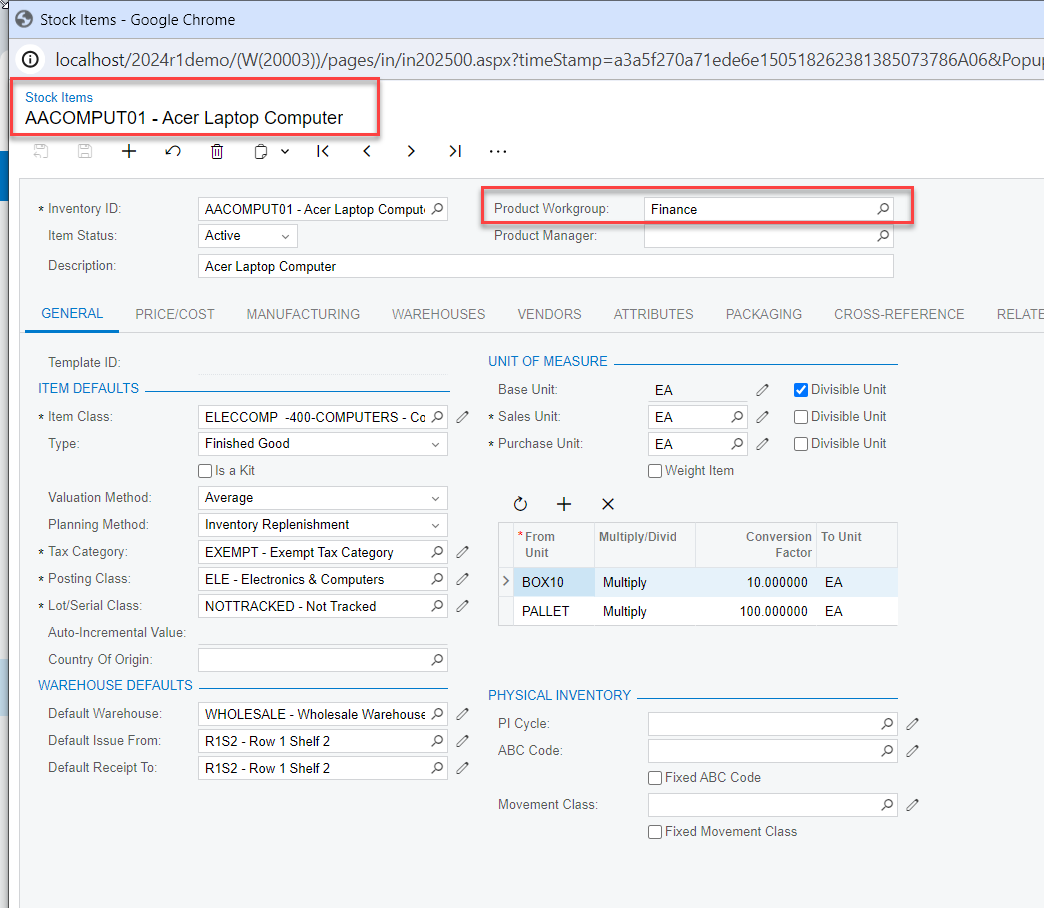
What about Product Workgroup? Is the Stock Item assigned to a Product Workgroup that you’re not a member of? It looks like that could be a roadblock


8 replies

rfairchild58
Varsity I
Forum|alt.badge.img+1
  • Varsity I
  • December 16, 2024

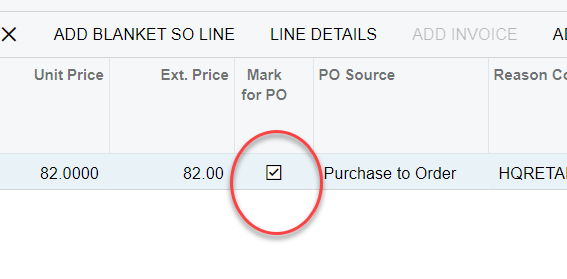
Do you have the Sales Order distribution column Mark for PO checked (True)?


claudematherne24
Varsity I
Forum|alt.badge.img

Yes, I have that checked and Drop Ship as the source.


Forum|alt.badge.img+2
  • Captain II
  • December 17, 2024

Are you using allocating type SO’s by chance? 


If the inventory is allocated to the SO prior to selecting the Mark for PO checkbox, then I believe the system ignores the request.  


A few other hang ups that have caused us trouble in the past

 - Make sure your order is in an open status (it cannot be in Shipping status, as well as Awaiting Payment or Credit Hold)

 - Make sure your stock item has a default vendor assigned. If you need to override that selection, you can only do it from the Sales Order by clicking the PO LINK button and then selecting the vendor from the Purchasing Details pop-up 


claudematherne24
Varsity I
Forum|alt.badge.img

There must be something funky inside this one stock item, or tied to the Vendor.  All of those settings are in place.


Forum|alt.badge.img+2
  • Captain II
  • Answer
  • December 17, 2024

When you click on the Line Details button on the Sales Order, it doesn’t show allocated? 


What about Product Workgroup? Is the Stock Item assigned to a Product Workgroup that you’re not a member of? It looks like that could be a roadblock


claudematherne24
Varsity I
Forum|alt.badge.img

yep, that was it.  Product Workgroup was the blocker.  Thank you so much.  I just overlooked that altogether, because I can manually create the POs, so I figured that wasn’t in play.


Forum|alt.badge.img+2
  • Captain II
  • December 17, 2024

Happens to the best of us! 


Forum|alt.badge.img
  • Acumatica Employee
  • December 27, 2024

Please check whether the related stock item creating the drop ship PO is marked for a product workgroup, if so, can filter based on the specific workgroup or could test by remove the workgroup from stock item and check whether now its populating.