Answer

Does Acumatica have the inbuilt capability to perform 'Three Way Matching (matching - PO, PO Receipt and Invoice)' ?

  • August 9, 2024
  • 3 replies
  • 421 views

Forum|alt.badge.img

We want to make sure we are paying the right amount of money to our vendor . We do not want to overpay or underpay. I would like to know how to achieve three way matching in Acumatica.

Best answer by Laura03

Hello,

Yes Acumatica provides automatic matching between PO, Receipt and Bill:  When the PO Receipt and the AP Bill are created directly from the PO, all three documents automatically match.
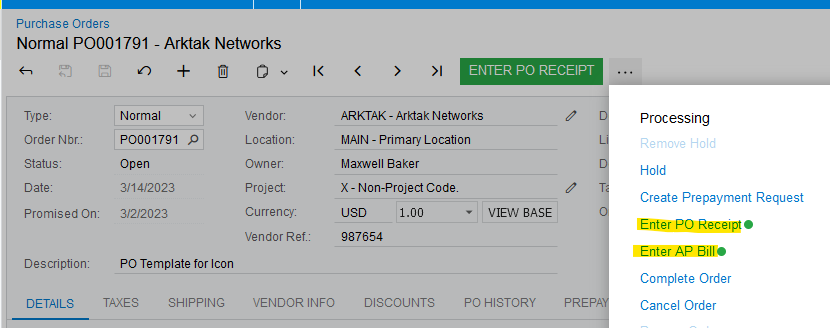


However, we can’t just accept automatic matching: for accuracy, humans need to check qty received and need to verify the vendor’s invoice is a match to our PO.

NNT has correctly identified the nearest reports that can show you differences. With an hour of your time, you (or your VAR/Partner) could add PO Line Qty/Amount columns, and a condition to the report, to print only where the Quantity/cost columns do not match.

Purchase Accrual Details report can further identify differences between Goods Received and Goods Billed.


Laura

 

3 replies

nhatnghetinh
Captain II
Forum|alt.badge.img+11
  • Captain II
  • August 9, 2024

Hi @skumar98 

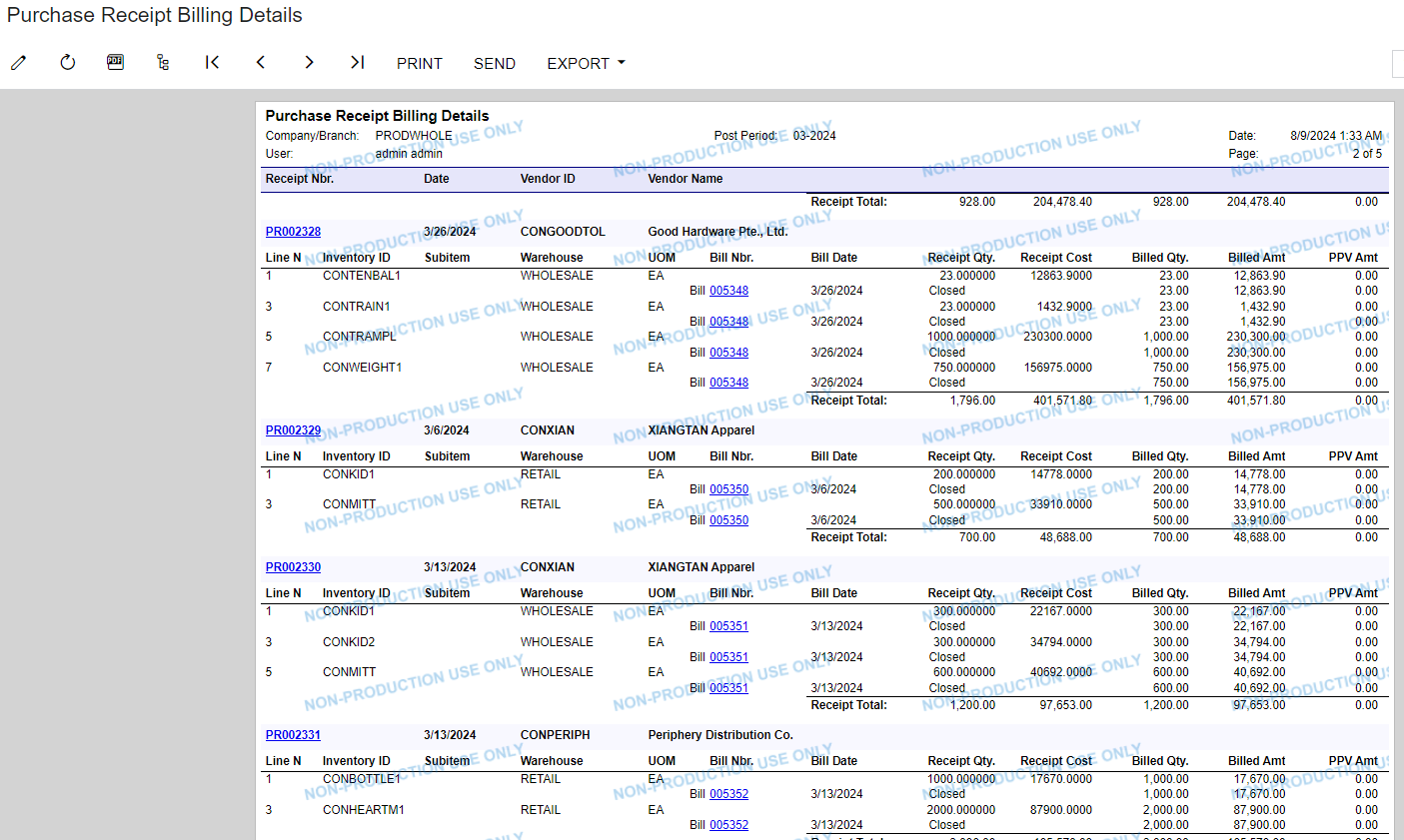
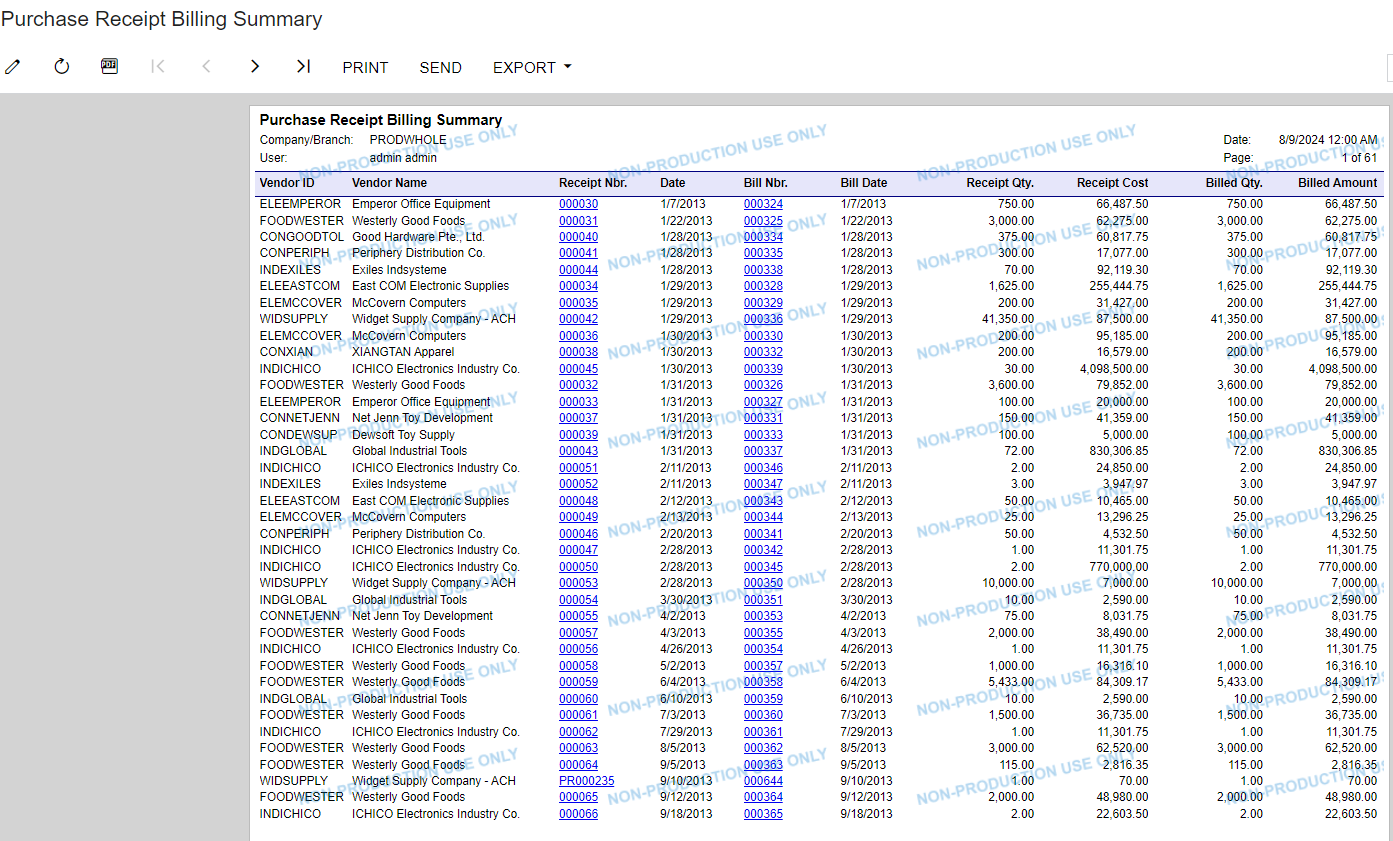
I found these reports but you need to edit the reports using Report Designer to add the PO.


Best Regards,

NNT


Forum|alt.badge.img
  • Author
  • Freshman I
  • August 9, 2024

@nhatnghetinh Thank you for the report. I would like to know if Acumatica could perform Three Way Matching AUTOMATICALLY .If there is a discrepency in the matching , Acumatica should highlight the mismatch.We would like to automate the Three Way Matching to avoid manual errors and reduce labour time.


Laura03
Captain II
Forum|alt.badge.img+19
  • Captain II
  • Answer
  • August 9, 2024

Hello,

Yes Acumatica provides automatic matching between PO, Receipt and Bill:  When the PO Receipt and the AP Bill are created directly from the PO, all three documents automatically match.


However, we can’t just accept automatic matching: for accuracy, humans need to check qty received and need to verify the vendor’s invoice is a match to our PO.

NNT has correctly identified the nearest reports that can show you differences. With an hour of your time, you (or your VAR/Partner) could add PO Line Qty/Amount columns, and a condition to the report, to print only where the Quantity/cost columns do not match.

Purchase Accrual Details report can further identify differences between Goods Received and Goods Billed.


Laura