Solved

Default Vendor becomes unselected when adding UOM

  • July 1, 2026
  • 5 replies
  • 62 views

Forum|alt.badge.img+3

This appears to be a bug unless someone can help explain what is happening (and possibly how to avoid)


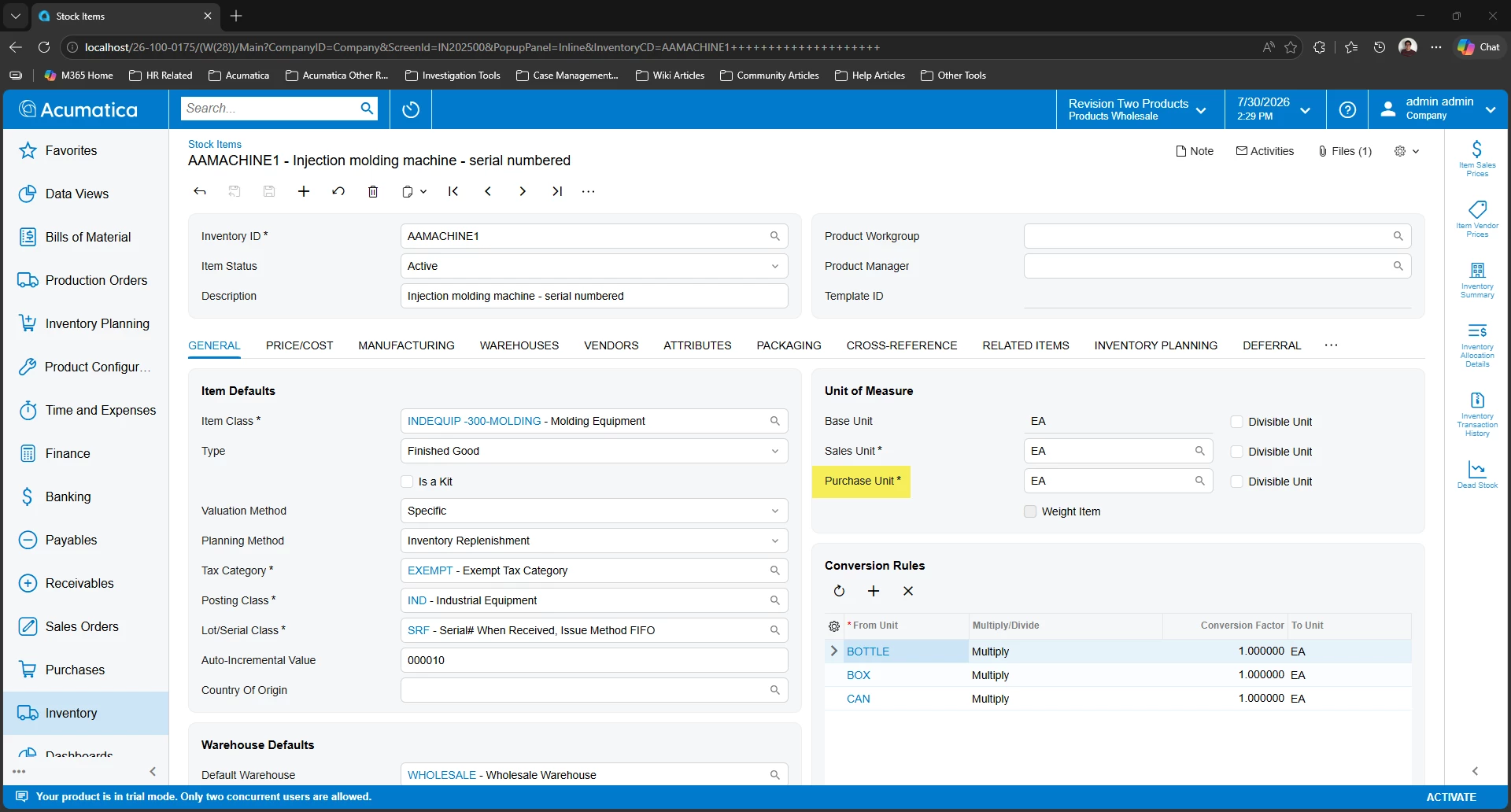
I am attempting to add a 2nd UOM for a group of items purchased from our default vendor. Typically we might buy an item in a 100 unit case but the default vendor offers the same item in a 200 unit case as well. 


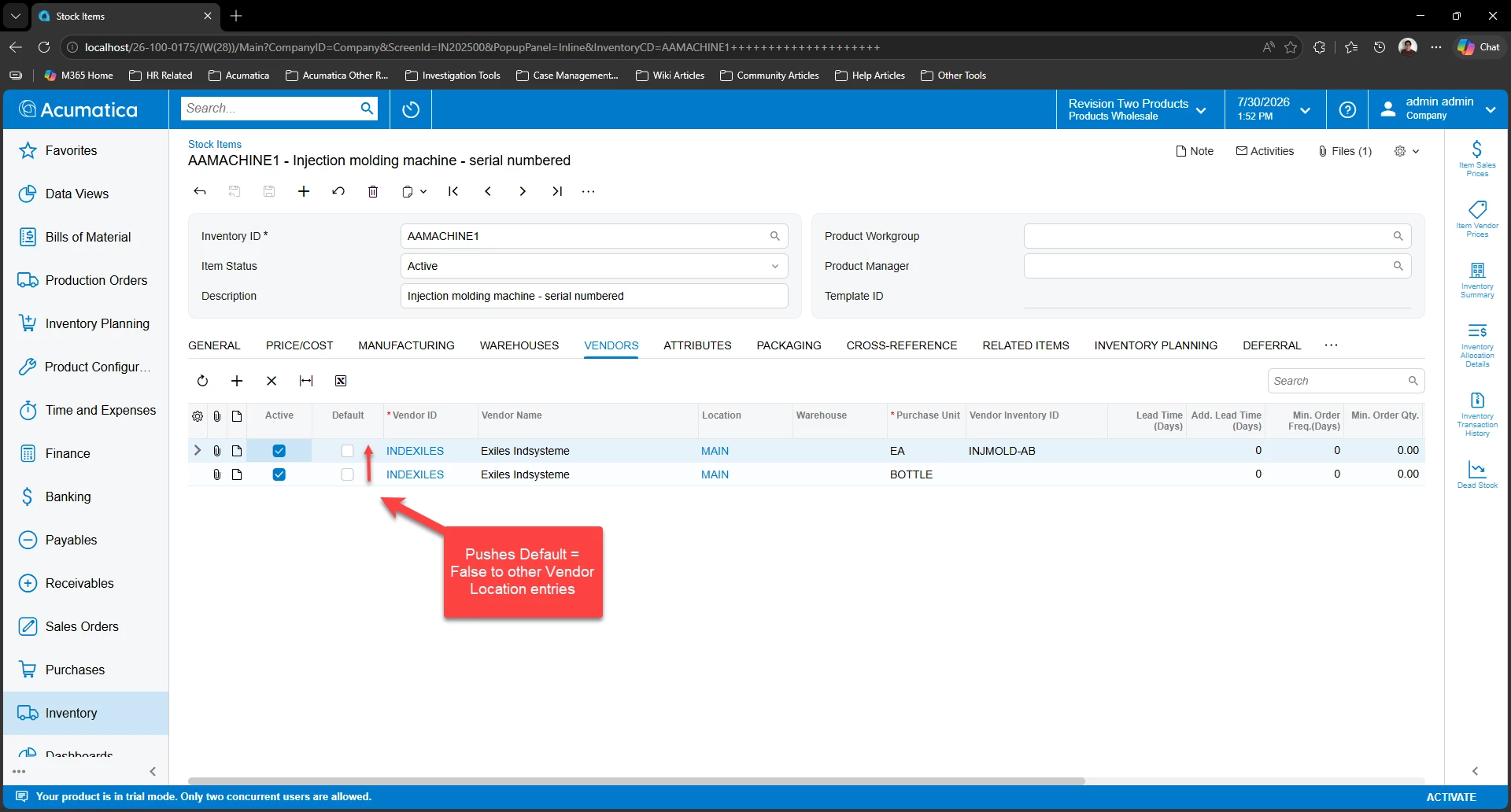
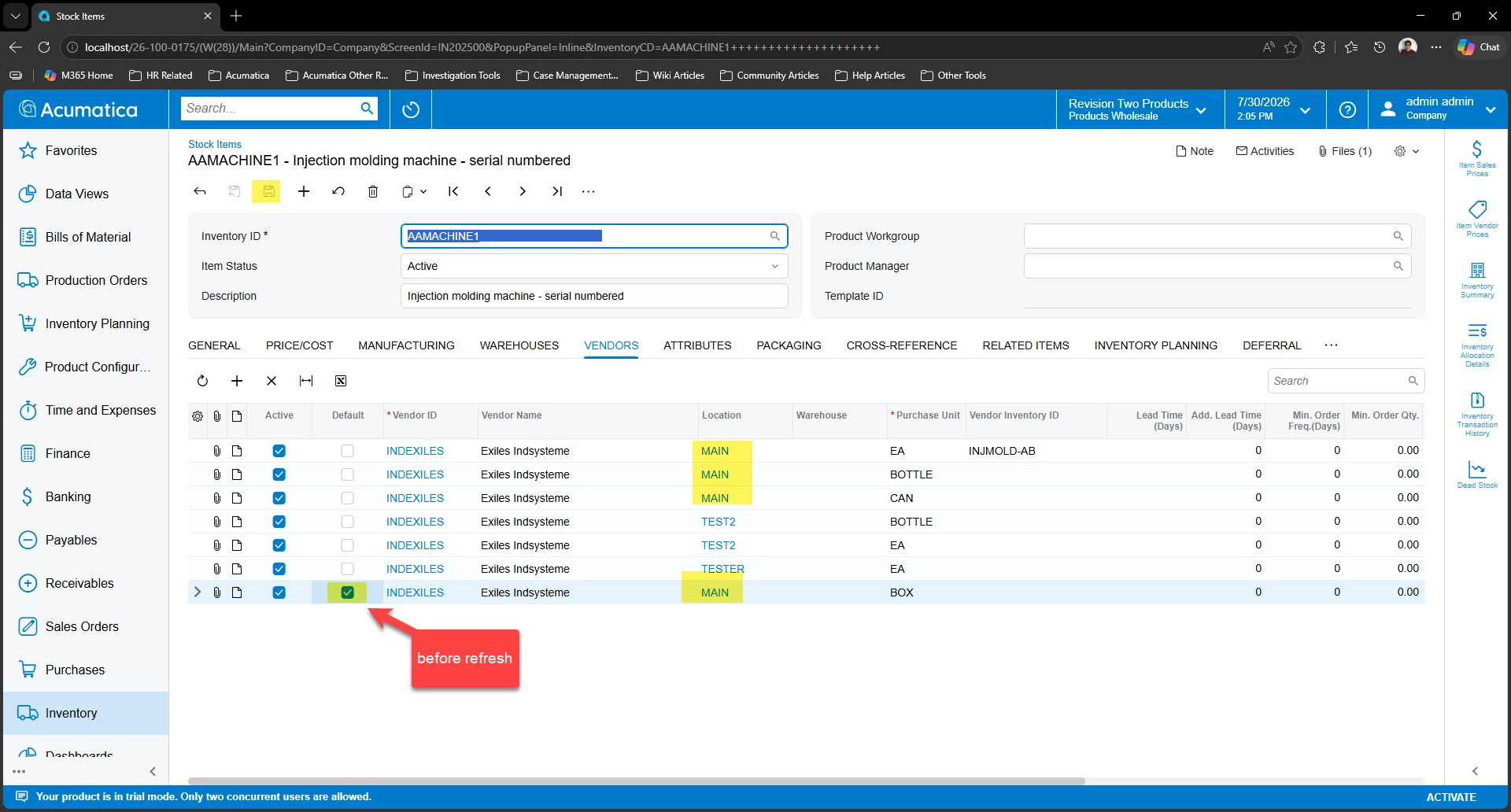
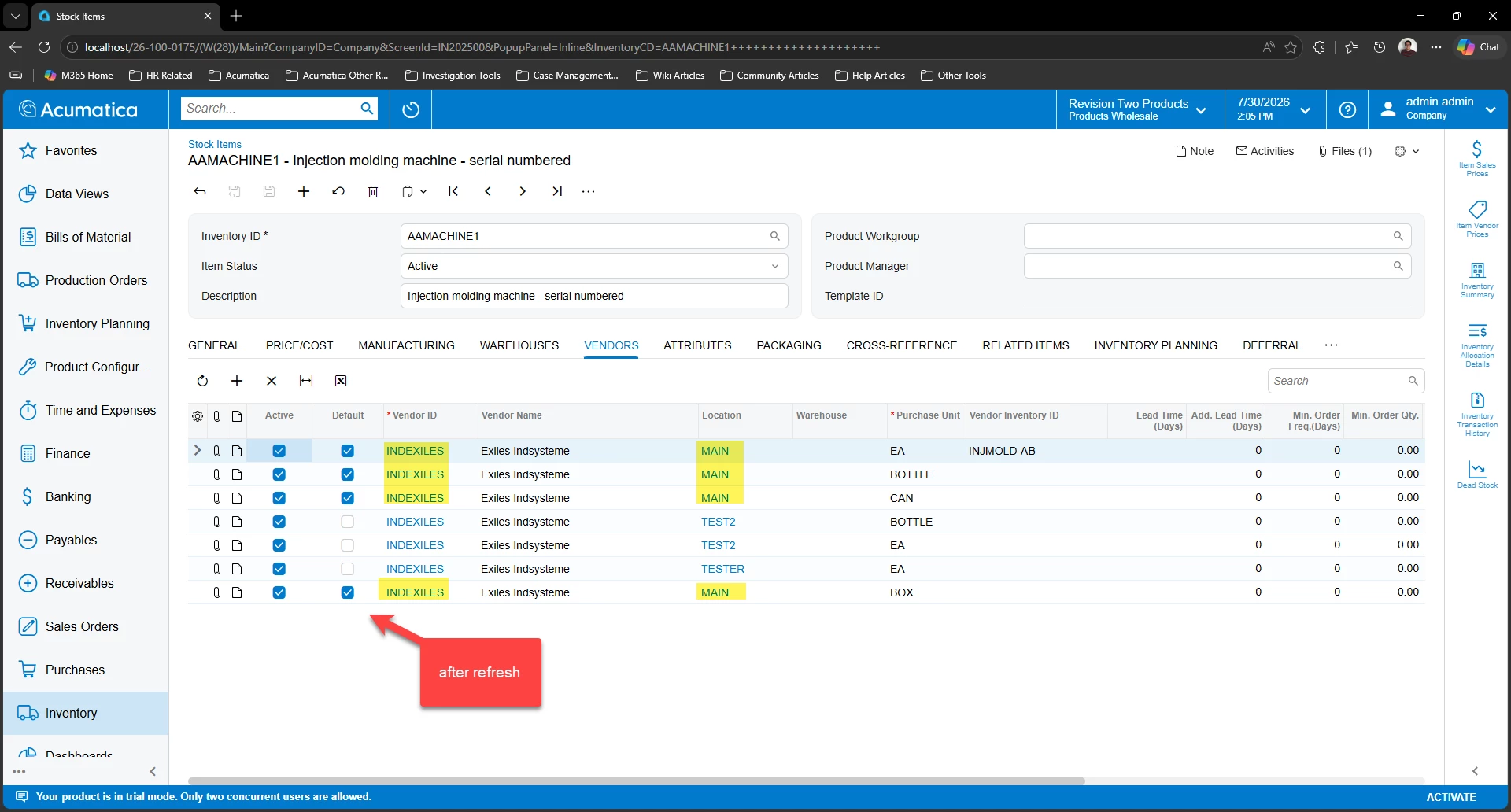
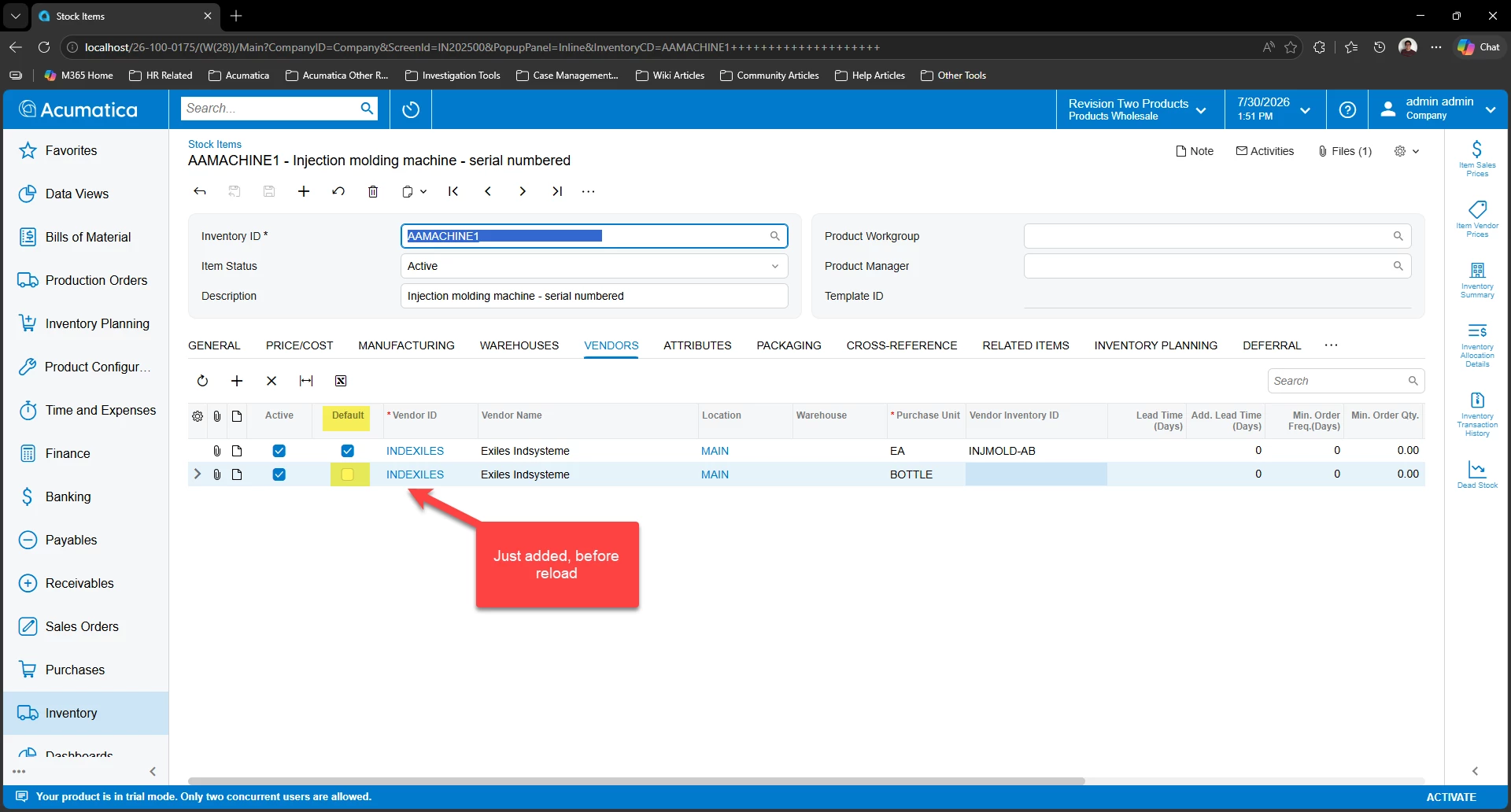
When I add the new UOM on the Vendors tab of the Stock Item and click save, the new UOM will be listed with the original one and only the old UOM will have the Default (for Vendor IsDefault) checkbox checked. However, if you refresh the page you will discover that neither row has the default checkbox selected!

The item no longer has a default vendor?! How? and why? 


If you try to add the new UOM from Vendor Inventory (PO201000), you get an error “An attempt was made to add a duplicate entry.” even though that page is capable of displaying and editing multiple entries


Is there an easier way to load this data without removing default vendors from our items?
 

Best answer by ShoKetchum56

Hello ​@kyle90 !

I think ​@ranjithduraisamy72 is on the right track; but the issue is that “Default” can only be set on one Vendor-Location combo. I think this is the current expected behavior of Acumatica.

If you add the same Vendor-Location Combo (even with a different Purchase UOM), the two data sets will interfere with each other and trigger both to become unmarked as default (or both be marked as default).

From my local testing, if a new Vendor line is added (using the same location), this would override other Vendor-Location entries 

We can see this a bit clearer with multiple UOM Conversions and multiple Vendor Locations.

The behavior will make other Vendor-Location combinations “Default” = True on refresh as well

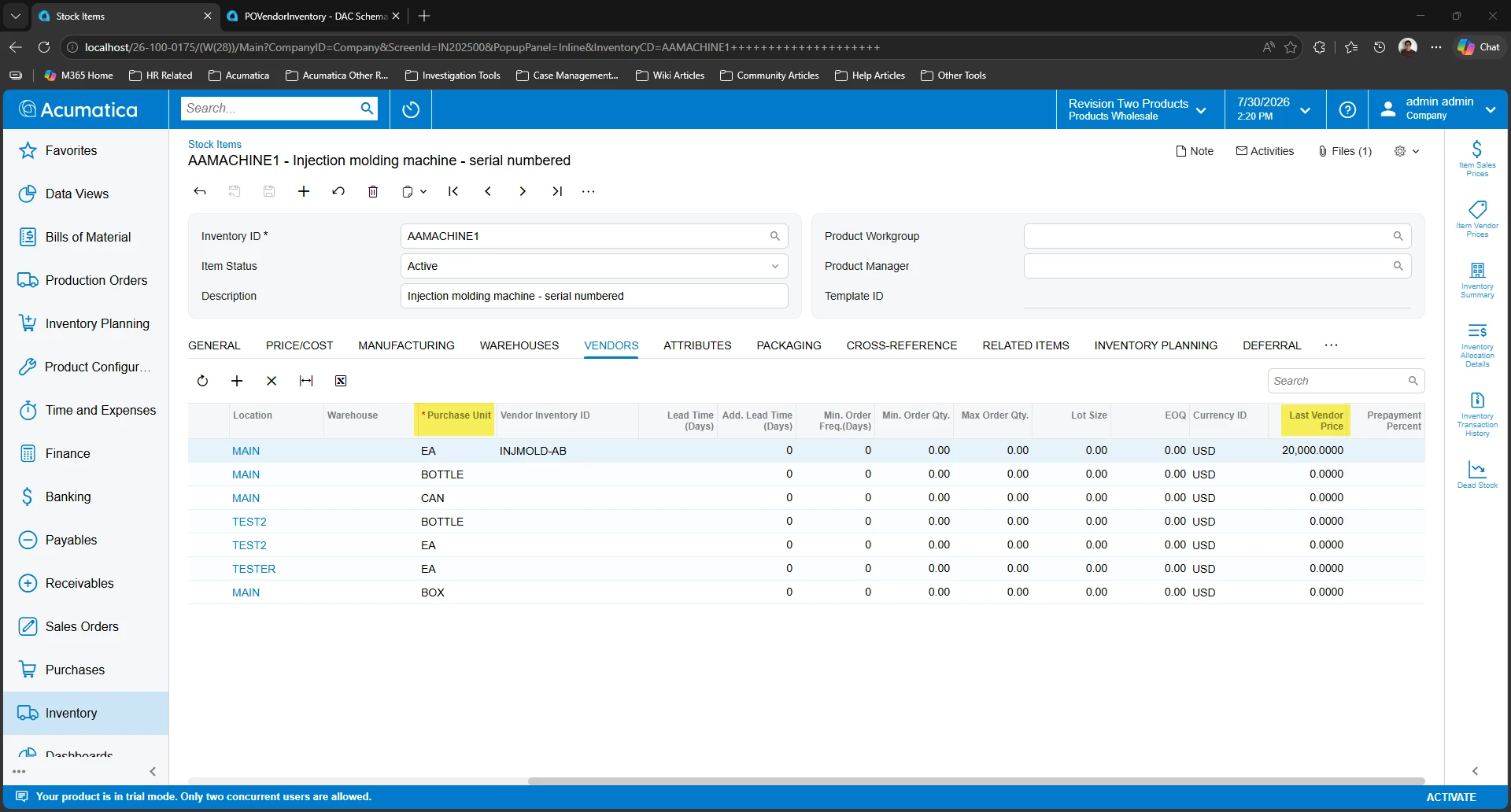
From my review, this is because the “Default” field on the Vendor is to set the Vendor/Location to be used by default, while the UOM is used to drive the Price when that Vendor/UOM combination is used

Currently the UOM set on a Purchase Order is driven by the Purchase Unit

From my review, this seems to be the current expected behavior of Acumatica.

However, I found this Ideas Post that is related to this issue and having a “default” UOM/Vendor combo Selecting the correct UOM for a specific vendor on a Purchase Order | Community 

This would be the best way to notify our development team that the Stock Item > Vendor Tab behavior should be improved and seems to be associated with this issue. 

You can also submit a Support Case regarding this for confirmation, but I suspect the behavior seen currently is expected/standard and would need to be changed through the Idea/feedback process to modify.

I hope this information is helpful!

5 replies

Forum|alt.badge.img+3

@kyle90 TThis behavior appears to be unusual. It may be worth creating a support case with Acumatica. Based on my understanding, this could be occurring because the same vendor is being used multiple times with different UOMs. Please check with Acumatica support to confirm whether this is the expected native behavior or an issue that needs to be addressed.


Hi ​@kyle90 ,

Please review the following steps, which may help address the issue.

  1. Ensure that the Multiple Units of Measure feature is enabled in Acumatica.
  2. Navigate to the Stock Items (IN202500) form.
  3. In the Units of Measure section, specify the additional UOM you wish to add.
  4. Define conversion rules between the current and new UOM to ensure accurate quantity calculations.
  5. This process allows you to add a second UOM without removing default vendors.


Hope this helps.

Thank You,

Kasuni Edirisinghe


Forum|alt.badge.img+3
  • Author
  • Captain II
  • July 16, 2026

Please review the following steps, which may help address the issue.

  1. Ensure that the Multiple Units of Measure feature is enabled in Acumatica.
  2. Navigate to the Stock Items (IN202500) form.
  3. In the Units of Measure section, specify the additional UOM you wish to add.
  4. Define conversion rules between the current and new UOM to ensure accurate quantity calculations.
  5. This process allows you to add a second UOM without removing default vendors.


Multiple Units of Measure has been enabled from day 1 and is used regularly across two active tenants - the issue isn’t how to add a 2nd UOM, the issue arises when assigning an alternate UOM from the default vendor

When we assign a secondary non-default vendor with a different UOM the issue does not happen. The issues only happens when you add a 2nd UOM using the currently defaulted UOM


@KasuniEdirisinghe58 - I would suggest you attempt the follow steps to determine if this is isolated to our instance (2025 R1)

  1. Navigate to the Stock Items (IN202500) form and select an item with an existing Default Vendor
  2. In the Units of Measure section, specify the additional UOM you wish to add
  3. Define conversion rules between the current and new UOM to ensure accurate quantity calculations.
  4. On the Vendors tab, add a 2nd row using the + button, then add the following details in this order
    1. Use the same Vendor ID as the existing default vendor
    2. Select the new UOM as the Purchase Unit
    3. Assign a new & unique Vendor Inventory ID
  5. Click Save (Ctrl+S) & note the default vendor check box status on the Vendors tab
  6. Click Cancel (Esc) & note the default vendor check box status on the Vendors tab


In our instance, at step 5 only the original UOM will have the default vendor checkbox checked.

At step 6 neither row has the default checkbox selected


The default vendor becomes unselected when adding a second UOM


ShoKetchum56
Acumatica Employee
Forum|alt.badge.img+1
  • Acumatica Employee
  • Answer
  • July 30, 2026

Hello ​@kyle90 !

I think ​@ranjithduraisamy72 is on the right track; but the issue is that “Default” can only be set on one Vendor-Location combo. I think this is the current expected behavior of Acumatica.

If you add the same Vendor-Location Combo (even with a different Purchase UOM), the two data sets will interfere with each other and trigger both to become unmarked as default (or both be marked as default).

From my local testing, if a new Vendor line is added (using the same location), this would override other Vendor-Location entries 

We can see this a bit clearer with multiple UOM Conversions and multiple Vendor Locations.

The behavior will make other Vendor-Location combinations “Default” = True on refresh as well

From my review, this is because the “Default” field on the Vendor is to set the Vendor/Location to be used by default, while the UOM is used to drive the Price when that Vendor/UOM combination is used

Currently the UOM set on a Purchase Order is driven by the Purchase Unit

From my review, this seems to be the current expected behavior of Acumatica.

However, I found this Ideas Post that is related to this issue and having a “default” UOM/Vendor combo Selecting the correct UOM for a specific vendor on a Purchase Order | Community 

This would be the best way to notify our development team that the Stock Item > Vendor Tab behavior should be improved and seems to be associated with this issue. 

You can also submit a Support Case regarding this for confirmation, but I suspect the behavior seen currently is expected/standard and would need to be changed through the Idea/feedback process to modify.

I hope this information is helpful!


Forum|alt.badge.img+3
  • Author
  • Captain II
  • July 30, 2026

Thank you ​@ShoKetchum56 - that’s a great summary of what’s going on and very thorough review of the problem! I really appreciate you taking the time to dig in on this 


And while you might be right that this is the “current expected behavior of Acumatica” - I can’t imagine how this helps anyone or improves user experience in any real-world scenario. 


I added comments to  Selecting the correct UOM for a specific vendor on a Purchase Order | Community about a year ago, and it looks like this hasn’t moved forward. I see a lot of simple fixes and updates to distribution go unaddressed - it feels like the new stuff always gets prioritized over polishing the existing features, which is sad. You can see other’s comment on that post as “eagerly awaited” and “really important for all customers” but it’s not been picked up by anyone at Acumatica


I would love an opportunity to make a case for why this and a bunch of small related improvements to Vendor/Inventory would be worth a look


Thanks again