Answer

Converting String Attribute to Decimal in a GI

  • November 18, 2021
  • 8 replies
  • 1182 views

eleanorp
Freshman II
Forum|alt.badge.img

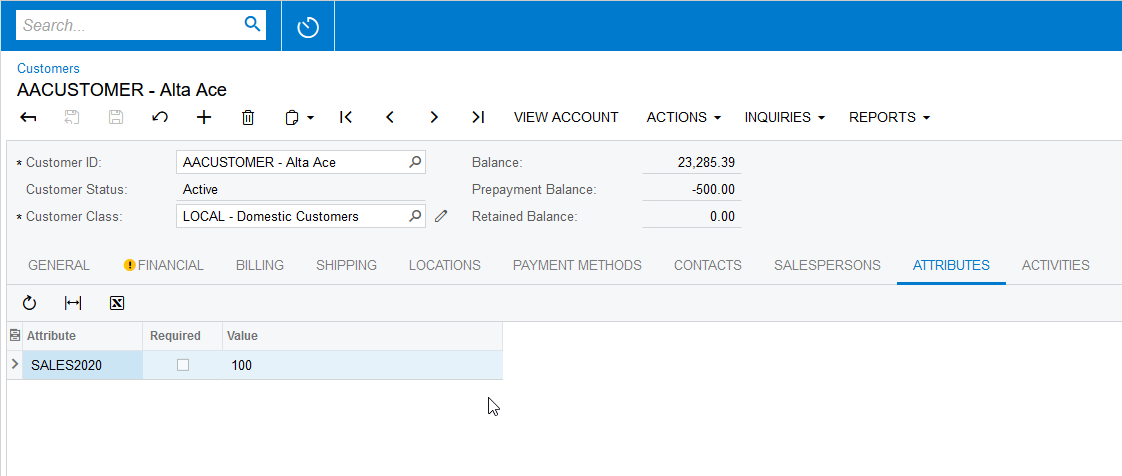
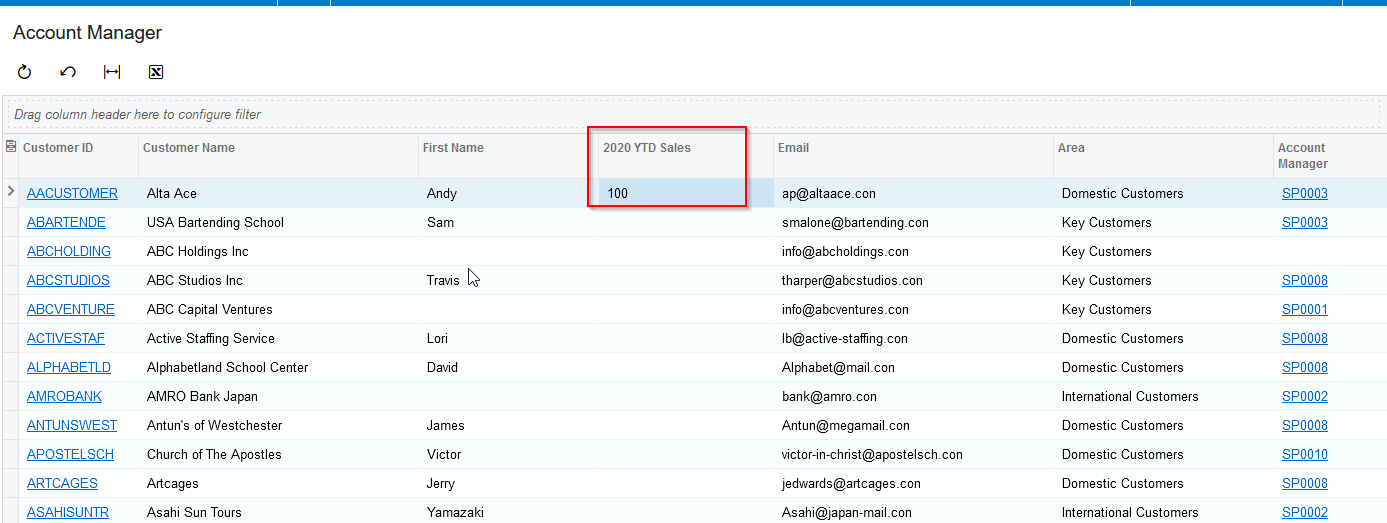
I am trying to convert an attribute on the customer record to a double

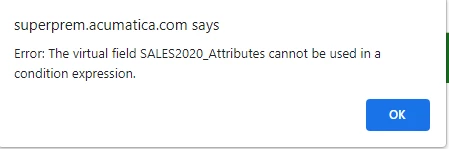
when it appears on a GI so that the data can be sorted with it. I have tried using the formula editor and using the convert formulas, but the don’t seem to work. I get an error saying “Error: The virtual field SALES2020_Attributes cannot be used in a condition expression.”, SALES2020_Attributes being the name of the text attribute. 
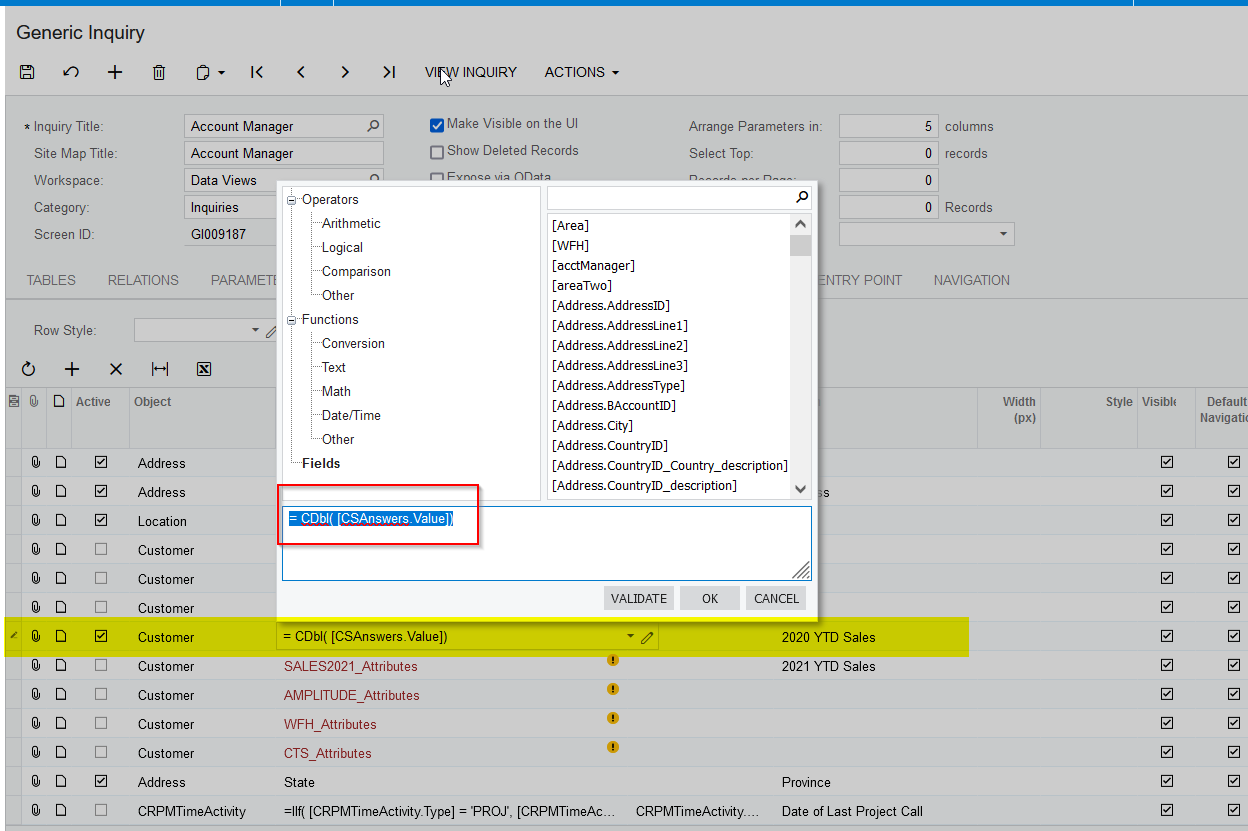
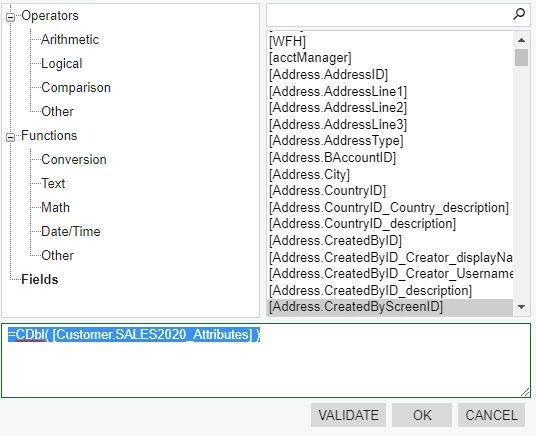
This is what the formula looks like in the formula editor:
 

Any help would be appreciated! 
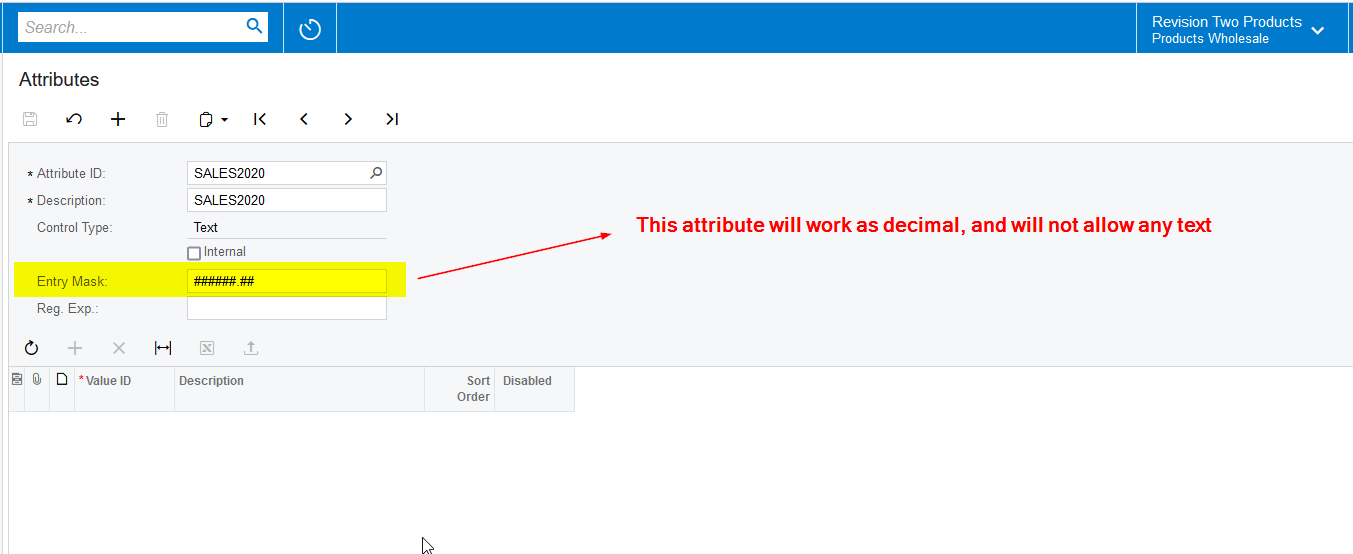
Best answer by Naveen Boga

Hi Elenorp,

Yesterday only I came to know that we can make it allow only numbers even it is TEXT attribute by providing the Mask in for the respective attribute. This is simple change and you can avoid CSAnswers table joins.

Hoping that this is right solution for you.


8 replies

Naveen Boga
Captain II
Forum|alt.badge.img+19
  • Captain II
  • November 19, 2021

Hi @eleanorp  If possible, can you please share the GI here, I can take a look from my end.


eleanorp
Freshman II
Forum|alt.badge.img
  • Author
  • Freshman II
  • November 22, 2021

Thank you for helping me (again xD)

The three attributes I’d like to convert are SALES2019_Attributes, SALES2020_Attributes, and SALES2021_Attributes. I just changed one as I had to change it back so the team can still use it as is. Thank you again and let me know if you find anything! 


Naveen Boga
Captain II
Forum|alt.badge.img+19
  • Captain II
  • November 22, 2021

Hi @eleanorp  I just verified this GI, SALES2020_Attributes is not a bound field and we can call it as unbound/non-persist/Virtual field.

For the Virtual fields, we can not use the expressions and will get the errors. To more details about this, here is the article for you - https://asiablog.acumatica.com/2017/09/database-mapped-vs-virtual-fields.html

To covert to decimals we need to use the Bound fields, and we can achieve this requirement like below and hope that helps.

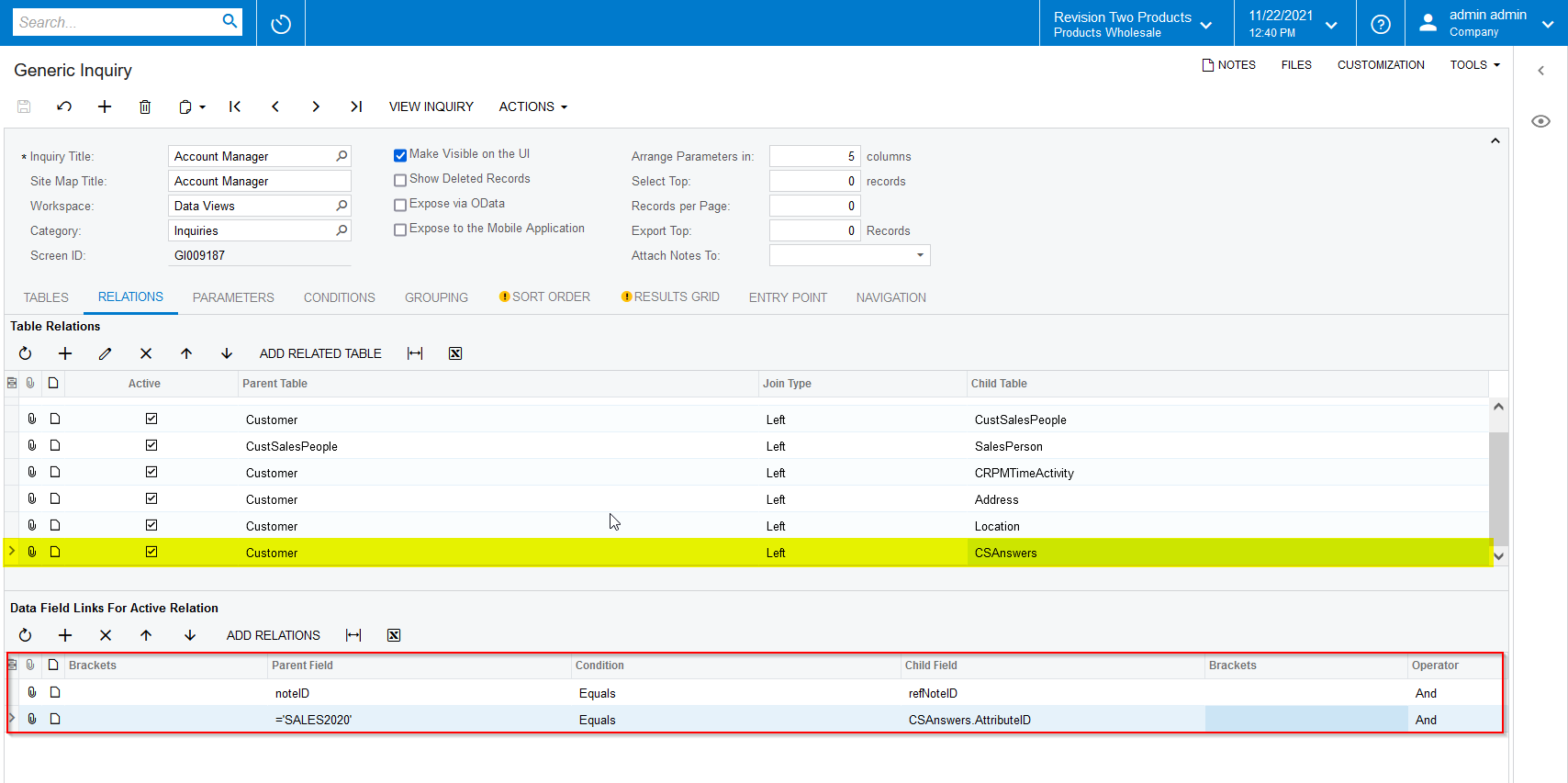
  • You need to join with CSAnswers table, where the bound field exist with the value
  • Use the decimal conversion for the Value field.
  • Since you have multiple attributes, you need to create join with CSAnswers for the each Attribute ID, since you have multiple attributes.

Here are the screenshots for your reference.


GI Modifications:


eleanorp
Freshman II
Forum|alt.badge.img
  • Author
  • Freshman II
  • November 26, 2021

Hello, 


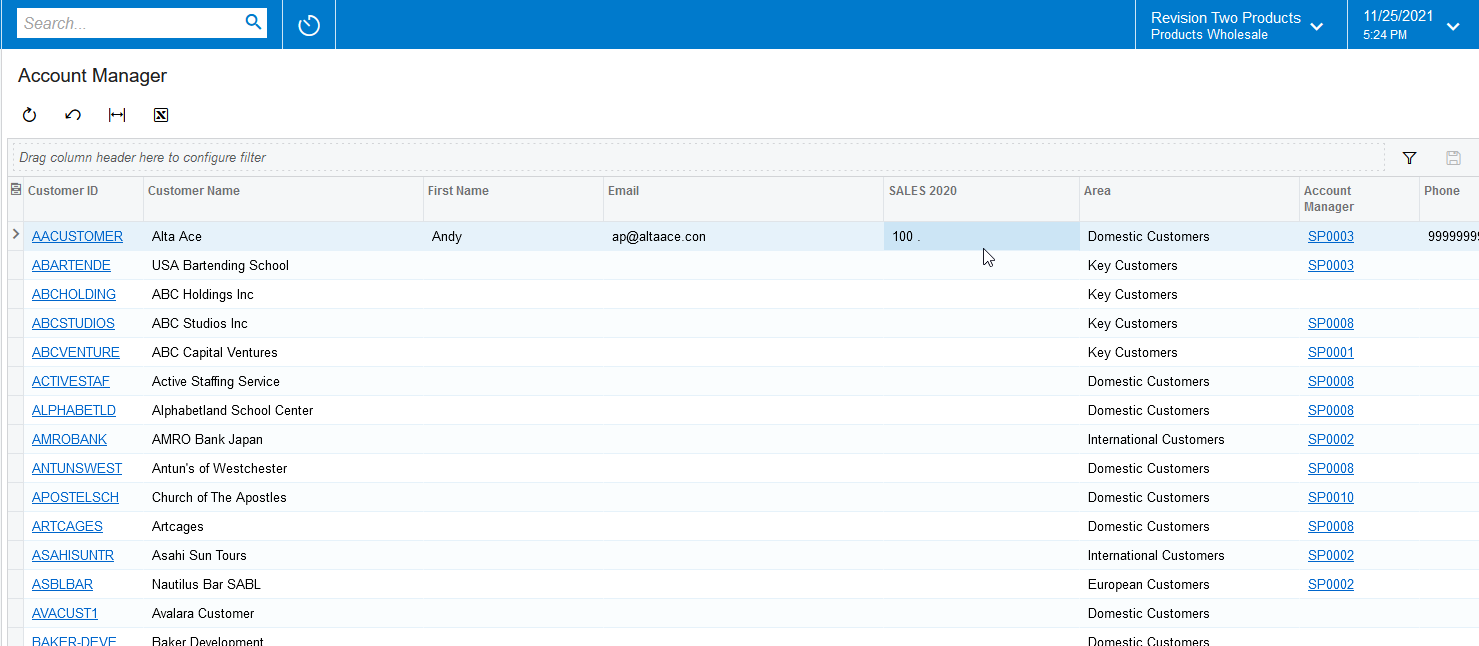
Thanks for the article and the explanation! I tried it out and it only seems to show up blank. I attached a copy. Any idea what I missed? Thank you so much! 


Naveen Boga
Captain II
Forum|alt.badge.img+19
  • Captain II
  • Answer
  • November 26, 2021

Hi Elenorp,

Yesterday only I came to know that we can make it allow only numbers even it is TEXT attribute by providing the Mask in for the respective attribute. This is simple change and you can avoid CSAnswers table joins.

Hoping that this is right solution for you.


Forum|alt.badge.img+8
  • Semi-Pro I
  • November 26, 2021

@Naveen B It is nice that we have this Entry Mask feature in the Attributes screen. 


Naveen Boga
Captain II
Forum|alt.badge.img+19
  • Captain II
  • November 26, 2021

Yes @ChandrasekharM  Already provided the update to @eleanorp  to implement the same.


Forum|alt.badge.img
  • Jr Varsity II
  • May 10, 2023

Hello @Naveen Boga 

I need your help with a formula for a customer. My coworker and I have tried and tried and we keep getting an error “divide by zero error encountered”

On the Project Summary GI, we are trying to add a column called current percent profit. The formula we are trying to come with is: Revised Estimate divided by Revised Contract and I do not know how to get it to work. 

This is the formula for Revised Contract: =iif([PMBudget.Type] = 'I',[PMBudget.Amount],0) + iif([PMBudget.Type] = 'I',[PMBudget.ChangeOrderAmount],0)

The formula for Reviesed Estimate:  =iif([PMBudget.Type] = 'E',[PMBudget.RevisedAmount],0)


I tried to combine them as such and it gives this error: 

=iif([PMBudget.Type] = 'I',[PMBudget.Amount],0) + iif([PMBudget.Type] = 'I',[PMBudget.ChangeOrderAmount],0) / (iif([PMBudget.Type] = 'E',[PMBudget.RevisedAmount],0))

I know we are getting this error because some lines are going to be zero. I even tried to follow the formula you listed above and it does not give me the correct results. Can you please help?

Thank you