Change Sales Order Completed to Shipped

  • July 16, 2025
  • 6 replies
  • 194 views

jbuddecke71
Varsity I
Forum|alt.badge.img

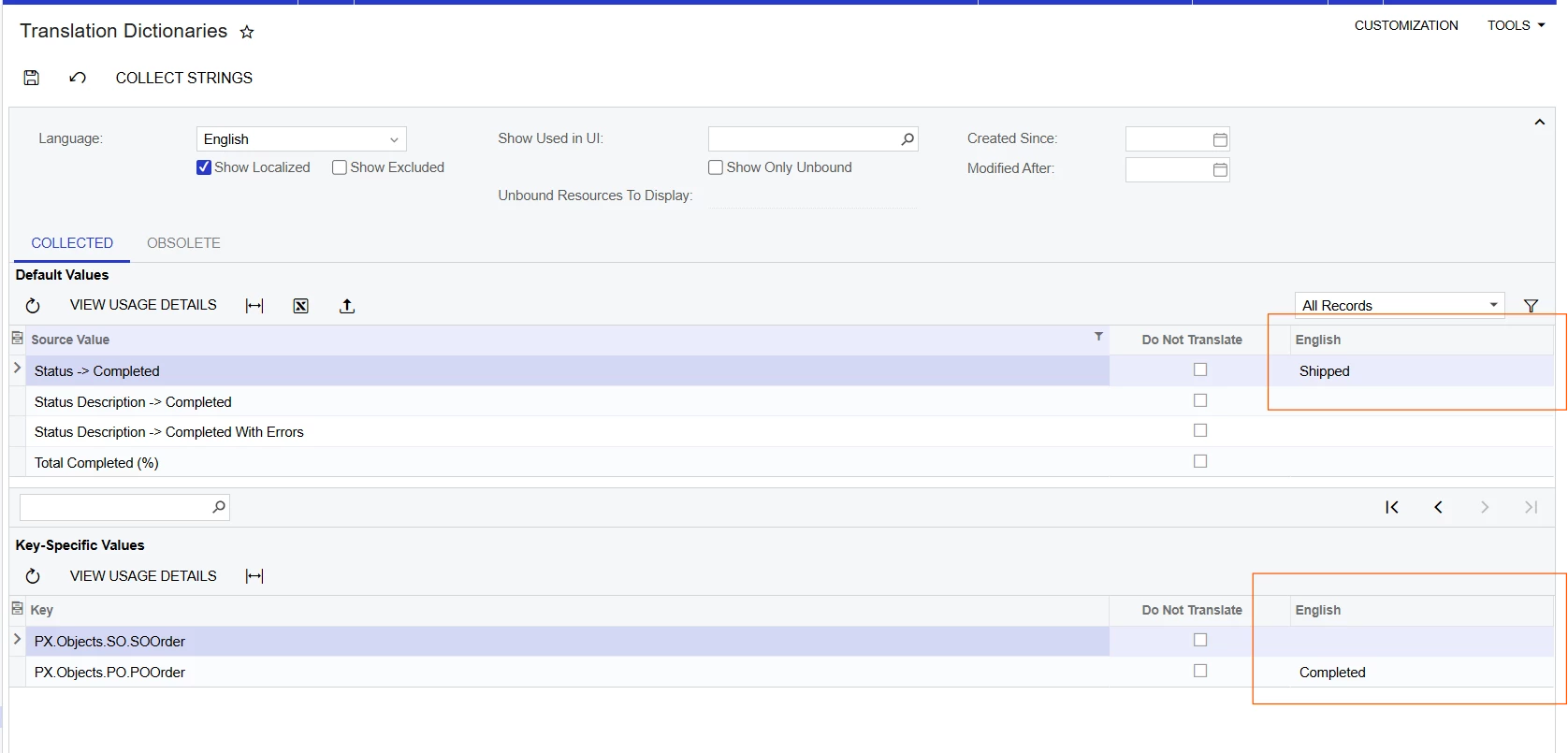
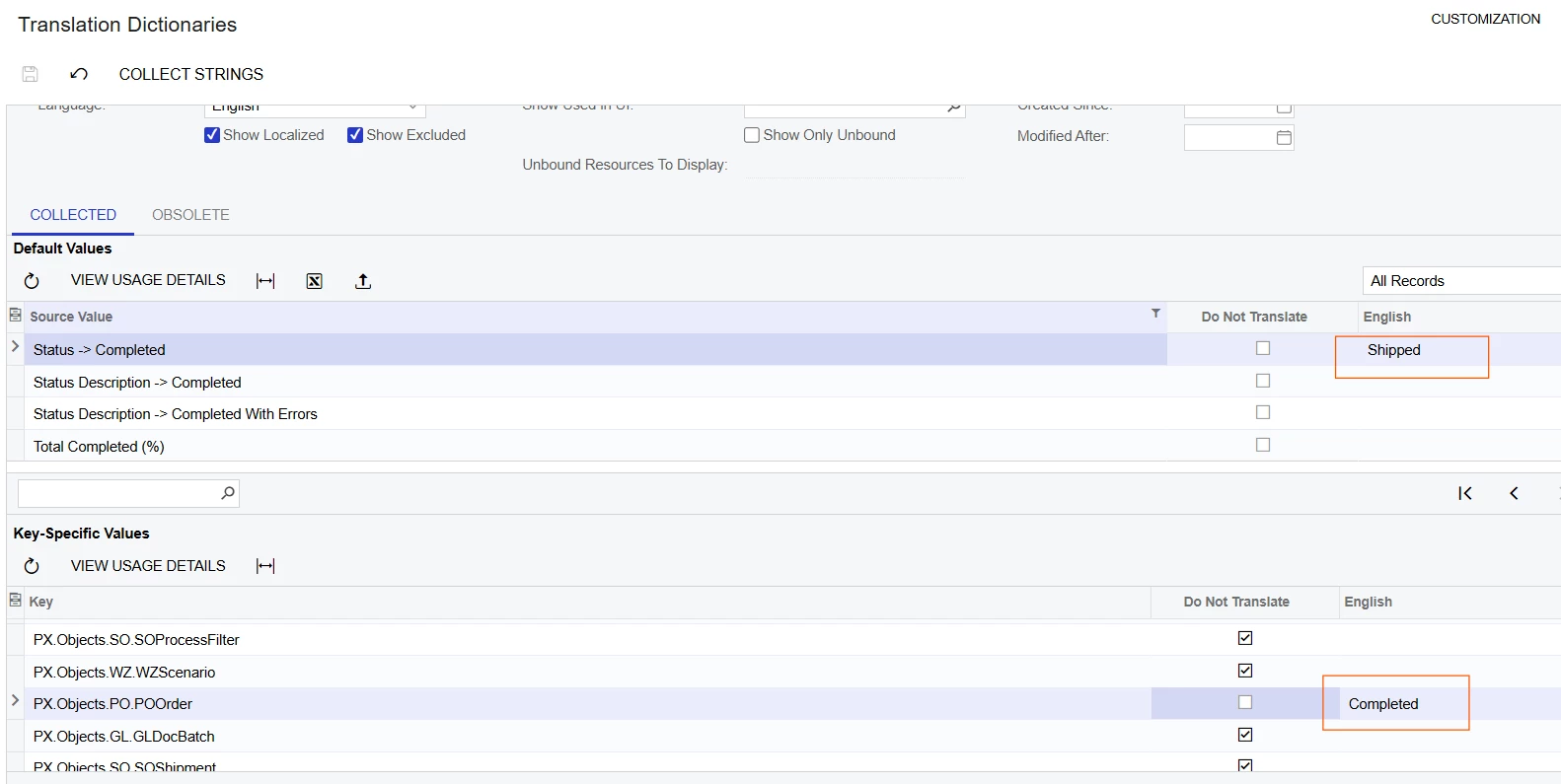
I was asked by a client to change the Sales Order status “Completed” to “Shipped” because they found “Completed” misleading. (Completed orders may or may not have been invoiced.) I didn’t find a way to change the workflow status description in the customization workflow, so I looked for a different option. I changed it in the Translation Dictionaries, which I find even simpler. This value was used in multiple places and I could choose to change it globally or by screen. In the example below, I changed the status description for Sales Orders but left it as Completed for Purchase Orders.

Hopefully this is helpful for someone looking to make a similar change.
 

6 replies

Chris Hackett
Community Manager
Forum|alt.badge.img
  • Acumatica Community Manager
  • July 17, 2025

Thank you for sharing this tip with the community ​@jbuddecke71!


  • Freshman I
  • August 11, 2025

Hello ​@jbuddecke71 

Glad to have found this post. However, may I get more assistance from you on how do I locate the Translation Dictionaries area in MYOB Acumatica? We are getting very misled by the status showing COMPLETED when they are not actually INVOICED yet. We should like the status to show SHIPPED when shipped, then COMPLETED when the SO is actually invoiced and closed. 

Please help! :) 


  • Freshman II
  • August 12, 2025

@jbuddecke71 

Thanks for your tip and I will apply the same


jbuddecke71
Varsity I
Forum|alt.badge.img
  • Author
  • Varsity I
  • August 12, 2025

@btan123 It is a little tricky to find and the stages are definitely misleading, IMO.

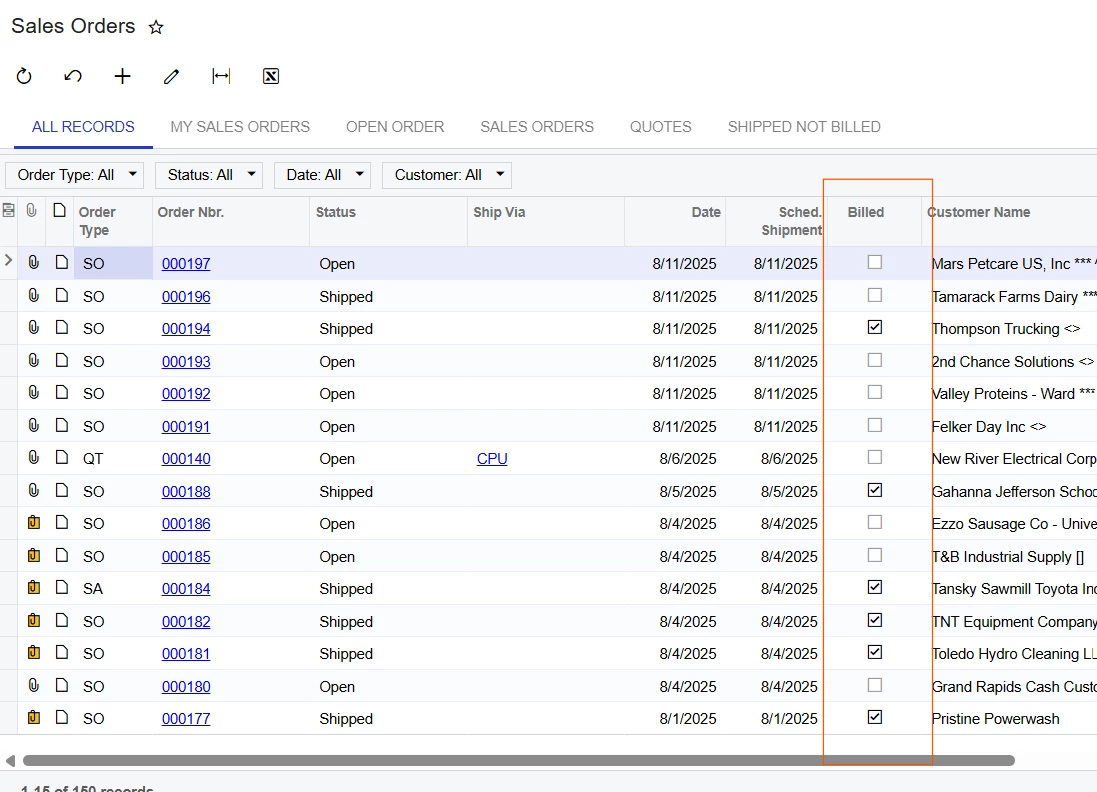
My change looks like this. This changes the label on sales orders to SHIPPED, but keeps POs as COMPLETED. My change only does part of what you are requesting. You will likely need to add a new workflow stage to move the order from SHIPPED to COMPLETED. I accomplished this in a similar way by adding a billed checkbox to the GI. (See 2nd screenshot.) The combination of SHIPPED and BILLED = COMPLETED. Adding a workflow stage can be done, but it is a larger project. There are other posts in the Community about how to do that.


Forum|alt.badge.img+1
  • Jr Varsity II
  • September 10, 2025

I had forgotten about this.  Does this affect any existing GI’s or other functionality?  For example, would GI’s relating to orders still use “completed” or does it switch to the new translated word?  Is this strictly a screen “view” thing?

Does that make sense?  Trying to gauge any unforeseen consequences. 


jbuddecke71
Varsity I
Forum|alt.badge.img
  • Author
  • Varsity I
  • September 10, 2025

The GIs will use the translated word. The negative consequence I found is that all transaction types use the same translation. I want the sales orders to show as “shipped”, but it is weird for quotes to show as “shipped.”