Question

Cannot Adjust stock item

  • July 15, 2026
  • 3 replies
  • 32 views

Forum|alt.badge.img

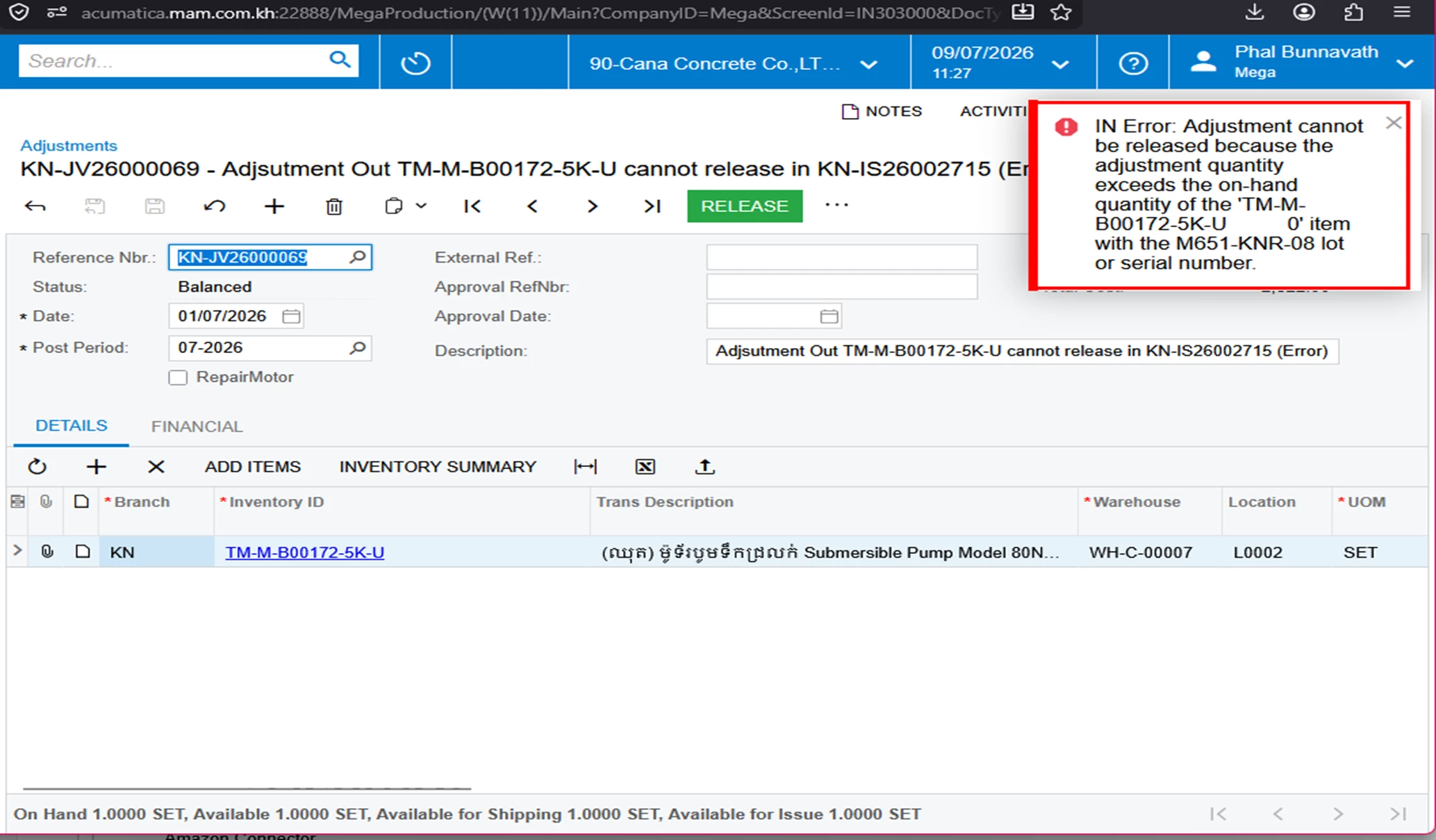
I have enough stock item to adjust but after releasing it show the error message about

3 replies

nhatnghetinh
Captain II
Forum|alt.badge.img+13
  • Captain II
  • July 15, 2026

Hi ​@vannakheng,

Although the overall On Hand quantity appears sufficient, the error indicates that the specific Lot/Serial number does not have enough available quantity for the adjustment.

Things to check:

Verify the Lot/Serial Status to ensure that lot/serial M651-KNR-08 has sufficient Available Qty, not just On Hand Qty.
Check whether the quantity is already allocated, on hold, or reserved by another document (SO, Shipment, Production, etc.).
Confirm that the Warehouse and Location on the adjustment match where that lot/serial is actually stored.
If the lot is partially committed, release or unallocate the related documents first, then try releasing the adjustment again.

The issue is usually related to the availability of the selected Lot/Serial, not the total inventory quantity.


Best Regards,

NNT


Forum|alt.badge.img
  • Jr Varsity III
  • July 15, 2026

Hii ​@vannakheng ,  Although the item shows 1 available, Acumatica validates the selected Lot/Serial number, not just the total stock. Verify that Lot/Serial M651-KNR-08 has sufficient available quantity in the same warehouse and location, and ensure it isn't reserved by another unreleased transaction or allocation.


alexx
Jr Varsity III
Forum|alt.badge.img
  • Jr Varsity III
  • July 15, 2026

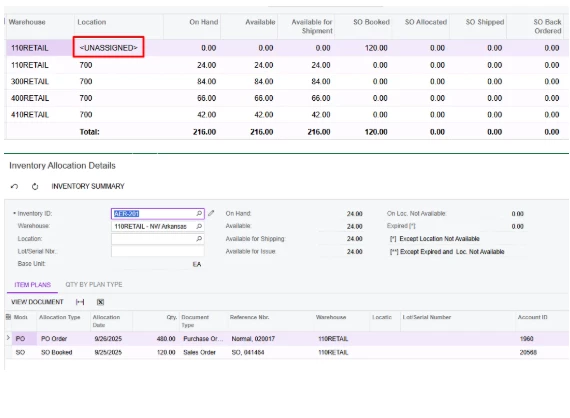
This is a screenshot from a similar situation that I answered…

Your error message sounds like there’s an item allocated on a document somewhere. You can find that by going to Inventory Summary. If it shows “<UNASSIGNED>” under Location, that usually means there is a qty sitting on an unfinished transaction somewhere.

Double clicking on that line will direct you to a screen to show you what transactions are not completed.