
Hello everyone,
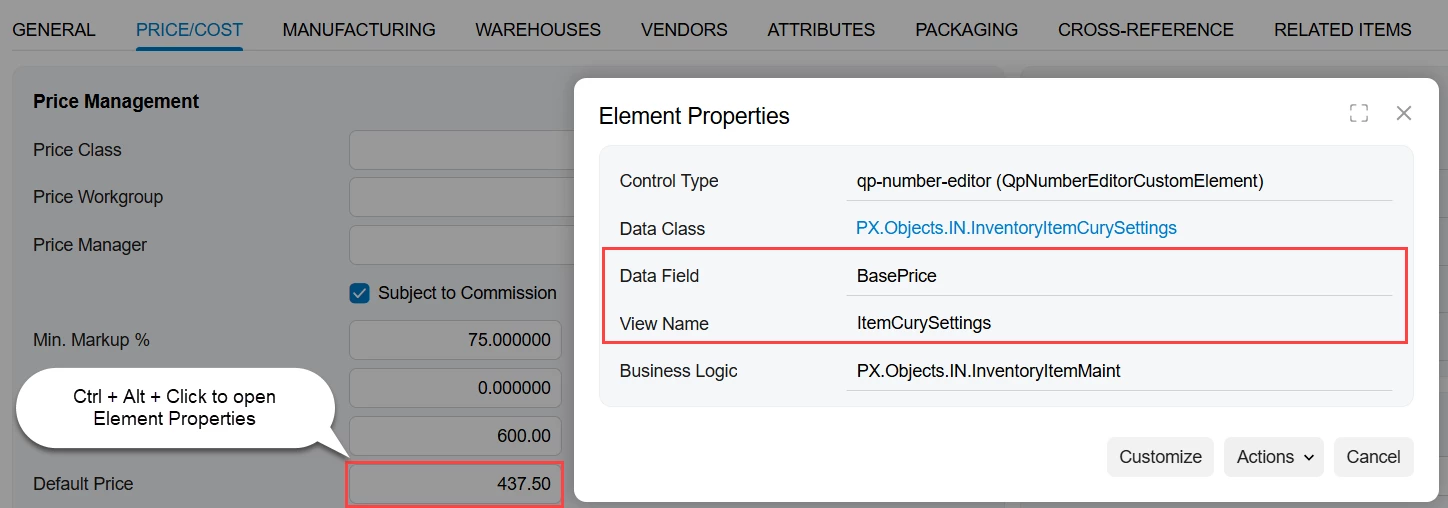
I’m trying to calculate the selling price of my stock items (IN202500) using LLM prompts.
Specifically, I want to multiply the field AvgCost (INItemCost) by a factor of 1.72, which accounts for the following costs:
-
10% Storage costs
-
2% Transport costs
-
20% Personnel costs
-
5% Marketing costs
-
5% Miscellaneous costs
-
30% Profit margin
Unfortunately, I’m struggling to get the correct price calculated. Do you have any tips or advice?
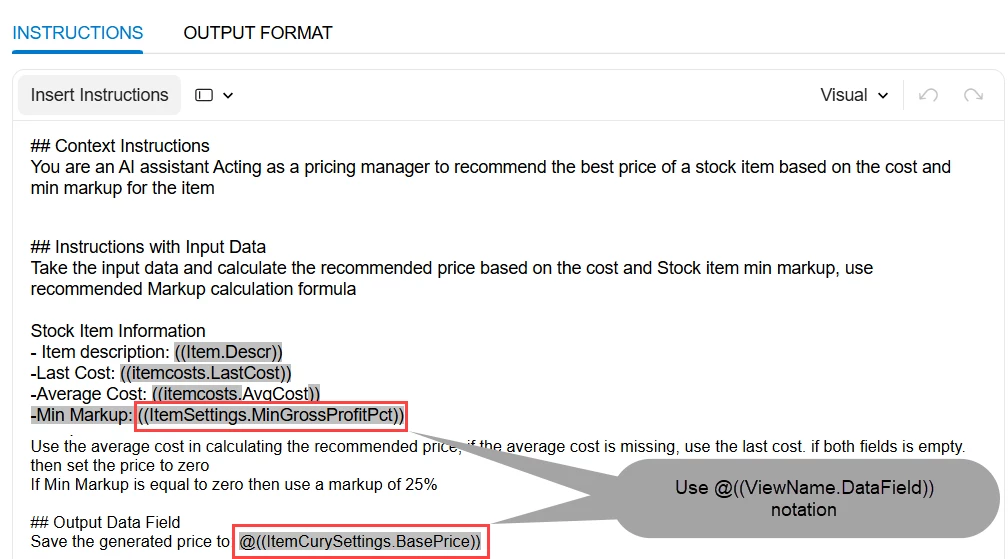
Here’s one of my test prompts:
## Context Instructions
You are an AI assistant working with ERP data.
## Instructions with Input Data
Calculate the field ((InventoryItemCurySettings.BasePrice)) based on the following input data and formula.
Input Data:
- Average Cost: $((INItemCost.AvgCost))
Calculation formula:
BasePrice = AvgCost × (1 + 0.10 + 0.02 + 0.20 + 0.05 + 0.05 + 0.30)
BasePrice = AvgCost × 1.72
The following surcharges are applied to the average cost:
- 10% Storage costs
- 2% Transport costs
- 20% Personnel costs
- 5% Marketing costs
- 5% Miscellaneous costs
- 30% Profit margin
Total surcharge: 72%
## Output Data Field
@((InventoryItemCurySettings.BasePrice)): the calculated base price based on the average cost plus 72% total surcharge. ## Output Format Example:
{
"((InventoryItemCurySettings.BasePrice))": "24,99"
}
## Important Note:
The output must contain only the JSON object, without additional text, explanations, or comments. Make sure that the JSON object is properly formatted: Use double quotes for keys and string values, and place commas and braces correctly.
Any guidance would be greatly appreciated!