Answer

Best Practice for Partial Inventory Return in Credit Return Process

  • May 5, 2025
  • 7 replies
  • 129 views

Forum|alt.badge.img

Hello,

We’re trying to process a Credit Return where some of the returned product goes back into inventory, while the rest is damaged and should not be restocked.

What is the recommended process in Acumatica to return only part of the product to inventory and exclude the damaged portion? Is there a way to split the quantity between what’s restocked and what’s written off, all within in the same return?

Thanks in advance for your help!
Best answer by valentynbeznosiuk


Hello ​@jsiburt 

It makes sense. Applying reason code to the Adjustment only will be enough.


But just in case you would need a workaround to break one Invoice line into two Shipment lines to apply different reason codes (or for any other reason) you can follow steps below:

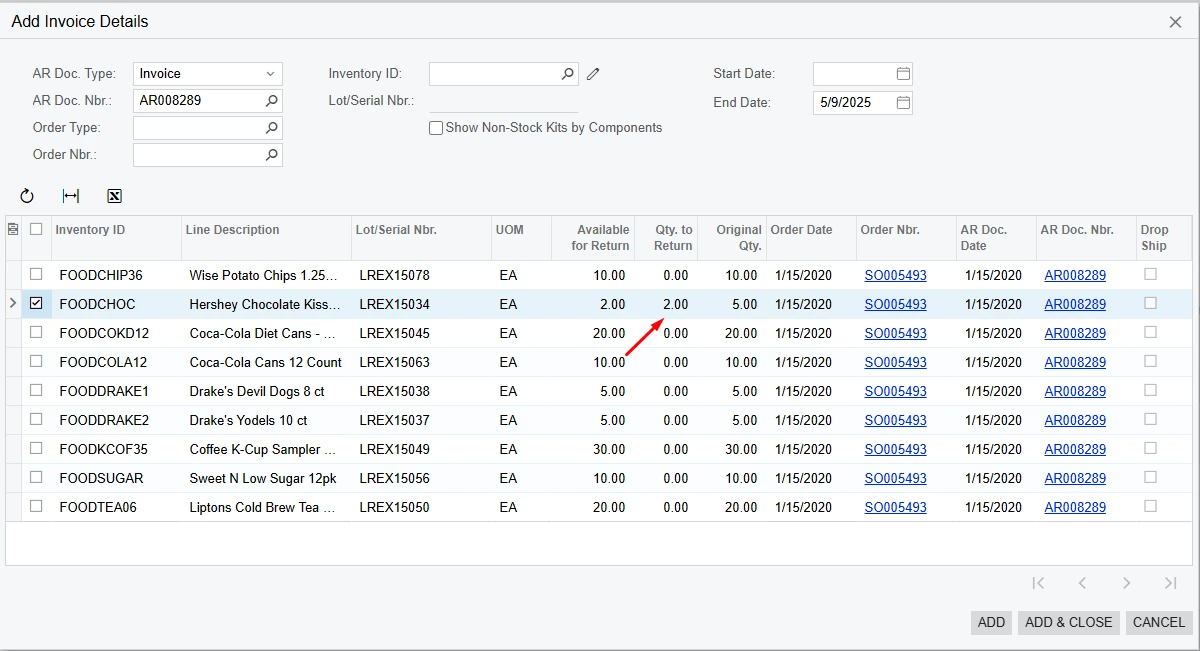
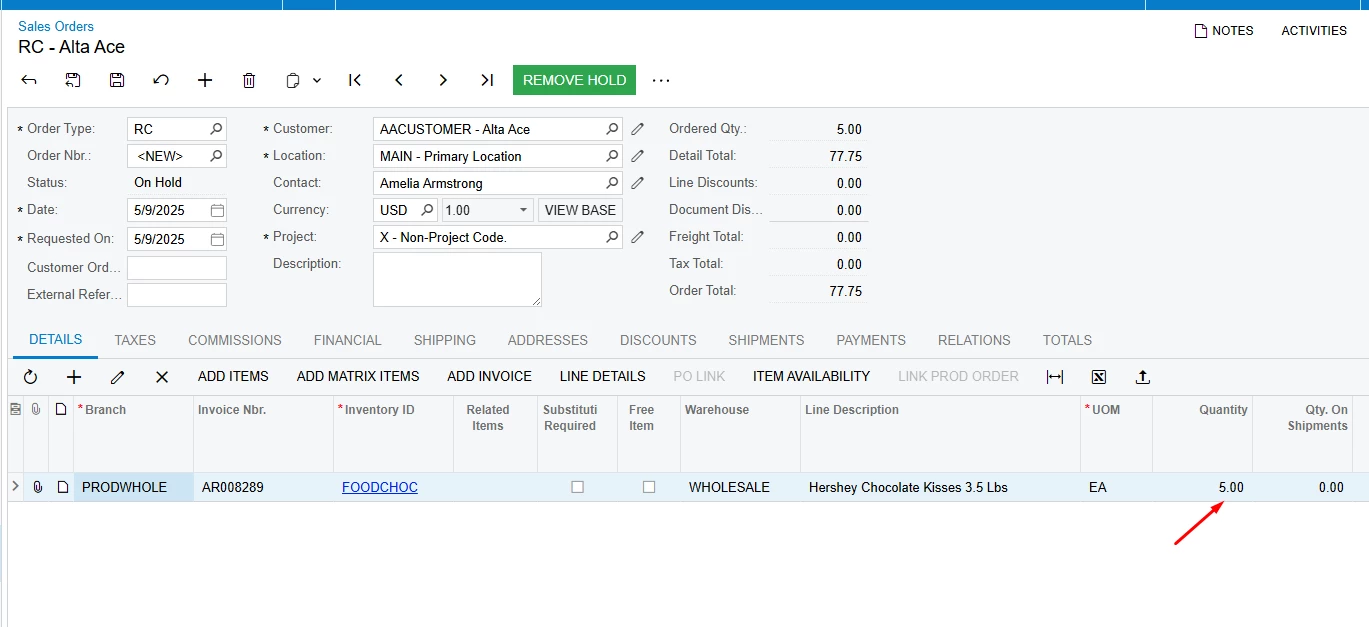
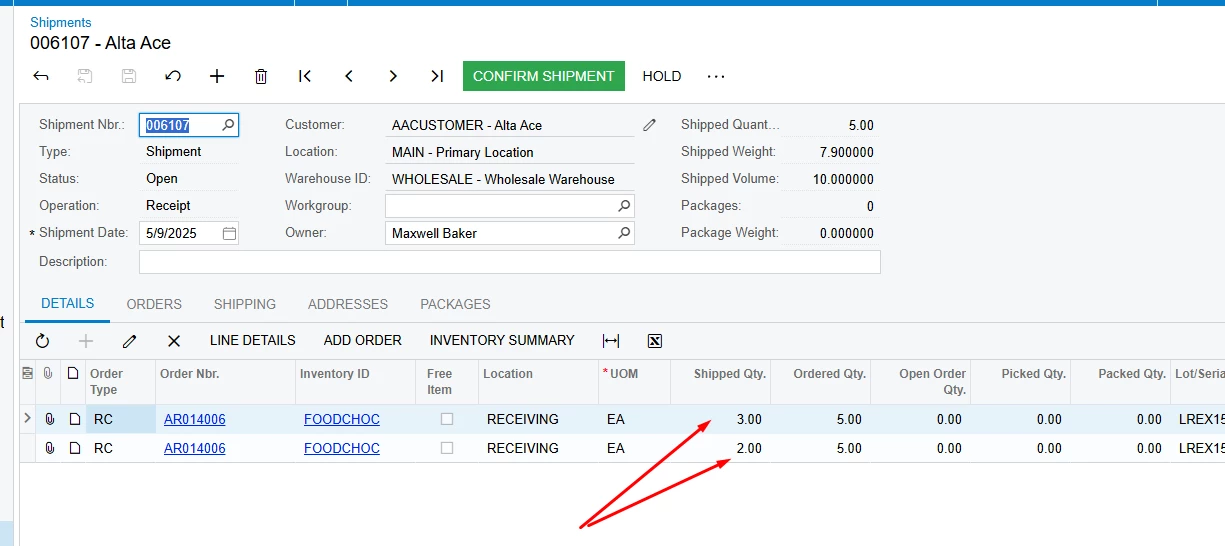
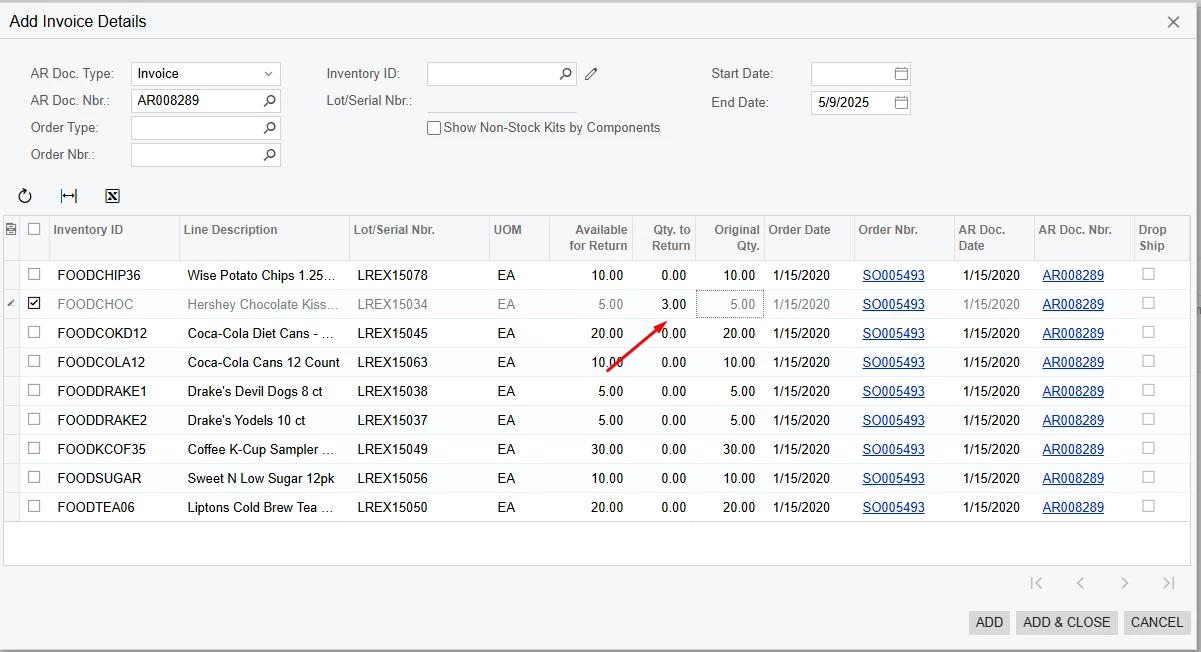
When you use the Add Invoice button on the RC Sales Order, add a needed line in multiple entries, breaking the quantity. In my example, I’ve entered qty 3, used the Add button, and then entered 2 for the same line, a added it again. It will combine quantities into one Sales Order Line, but once you create a Return Shipment, it will be separated into two separate lines.


7 replies

valentynbeznosiuk
Jr Varsity I
Forum|alt.badge.img+3

Hello ​@jsiburt 

Usually, this process goes through the following steps:

  1. Create RC Order with all items that should be credited
  2. Creation of the Shipment to receive all returned items
  3. Through Reason code mark lines for Write off and hit different accounts as a result
  4. Process Credit Memo
  5. Create Inventory Adjustment with needed items, the quantity that needs to be removed from inventory in minus, and another Reason code to hit the same Write off Account

Forum|alt.badge.img
  • Author
  • Jr Varsity II
  • May 6, 2025

Hi ​@valentynbeznosiuk ,

Thank you for your response.

Just to confirm - on the RC Sales Orders screen, should I select “Create Receipt” or “Create Shipment”? Could you clarify the difference between the two options?


valentynbeznosiuk
Jr Varsity I
Forum|alt.badge.img+3

Hello ​@jsiburt 

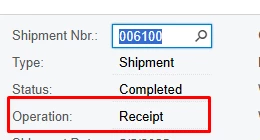
In this workflow you should use ‘Create Receipt’ button. It will create a Shipment with operation type ‘Receipts’


Forum|alt.badge.img
  • Author
  • Jr Varsity II
  • May 6, 2025

Hi ​@valentynbeznosiuk,

After I create the shipment, do I need to assign a Location and Lot # to move forward?

Do I have to “pick, pack, and ship” or can I simply Confirm Shipment and the product will go back into the warehouse? 

Does the Prepare Invoice button create the Credit Memo or do I have to go into a different screen?


valentynbeznosiuk
Jr Varsity I
Forum|alt.badge.img+3

@jsiburt 

Yes, you should select both Location and Lot#, so that later during Adjustment you will write off the right item from the right location by selecting the same values.

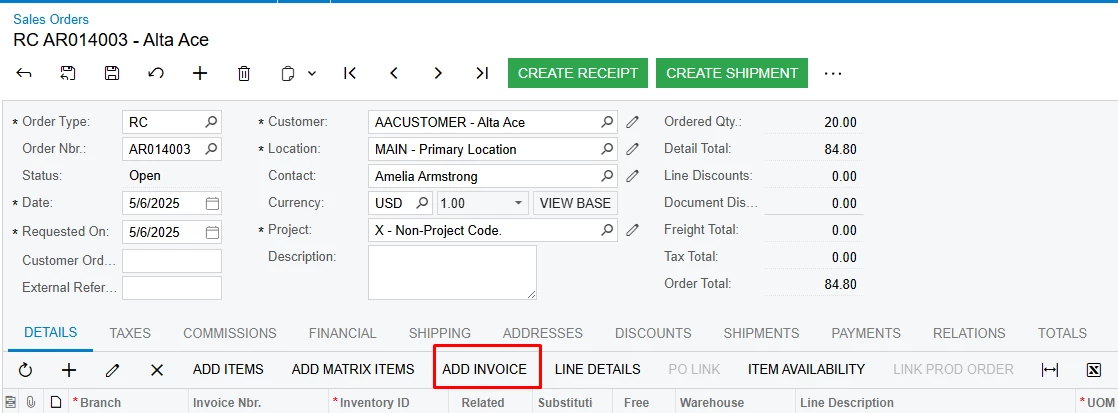
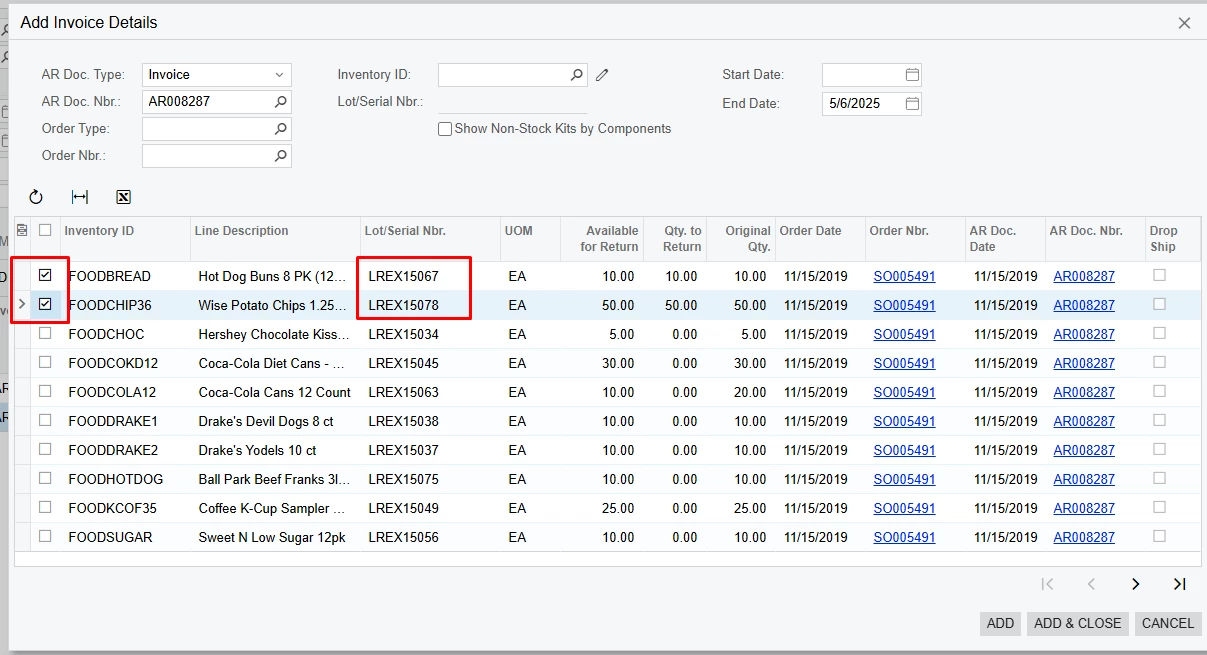
The best approach would be to use the Add Invoice button during creation of the RC Sales Order and pick up goods from the actual Invoices, so in this way Acuamtica will create relations and will populate Lot# automatically to the Line Details and this will flow to the Shipment as well.

You don’t need to perform pick, pack, and ship; the Confirm Shipment action would be enough. But if you want to pick good you also can do it.

And by using the Prepare Invoice action system will create a Credit Memo, so you don’t need to go to another screen manually, you will be just redirected to the already prepared Credit Memo based on the Shipment lines


Forum|alt.badge.img
  • Author
  • Jr Varsity II
  • May 6, 2025

@valentynbeznosiuk

I’m working with my team to finalize this process, and we had a few follow-up questions:

  • What is the benefit of using a different reason code at the shipment level if all items still need to be received into the warehouse?
  • Since we still have to manually adjust out the “bad” inventory, wouldn’t it make more sense to apply the reason code at the adjustment stage instead of the shipment?

Also, when we try to assign a reason code at the shipment level, we’re only able to select one reason code per line. For example, if we had a line with 4 units, same sku - 2 going back into stock and 2 being adjusted out - we can’t assign two different reason codes. It only lets us apply one reason code to all 4 units.

Is there a workaround for this, or are we missing something?


valentynbeznosiuk
Jr Varsity I
Forum|alt.badge.img+3


Hello ​@jsiburt 

It makes sense. Applying reason code to the Adjustment only will be enough.


But just in case you would need a workaround to break one Invoice line into two Shipment lines to apply different reason codes (or for any other reason) you can follow steps below:

When you use the Add Invoice button on the RC Sales Order, add a needed line in multiple entries, breaking the quantity. In my example, I’ve entered qty 3, used the Add button, and then entered 2 for the same line, a added it again. It will combine quantities into one Sales Order Line, but once you create a Return Shipment, it will be separated into two separate lines.