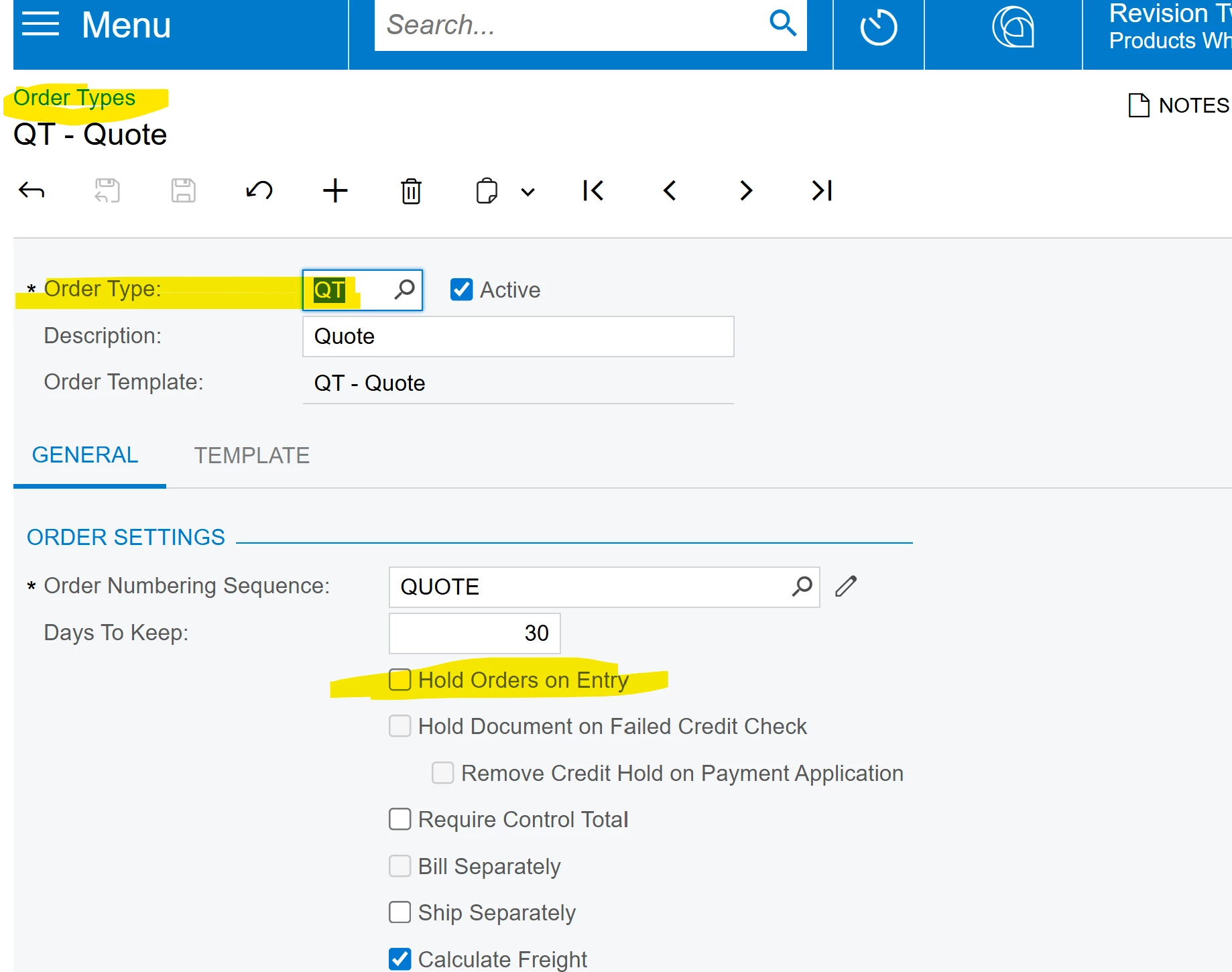
We were wondering if anyone has ever had any experience with automating sales order processing in some fashion. We have a certain order type - EQ - which is a Quote document - that our sales team sends in to the Acumatica system. Whenever this order type enters the system, we would Acumatica to automatically “REMOVE HOLD” and then subsequently “EMAIL QUOTE”. Any ideas?
Best answer by craig2
Hi @trenton78 ,
You should be able to do this with a Business Event. We don’t use Quotes, so this is just a sketch from Sales Orders:
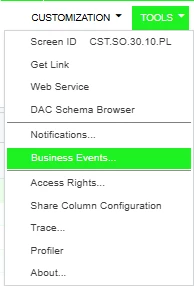
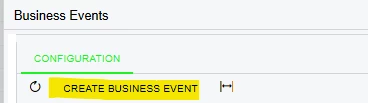
Go to the document “list” screen, and go to Tools > Business Events:
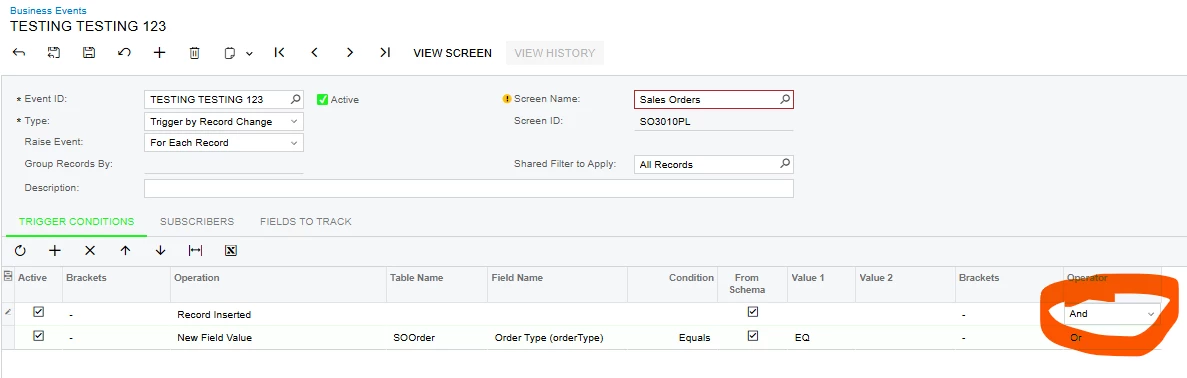
Populate the Trigger conditions, probably something similar to this. OPERATORS DEFAULT TO “OR,” BE SURE TO UPDATE TO “AND.” This is a bug that needs to be addressed, it’s caused some massive issues for others in the past.
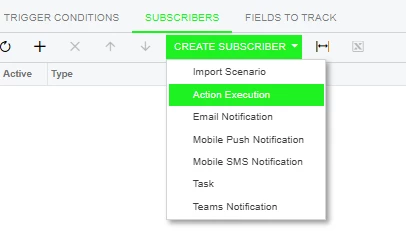
Move to Subscribers, then Create Subscriber > Action Execution
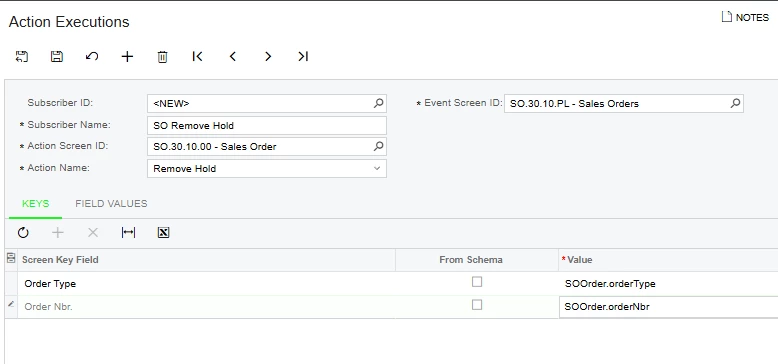
Since you’re working from a navigation screen, you need to tell the system which entry screen to actually pull Actions from. If “From Schema” is checked, you may need to untick it, so you can select Fields from the navigation screen.
Save, and repeat for your Send Quote Action. Then that should be about it!
As a general rule, I always recommend building and testing any kind of automation in a sandbox environment. That way you can experiment and test safely, without accidentally emailing old Quotes to every contact in the system 😅
You should be able to do this with a Business Event. We don’t use Quotes, so this is just a sketch from Sales Orders:
Go to the document “list” screen, and go to Tools > Business Events:
Populate the Trigger conditions, probably something similar to this. OPERATORS DEFAULT TO “OR,” BE SURE TO UPDATE TO “AND.” This is a bug that needs to be addressed, it’s caused some massive issues for others in the past.
Move to Subscribers, then Create Subscriber > Action Execution
Since you’re working from a navigation screen, you need to tell the system which entry screen to actually pull Actions from. If “From Schema” is checked, you may need to untick it, so you can select Fields from the navigation screen.
Save, and repeat for your Send Quote Action. Then that should be about it!
As a general rule, I always recommend building and testing any kind of automation in a sandbox environment. That way you can experiment and test safely, without accidentally emailing old Quotes to every contact in the system 😅