Answer

Any way to enhance the list view of summary records in Mobile App

  • September 3, 2025
  • 2 replies
  • 56 views

Joe Schmucker
Captain II
Forum|alt.badge.img+3

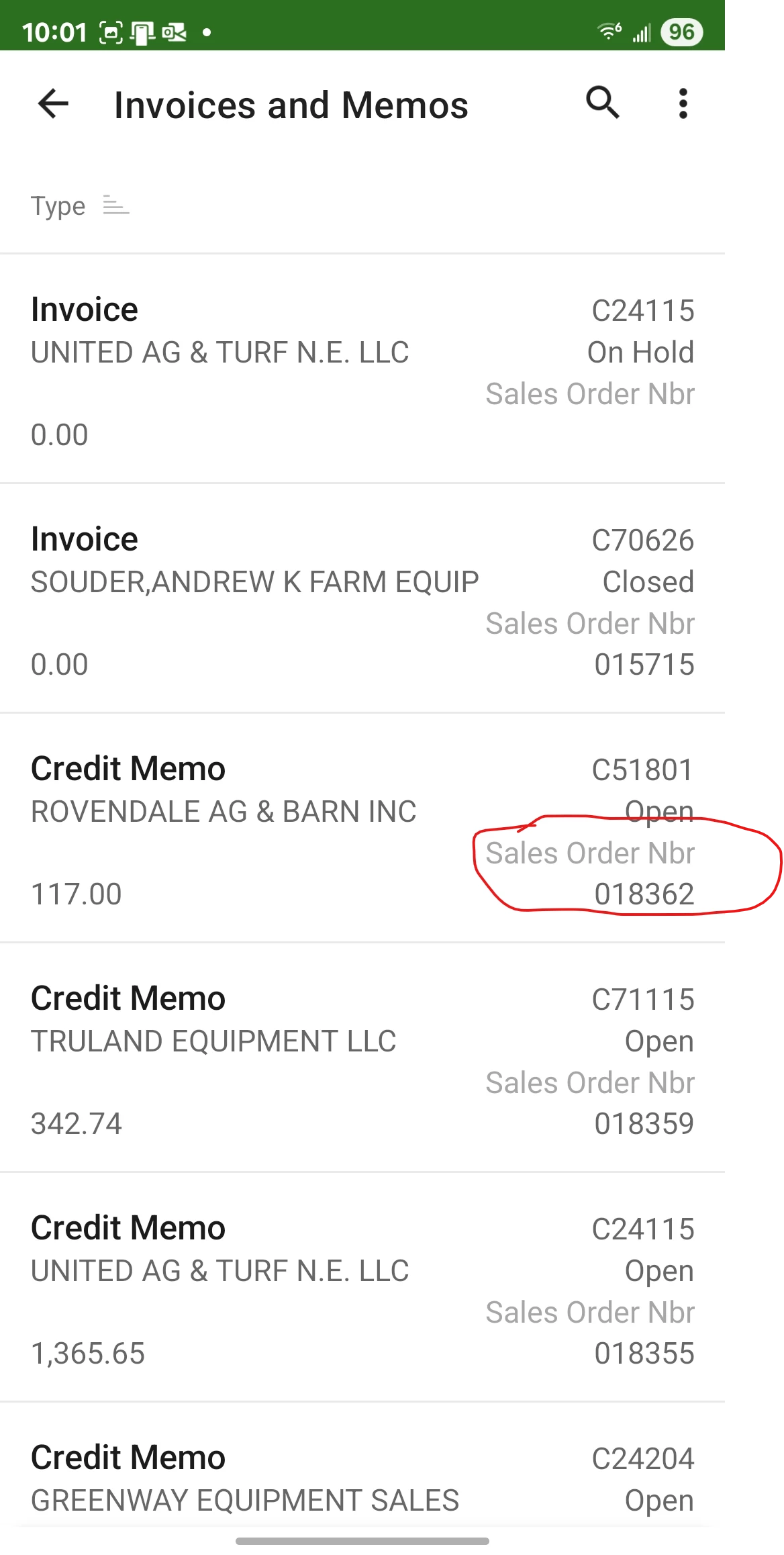
I have the Invoices and Memos GI exposed to the mobile app.  The summary screen is dreadful.  I find it dreadful for pretty much any list view.  Once you click the record, you can make the details look really nice with headers etc.

Also, what defines the fields that show up in the list view of a GI that is exposed to the Mobile App?  I can modify the fields in the Details view, but not the list view.  This may be in the help, so I will look, but since I am bugging folks with the primary question, I thought maybe someone had a quick answer that might save me a bunch of publish-wait-repeat.  :-)

This is just not very helpful.  Especially if I were to add a custom field SO Order Nbr to this list.  You would not be able to tell which is the invoice number vs. Sales order number.

I WANT LABELS!  😁
 

Best answer by dcomerford

@Joe Schmucker You will need to add the GI not by the Expose to mobile Application but adding the script for the GI so you can define the fields to display etc like you did for the example for the Shipment GI

When you are adding the fields so something like this and the   listDisplayFormat = CaptionValue should display the Captions


add screen AR3010PL {
  type = SimpleScreen
  add container "Result"{
    fieldsToShow = 6
    containerActionsToExpand = 2
    add field "ReferenceNbr" {
      listDisplayFormat = CaptionValue
    }
    add field "Date" {
      listDisplayFormat = CaptionValue
    }
    add field "Status" {
      listDisplayFormat = CaptionValue
    }
    add field "Customer" {
      displayName = "Cust. ID"
      selectorDisplayFormat = KeyDescription
      listDisplayFormat = CaptionValue
    }
  }
}


2 replies

dcomerford
Captain II
Forum|alt.badge.img+15
  • Captain II
  • Answer
  • September 4, 2025

@Joe Schmucker You will need to add the GI not by the Expose to mobile Application but adding the script for the GI so you can define the fields to display etc like you did for the example for the Shipment GI

When you are adding the fields so something like this and the   listDisplayFormat = CaptionValue should display the Captions


add screen AR3010PL {
  type = SimpleScreen
  add container "Result"{
    fieldsToShow = 6
    containerActionsToExpand = 2
    add field "ReferenceNbr" {
      listDisplayFormat = CaptionValue
    }
    add field "Date" {
      listDisplayFormat = CaptionValue
    }
    add field "Status" {
      listDisplayFormat = CaptionValue
    }
    add field "Customer" {
      displayName = "Cust. ID"
      selectorDisplayFormat = KeyDescription
      listDisplayFormat = CaptionValue
    }
  }
}


Joe Schmucker
Captain II
Forum|alt.badge.img+3
  • Author
  • Captain II
  • September 4, 2025

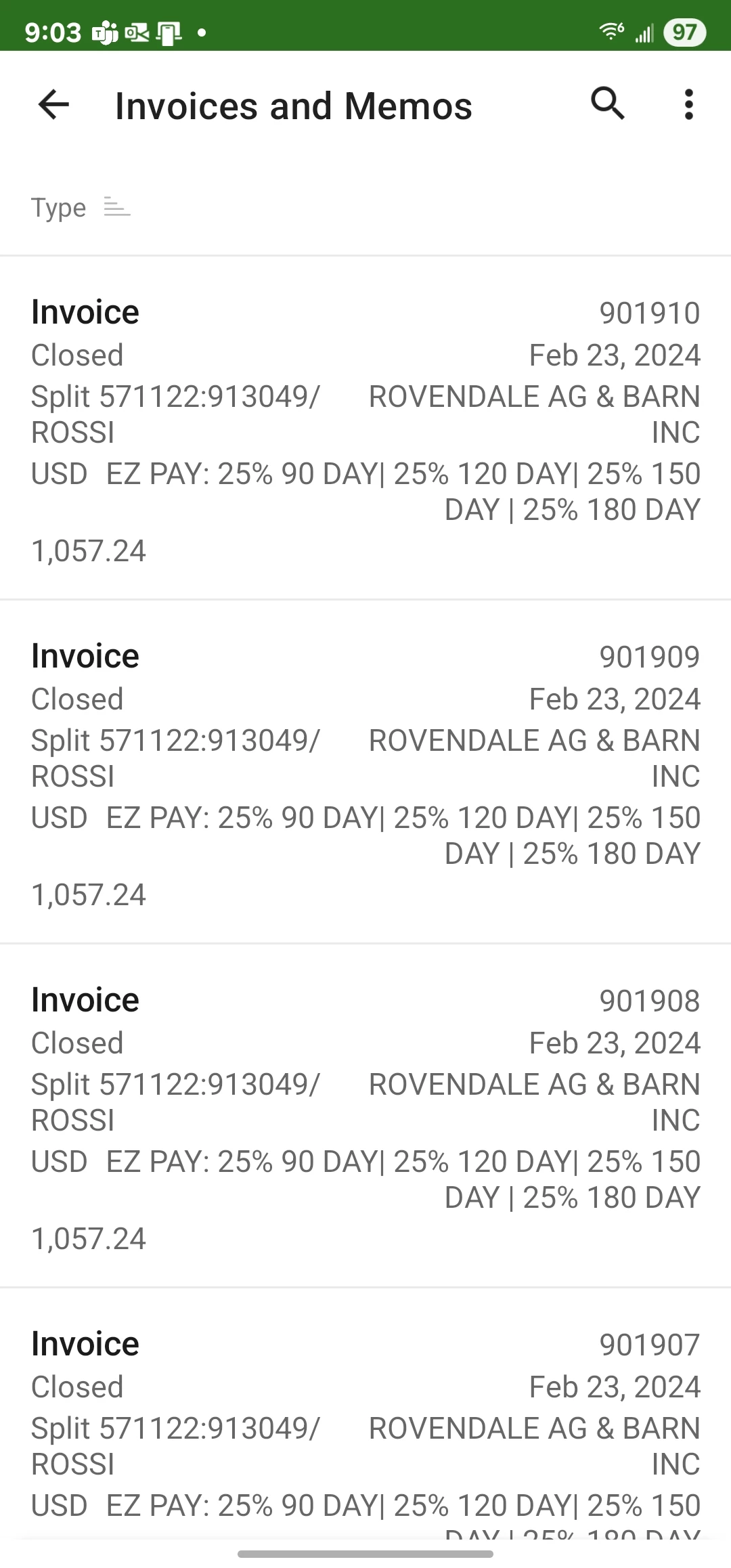
@dcomerford Dermot, THANK YOU.  I don’t know where you went to learn that.  Your help has been so exceptional.  I hope you get an MVP.

Look at this!  First label tested and works great!  Now, if I could get the SO number on the Details screen to link to the SO301000 screen, my life would be complete!