Question

Adjustments using the Wrong inventory Account

  • April 24, 2025
  • 11 replies
  • 101 views

Michaelh
Pro I
Forum|alt.badge.img+2

I have a stock item in a warehosue that is dead. This item has a negative position, I just need it to go away, everything is under Account 1260. I thought I could just adjust in the missing inventory and dollars to get a net zero permission.

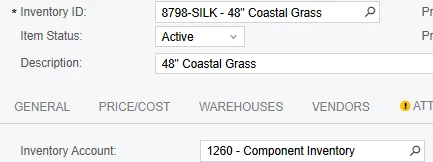
The item has the following Account:


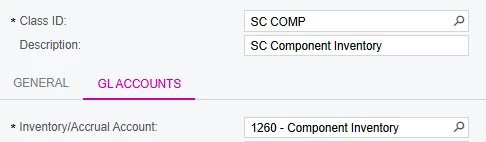
The posting class has the following Account:


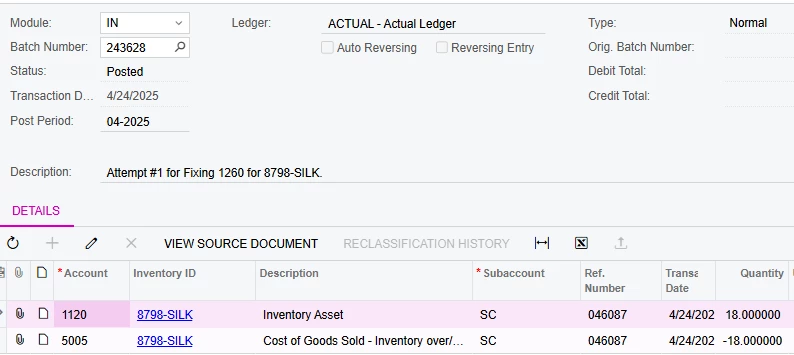
I made the adjustment for the negative units and costing, but it’s going to account 1120, not 1260 as specified above. Is there another place overriding this account that I’m missing?

Batch info below showing the erroneous 1120 post from the adjustment:


Thank you for helping me dig into this!!!!

11 replies

Samvel Petrosov
Jr Varsity II
Forum|alt.badge.img+8

Have you changed the Account configuration on the Item/Posting Class after this item was received into stock?

Acumatica is using the account that was used during the receipt of the item.

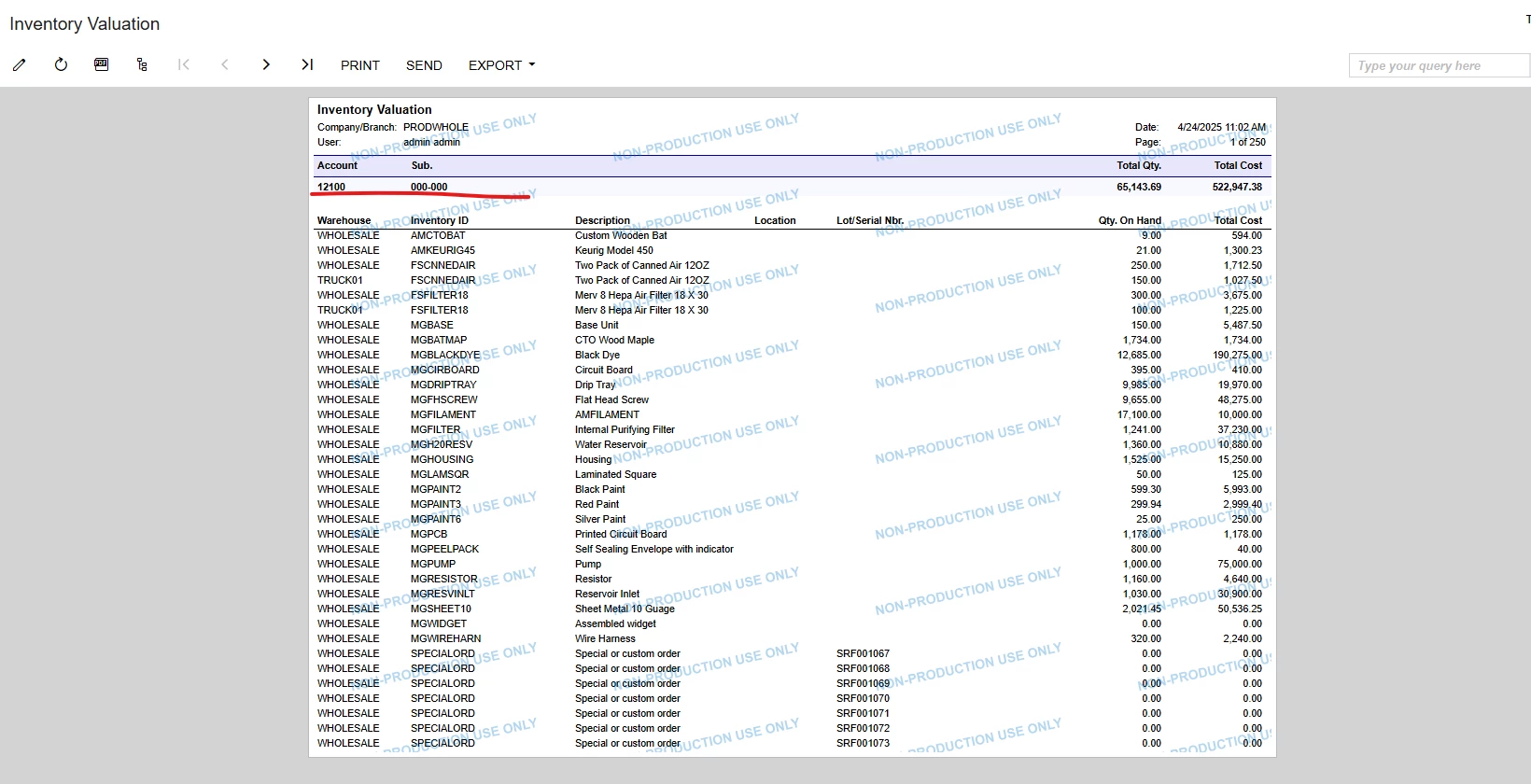
You can check the Inventory Valuation report to find the account that was used during the receipt of the item into stock.


Michaelh
Pro I
Forum|alt.badge.img+2
  • Author
  • Pro I
  • April 24, 2025

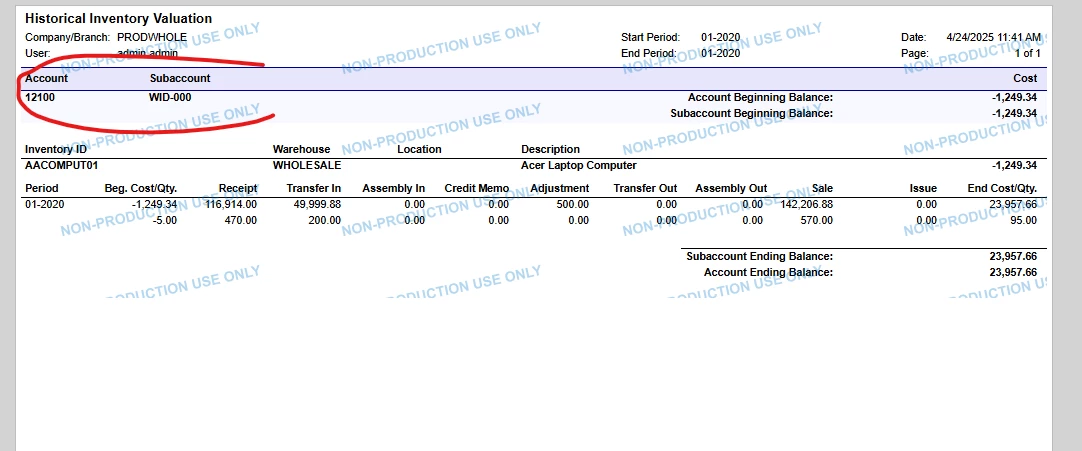
We have indeed changed this. It WAS 1260, then we shifted it to 1120. But, I have a negative 18 units in account 1260 in a dead warehouse per the HISTORICAL INVENTORY VALUATION report. How would I correct these?

In the INVENTORY VALUATION report I get that this account is at 0 units and 0 dollars, maybe the historical report is wrong?


in the Historical Inventory Valuation (which our bank auditors use) I get -18 units, -$175 for account 1260


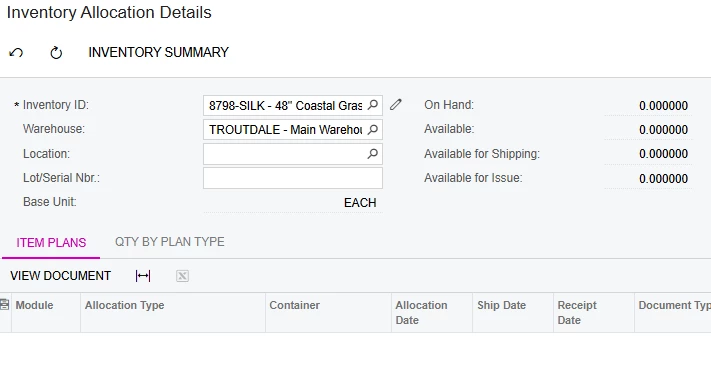
Something feels amiss here. Running allocation details shows that we have nothing on hand for this:
 

Any thoughts on why these wouldn’t tie out?


Samvel Petrosov
Jr Varsity II
Forum|alt.badge.img+8

@Michaelh It is difficult to tell what is the issue. What does Inventory Transaction History shows for that Item/Warehouse?

You might have to check transaction by transaction to trace down where the GL Account got swapped and why.


Michaelh
Pro I
Forum|alt.badge.img+2
  • Author
  • Pro I
  • April 24, 2025

Thanks for helping me dig ​@Samvel Petrosov !

I can see my issue as having 1120 with +18 units and 1260 with -18 units, which is why my reports all say net 0.

But I can’t get the system to add in the 18 units to 1260. Everything is done against the 1120. How do I get this item back into 1260?


Samvel Petrosov
Jr Varsity II
Forum|alt.badge.img+8

Thanks for helping me dig ​@Samvel Petrosov !

Inventory Transaction History nets out to zero from the start of our Acumatica instance in 2017 to today.

I’m starting to think the Historical Inventory Valuation might have an error in it somewhere, since everything else is coming out “clean”. FYI: I am running the Historical Inventory Valuation as the DEFAULT version and not one of our modified versions, so this should tie out right?

May it be so that Historical Inventory Valuation is showing the - and + under 2 different accounts?

Please have in mind that it is grouping based on the Inventory Accounts, so if for any reason your transactions hit 2 different GL Accounts, the Valuation will show them as 2 separate lines.
Another thing to have in mind is the Dates of these adjustments. They might get captured in different posting periods and be excluded from the report based on the filters you use.


Michaelh
Pro I
Forum|alt.badge.img+2
  • Author
  • Pro I
  • April 24, 2025

That’s what I was missing. Account 1120 has +18 units. Account 1260 has -18 units. I just can’t get anything to touch account 1260 to fix this, everything keeps posting to account 1120.


Michaelh
Pro I
Forum|alt.badge.img+2
  • Author
  • Pro I
  • April 24, 2025

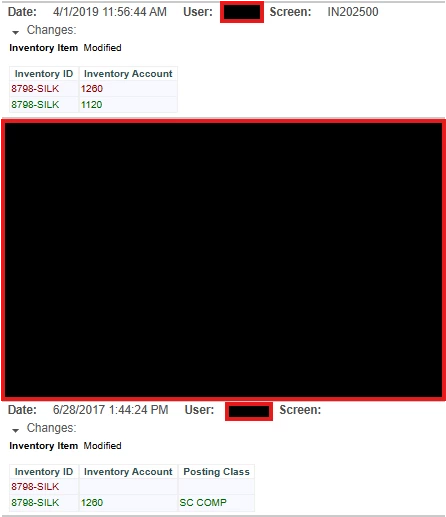
I can see the account being set twice (once from nothing to 1260 and from 1260 to 1120), but I still have no idea how to get it back to 1260 so that I can make adjustments. Nothing I change it to seems to matter.


Samvel Petrosov
Jr Varsity II
Forum|alt.badge.img+8

I would suggest opening a support case with Acumatica. 

Given that you don’t have on hand quantity for that item, you might have to do a couple of adjustments with GL Posting on and off and GL accounts switched in process so that it hits with + 1260 and with - 1120.


Michaelh
Pro I
Forum|alt.badge.img+2
  • Author
  • Pro I
  • April 24, 2025

I have found the adjustment that is causding our issues. I can see the Journal Transaction for it. When I hit reclassify, I get a warning and the inventory item is not shown as an editable line.

I saw this post about reclassifying: 


But I have no idea how to also include inventory here. That post details moving money, but not inventory. I can’t make a Journal Transaction directly for the IN Module.

I essentially need a journal transaction that says:

1260, 8798-SILK, 18 units, $175
5000, 8798-SILK, -18 units, -$175

1120, 8798-SILK, -18 units, -$175
5005, 8798-SILK, 18 units, $175

This would balance out everything, but the Journal Transaction won’t let me make this document. Any thoughts on how to force this into the system?


Chris Hackett
Community Manager
Forum|alt.badge.img
  • Acumatica Community Manager
  • July 2, 2025

Hi ​@Michaelh were you able to find a solution? Thank you!


Michaelh
Pro I
Forum|alt.badge.img+2
  • Author
  • Pro I
  • July 2, 2025

No, and this one is pretty darn frustrating.

Acumatica support says this behavior can’t happen, but that it's also not a bug, then they offered to fix this for a few thousand dollars. Even my VARs were not too pleased with how this all panned out.

Our takeaway is that:

  1. This isn’t possible to have happen (but it did)
  2. This isn’t a bug (even though it’s not normal system behavior)
  3. They can fix it, but we can’t, and we have to pay them to do so (because it’s not a bug)


We’ll just have to keep explaining it to the auditors for now; we can’t afford thousands of dollars to fix a +/- $175 mistake. Not the end of the world, but it’s a bit of a let down regarding customer support in the system. 

Still not gonna shake me though, I love this ERP and I’ll keep pushing ahead lololololol.