Answer

Added custom field in Purchase ReceiptLine Details 'Split' Grid KitNbr but its not displaying on grid

  • June 9, 2025
  • 3 replies
  • 34 views

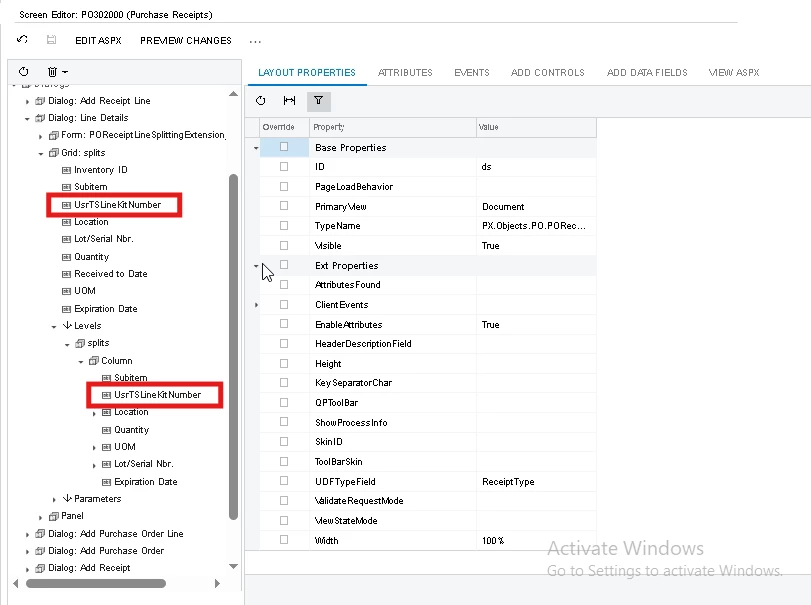
I am trying to add one custom field in Purchase receipt Line details dialogue 's split grid but that field is not visible on screen
below is the dac

public class TSPOReceiptLineSplitExt:PXCacheExtension<PX.Objects.PO.POReceiptLineSplit>
{
#region UsrTSLineKitNumber [PXDBString(100)]
[PXUIField(DisplayName = "KitNumber")]
public virtual string UsrTSLineKitNumber { get; set; }
public abstract class usrTSLineKitNumber : PX.Data.BQL.BqlString.Field<usrTSLineKitNumber> { } #endregion
}



Best answer by mayurig23

Yes, I have already performed the "Publish Current Project" action successfully. However, upon further investigation, I found that the issue was not related to the publishing process itself. The actual cause was that another customization package was overlapping with the same field, which resulted in the field not being visible on the grid in the Purchase Receipts screen.

After identifying the conflict, I reviewed the overlapping customization and adjusted the configuration accordingly. Once the conflicting definitions were resolved, the field started appearing as expected on the screen.
Its resolved thank you.

3 replies

nhatnghetinh
Captain II
Forum|alt.badge.img+11
  • Captain II
  • June 10, 2025

Hi ​@mayurig23 

Please check again
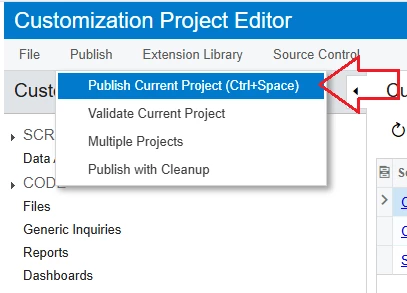
1/. Have you successfully performed "Publish Current Project"?


2/. After performing "Publish Current Project" -> Reload the website and check the Purchase Receipts screen again.


Best Regards,

NNT


  • Author
  • Freshman II
  • Answer
  • June 14, 2025

Yes, I have already performed the "Publish Current Project" action successfully. However, upon further investigation, I found that the issue was not related to the publishing process itself. The actual cause was that another customization package was overlapping with the same field, which resulted in the field not being visible on the grid in the Purchase Receipts screen.

After identifying the conflict, I reviewed the overlapping customization and adjusted the configuration accordingly. Once the conflicting definitions were resolved, the field started appearing as expected on the screen.
Its resolved thank you.


Chris Hackett
Community Manager
Forum|alt.badge.img
  • Acumatica Community Manager
  • June 16, 2025

Thank you for sharing your solution with the community ​@mayurig23!