


Question

Add Related Items - Not populating expected list

  • May 14, 2025
  • 6 replies
  • 108 views

bencrooks
Freshman I
Forum|alt.badge.img

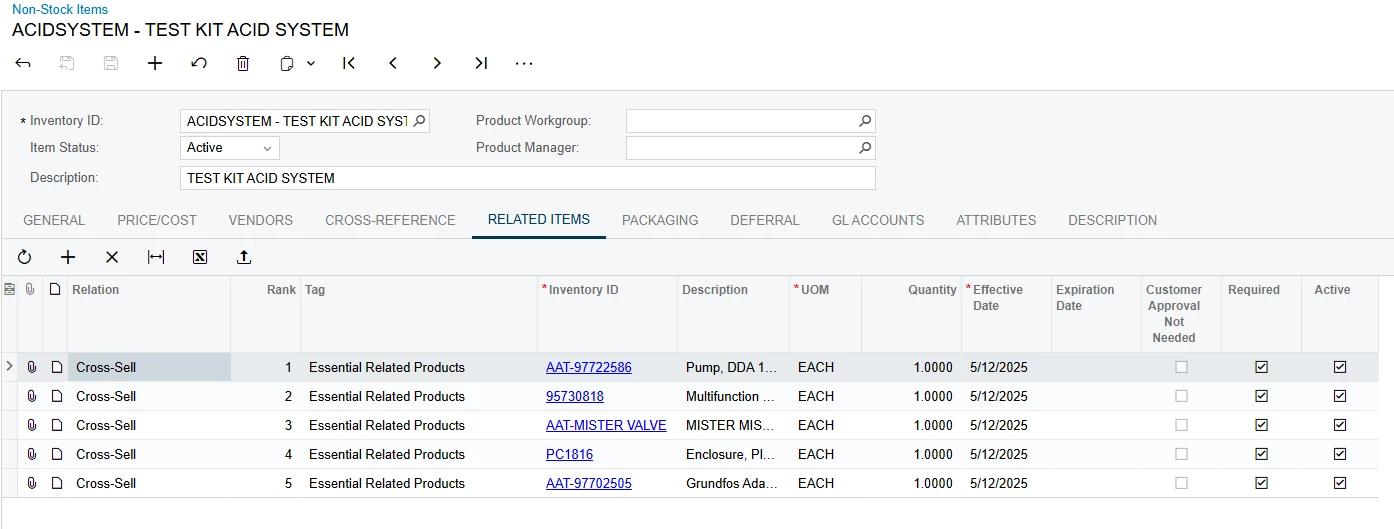
Im a little confused on why Related Items is not populating the expected list. The setup currently is a Non-Stock Item with 5 Related Items, all seto to Required. Add the item to the sales order, however nothing shows up in the Add Related Items box. It appears that maybe the warehouse must have inventory on hand for the related items to show up? This makes no sense at all if true, can anyone help confirm?
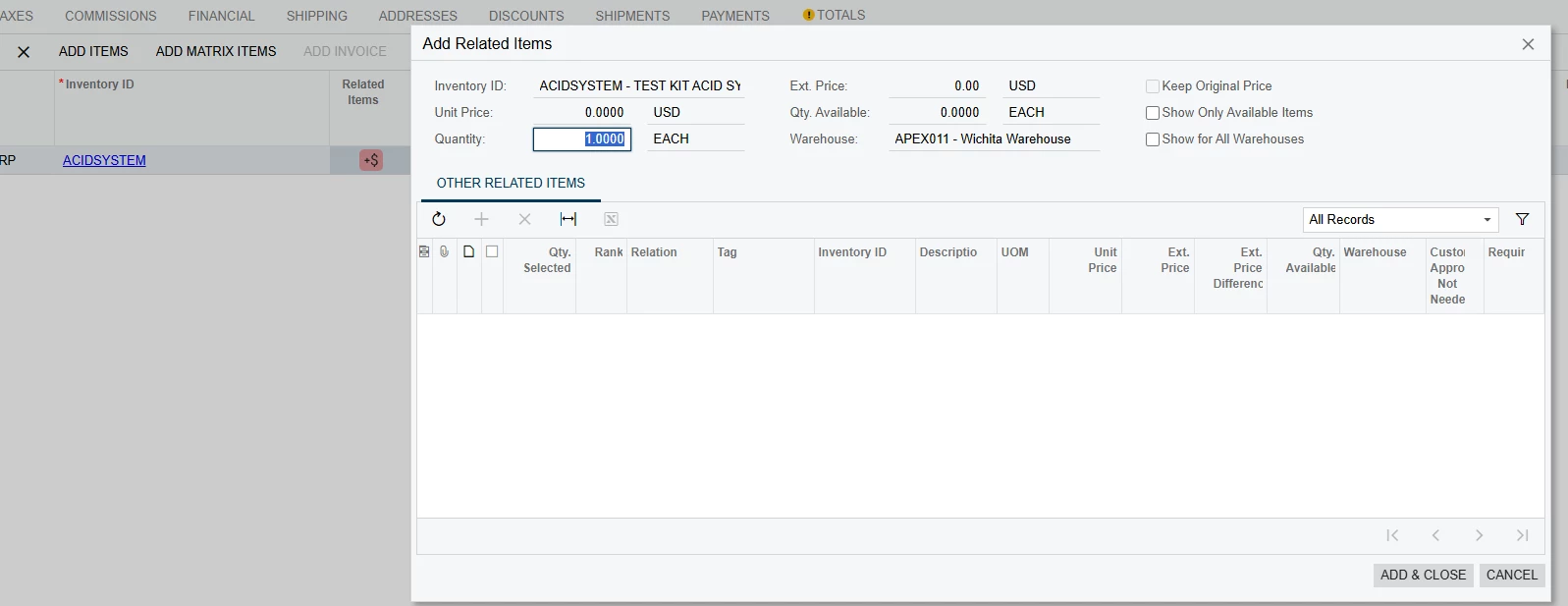


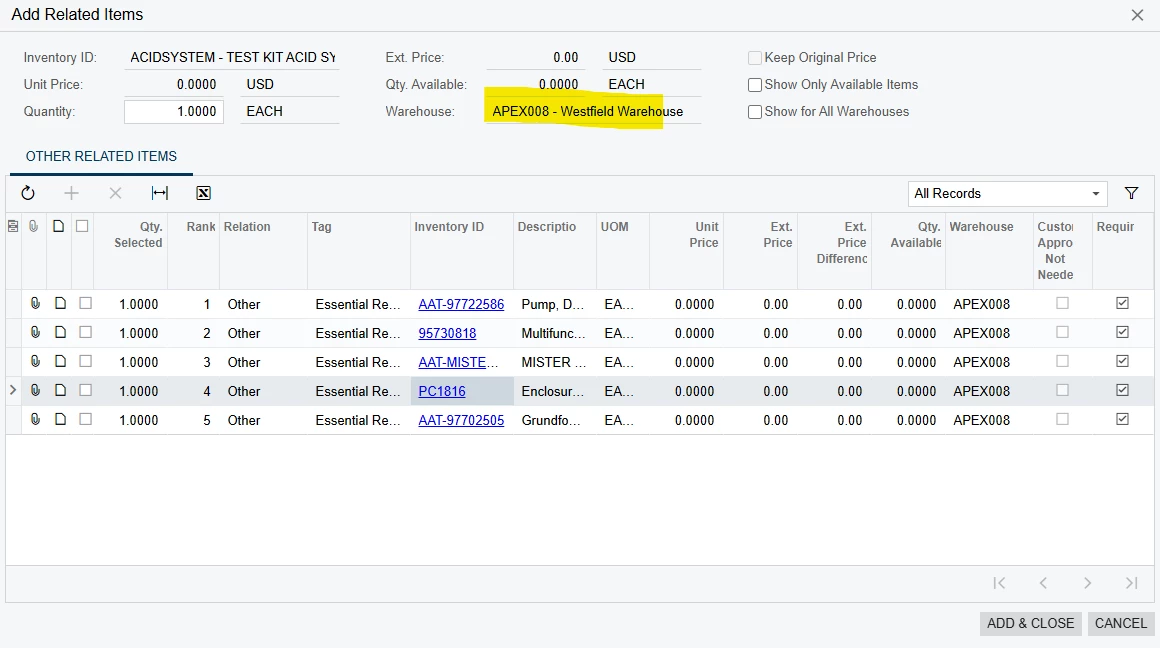
Example of switching the warehouse, even though 0 is available I can confirm the warehouse does have On Hand inventory for all 5 items….



6 replies

vshashkova
Acumatica Moderator
Forum|alt.badge.img+1
  • Acumatica Moderator
  • May 15, 2025

@bencrooks, hi! If the Show Only Available Items check box is cleared the system should show unavailable items as well. Have you ever received those items to the APEX011 warehouse?


bencrooks
Freshman I
Forum|alt.badge.img
  • Author
  • Freshman I
  • May 15, 2025

They had NOT been received in APEX011. I went ahead and tested this by creating a receipt, adjusting the inventory out, and then trying to add the item to a sales order again. This resulted in the Related Items list generating even though Inventory On Hand for these items still = 0.


This seems like an odd behavior. If we have a new warehouse or are selling a product in a region for the first time, we want the customer to be able to see these related items. Is there anyway to avoid this behavior?


Chris Hackett
Community Manager
Forum|alt.badge.img
  • Acumatica Community Manager
  • July 3, 2025

Hi ​@bencrooks were you able to find a solution? Thank you!


bencrooks
Freshman I
Forum|alt.badge.img
  • Author
  • Freshman I
  • July 3, 2025

@Chris Hackett Not yet. This still seems to be undesirable results for the feature. Were on 2024 R1 and moving to 2025 R1 soon so maybe I could see if this has been updated, but I hadnt seen anything on this specifically.


vshashkova
Acumatica Moderator
Forum|alt.badge.img+1
  • Acumatica Moderator
  • July 4, 2025

@bencrooks, apologies it took a long time to respond. I would request that you contact your partner and/or Acumatica support to submit a support request.  


plambert
Semi-Pro I
Forum|alt.badge.img+2
  • Semi-Pro I
  • July 14, 2025

Are those related items set up for warehouse APEX011? Can you verify that on the Warehouse tab of the Stock Items screen that they have a detail record, with a default issue location, receipt location, etc? It could be causing confusion to that screen if they aren’t explicitly set up to be from that warehouse when there isn’t stock on hand.
I’d be curious what showed if you selected the ‘Show for All Warehouses’ checkbox to see if it is just that one location or others don’t show up either.



