Solved

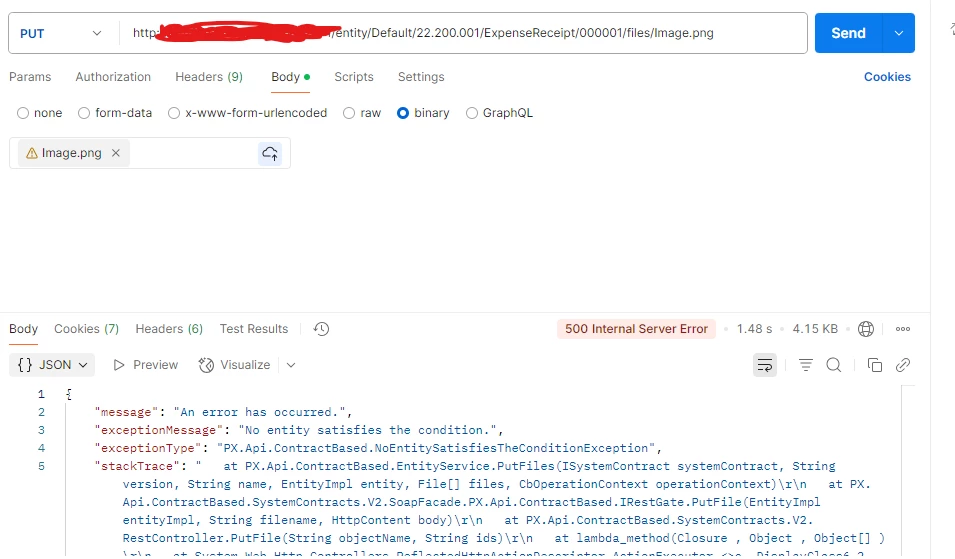
when I uploading Image using API the following error message has ocurred Error 500: Internal Server error.

  • May 8, 2025
  • 5 replies
  • 145 views

When I uploading an image using the API, the following error message occurs: Error 500: Internal Server Error.


Best answer by Rakshanda

HI ​@Reddy ,

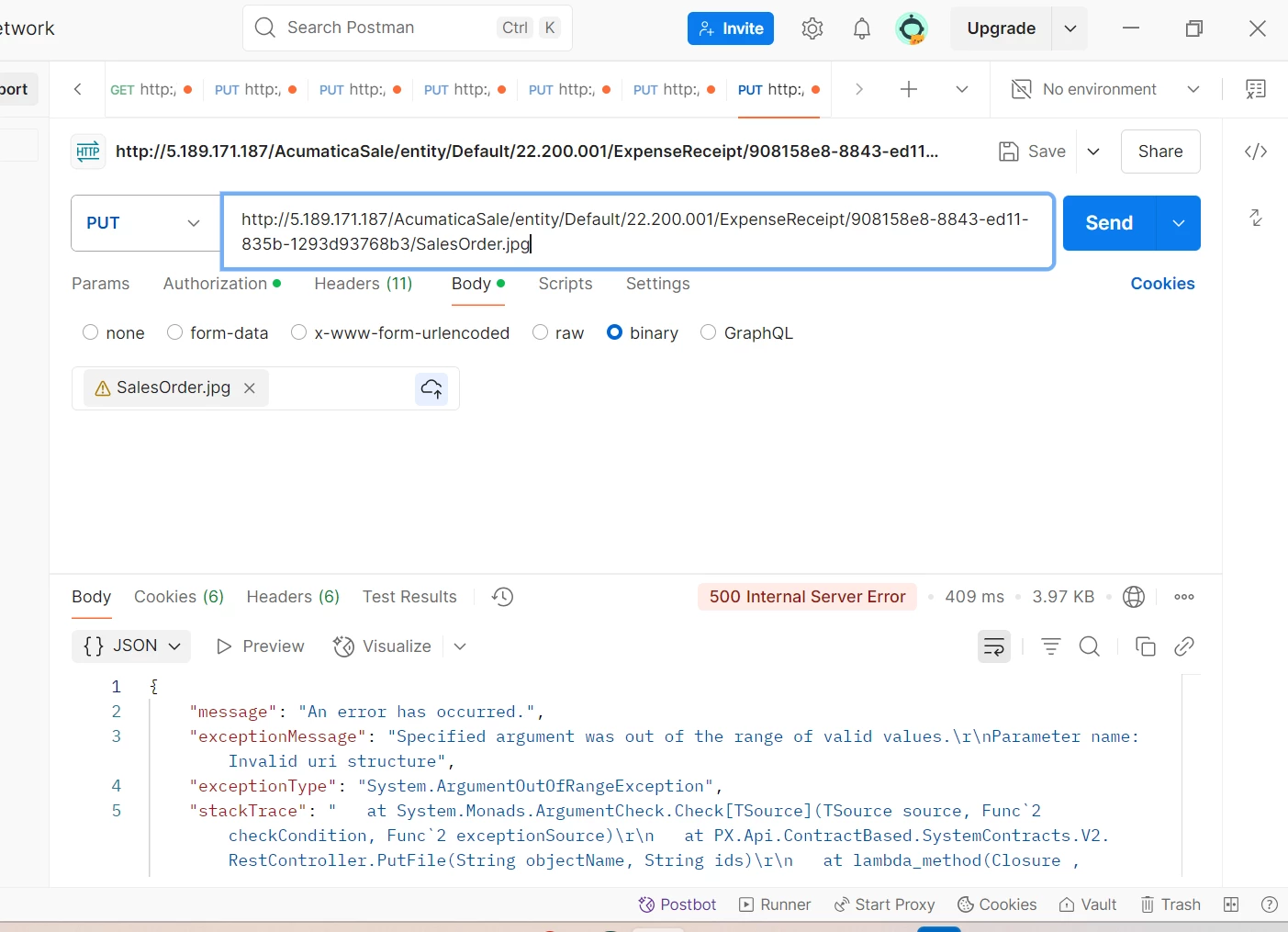
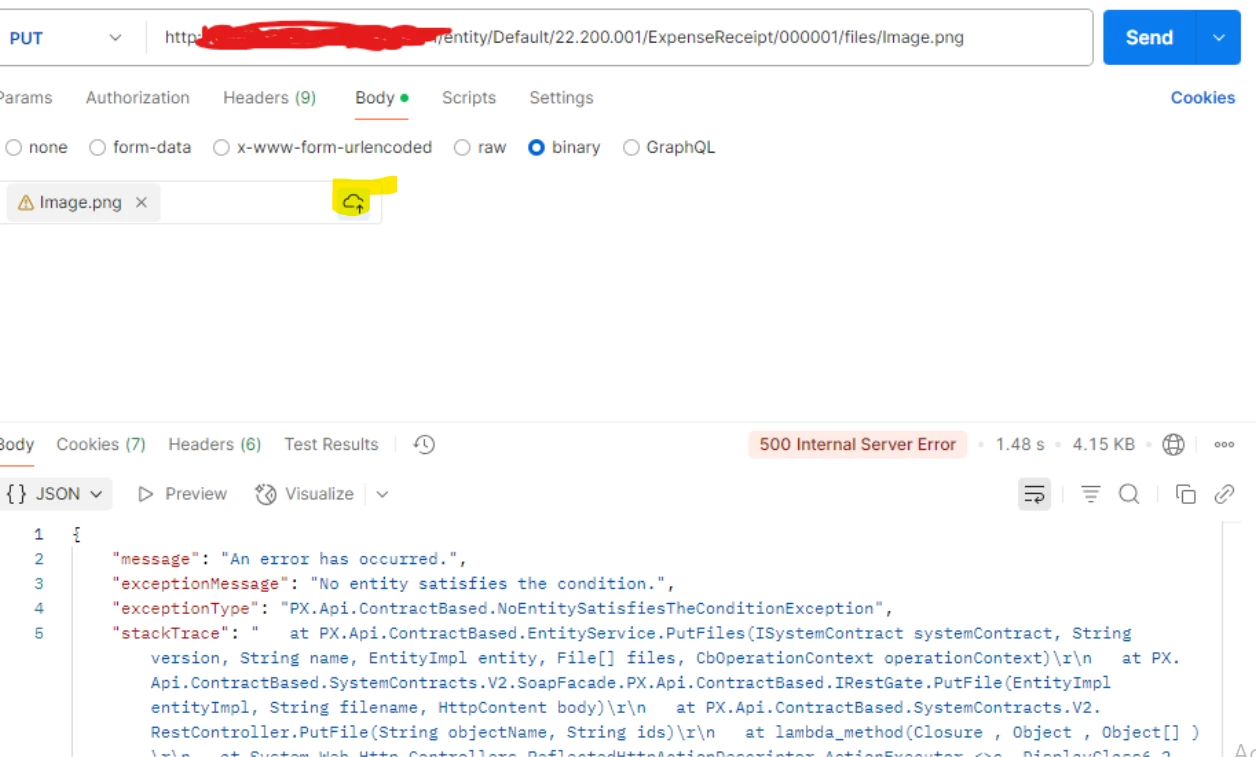
Can you please click on button highlighted in yellow color & then make a call
 

5 replies

Forum|alt.badge.img+1
  • Jr Varsity II
  • May 8, 2025

HI ​@Reddy ,

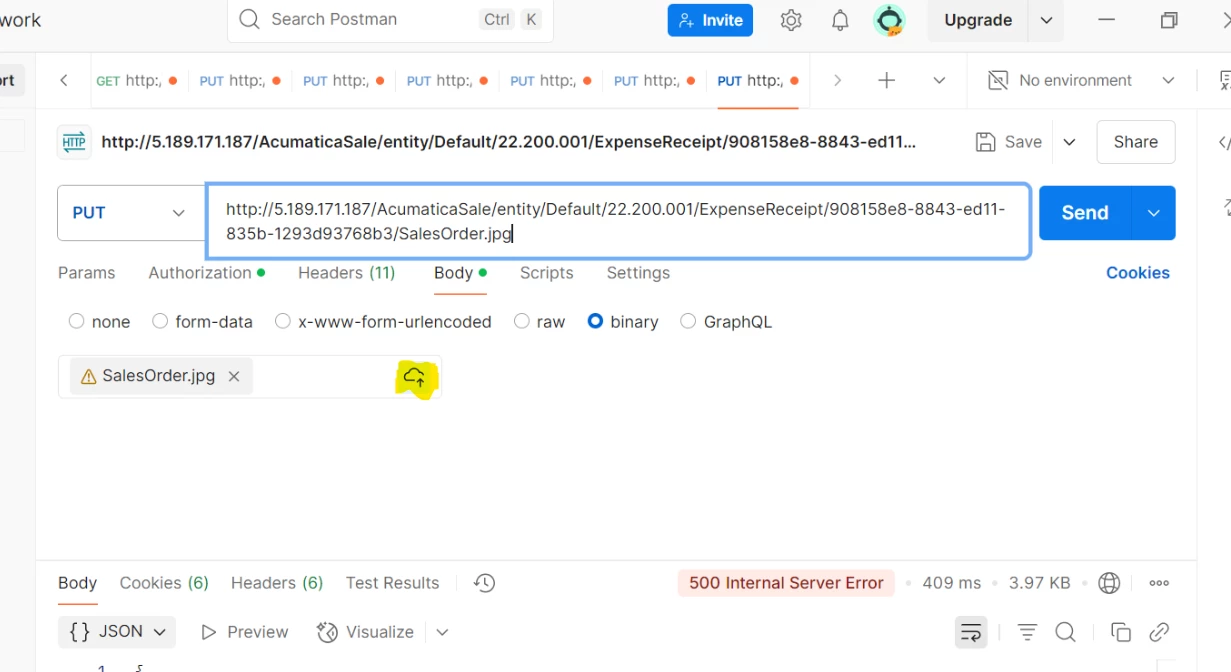
Please click on below button,

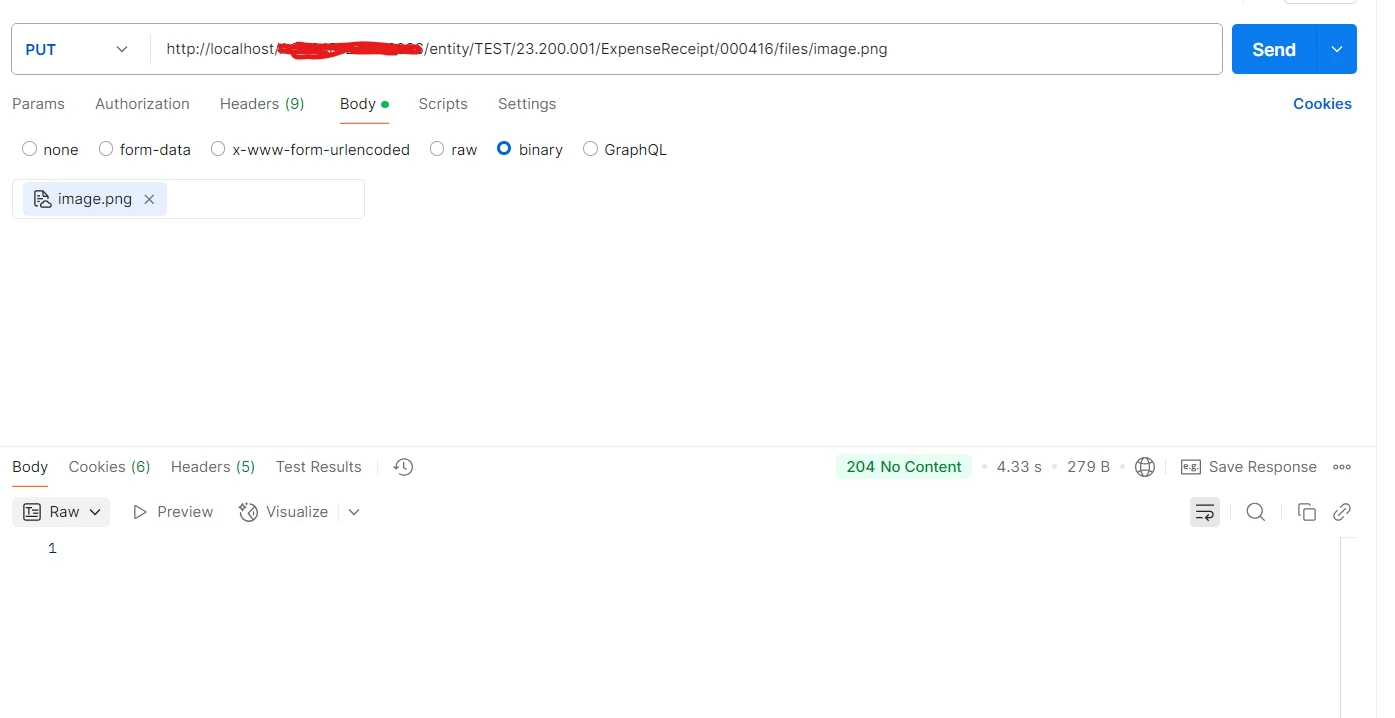
& Can you try by using below,

Hope above helps!!


  • Author
  • Freshman I
  • May 8, 2025

Hi ​@Rakshanda 

I tried your suggestion, but it showed the same error.


Forum|alt.badge.img+1
  • Jr Varsity II
  • Answer
  • May 8, 2025

HI ​@Reddy ,

Can you please click on button highlighted in yellow color & then make a call


Naveen Boga
Captain II
Forum|alt.badge.img+19
  • Captain II
  • May 8, 2025

@Reddy In addition to Rakshanda comments, you can refer the link below 

I tried this and it working as expected.

https://asiablog.acumatica.com/index.php/2018/01/attach-files-with-rest-api/


DipakNilkanth
Pro III
Forum|alt.badge.img+13

HI ​@Reddy ,

Can you please click on button highlighted in yellow color & then make a call


Hi ​@Reddy,

Have you checked whether Receipt Number '000001' is available in your system?
I was able to upload the image using the same URL—only the Expense Receipt Number was changed.

e,g. http://localhost/Test24R1/entity/Default/24.200.001/ExpenseReceipt/000021/files/test.jpg