Answer

Tenant list via API call

  • July 29, 2025
  • 5 replies
  • 172 views

Forum|alt.badge.img+2

Basically, I’m looking to build something similar to the Tenant select combo box on the standard Acumatica login screen.

Is there an API call that will return the tenant list of an Acumatica instance?

Best answer by DipakNilkanth

Hi ​@stephenbologna39,

You’ll need to extend the default endpoint from the Company Summary object.
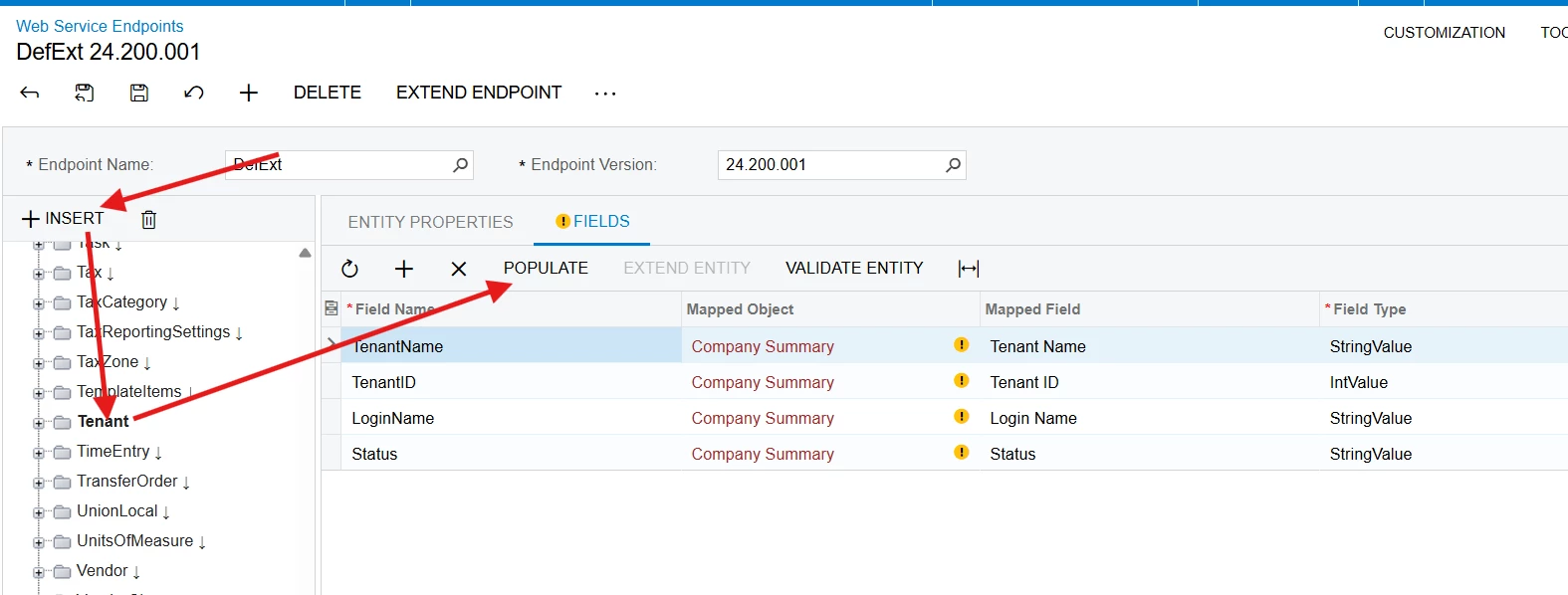

Once extended, you can access the updated endpoint as needed.
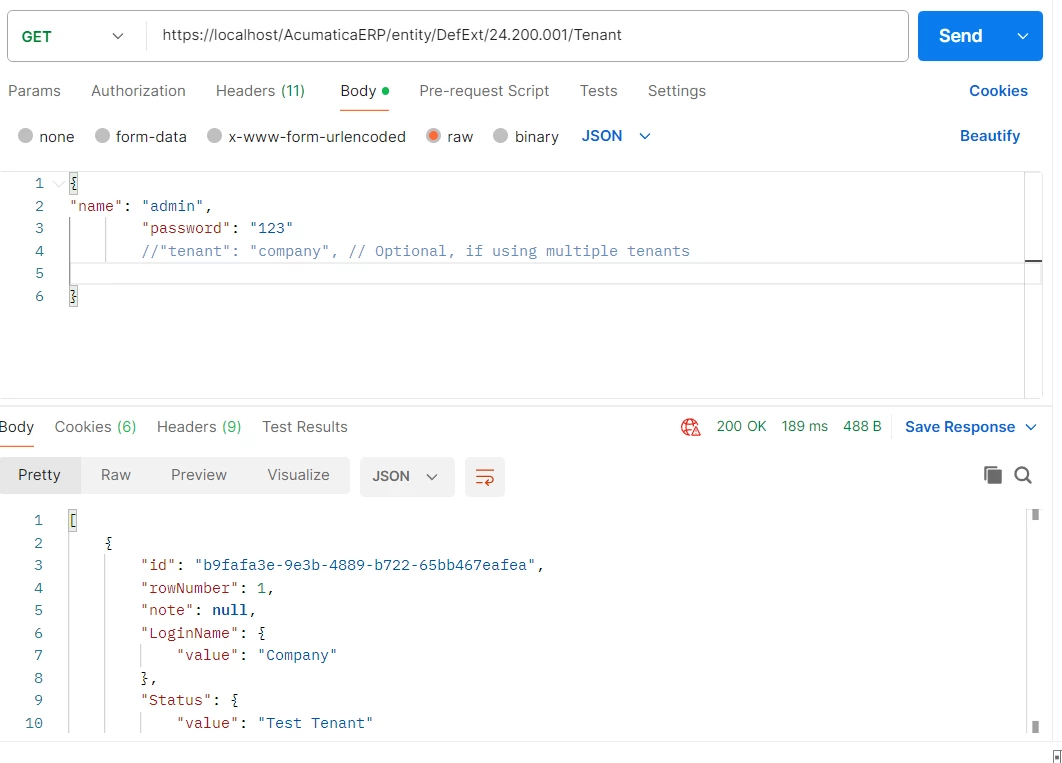
 

Hope this helps!

5 replies

DipakNilkanth
Pro III
Forum|alt.badge.img+13
  • Pro III
  • Answer
  • July 29, 2025

Hi ​@stephenbologna39,

You’ll need to extend the default endpoint from the Company Summary object.


Once extended, you can access the updated endpoint as needed.
 

Hope this helps!


Forum|alt.badge.img+2

Thanks ​@DipakNilkanth

Do you know if there is a way to get the tenant list without signing in first (similar to the login screen)?


DipakNilkanth
Pro III
Forum|alt.badge.img+13

Hi ​@stephenbologna39,

I haven’t come across a method to do this so far.

If anyone else has managed to achieve this, I'd be interested to know as well!


harutyungevorgyan
Jr Varsity I
Forum|alt.badge.img+2

Hello ​@stephenbologna39 ,

In Acumatica, all API requests require either logging in first or using an access token.
If you don’t have credentials but still need to identify available tenants, you can mimic the browser’s behavior by sending a simple GET request to:

<YourInstanceURL>/Frames/Login.aspx

This will return the HTML of the login page.
If the instance has more than one tenant, the HTML will contain a <div> section with the ID tenantContainer, which includes the list of tenants.

You can write code to request this page, parse the HTML, and extract the tenant names for your specific use case.

If you’ve found a better method for retrieving this information, I’d be interested to hear it.


JSpikowski
Jr Varsity II
Forum|alt.badge.img
  • Jr Varsity II
  • August 16, 2025

This is a ScriptBasic / cURL example to extract the tenant names. I only have one tenant but the script will loop through the option value tags for all tenants.


' Get Tenant List

IMPORT curl.sbi

ch = curl::init()
curl::option(ch, "URL", "http://laptop/acumaticadb/Frames/Login.aspx")
curl::option(ch, "HTTPHEADER", "Content-Type: application/x-www-form-urlencoded")
response = curl::perform(ch)
curl::finish(ch)

IF response LIKE "*Select a tenant*border-box\">*</select>*" THEN
SPLITA JOKER(3) BY "\n" TO tenants
FOR x = 0 TO UBOUND(tenants)
IF LEFT(LTRIM(tenants[x]), 14) = "<option value=" THEN
t = tenants[x] LIKE "*<option value=\"*\"*"
PRINT JOKER(2),"\n"
END IF
NEXT
END IF

END

Output

C:\Acumatica>sbc tenant.sb
Demo

C:\Acumatica>