


I am trying to put my instance in Maintenance mode via REST API, as we are publishing Customization Projects VIA REST APIs, but cannot find anything on how to put instance in Lockout or Maintenance Mode ..
Solved
REST API for: To put instance in Maintenance Mode
Best answer by harutyungevorgyan
Hello
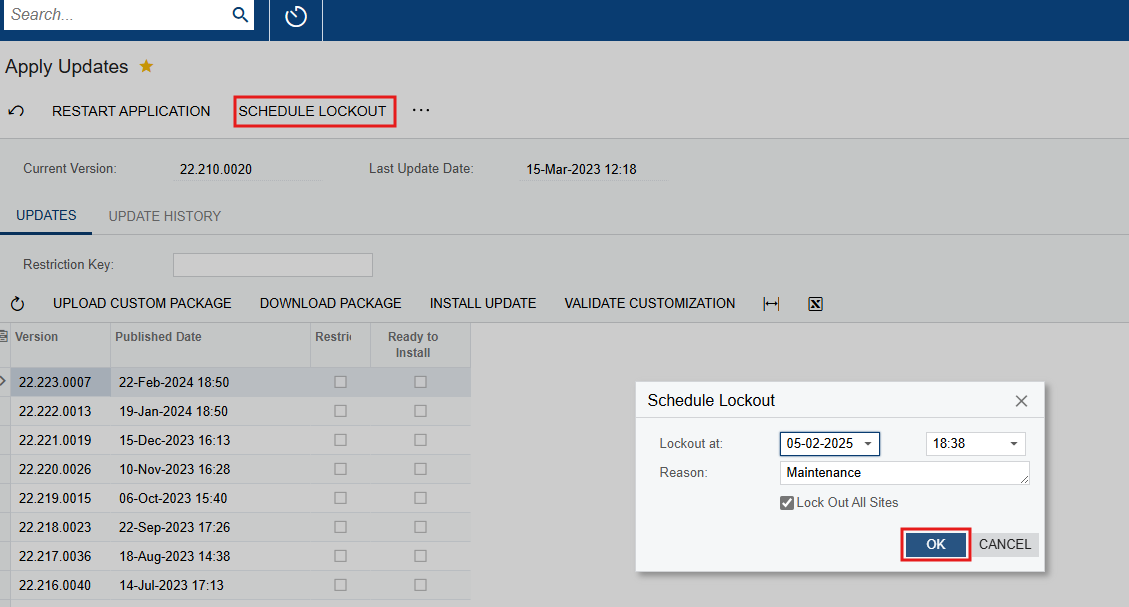
Acumatica doesn't provide default REST API endpoints for placing the system in Maintenance Mode, but you can easily implement this by either creating a new Web Service Endpoint or extending an existing one (such as Default or Manufacturing). If you already use one of those endpoints in your integrations, extending it would be a better option to avoid switching between multiple endpoints.
For demonstration purposes, I’ll show the process using a new custom endpoint to keep the screenshots clean and focused.
To create the endpoint and enable lockout actions, follow the steps below:
1. Create or Extend a Web Service Endpoint
Go to the Web Service Endpoints screen in Acumatica.
If you want to extend an existing endpoint (like Default), select it and click Extend Endpoint, then give your extended endpoint a name and version.
If you're creating a new one:
-
Click the Insert (+) button
-
Provide an Endpoint Name and Version
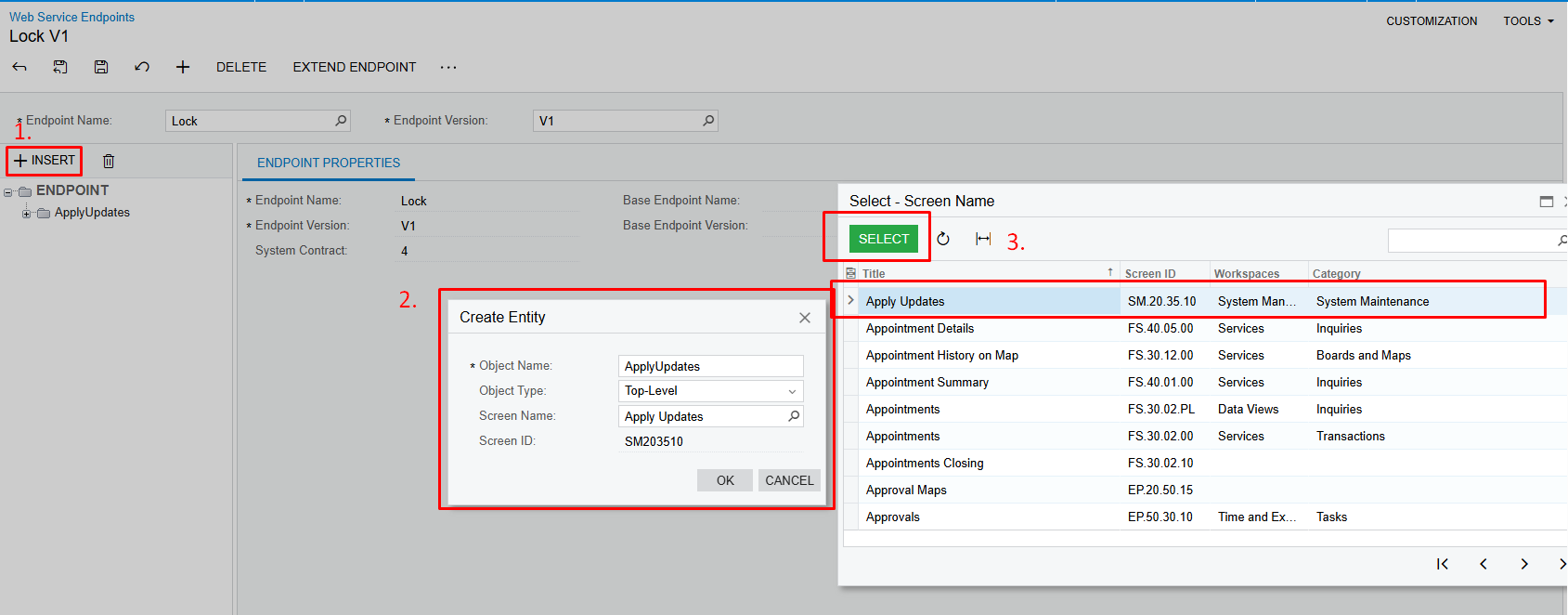
2. Add the "Apply Updates" screen
-
Click Insert under the endpoint structure
-
Select the Apply Updates screen (
SM203510) -
This screen allows access to the lockout commands
3. Add the scheduleLockoutCommand Action
-
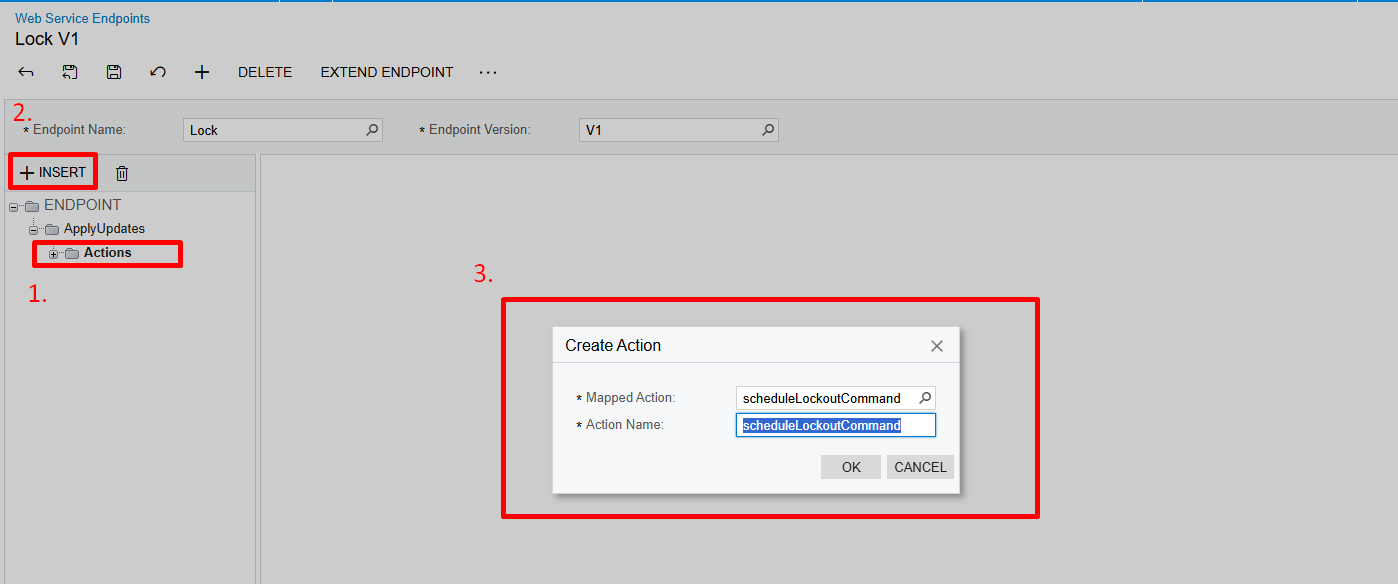
Expand the
ApplyUpdatesnode -
Select the Actions folder and click Insert
-
Choose
scheduleLockoutCommandfrom the list of available mapped actions
4. Configure Action Parameters
-
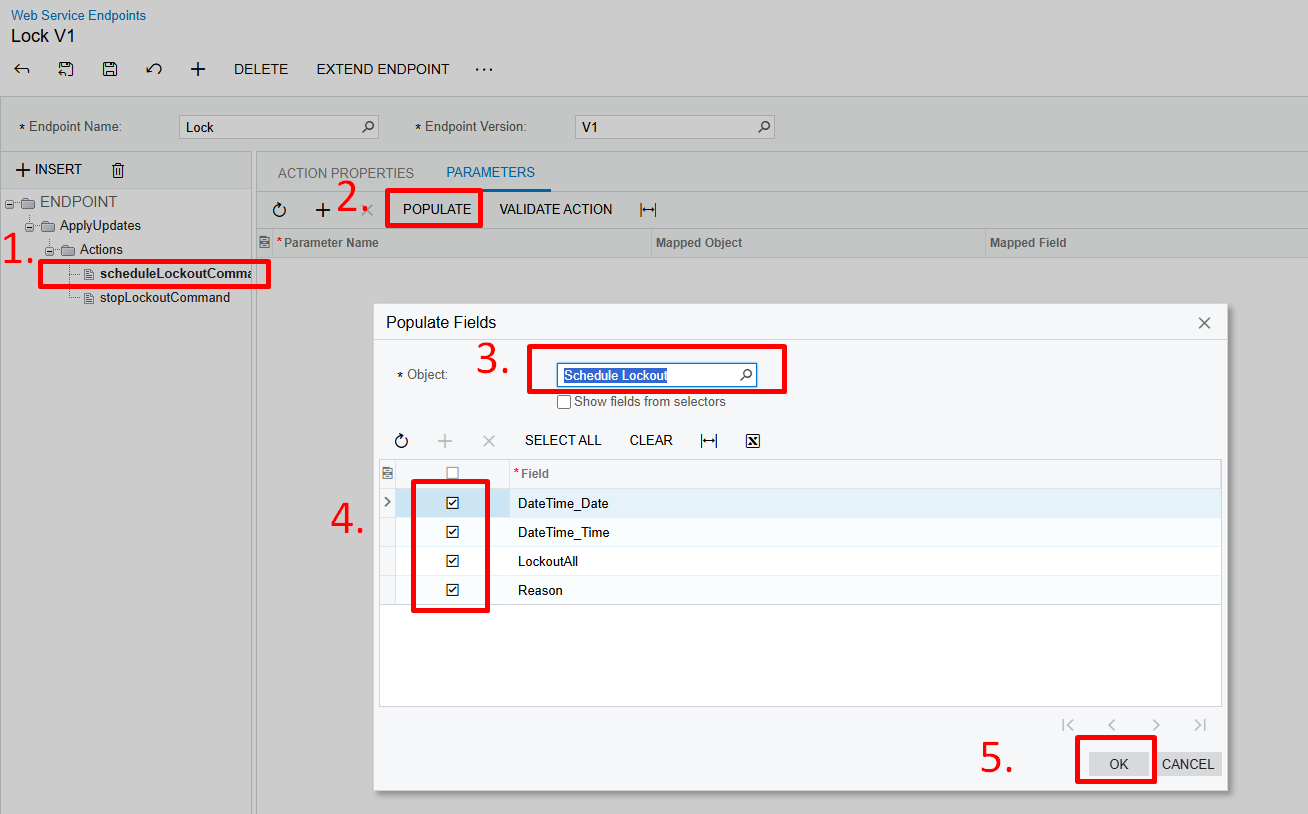
Select the
scheduleLockoutCommandaction -
Go to the Parameters tab and click Populate
-
Select the object Schedule Lockout
-
Select the fields you will use in parameter:
-
DateTime_Date -
DateTime_Time -
LockoutAll -
Reason
-
5. Add the stopLockoutCommand Action
-
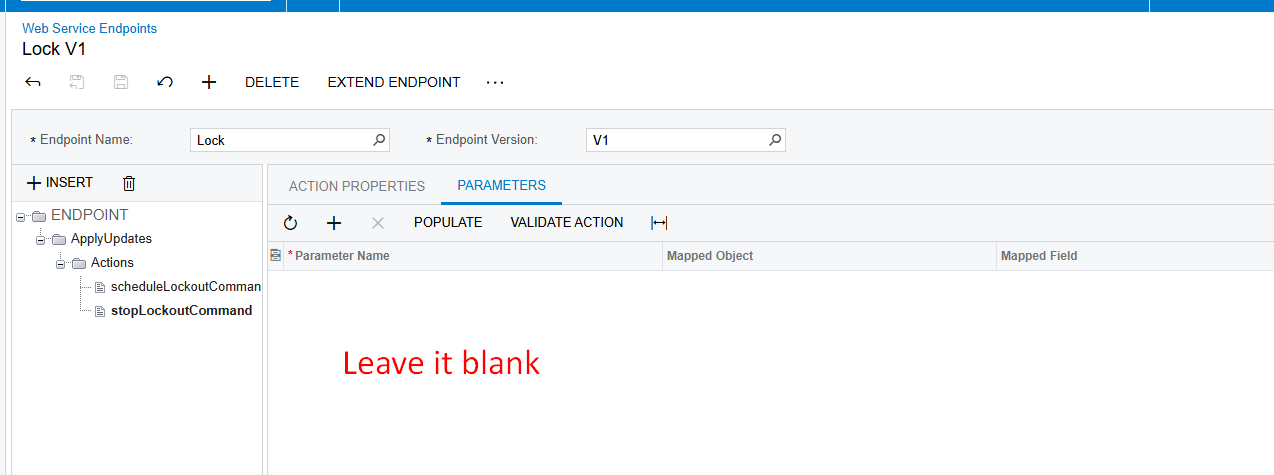
Repeat the same steps as in step 3
-
This time, choose the
stopLockoutCommandaction -
No parameters are needed for this action, so leave the parameter list blank
Example REST API Usage
Schedule Lockout
HTTP Method: POST
URL:
{YourInstanceURL}/entity/{YourEndpointName}/{YourEndpointVersion}/ApplyUpdates/scheduleLockoutCommand
Body:
{
    "entity": {},
    "parameters": {
        "DateTime_Date": {
            "value": "4/4/2025"
        },
        "DateTime_Time": {
            "value": "20:50"
        },
        "LockoutAll": {
            "value": "True"
        },
        "Reason": {
            "value": "Maintainance"
        }
    }
}
Stop Lockout
HTTP Method: POST
URL:
{YourInstanceURL}/entity/{YourEndpointName}/{YourEndpointVersion}/ApplyUpdates/stopLockoutCommand
Body:
{
    "entity": {},
    "parameters": {}
}
I’m attaching a customization package that includes both:
-
A custom endpoint
-
An extension of the
Defaultendpoint from version 23.200.001
You can use whichever fits your setup.
If your Acumatica version is older and there is no Default endpoint with version 23.200.001, simply delete the extended endpoint from the package before publishing (or you can just change the version by editing project.xml file :)).
If you have any questions or run into issues while setting it up, feel free to ask.








Enter your E-mail address. We'll send you an e-mail with instructions to reset your password.